1. Introduction
Thank you for choosing the Avalla X-95 Portable Dehumidifier. This manual provides essential information for the safe and efficient operation, maintenance, and troubleshooting of your new appliance. Please read it thoroughly before use and keep it for future reference.
2. Important Safety Instructions
To reduce the risk of fire, electric shock, or injury, always follow these basic safety precautions:
- Read all instructions before using the appliance.
- Do not operate the dehumidifier with a damaged cord or plug. If the supply cord is damaged, it must be replaced by the manufacturer, its service agent, or similarly qualified persons to avoid a hazard.
- Ensure the appliance is placed on a stable, level surface to prevent tipping.
- Do not block air inlets or outlets. Maintain at least 20 cm clearance from walls or other objects.
- Do not insert fingers or foreign objects into the air inlets or outlets.
- Always unplug the dehumidifier before cleaning, servicing, or moving it.
- This appliance is not intended for use by persons (including children) with reduced physical, sensory or mental capabilities, or lack of experience and knowledge, unless they have been given supervision or instruction concerning use of the appliance by a person responsible for their safety.
- Do not use the appliance in areas where flammable liquids or gases are stored.
- The appliance uses R290 refrigerant gas. Do not puncture the refrigerant circuit.
3. Product Overview
Key Features
- Efficient Humidity Removal: Removes up to 10 liters of moisture per day, ideal for rooms up to 26 m².
- Low Energy Consumption: Uses only 0.2 kW/h, making it 94% more efficient than a tumble dryer for clothes drying.
- Quiet Operation: Operates at a low noise level of 42 dB.
- Clothes Drying Mode: Accelerates natural drying of delicate clothes, preventing damage from tumble dryers.
- Digital Control Panel: Intuitive interface with adjustable humidity levels, timer, and fan speeds.
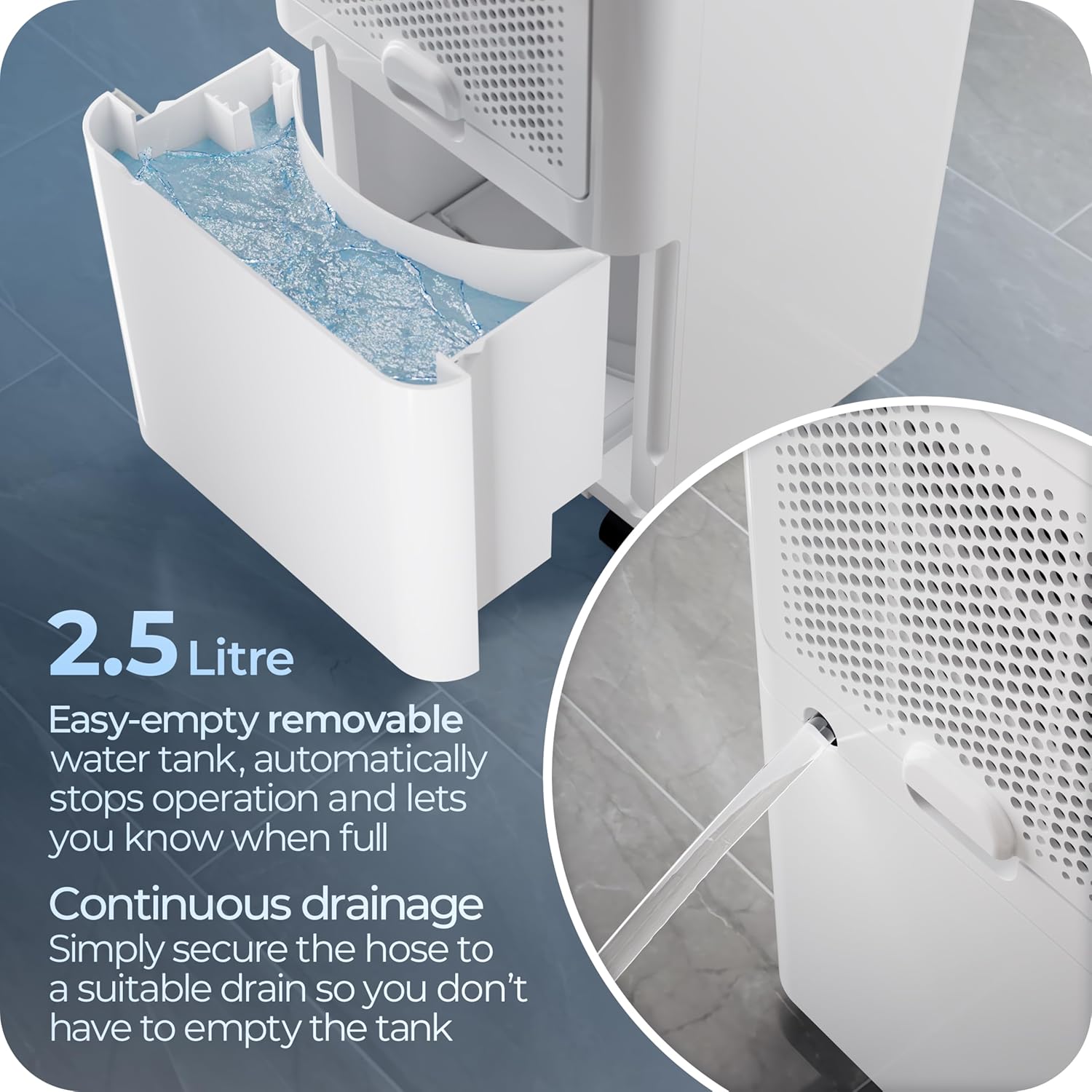
- Large Water Tank: 2.5-liter removable water tank with automatic shut-off when full.
- Continuous Drainage Option: Allows for direct drainage, eliminating the need to empty the tank.
- Environmentally Friendly: Uses CFC-free R290 gas.
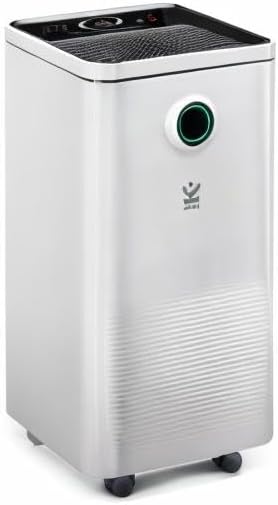
Components Diagram

4. Setup and Installation
Unpacking
Carefully remove the dehumidifier from its packaging. Retain the packaging for future storage or transport. Check for any damage during transit. If the unit appears damaged, do not operate it and contact customer support.
Placement
Place the dehumidifier on a firm, level surface in the area where humidity control is desired. Ensure there is at least 20 cm of clear space around all sides of the unit for proper airflow. Avoid placing it near heat sources, in direct sunlight, or in areas with excessive dust.

Power Connection
Plug the power cord into a grounded electrical outlet (230 Volts AC). Ensure the outlet is suitable for the appliance's power requirements.
5. Operating Instructions
Control Panel Overview
The Avalla X-95 features an intuitive digital control panel. Refer to the diagram below for button functions:
- Power Button: Turns the unit on or off.
- Humidity Setting: Adjusts the desired humidity level (e.g., 40%, 50%, 60%). The unit will operate until this level is reached.
- Mode Button: Cycles through different operating modes:
- Dehumidifier Mode: Standard operation to reduce room humidity.
- Laundry Mode: Uses high fan speed to quickly dry clothes indoors without creating excessive moisture.
- Fan Mode: Circulates air with 2 fan speeds at low power consumption.
- Sleep Mode: Ensures a quiet night's sleep by turning off lights and operating at a whisper-quiet 39dB fan speed.
- Timer Button: Sets a 24-hour delay start or countdown timer for automatic operation.
- Child/Pet Lock: Disables touch controls to prevent accidental changes.
Setting Desired Humidity
Press the humidity setting button to cycle through available humidity percentage options. The unit will automatically turn off once the set humidity level is achieved and restart if the humidity rises above the set point.
Continuous Drainage
For continuous operation without emptying the water tank, connect a drainage hose (not included) to the continuous drainage outlet at the back of the unit. Ensure the hose is securely attached and leads to a suitable drain, positioned lower than the outlet to allow gravity flow.
Water Tank Operation
When the 2.5-liter water tank is full, the dehumidifier will automatically stop operating and an indicator light will illuminate. Carefully remove the tank, empty the collected water, and reinsert it firmly into the unit. The dehumidifier will resume operation.

Video Demonstration
6. Maintenance and Care
Cleaning the Air Filter
The dehumidifier is equipped with a washable air filter. A clean filter ensures optimal performance and air quality. It is recommended to clean the filter every two weeks or more frequently depending on usage and air quality.
- Turn off and unplug the dehumidifier.
- Locate and remove the air filter (typically at the back or side of the unit).
- Wash the filter with lukewarm water and a mild detergent. Rinse thoroughly.
- Allow the filter to air dry completely before reinserting it into the unit. Do not use a dryer or direct heat.
Cleaning the Unit
Wipe the exterior of the dehumidifier with a soft, damp cloth. Do not use harsh chemicals, abrasive cleaners, or solvents, as these can damage the surface. Ensure no water enters the internal components.
Storage
If storing the dehumidifier for an extended period, ensure the water tank is empty and clean, and the filter is clean and dry. Store the unit upright in a cool, dry place, preferably in its original packaging.
7. Troubleshooting Guide
Before contacting customer support, please refer to the following table for common issues and solutions:
| Problem | Possible Cause | Solution |
|---|---|---|
| Dehumidifier does not turn on. | No power supply. Power cord not plugged in. Water tank full. | Check power connection. Empty water tank and reinsert correctly. |
| No water collected. | Room humidity is too low. Temperature is too low. Air filter is clogged. Continuous drainage is active. | Increase desired humidity setting. Ensure room temperature is above 16°C. Clean the air filter. Check if continuous drainage hose is connected. |
| Unit is noisy. | Unit is not on a level surface. Air filter is clogged. | Place on a flat, stable surface. Clean the air filter. |
| Airflow is weak. | Air filter is clogged. Air inlets/outlets are blocked. | Clean the air filter. Ensure clear space around the unit. |
| Odor from the unit. | Filter needs cleaning. Water in tank is stagnant. | Clean the air filter. Empty and clean the water tank regularly. |
8. Technical Specifications
| Specification | Value |
|---|---|
| Model Number | AVX-95 |
| Brand | Avalla |
| Dimensions (L x W x H) | 24.7 x 24.7 x 50 cm |
| Weight | 9.33 Kilograms |
| Dehumidification Capacity | 10 L/day (at 30°C / 80% RH) |
| Power | 200 Watts |
| Voltage | 230 Volts (AC) |
| Water Tank Volume | 2.5 Liters |
| Noise Level | 42 Decibels |
| Coverage Area | 26 m² |
| Number of Speeds | 2 |
| Automatic Shut-off | Yes (when tank is full) |
| Refrigerant | R290 (CFC-free) |
9. Warranty and Customer Support
Every Avalla product is backed by a 2-year warranty, ensuring peace of mind regarding manufacturing defects and performance issues. Additionally, Avalla provides dedicated lifetime customer support to assist you with any questions or concerns you may have throughout the product's lifespan.
For warranty claims, technical assistance, or general inquiries, please refer to the contact information provided on your purchase receipt or visit the official Avalla website. Please have your model number (AVX-95) and purchase date ready when contacting support.


