1. Introduction
Thank you for choosing the Havit TW967 True Wireless Bluetooth Earbuds. This manual provides detailed instructions on how to set up, operate, and maintain your earbuds to ensure optimal performance and longevity. Please read this manual carefully before using the product and retain it for future reference.
2. Product Features
- Ergonomic In-Ear Comfort Design: Designed for a secure and comfortable fit, effectively blocking external noise for an immersive audio experience.
- Powerful Sound with 10mm Drivers: Delivers rich, deep bass and clear stereo sound with high-fidelity audio.
- Bluetooth 5.1 for Stable Connection: Ensures fast data transmission, low latency, and a reliable connection for music and calls.
- Compact Charging Case for Long Battery Life: Portable case provides convenient storage and extends playtime up to 20 hours total (5 hours per charge at 60% volume, with multiple charges from the 300mAh case).
- Clear Calls with Dual Microphones & ENC: Equipped with dual microphones and Environmental Noise Cancellation for clear, high-quality calls in various environments.
3. Package Contents
- Havit TW967 True Wireless Earbuds (L/R)
- Charging Case
- USB Charging Cable
- Ear Tips (S/M/L)
- User Manual
4. Product Overview
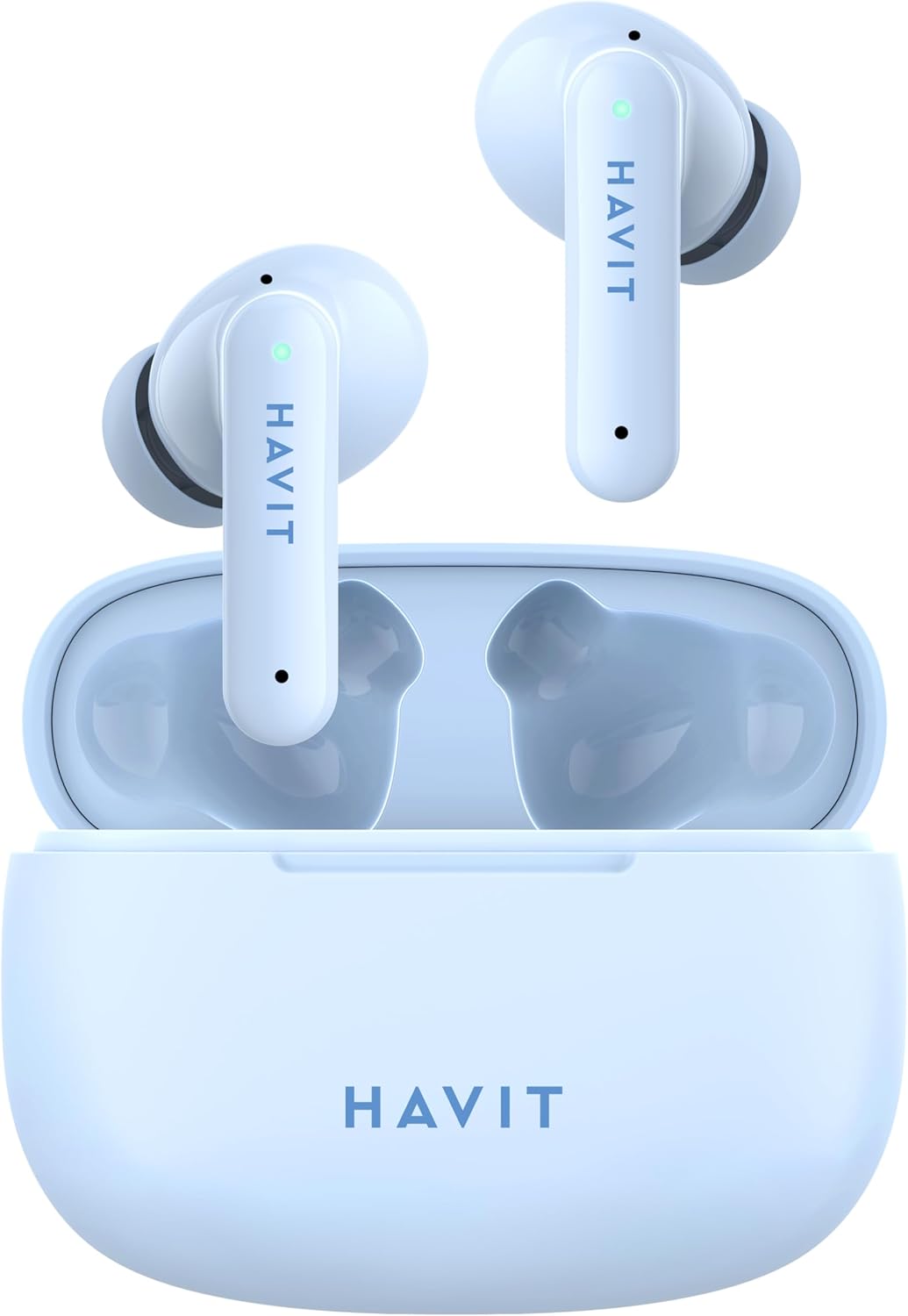
Figure 4.1: Earbuds in Charging Case. This image shows both earbuds placed inside the open charging case, with the case lid open, and the Havit logo visible on the front of the case.

Figure 4.2: Earbuds Inside Case. This image provides a closer view of the two earbuds nestled within their charging case, with the case lid open, highlighting the individual earbud design and the charging contacts.

Figure 4.3: Closed Charging Case. This image displays the compact, closed charging case from a top-down perspective, showcasing its smooth, rounded design and the Havit brand logo.

Figure 4.4: Individual Earbuds. This image presents the two individual Havit TW967 earbuds side-by-side, highlighting their ergonomic shape, touch control areas, and the Havit branding on each stem.
5. Setup
5.1 Initial Charging
- Before first use, place both earbuds into the charging case.
- Connect the USB charging cable to the charging port on the case and a power source (e.g., USB wall adapter, computer USB port).
- The indicator light on the charging case will illuminate to show charging status. A full charge typically takes approximately 1.5 hours for the case and 1 hour for the earbuds.
- Once fully charged, disconnect the charging cable.
5.2 Pairing with Your Device
- Ensure the earbuds are charged.
- Open the charging case. The earbuds will automatically power on and enter pairing mode. The indicator light on one earbud will flash rapidly (e.g., blue and white alternately), indicating it is ready to pair.
- On your device (smartphone, tablet, computer), enable Bluetooth.
- Search for "Havit TW967" in the list of available Bluetooth devices.
- Select "Havit TW967" to connect. Once connected, the earbud indicator lights will turn off or flash slowly.
- If pairing fails, place the earbuds back into the case, close the lid, wait a few seconds, and then repeat the steps.
6. Operating Instructions
6.1 Power On/Off
- Power On: Open the charging case, and the earbuds will automatically power on. Alternatively, press and hold the touch control area on both earbuds for 3 seconds.
- Power Off: Place the earbuds back into the charging case and close the lid. They will automatically power off and begin charging. Alternatively, disconnect from Bluetooth and the earbuds will power off after 5 minutes of inactivity, or press and hold the touch control area on both earbuds for 5 seconds.
6.2 Music Playback
- Play/Pause: Tap the touch control area on either earbud once.
- Next Track: Triple-tap the touch control area on the right earbud.
- Previous Track: Triple-tap the touch control area on the left earbud.
- Volume Up: Double-tap the touch control area on the right earbud.
- Volume Down: Double-tap the touch control area on the left earbud.
6.3 Call Management
- Answer/End Call: Tap the touch control area on either earbud once.
- Reject Call: Press and hold the touch control area on either earbud for 2 seconds.
6.4 Voice Assistant
- Activate Voice Assistant: Press and hold the touch control area on either earbud for 2 seconds (when not on a call).
7. Charging
7.1 Charging the Earbuds
Place the earbuds into the charging case. They will automatically begin charging. The indicator lights on the earbuds will show charging status (e.g., solid red while charging, off when fully charged).
7.2 Charging the Case
Connect the USB charging cable to the charging port on the case and a power source. The indicator light on the case will show charging progress (e.g., flashing while charging, solid when fully charged).
8. Maintenance
- Cleaning: Regularly clean the earbuds and charging case with a soft, dry, lint-free cloth. Do not use harsh chemicals or abrasive materials. Gently clean the charging contacts on both the earbuds and the case to ensure proper charging.
- Storage: When not in use, store the earbuds in their charging case to protect them and keep them charged. Store in a cool, dry place away from extreme temperatures.
- Battery Care: To preserve battery life, charge the earbuds and case regularly, even if not used frequently. Avoid fully discharging the battery for extended periods.
- Water Resistance: These earbuds are not waterproof. Avoid exposure to liquids, moisture, or extreme humidity.
9. Troubleshooting
| Problem | Possible Cause | Solution |
|---|---|---|
| Earbuds not pairing with device | Bluetooth off; earbuds not in pairing mode; interference; previously paired. | Ensure Bluetooth is on. Place earbuds in case, close, then open to re-enter pairing mode. Forget "Havit TW967" on your device and re-pair. Move closer to device. |
| Only one earbud working | Low battery; earbuds not connected to each other; mono mode. | Charge both earbuds fully. Place both earbuds in the case, close, then open to reset their connection. Check device settings for mono audio. |
| No sound or low volume | Volume too low; earbuds not connected; media paused. | Increase volume on both earbuds and device. Reconnect earbuds. Check if media is playing. |
| Charging issues | Dirty contacts; faulty cable/adapter; case battery empty. | Clean charging contacts on earbuds and case. Try a different USB cable and power adapter. Ensure charging case is charged. |
10. Specifications
| Brand | havit |
| Model | TW967 |
| Colour | Blue |
| Bluetooth Version | V5.1 |
| Ear Placement | In Ear |
| Form Factor | True Wireless |
| Driver Size | 10mm |
| Impedance | 32 Ohm |
| Playback Time | Up to 5 hours (earbuds), 20 hours total with charging case |
| Charging Case Battery | 300mAh |
| Microphones | Dual microphones with ENC |
11. Safety Information
- Do not disassemble or modify the product.
- Do not expose the product to extreme temperatures (hot or cold), direct sunlight, or fire.
- Avoid dropping or subjecting the product to strong impacts.
- Keep the product away from water and other liquids.
- Do not use corrosive cleaners or oils to clean the product.
- Prolonged exposure to high volume levels may cause hearing damage. Use at moderate volumes.
- Keep out of reach of children.
12. Warranty and Support
Havit products are designed and manufactured to the highest quality standards. For warranty information, technical support, or customer service inquiries, please refer to the warranty card included with your purchase or visit the official Havit website. Please retain your proof of purchase for warranty claims.