
Introduction
Thank you for choosing Oticon Open Bass miniFit Domes. These domes are designed to provide a reliable and comfortable fit for your Oticon MiniFit hearing aid models. This manual will guide you through the proper installation, usage, and maintenance of your domes to ensure optimal sound delivery and a secure fit.
The Oticon Open Bass miniFit Domes are compatible with various Oticon hearing aid models, including Oticon Intent 1, 2, and 3; REAL 1, 2, and 3; and More 1, 2, and 3 miniRITE R devices. They are specifically engineered to work with Oticon MiniFit systems.
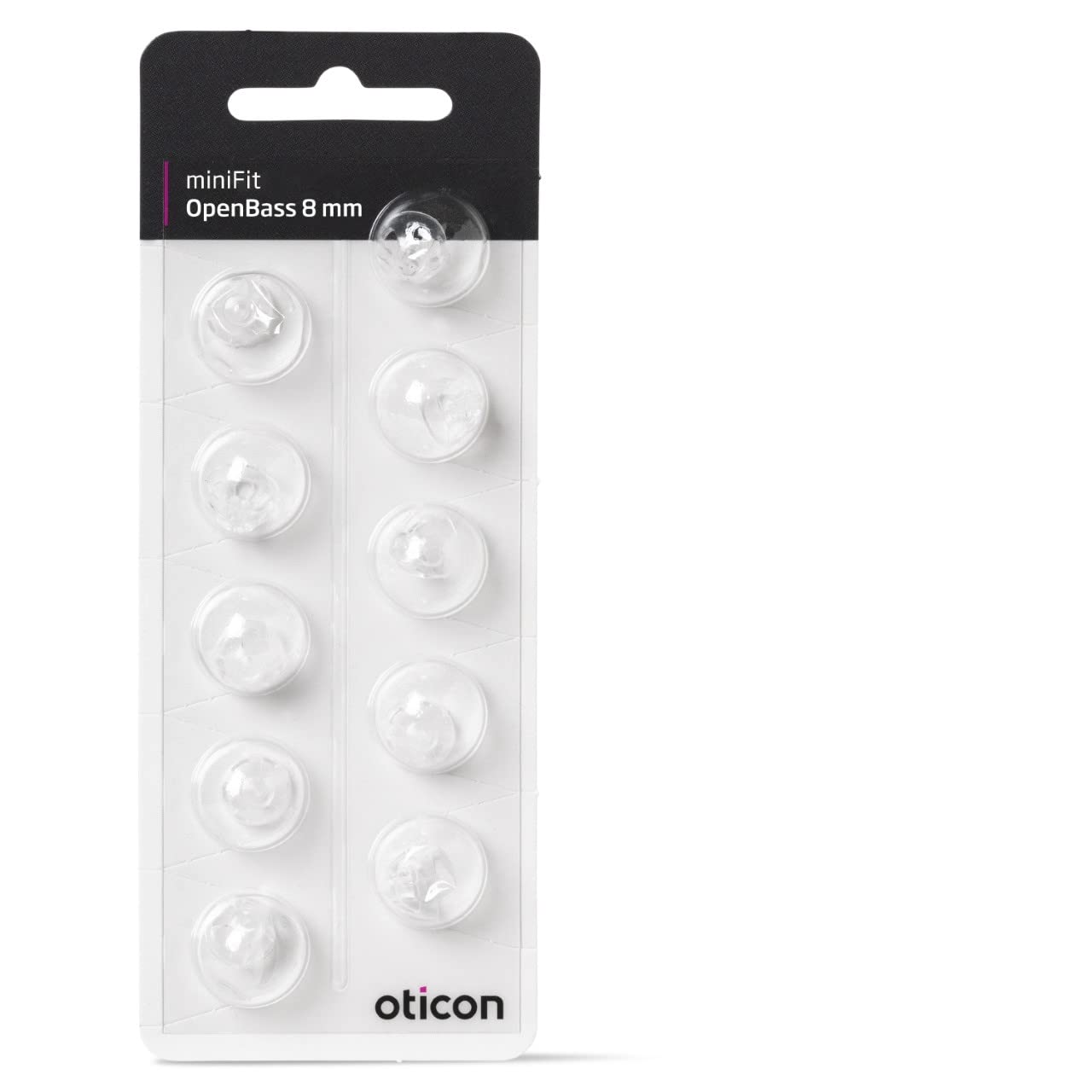
Image: A package of Oticon Open Bass miniFit Domes, showing the 8mm size. The domes are clear and designed for hearing aid receivers.
Setup: Attaching the Domes
Proper attachment of the dome is crucial for comfort and sound quality. Always ensure your hands are clean and dry before handling the domes or your hearing aid.
- Remove the old dome: Gently grasp the old dome and pull it straight off the receiver tube. If it's difficult to remove, twist it slightly while pulling. Dispose of the old dome responsibly.
- Inspect the receiver: Check the receiver tube for any wax or debris. Clean it carefully with a small brush or cloth if necessary.
- Select a new dome: Take a new Oticon Open Bass miniFit Dome from the package. Ensure it is the correct 8mm size.
- Attach the new dome: Align the opening of the new dome with the end of the receiver tube. Push the dome firmly onto the receiver until it is securely seated. You should feel a slight click or resistance, indicating it is properly attached. Do not force it.
- Verify attachment: Gently tug on the dome to ensure it is securely fastened and will not detach during use.
Operating: Daily Use
Once the dome is securely attached, your hearing aid is ready for use. Insert the hearing aid into your ear canal as instructed by your audiologist or hearing care professional. The dome should sit comfortably and securely within your ear.
- Comfort: The dome should feel comfortable and not cause any pain or irritation. If you experience discomfort, try re-inserting the hearing aid or consult your hearing care professional.
- Sound Quality: The Open Bass domes are designed to provide clear sound. If you notice a significant change in sound quality, check if the dome is properly seated or if it needs cleaning/replacement.
- Secure Fit: The dome should remain in place during normal activities. If it frequently dislodges, ensure it is correctly attached or consult your professional for advice on fit.
Maintenance and Care
Regular cleaning and timely replacement of your domes are essential for hygiene, optimal performance, and the longevity of your hearing aid.
- Daily Cleaning: After each day of use, gently wipe the dome with a clean, dry cloth to remove any earwax or moisture. Do not use water or cleaning solutions directly on the dome while it is attached to the hearing aid, as this can damage the electronics.
- Deep Cleaning (Dome only): If the dome becomes visibly dirty, you may carefully remove it from the receiver and clean it separately with a mild soap and water solution. Rinse thoroughly and ensure it is completely dry before reattaching it to the hearing aid.
- Replacement: Domes should be replaced regularly, typically every 2-4 weeks, or sooner if they become stiff, discolored, torn, or if sound quality deteriorates. Always replace with genuine Oticon miniFit Domes of the correct size.
- Storage: When not in use, store your hearing aid with the dome attached in its protective case to prevent damage and keep it clean.
Troubleshooting Common Issues
If you encounter problems with your Oticon Open Bass miniFit Domes, consider the following:
- Poor Sound Quality or Blockage:
- Check if the dome is clogged with earwax. Clean or replace the dome.
- Ensure the dome is securely attached to the receiver.
- Inspect the receiver for wax buildup. If wax is present inside the receiver, consult your hearing care professional.
- Dome Falls Off Frequently:
- Verify that the dome is pushed firmly onto the receiver until it clicks into place.
- The dome might be worn out and needs replacement.
- The dome size might be incorrect for your ear canal. Consult your hearing care professional for proper sizing.
- Discomfort or Irritation:
- Ensure the dome is inserted correctly and not pressing against sensitive areas of your ear canal.
- The dome might be the wrong size. Consult your hearing care professional for an alternative size or type.
- If irritation persists, discontinue use and seek advice from a medical or hearing care professional.
Specifications
| Product Name | Oticon Open Bass miniFit Domes |
| Size | 8mm |
| Quantity | 10 Count |
| Compatibility | Oticon MiniFit hearing aid models (e.g., Intent, REAL, More miniRITE R) |
| Manufacturer | Oticon |
| ASIN | B0B6TGJYJF |
Warranty Information
Specific warranty information for Oticon Open Bass miniFit Domes is not provided in the product details. For details regarding product warranty, please refer to the packaging or contact Oticon directly through their official website or customer service channels.
Support and Contact
If you have further questions, require assistance with your Oticon Open Bass miniFit Domes, or need professional advice regarding your hearing aid, please contact your hearing care professional or visit the official Oticon website for support resources and contact information.
Manufacturer: Oticon
Website: www.oticon.com (Please verify the official website for your region)