
1. Product Overview
The Garmin LiveScope XR Transducer (Model 010-02719-10) is an advanced live scanning sonar system designed for extended range fishfinding in both freshwater and saltwater environments. This transducer provides real-time, highly detailed sonar images, allowing users to see fish and structure with exceptional clarity.

Image 1.1: The Garmin LiveScope XR Transducer, shown mounted on a trolling motor shaft. This image highlights the compact design of the transducer and its cable connection.
Key Features:
- Extended Range: Offers live scanning sonar up to 500 feet in freshwater and 350 feet in saltwater.
- Reverse Range Offset: Optimizes screen usage to display fish and structure at extended distances.
- Compress Range: Provides a clear view of targets close to the boat while simultaneously monitoring farther distances.
- Upgrade Compatibility: Designed to easily upgrade existing systems using the GLS 10 black box with the new LVS62 transducer.
- Vivid Color Palettes: Enhances detail and clarity of sonar images with multiple color options.
- Multiple Mounting Options: Supports trolling motor shaft mount, barrel mount, and Perspective Mode Mount.

Image 1.2: An illustrative graphic detailing the core benefits of the LiveScope XR system, including extended range, clear views, upgrade path, vivid colors, and multiple modes.
2. Setup and Installation
Proper installation of the LiveScope XR Transducer is crucial for optimal performance. This section outlines the general steps for mounting and connecting the transducer.
2.1 Components Included
- LVS62 Transducer
- Trolling motor barrel mount
- Shaft mount
- Perspective mount bracket
- Documentation

Image 2.1: The LVS62 Transducer shown alongside the GLS 10 black box, illustrating the primary components of the LiveScope system. The black box is required for transducer operation.
2.2 Mounting Options
The LVS62 transducer supports three primary mounting configurations:
- Trolling Motor Shaft Mount: Attaches the transducer directly to the shaft of a trolling motor. This is a common setup for forward and down views.
- Barrel Mount: Used for mounting the transducer to the barrel of a trolling motor.
- Perspective Mode Mount: Utilizes a specialized bracket to orient the transducer for a top-down, wide-angle view of the area in front of the boat.
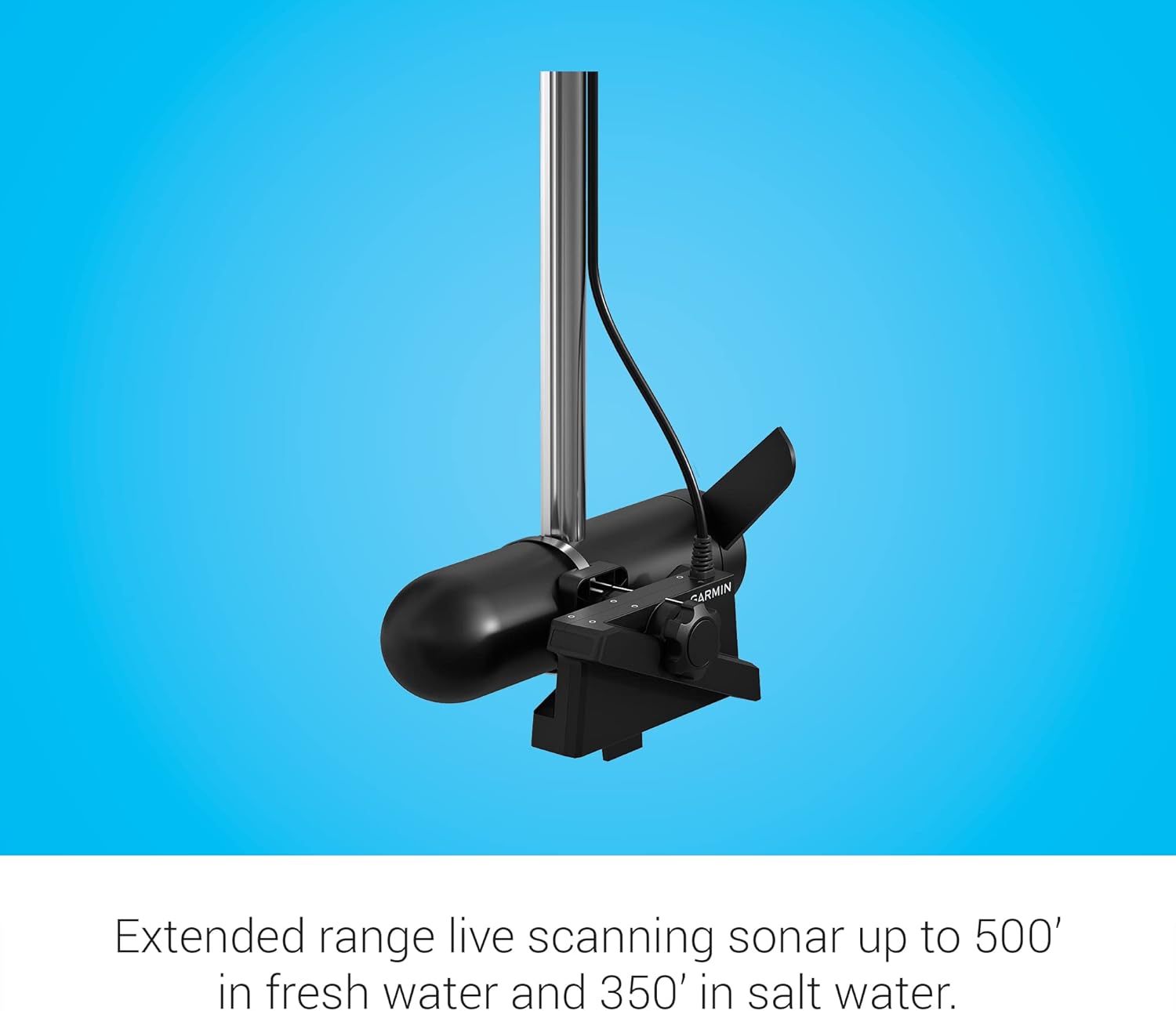
Image 2.2: A close-up view of the LiveScope XR Transducer mounted on a trolling motor, demonstrating a typical installation for active sonar scanning.
2.3 Connecting to a GLS 10 Black Box
The LVS62 transducer connects to a Garmin GLS 10 sonar black box (sold separately or as part of a bundle). Ensure the black box is powered and connected to a compatible Garmin chartplotter. Refer to the GLS 10 installation manual for detailed wiring instructions.

Image 2.3: A Garmin chartplotter displaying LiveScope XR sonar data, indicating a successful connection and data feed from the transducer.
3. Operating the LiveScope XR Transducer
Once installed and connected, the LiveScope XR Transducer provides real-time sonar views through your compatible Garmin chartplotter. This section details key operational features.
3.1 Sonar Modes
The LiveScope XR system supports various sonar modes to adapt to different fishing situations:
- Forward Mode: Provides a real-time view of what is happening in front of your boat.
- Down Mode: Shows a live view of activity directly beneath your boat.
- Perspective Mode: Offers a top-down, wide-angle view from above the water, ideal for shallow water or scouting large areas.

Image 3.1: A chartplotter screen showing the LiveScope XR in Forward Mode, illustrating how to scout ahead for fish and structure in real-time.

Image 3.2: A chartplotter screen showing the LiveScope XR in Down Mode, providing a detailed view of the water column directly below the boat.

Image 3.3: A chartplotter screen showing the LiveScope XR in Perspective Mode, offering a wide, top-down view of the underwater environment.
3.2 Range and Clarity Features
- Extended Range: The system automatically adjusts to provide clear images up to 500 feet in freshwater and 350 feet in saltwater.
- Reverse Range Offset: This feature maximizes the display area for distant targets, allowing for better visualization of fish and structure at the outer limits of the sonar range.
- Compress Range: This setting provides a clear, detailed view of objects close to your boat while simultaneously maintaining visibility of targets further away on the same screen.

Image 3.4: A Garmin chartplotter displaying an extended range sonar view, highlighting the ability to detect targets at significant distances.

Image 3.5: An illustration demonstrating the Reverse Range Offset feature, which dedicates more screen space to display distant fish and structure.

Image 3.6: An illustration demonstrating the Compress Range feature, which allows for a clear view of both near and far targets simultaneously on the display.
3.3 Image Enhancement
- Vivid Color Palettes: Select from 7 distinct color options (e.g., Aqua, Caribbean, Lava) to optimize contrast and clarity for different water conditions and personal preference.
- Real-Time Images: The sonar system processes data rapidly to provide highly accurate, live images of the underwater environment.
- Image Stabilization: A built-in stabilization system helps maintain a steady sonar image on your chartplotter, even in rough water conditions.

Image 3.7: A Garmin chartplotter displaying sonar data with a vivid color palette, enhancing the visibility and distinction of underwater features.

Image 3.8: An illustration highlighting the availability of multiple vivid color palettes to customize the sonar display for optimal contrast and clarity.

Image 3.9: An illustration emphasizing the real-time nature of the sonar images, ensuring accuracy and immediate feedback on underwater activity.

Image 3.10: An illustration demonstrating the image stabilization feature, which helps maintain a clear and steady sonar display even in challenging water conditions.
4. Maintenance
To ensure the longevity and optimal performance of your Garmin LiveScope XR Transducer, follow these general maintenance guidelines:
- Cleaning: Regularly clean the transducer face with fresh water after each use, especially in saltwater environments, to prevent salt buildup and marine growth. Use a soft cloth to avoid scratching the transducer surface.
- Inspection: Periodically inspect the transducer cable for any signs of wear, cuts, or damage. Ensure all connections are secure and free from corrosion.
- Storage: When not in use for extended periods, store the transducer in a dry, protected area away from extreme temperatures and direct sunlight.
- Avoid Harsh Chemicals: Do not use abrasive cleaners, solvents, or harsh chemicals on the transducer, as these can damage the plastic housing and internal components.
5. Troubleshooting
This section provides basic troubleshooting steps for common issues. For more complex problems, refer to the comprehensive Garmin support resources.
5.1 No Sonar Image or Poor Performance
- Check Connections: Ensure the transducer cable is securely connected to the GLS 10 black box and the black box is properly connected to the chartplotter and power source.
- Power Supply: Verify that the GLS 10 black box is receiving adequate power. Check fuses and battery connections.
- Transducer Placement: Confirm the transducer is fully submerged and free from obstructions (e.g., weeds, air bubbles). Ensure it is oriented correctly for the desired sonar mode.
- Software Update: Ensure your chartplotter and GLS 10 black box have the latest software updates installed. Visit the Garmin website for update instructions.
- Interference: Minimize electrical interference from other devices on the boat. Try adjusting sonar settings on your chartplotter, such as gain or noise rejection.
5.2 Incorrect Depth Readings
- Transducer Angle: Ensure the transducer is mounted level and parallel to the water surface.
- Water Conditions: Extreme turbulence or aeration around the transducer can affect readings.
- Bottom Type: Very soft or irregular bottom types can sometimes lead to less accurate depth readings.
6. Specifications
Detailed technical specifications for the Garmin LiveScope XR Transducer (Model 010-02719-10).
| Feature | Specification |
|---|---|
| Brand | Garmin |
| Model Name | Garmin LiveScope XR |
| Part Number | 010-02719-10 |
| UPC | 753759298548 |
| Power Source | Battery Powered (via GLS 10 black box) |
| Maximum Measuring Depth (Freshwater) | 500 feet |
| Maximum Measuring Depth (Saltwater) | 350 feet |
| Mounting Type | Trolling motor shaft mount, barrel mount, Perspective Mode Mount |
| Material | Plastic |
| Color | Black |
| Item Dimensions (LxWxH) | 8 x 3.7 x 2.7 inches |
| Package Weight | 3.23 Kilograms |
| Model Year | 2022 |
7. Warranty Information
The Garmin LiveScope XR Transducer (Model 010-02719-10) is covered by a 2-year limited warranty from the date of purchase. This warranty covers defects in materials and workmanship under normal use. For full details regarding warranty terms, conditions, and claim procedures, please refer to the official Garmin warranty documentation included with your product or visit the Garmin support website.
8. Customer Support
For additional assistance, technical support, or to access the latest software updates and manuals, please visit the official Garmin support website or contact Garmin customer service.
Garmin Support Website: www.garmin.com/support
You can also find more information and products at the Garmin Store on Amazon.
9. Official Product Videos
No official product videos from the seller were found in the provided data to embed in this manual.