
Alecto SMARTBABY5
Alecto Smartbaby5 WiFi Baby Monitor User Manual
Model: SMARTBABY5
Introduction
This manual provides instructions for the safe and efficient operation of your Alecto Smartbaby5 WiFi Baby Monitor. Please read this manual thoroughly before use and retain it for future reference.

The Alecto Smartbaby5 baby monitor, shown next to a smartphone displaying its live video feed.
Safety Information
- Ensure the device is placed out of reach of children.
- Use only the provided power adapter.
- Do not expose the device to water or excessive humidity.
- Avoid placing the device near heat sources or direct sunlight.
- The camera requires a 2.4 GHz Wi-Fi connection for operation.
Package Contents
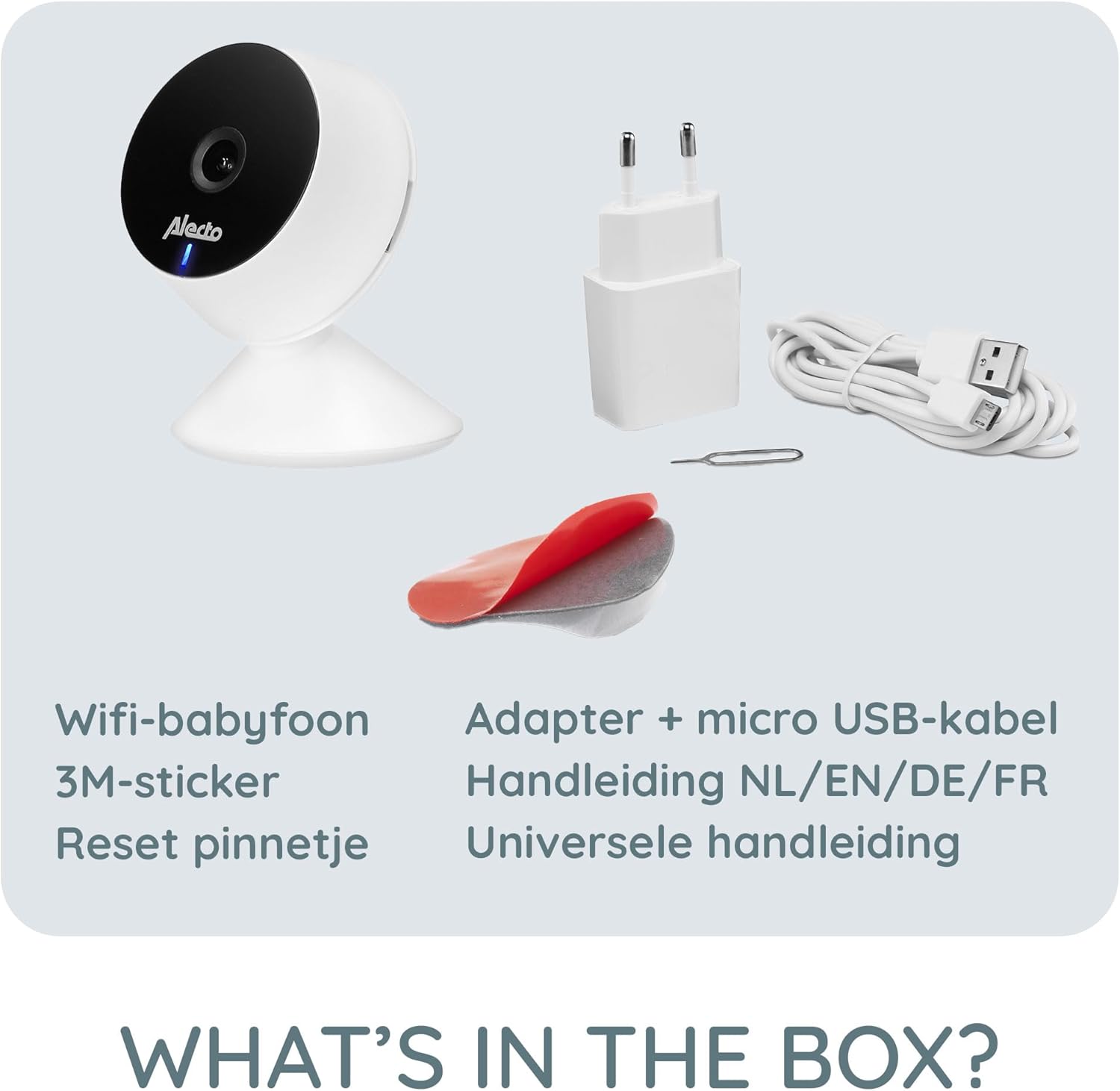
Verify that all items are present in the package:
- Alecto Smartbaby5 WiFi Baby Monitor Camera
- Power Adapter
- Micro USB Cable
- 3M Adhesive Sticker
- Reset Pin
- User Manual (multi-language)

An illustration of the items included in the Alecto Smartbaby5 product box.
Setup
1. Powering the Camera
- Connect the micro USB cable to the camera's power port.
- Plug the power adapter into a wall outlet.
- The camera will power on, indicated by an LED light.
2. App Installation and Connection
The Alecto Smartbaby5 operates via the Smart Life application.
- Download the Smart Life app from the App Store (iOS) or Google Play Store (Android).
- Create an account or log in if you already have one.
- Follow the in-app instructions to add a new device. Ensure your smartphone is connected to a 2.4 GHz Wi-Fi network.
- The camera will guide you through the pairing process.

The Alecto Smartbaby5 requires a 2.4 GHz Wi-Fi connection for proper functionality.
3. Camera Placement
Position the camera in a location that provides a clear view of the desired area (e.g., crib). The camera can be placed on a flat surface or mounted.
- Surface Placement: Place the camera on a stable, flat surface.
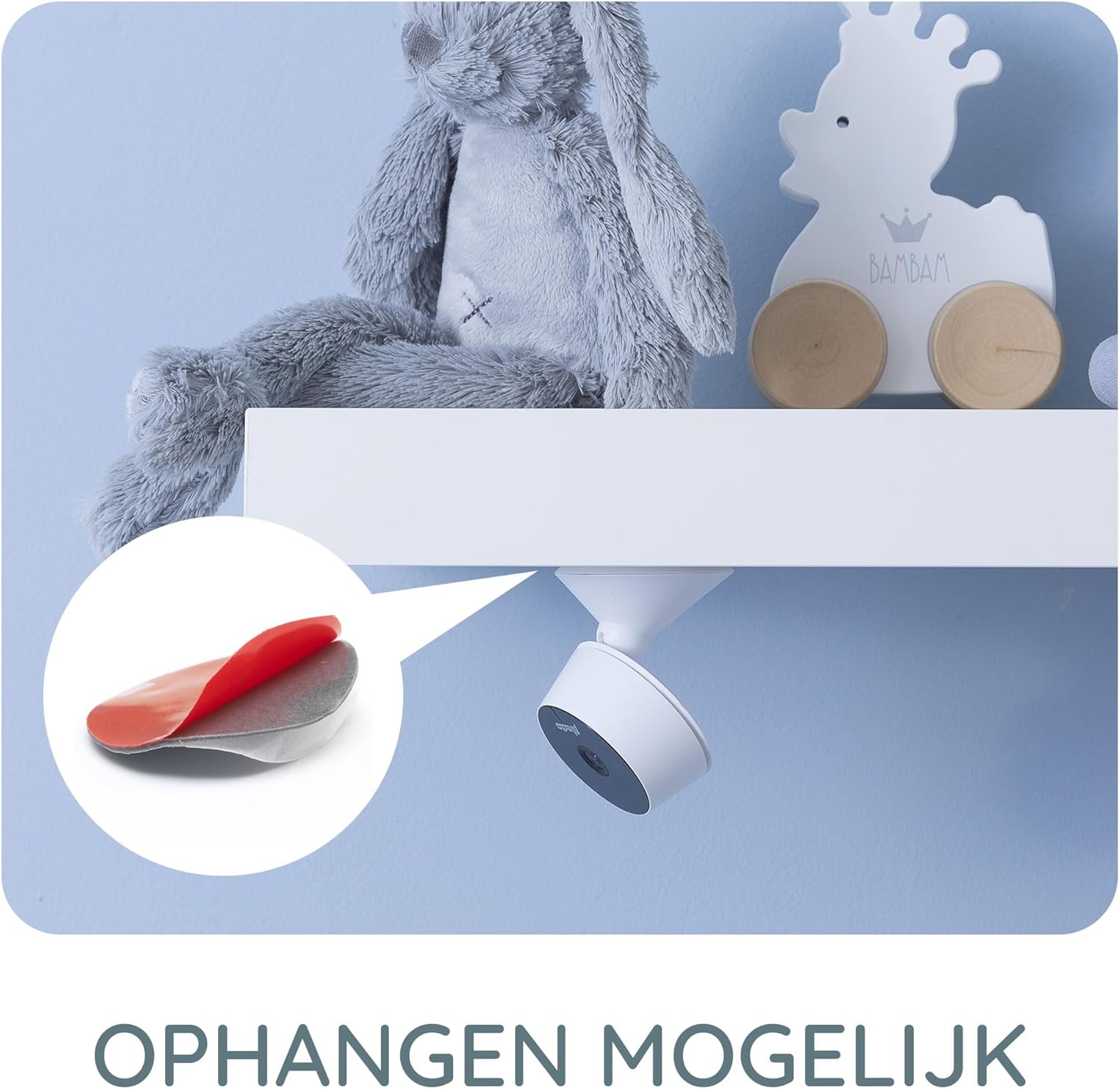
- Wall/Shelf Mounting: Use the provided 3M adhesive sticker to securely attach the camera to a wall or under a shelf. Ensure the surface is clean and dry before applying the adhesive.

The camera can be mounted under a shelf using the included 3M adhesive for optimal viewing angles.
Operating Instructions
Live View and Monitoring
Once connected, open the Smart Life app on your smartphone or tablet to access the live video feed from the camera. The app provides a secure connection, ensuring only authorized users can view the feed.
The Smart Life app interface showing various features like push notifications, recording, and MicroSD storage options.
Key Features via Smart Life App
- HD Resolution: View live video in 1920 x 1080p HD resolution.
- Infrared Night Vision: The camera automatically switches to infrared night vision in low-light conditions, providing clear images in the dark.
- Motion and Sound Detection: Receive push notifications on your smartphone when movement or sound is detected in the monitored area.
- Two-Way Intercom Function: Use the built-in speaker and microphone to listen to and speak with your child remotely through the app.
- Recording: Record images and videos directly to your smartphone or optionally to a MicroSD card (not included).
- Mobile Internet Access: Monitor your child via mobile internet (5G, 4G, or 3G) when away from your home Wi-Fi network.

The two-way intercom function allows remote communication with your child.
Maintenance
- Cleaning: Use a soft, dry cloth to clean the camera lens and body. Do not use liquid cleaners or aerosols.
- Storage: If storing the device for an extended period, disconnect it from power and store it in a cool, dry place.
- Software Updates: Regularly check the Smart Life app for available firmware updates for the camera to ensure optimal performance and security.
Troubleshooting
| Problem | Possible Cause | Solution |
|---|---|---|
| Camera not connecting to Wi-Fi. | Incorrect Wi-Fi band (not 2.4 GHz), weak signal, incorrect password. | Ensure your router is broadcasting a 2.4 GHz signal. Move the camera closer to the router. Re-enter Wi-Fi password carefully. |
| No video feed in the app. | Camera is offline, app issue, internet connectivity problem. | Check if the camera is powered on and connected to Wi-Fi. Restart the app. Verify your smartphone's internet connection. |
| Motion/Sound detection not working. | Settings not enabled in the app, app notifications disabled. | Go to the camera settings in the Smart Life app and enable motion/sound detection. Check your phone's notification settings for the Smart Life app. |
| Intercom function not working. | Microphone/speaker issues, app permissions. | Ensure the app has microphone permissions on your phone. Check volume settings in the app. |
| Camera falls off mounting surface. | Adhesive not strong enough, surface not clean. | Ensure the mounting surface is clean, dry, and smooth. Use a stronger adhesive if necessary, or consider screw mounting if available. |
Specifications
- Model Number: SMARTBABY5
- Main Material: Plastic
- Special Features: Motion Detector, Infrared Night Vision, Two-Way Intercom
- Device Compatibility: Smartphone (iOS, Android)
- Wireless Communication: Wi-Fi (2.4 GHz only)
- Power Type: Adapter powered
- Batteries Required: No
- Video Resolution: 1920 x 1080p (HD)
- Dimensions (L x W x H): 8 x 6 x 7.2 cm
- Weight: 143 grams
- Manufacturer: Commaxx
Physical dimensions of the Alecto Smartbaby5 baby monitor camera.
Warranty and Support
For warranty information and technical support, please refer to the documentation provided with your product or visit the official Alecto website. Alecto Baby is committed to providing high-quality products and support.
Manufacturer: Commaxx
Related documentsSMARTBABY5


Ask a question about this manual
Ask about setup, troubleshooting, compatibility, parts, safety, or missing instructions. Manuals+ will review the question and use this page’s manual context to help answer it.