
1. Introduction
This manual provides instructions for the Lexon MINO+ Portable Bluetooth Mini Speaker. The MINO+ is a compact, rechargeable speaker designed for high-definition audio playback, hands-free calling, and remote selfie functionality. It features True Wireless Stereo (TWS) technology for pairing two speakers.
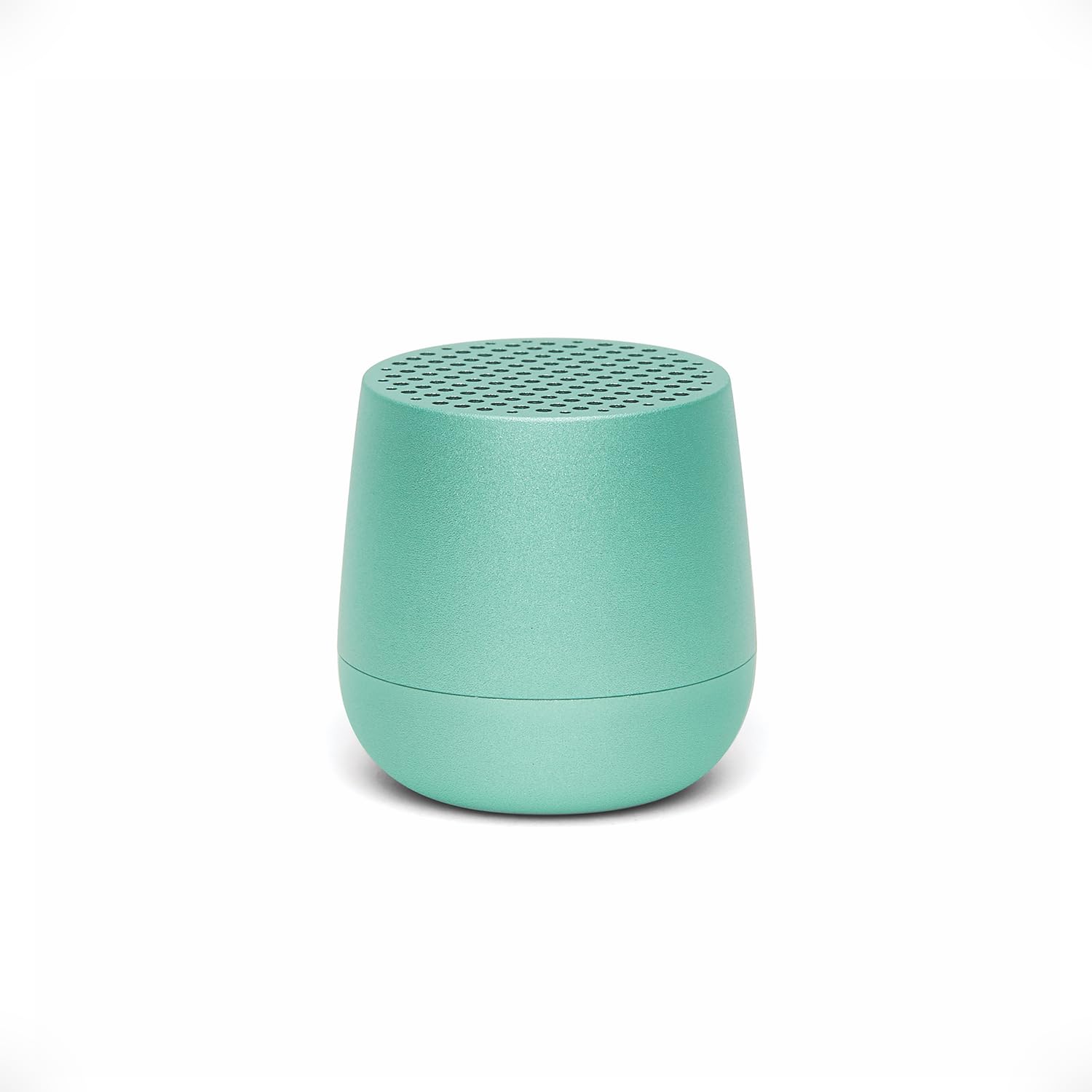
Image: The Lexon MINO+ speaker, showcasing its compact design.
Video: An overview of the Lexon MINO+ Bluetooth speaker, highlighting its features and design.
2. What's in the Box
- Lexon MINO+ Portable Bluetooth Mini Speaker
- USB-C cable
3. Product Features
- Compact Design: Fits in the palm of your hand.
- Audio Output: Delivers 3W high-quality sound.
- Rechargeable Battery: Up to 3 hours of playtime.
- Charging Options: Supports wireless charging (Qi-enabled pad not included) and USB-C charging.
- True Wireless Stereo (TWS): Allows pairing of two MINO+ speakers for stereo sound.
- Hands-Free Microphone: Built-in microphone for calls.
- Selfie Remote Control: Use the speaker button to trigger your phone's camera.
- Material: Metal construction.
- Connectivity: Bluetooth wireless technology (range up to 10 meters / 32.8 feet).

Image: The MINO+ speaker comfortably held in a hand, illustrating its compact form factor.
4. Setup
4.1 Powering On/Off
- To power on: Press and hold the button located on the bottom of the speaker until you hear an audible cue or see an indicator light.
- To power off: Press and hold the button again until the speaker powers down.
4.2 Initial Bluetooth Pairing
- Ensure the MINO+ speaker is powered on and within 10 meters (32.8 feet) of your device.
- The speaker will automatically enter pairing mode, indicated by a flashing LED light.
- On your smartphone, tablet, or computer, navigate to the Bluetooth settings.
- Select "MINO+" from the list of available devices.
- Once connected, the LED indicator will typically show a solid light, and you may hear a confirmation tone.
5. Operating Instructions
5.1 Playing Audio
After successful pairing, audio played on your connected device will stream through the MINO+ speaker. Control playback (play/pause, skip tracks) directly from your connected device.
5.2 Adjusting Volume
Adjust the volume directly from your connected Bluetooth device (smartphone, tablet, etc.).
5.3 Hands-Free Calls
- When a call comes in, the speaker will ring. Press the button on the bottom of the speaker once to answer the call.
- To end a call, press the button once again.
- To reject an incoming call, press and hold the button for a few seconds.
5.4 Selfie Remote Control
With your phone's camera app open and the MINO+ connected via Bluetooth, press the button on the bottom of the speaker to remotely trigger the camera shutter and take a photo.
6. Charging
The MINO+ speaker can be charged using the included USB-C cable or wirelessly with a Qi-enabled charging pad (sold separately).
6.1 USB-C Charging
- Connect the USB-C cable to the charging port on the speaker.
- Connect the other end of the USB-C cable to a compatible USB power adapter (not included) or a computer's USB port.
- The LED indicator will show charging status (e.g., solid red for charging, off or green for fully charged).
6.2 Wireless Charging
- Place the MINO+ speaker on a Qi-enabled wireless charging pad.
- Ensure the speaker is centered on the charging pad for optimal contact.
- The LED indicator will show charging status.

Image: The MINO+ speaker being charged wirelessly on a compatible charging pad.
7. True Wireless Stereo (TWS) Pairing
To achieve a stereo sound experience, you can pair two MINO+ speakers together.
- Ensure both MINO+ speakers are powered off.
- Power on both speakers simultaneously. They will enter pairing mode.
- Double-press the button on the bottom of one of the speakers. This speaker will become the primary unit.
- The two speakers will automatically connect to each other. You will hear a confirmation tone once connected.
- Now, connect your device to the primary MINO+ speaker via Bluetooth as described in Section 4.2. Audio will play in stereo through both speakers.

Image: Two MINO+ speakers positioned to illustrate their True Wireless Stereo (TWS) pairing function.
8. Maintenance
- Cleaning: Use a soft, dry cloth to clean the speaker. Do not use abrasive cleaners or solvents.
- Storage: Store the speaker in a cool, dry place away from direct sunlight and extreme temperatures.
- Water Resistance: This product is not waterproof. Avoid exposure to water or high humidity.
9. Troubleshooting
| Problem | Solution |
|---|---|
| Speaker does not power on. | Ensure the speaker is charged. Connect it to a power source using the USB-C cable or a wireless charging pad. |
| Cannot pair with a Bluetooth device. |
|
| No sound or low volume. |
|
| TWS pairing fails. | Ensure both speakers are powered off before attempting TWS pairing. Follow the steps in Section 7 carefully. Make sure no other devices are connected to either speaker during TWS pairing. |
10. Specifications
| Feature | Detail |
|---|---|
| Model Name | MINO+ |
| Item Model Number | LA125M1 |
| Brand | Lexon |
| Speaker Type | Built-In |
| Speaker Maximum Output Power | 3 Watts |
| Connectivity Technology | Bluetooth |
| Bluetooth Range | 10 Meters (32.8 Feet) |
| Power Source | Battery Powered (1 Lithium Polymer battery required) |
| Playtime | Up to 3 hours |
| Charging | USB-C, Wireless (Qi-compatible) |
| Special Features | Built-In Microphone, Stereo Pairing (TWS), USB Port, Selfie Remote |
| Material | Metal |
| Product Dimensions | 1.45"D x 1.45"W x 1.45"H |
| Item Weight | 33 Grams (1.16 ounces) |
| Water Resistance Level | Not Water Resistant |
11. Safety Information
- Do not expose the speaker to extreme temperatures, direct sunlight, or high humidity.
- Avoid dropping or subjecting the speaker to strong impacts.
- Do not attempt to disassemble, repair, or modify the speaker. This may void the warranty and pose safety risks.
- Keep the speaker away from children and pets.
- Dispose of the product and its battery responsibly according to local regulations.
12. Warranty and Support
For warranty information or technical support, please refer to the official Lexon website or contact Lexon customer service directly. Keep your proof of purchase for warranty claims.


