Introduction
Thank you for choosing the SIKAI CASE Portable Foldable Bluetooth Keyboard. This compact and versatile keyboard is designed for seamless connectivity across multiple devices, offering convenience and efficiency for users on the go. Its unique foldable design and integrated numeric keypad make it an ideal companion for laptops, tablets, and smartphones.
This manual provides essential information on setting up, operating, and maintaining your keyboard to ensure optimal performance.
What's in the Box
- SIKAI CASE Portable Foldable Bluetooth Keyboard
- USB Charging Cable
- User Manual (this document)

Image: Contents of the SIKAI CASE Portable Foldable Bluetooth Keyboard packaging.
Setup
1. Charging the Keyboard
Before first use, fully charge the keyboard. Connect the provided USB-C cable to the charging port on the keyboard and the other end to a USB power source (e.g., computer USB port, wall adapter). The charging indicator light will illuminate during charging and turn off when fully charged.
- Charging Time: Approximately 2 hours.
- Battery Life: Up to 45 hours of continuous typing or 90 days of standby time.

Image: Connecting the USB-C charging cable to the keyboard.
2. Powering On/Off
Locate the power switch on the side of the keyboard. Slide the switch to the "ON" position to power on the device. To conserve battery, slide the switch to "OFF" when not in use.

Image: The keyboard in its open and folded configurations.
3. Bluetooth Pairing
The keyboard supports Bluetooth 5.1 and can connect to up to three devices simultaneously.
- Ensure the keyboard is powered on.
- Press the Fn key and the C key simultaneously to enter pairing mode. The Bluetooth indicator light will flash.
- On your device (laptop, tablet, smartphone), enable Bluetooth and search for available devices.
- Select "Bluetooth 5.1 Keyboard" from the list of found devices.
- Once connected, the Bluetooth indicator light on the keyboard will stop flashing.
To pair with additional devices (up to three), repeat steps 2-5, using Fn + A (BT1), Fn + S (BT2), or Fn + D (BT3) to select the desired Bluetooth channel before entering pairing mode with Fn + C.
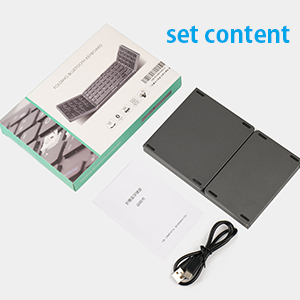
Image: Bluetooth pairing key combinations.
Video: Demonstrating the folding, charging, and Bluetooth pairing process for the SIKAI CASE keyboard.
Operating Instructions
Switching Between Devices
Once paired with multiple devices, you can switch between them instantly by pressing Fn + A (BT1), Fn + S (BT2), or Fn + D (BT3). This allows for quick transitions between your laptop, tablet, and smartphone without re-pairing.

Image: One keyboard for three devices, illustrating multi-device connectivity.
Special Function Keys
The keyboard features various function keys that can be accessed by pressing the Fn key in combination with other keys. These functions may vary slightly depending on your operating system (iOS, Windows, Android, MacOS).
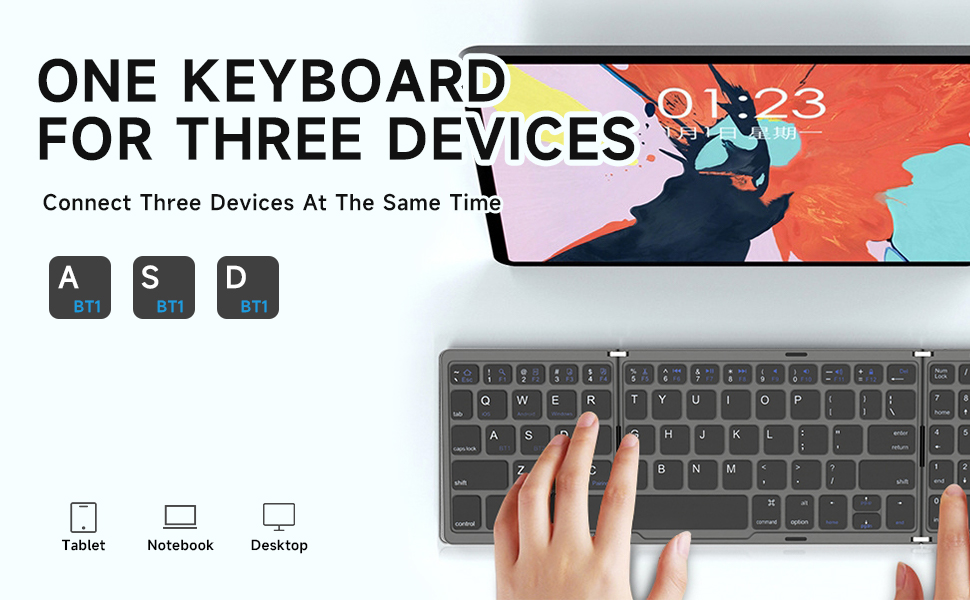
Image: Fn+Shift key combinations and their corresponding functions.
Energy Saving Mode
To conserve battery, the keyboard will automatically enter sleep mode after ten minutes of inactivity. To wake it up, simply press any key.
Maintenance
- Cleaning: Use a soft, dry cloth to clean the keyboard surface. For stubborn dirt, a slightly damp cloth can be used, ensuring no moisture enters the key gaps or ports.
- Storage: When not in use, fold the keyboard to protect the keys and store it in a dry, cool place away from direct sunlight and extreme temperatures.
- Handling: Avoid dropping the keyboard or subjecting it to strong impacts. While designed for portability, excessive force can damage internal components or the folding mechanism.
- Charging: Use only the provided USB cable or a certified USB-C cable for charging.
Image: UV coating protection on keyboard keys for durability.
Troubleshooting
If you encounter issues with your SIKAI CASE keyboard, please refer to the following common solutions:
| Problem | Solution |
|---|---|
| Keyboard does not power on. | Ensure the power switch is in the "ON" position. Charge the keyboard fully using the provided USB-C cable. |
| Cannot pair via Bluetooth. |
|
| Keys are not responding or typing incorrectly. |
|
| Keyboard disconnects frequently. |
|
Specifications
| Feature | Detail |
|---|---|
| Brand | SIKAI CASE |
| Model Number | B089 |
| Connectivity Technology | Bluetooth 5.1 |
| Compatible Devices | Laptop, PC, Smart TV, Tablet, Smartphone (iOS/Windows/Android/MacOS/HMS) |
| Number of Keys | 81 |
| Special Features | Foldable, Rechargeable, Numeric Keypad, Multi-device connection (up to 3) |
| Battery Type | Lithium Polymer (included) |
| Charging Port | USB-C |
| Product Dimensions (Folded) | 15 x 9.8 x 1.98 cm (5.91 x 3.86 x 0.78 inches) |
| Product Dimensions (Open) | 30 x 10 x 1 cm (11.81 x 3.94 x 0.39 inches) |
| Item Weight | 220 g (7.76 ounces) |
| Color | Gray |
| Manufacturer | HangZhou HangKai Technology Co.,Ltd |
| Country of Origin | China |
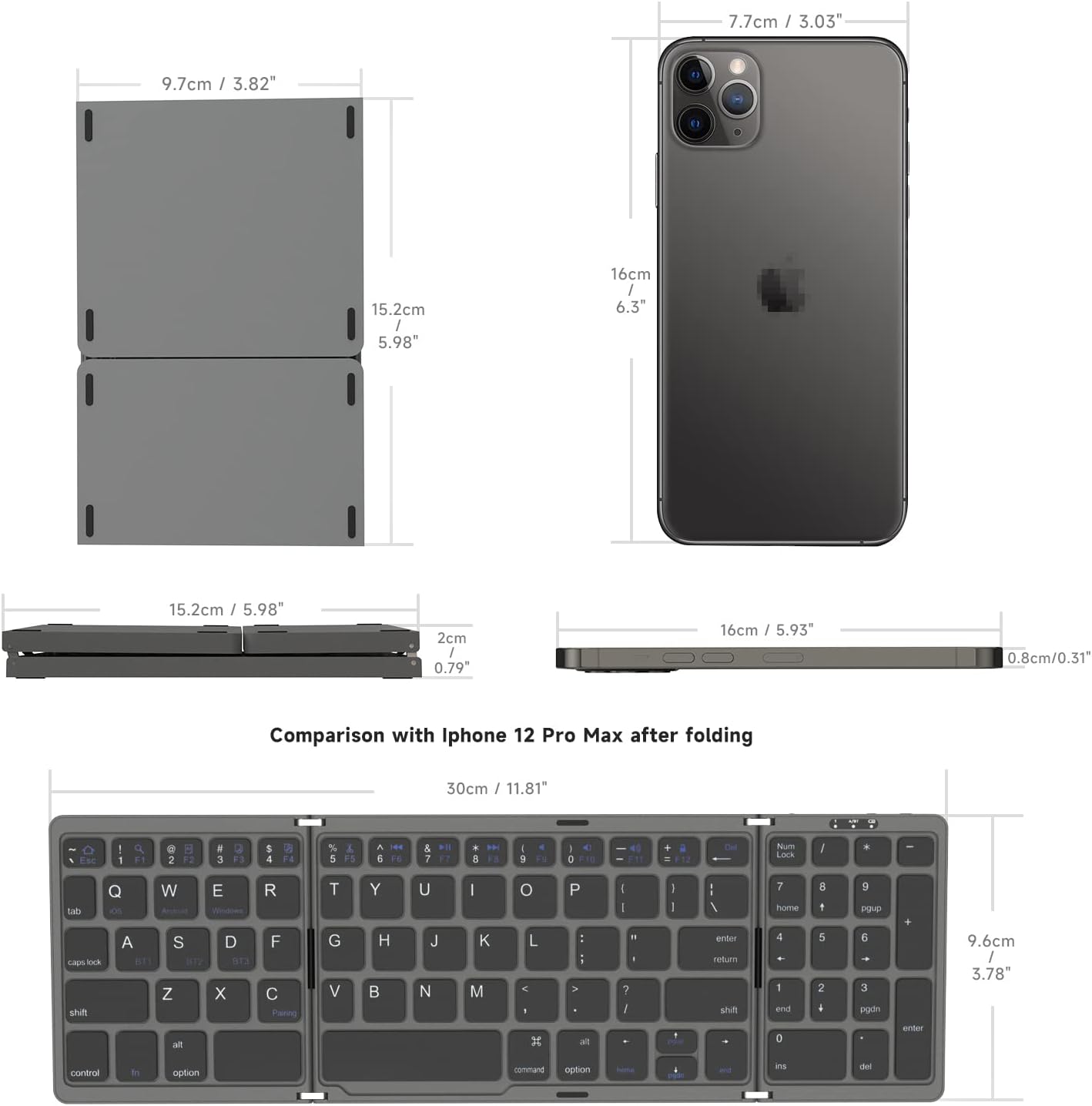
Image: Keyboard dimensions and size comparison.
Warranty and Support
For warranty information and customer support, please refer to the documentation included with your purchase or visit the official SIKAI CASE website. If you encounter any issues not covered in this manual, please contact SIKAI CASE customer service for assistance.


