
Introduction
This manual provides essential information for the safe and efficient operation of your JVC 75-Inch 4K UHD LED Roku Smart TV, model LT75MAW6. Please read this manual thoroughly before using your television and retain it for future reference.

Image: A banner displaying 'JVC 4K UHD Smart TV with Roku' alongside a picture of the television.
Safety Information
Always follow basic safety precautions when using this television to reduce the risk of fire, electric shock, and injury. Keep this manual near the television for quick reference.
- Do not expose the television to rain or moisture.
- Do not block ventilation openings. Ensure adequate space around the television for proper airflow.
- Do not place the television on an unstable cart, stand, tripod, bracket, or table.
- Protect the power cord from being walked on or pinched.
- Unplug the television during lightning storms or when unused for long periods.
- Refer all servicing to qualified service personnel.
What's in the Box
Verify that all components are present upon unpacking:
- JVC 75-Inch 4K UHD LED Roku Smart TV (LT75MAW6)
- Remote Control
- TV Stand (2 pieces)
- Power Cord
- Quick Start Guide (not included in this digital manual)
Setup
Attaching the Stand
If you are not wall-mounting your TV, attach the included stand feet. Ensure the TV is placed on a soft, clean surface to prevent scratches during installation.
- Carefully place the TV face-down on a soft, flat surface.
- Align each stand foot with the corresponding screw holes on the bottom of the TV.
- Secure each stand foot with the provided screws.
Connecting Peripherals
Your JVC Roku TV offers various connectivity options for external devices.

Image: A close-up view of the rear of the JVC TV, highlighting the various input and output ports.
- HDMI: Connect Blu-ray players, game consoles, cable/satellite boxes. The TV features 3 HDMI ports.
- USB: For media playback from USB drives. The TV has 1 USB port.
- Optical Audio: For high-quality digital audio output to soundbars or receivers.
- Composite AV: For older devices using RCA cables (yellow, white, red).
- Antenna Input: Connect an antenna for over-the-air broadcasts.
- RJ45 (Ethernet): For a wired internet connection.
- Headphone Jack: For private audio listening.
Initial Power On and Roku Setup
After connecting all desired devices and the power cord, press the power button on the remote control or TV. Follow the on-screen instructions to complete the Roku TV setup, which includes connecting to your Wi-Fi network and activating your Roku account.
Operating
Remote Control Functions
The included remote control provides intuitive navigation of your Roku TV. Familiarize yourself with its buttons for power, volume, channel, home, back, and directional pad.
Roku TV Interface Navigation
The Roku TV home screen provides access to all your entertainment options.

Image: The Roku TV home screen displaying various streaming channel icons like Netflix, Disney+, Apple TV, Peacock, Roku Channel, and HBO Max, alongside menu options such as Home, Featured Free, My Feed, Search, Streaming Channels, and Settings.
- Home: Returns you to the main Roku TV interface.
- Streaming Channels: Browse and add new streaming applications.
- Settings: Access TV and Roku system settings, including network, display, audio, and privacy options.
- Inputs: Select connected devices like cable boxes or game consoles.
Voice Control
Your JVC Roku TV supports voice control through compatible smart assistants, enhancing convenience.
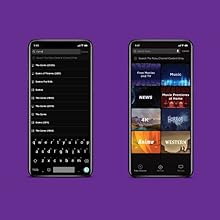

Image: Three smart speakers (Amazon Alexa, Google Home, Apple HomePod) representing compatibility with voice assistants.
- Alexa: Use an Alexa-enabled device to control your Roku TV.
- Google Assistant: Control your Roku TV using a Google Assistant-enabled device.
- Siri (via AirPlay): Utilize Siri through your Apple devices to interact with your TV via AirPlay.
AirPlay and Screen Casting
Effortlessly share content from your Apple devices or cast from other compatible devices.
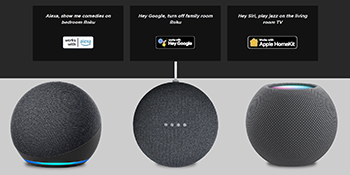
Image: Three distinct icons labeled 'Watch', 'Listen', and 'Share', representing the functionalities of AirPlay.
- AirPlay: Mirror the screen of your iPhone, iPad, or Mac to the TV. Stream videos, photos, and music directly.
- Screen Casting: Cast content from compatible Android devices or web browsers to your TV.
Roku Mobile App Features
The free Roku mobile app turns your smartphone into a powerful control center for your TV.
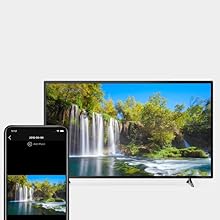
Image: A smartphone screen displaying the search interface of the Roku mobile app.
- Convenient Remote: Use your phone as a full-function remote.
- Voice Control: Speak into your phone to search for content or control playback.
- Private Listening: Plug headphones into your phone to listen to TV audio privately.
- Cast Media: Easily cast photos, videos, and music from your phone to the TV.
Picture Settings
Optimize your viewing experience with advanced picture technologies.

Image: A split-screen comparison on a TV, showing the enhanced detail of 4K UHD on one side versus 1080p on the other, with text indicating '4K UHD with HDR10'.
- 4K UHD Resolution: Enjoy incredibly sharp and detailed images with four times the pixels of Full HD.
- HDR10: Experience a wider range of colors and contrast, bringing scenes to life with greater realism.

Image: A TV screen displaying a vibrant underwater scene, with a vertical bar illustrating DLED (Direct LED) technology and local dimming zones on the right side.
- DLED Technology: Direct LED backlighting provides uniform brightness and improved contrast across the screen.
- Local Dimming: Minimizes blooming and enhances deep blacks for a more dynamic picture.
Maintenance
Cleaning the TV
To maintain the appearance of your television, follow these cleaning guidelines:
- Always unplug the TV before cleaning.
- Use a soft, lint-free cloth to gently wipe the screen and cabinet.
- For stubborn marks, lightly dampen the cloth with water or a mild, non-abrasive screen cleaner.
- Never spray cleaner directly onto the screen or cabinet.
Software Updates
Your Roku TV automatically checks for and installs software updates when connected to the internet. Ensure your TV remains connected to Wi-Fi for optimal performance and access to the latest features.
Troubleshooting
If you encounter issues with your JVC Roku TV, refer to the following common problems and solutions:
| Problem | Possible Solution |
|---|---|
| No power | Ensure the power cord is securely plugged into both the TV and a working electrical outlet. Try a different outlet. |
| No picture, but sound is present | Check the input source. Ensure external devices are powered on and connected correctly. |
| No sound, but picture is present | Check the volume level and mute status. Verify audio cables for external devices. Check TV audio settings. |
| Remote control not working | Replace batteries. Ensure there are no obstructions between the remote and the TV's IR sensor. |
| Cannot connect to Wi-Fi | Verify your Wi-Fi password. Restart your router and modem. Ensure the TV is within range of your Wi-Fi signal. |
| Streaming issues (buffering, poor quality) | Check your internet speed. Restart your router. Close other applications using bandwidth. Try a wired Ethernet connection. |
Specifications
Detailed technical specifications for the JVC 75-Inch 4K UHD LED Roku Smart TV (LT75MAW6):
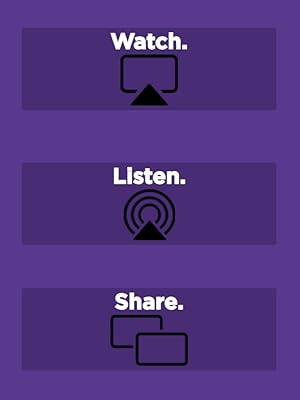
Image: A side profile view of the JVC 75-inch television, showcasing its slim design.
- Model Number: LT75MAW6
- Screen Size: 75 Inches
- Display Technology: LED
- Resolution: 4K UHD (3840 x 2160)
- Refresh Rate: 60Hz
- Aspect Ratio: 16:9
- Special Features: HDR10, Flat Screen, Roku Smart TV
- Connectivity Technology: Wi-Fi, HDMI (x3), USB (x1), Optical Audio, Composite AV, Antenna Input, RJ45 (Ethernet)
- Supported Internet Services: Netflix, Roku TV, YouTube, and more via Roku channels
- Voltage: 120 Volts
- Wattage: 75 watts
- Item Weight: Approximately 68 pounds
- Package Dimensions: 71.9 x 43.7 x 7.5 inches