1. Introduction
This manual provides essential instructions for the safe and efficient use of your DOD Qiewa QPOWER Replacement Charger. Please read this manual thoroughly before using the product and retain it for future reference.
The Qiewa QPOWER Replacement Charger is designed to provide reliable power to compatible Qiewa QPOWER devices. It features a 2-pin connector and operates with an input voltage of 5 Volts and an output voltage of 12 Volts.
2. Safety Information
Always observe the following safety precautions to prevent injury or damage to the product:
- Use the charger only with devices specified by the manufacturer.
- Do not expose the charger to water, moisture, or extreme temperatures.
- Avoid dropping or subjecting the charger to strong impacts.
- Do not attempt to disassemble or modify the charger. This will void the warranty and may cause electric shock.
- Ensure the power outlet voltage matches the charger's input requirements.
- Unplug the charger from the power outlet when not in use or during electrical storms.
- Keep out of reach of children.
3. Setup
Follow these steps to set up your Qiewa QPOWER Replacement Charger:
- Unpack the Charger: Carefully remove the charger from its packaging. Inspect it for any signs of damage.
- Connect to Device: Locate the charging port on your compatible Qiewa QPOWER device. Insert the 2-pin connector of the charger firmly into the device's charging port.
- Connect to Power Outlet: Plug the charger's power cord into a standard electrical wall outlet. Ensure the connection is secure.
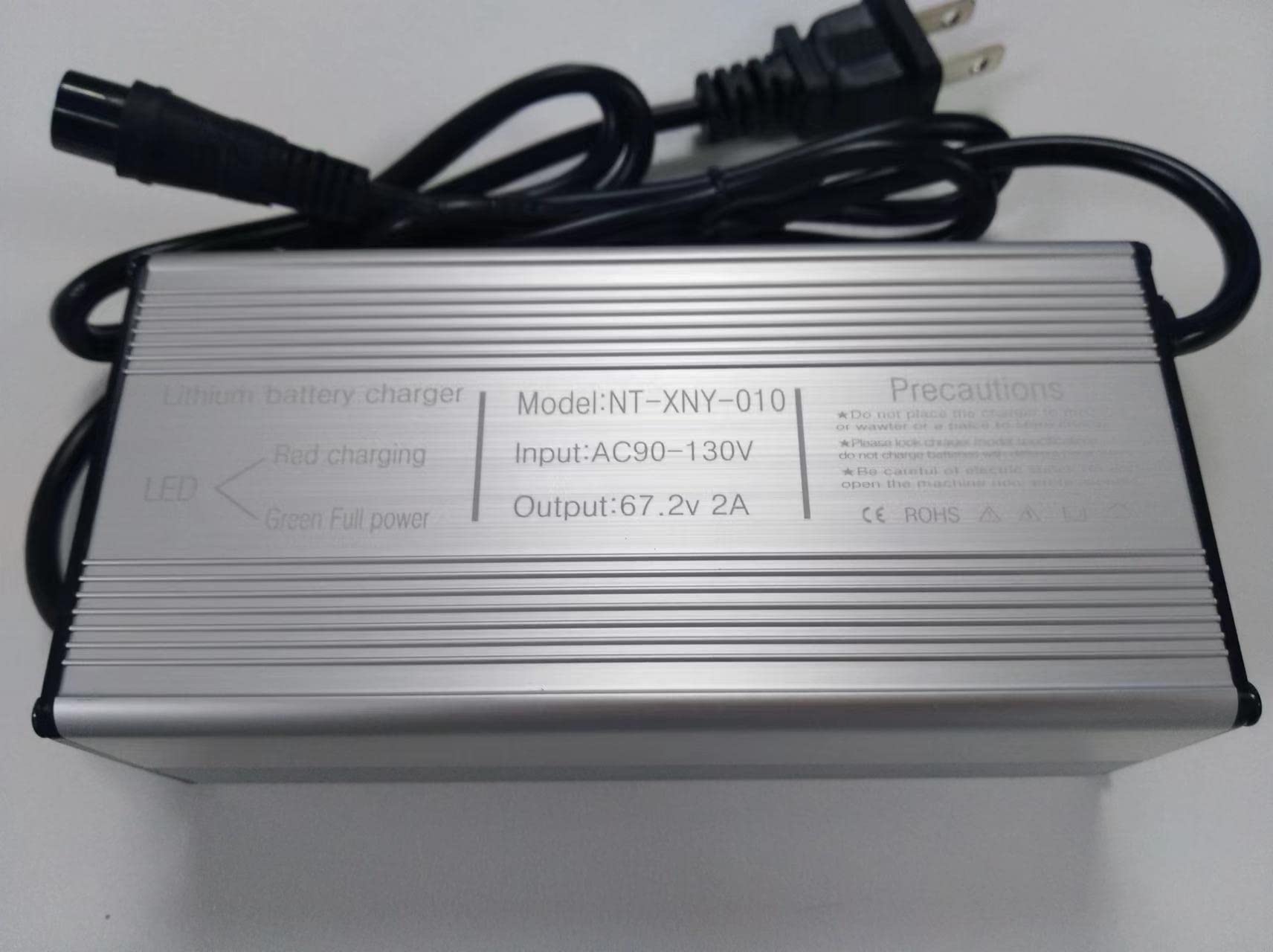
This image displays the Qiewa QPOWER Replacement Charger, featuring its compact design and 2-pin connector.
4. Operating Instructions
Once the charger is properly connected, it will begin charging your device. Observe the charging indicator on your device (if available) to monitor the charging status.
- Charging Time: Charging time will vary depending on the device's battery capacity and current charge level.
- Disconnecting: Once your device is fully charged, or if you need to stop charging, first unplug the charger from the wall outlet, then disconnect the 2-pin connector from your device.
- Overcharging Protection: The charger is designed with protection features to prevent overcharging, but it is good practice to disconnect the device once fully charged.
5. Maintenance
Proper maintenance ensures the longevity and optimal performance of your charger:
- Cleaning: Use a soft, dry cloth to clean the exterior of the charger. Do not use liquid cleaners or solvents.
- Storage: Store the charger in a cool, dry place away from direct sunlight and extreme temperatures when not in use.
- Cable Care: Avoid bending or crimping the power cord excessively. Do not place heavy objects on the cord.
6. Troubleshooting
If you encounter issues with your charger, refer to the following common problems and solutions:
| Problem | Possible Cause | Solution |
|---|---|---|
| Device not charging. | Charger not properly connected to device or power outlet. | Ensure all connections are secure. Try a different power outlet. |
| Charger feels hot. | Normal operation may involve some heat. Excessive heat could indicate an issue. | Disconnect immediately. Ensure adequate ventilation. If heat persists, discontinue use and contact support. |
| Device charges slowly. | Device may be in use while charging, or battery is very low. | Close unnecessary applications on the device. Allow sufficient time for charging. |
If the problem persists after trying these solutions, please contact customer support.
7. Specifications
| Feature | Detail |
|---|---|
| Brand: | DOD |
| Model: | QPOWER Replacement Charger |
| Input Voltage: | 5 Volts |
| Output Voltage: | 12 Volts |
| Connector Type: | 2-Pin |
| Number of Items: | 1 |
| Specification Met: | Qi |
| ASIN: | B0B6H5K17B |
| UPC: | 760701785322 |
8. Warranty and Support
For warranty information or technical support, please refer to the documentation provided with your original Qiewa QPOWER device or contact DOD customer service directly. Keep your purchase receipt as proof of purchase.
Contact Information: Please visit the official DOD website for the most up-to-date contact details for customer support.


