
SPINTSO S1 PRO
SPINTSO S1 PRO Smartwatch with GPS User Manual
Model: S1 PRO
1. Introduction
Welcome to the user manual for your SPINTSO S1 PRO Smartwatch. This device is engineered to provide comprehensive support for referees and individuals engaged in active lifestyles, integrating advanced features such as GPS, heart rate monitoring, and specialized match management tools. Please read this manual thoroughly to understand the full capabilities of your S1 PRO Smartwatch and ensure optimal performance.
2. Setup
2.1 Unboxing and Initial Charge
Upon unboxing your SPINTSO S1 PRO Smartwatch, it is recommended to fully charge the device before first use. The watch is rechargeable via USB. A full charge takes approximately 2 hours.
2.2 App Installation
To unlock the full potential of your S1 PRO Smartwatch, download and install the companion application on your smartphone:
- Open the App Store (for iOS devices) or Google Play (for Android devices).
- Search for "Spintso Watch".
- Download and install the application.
2.3 Device Pairing
Once the app is installed, follow the on-screen instructions within the app to pair your SPINTSO S1 PRO Smartwatch via Bluetooth. Ensure Bluetooth is enabled on your smartphone during this process.
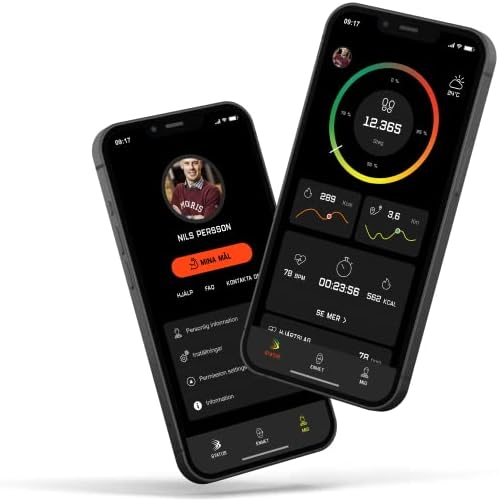
Image: The Spintso Watch companion app interface on two smartphones, showing activity tracking and personal profile screens.
3. Operating Instructions
3.1 Basic Controls and Navigation
The S1 PRO Smartwatch features a primary one-button control for core functions and a vibration indicator for alerts. When the Match function is active, the touchscreen is locked to prevent accidental inputs, especially in wet conditions. All match controls are then managed via the physical button.
3.2 Match Functionality
The S1 PRO is specifically designed for refereeing, offering intuitive match management:
- Starting/Pausing/Stopping a Match: Use the one-button control.
- Quick Pause/Stop: Press the same button twice to quickly pause or stop the game.
- Vibration Alerts: The watch vibrates at the start, pause, and end of game periods.
- Screen Lock: The touchscreen automatically locks when a match is started, ensuring rain or humidity do not affect operation.
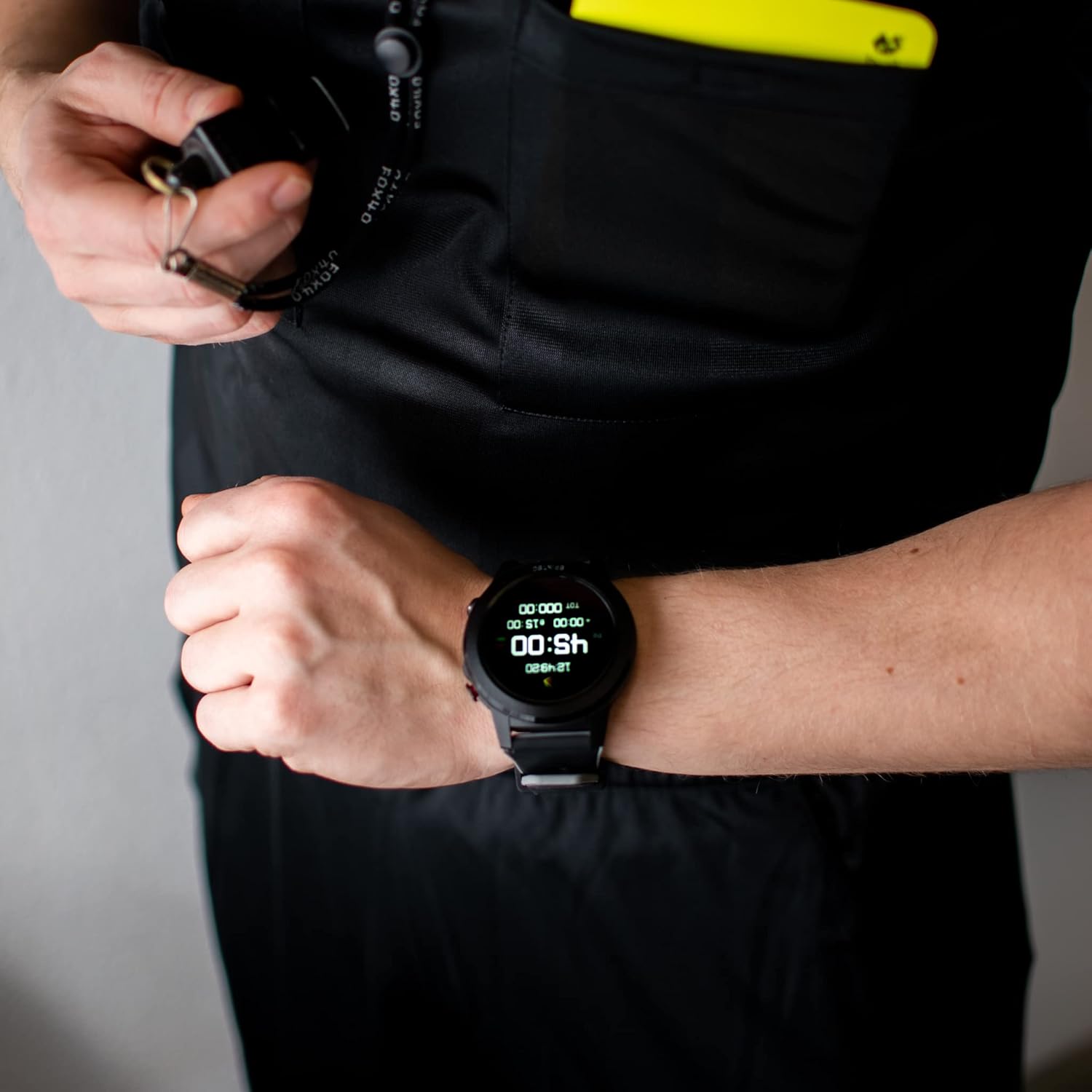
Image: The Spintso S1 PRO Smartwatch on a wrist, showing the referee timer interface during a game.
3.3 Game Modes
The S1 PRO offers versatile game modes:
- Two Pro Modes: For professional match management with customizable settings.
- One Youth Mode: Specifically designed for youth games, allowing direct goal recording for each team on the watch. This feature simplifies score tracking during games with frequent scoring.
3.4 Time Display Options
The watch provides multiple time display configurations:
- A countdown timer (music box function).
- A display for extra time.
- A display for total game time.
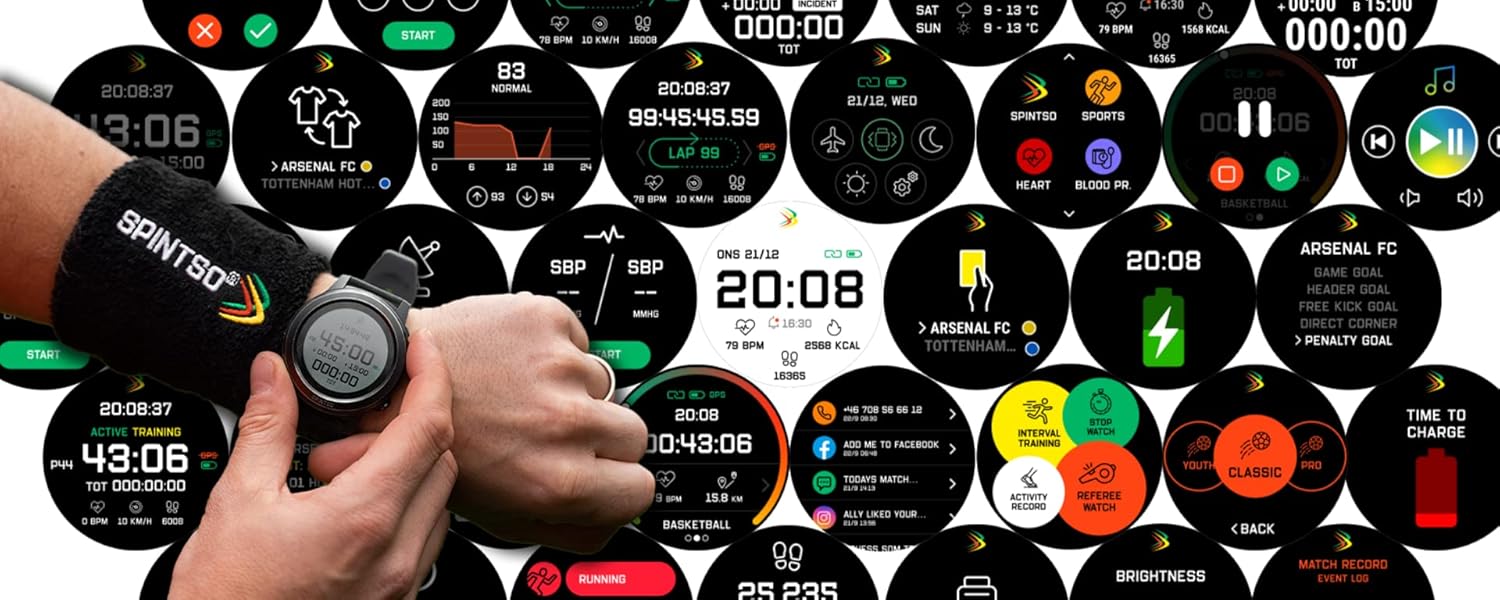
Image: A compilation of different watch faces and data screens available on the Spintso S1 PRO Smartwatch, illustrating its diverse functionalities.
3.5 Activity Tracking and Health Monitoring
Beyond refereeing, the S1 PRO serves as a comprehensive fitness and health tracker:
- GPS Function: Track running, cycling, walking, and other outdoor activities with precise location data.
- Heart Rate Monitor: Continuously monitor your heart rate.
- Blood Pressure Monitor: Track your blood pressure.
- Pedometer: Count your daily steps.
- Interval Training Program: Utilize built-in programs for structured workouts.
- Sleep Tracking: Gain insights into your sleep patterns.
3.6 Smartphone Notifications
Receive notifications from your phone directly on your watch, including messages and app alerts.
3.7 Spintso Watch App Features
The companion app enhances your watch experience with detailed data analysis and management:
- Activity Maps: View your activity routes on a map, showing where and how you moved during a game or workout.
- Activity Overview: Track your steps, heart rate, and other activity metrics for daily or long-term overviews.
- Training Session Details: Review specific training sessions, including distance, altitude, calories burned, heart rate, and more.
- Event Log: The app records all activities triggered by button presses during a game, allowing you to review at which minute you paused or stopped the watch.
4. Maintenance
4.1 Charging Your Device
To charge your S1 PRO Smartwatch, connect it to a USB power source using the provided charging cable. A full charge from 0% to 100% typically takes 2 hours.
4.2 Battery Life
Battery performance varies based on usage:
- Standby: 10 to 15 days
- Regular Use: 3 to 4 days
- With Games & Always-on Screen (No GPS): Approximately 12 hours
- With Games & Always-on Screen (With GPS): Approximately 5.5 hours
4.3 Water Resistance
The S1 PRO is designed to withstand rain and humidity during game play. The touchscreen locks when a match is started to prevent water interference. However, it is not intended for prolonged submersion or high-pressure water activities.
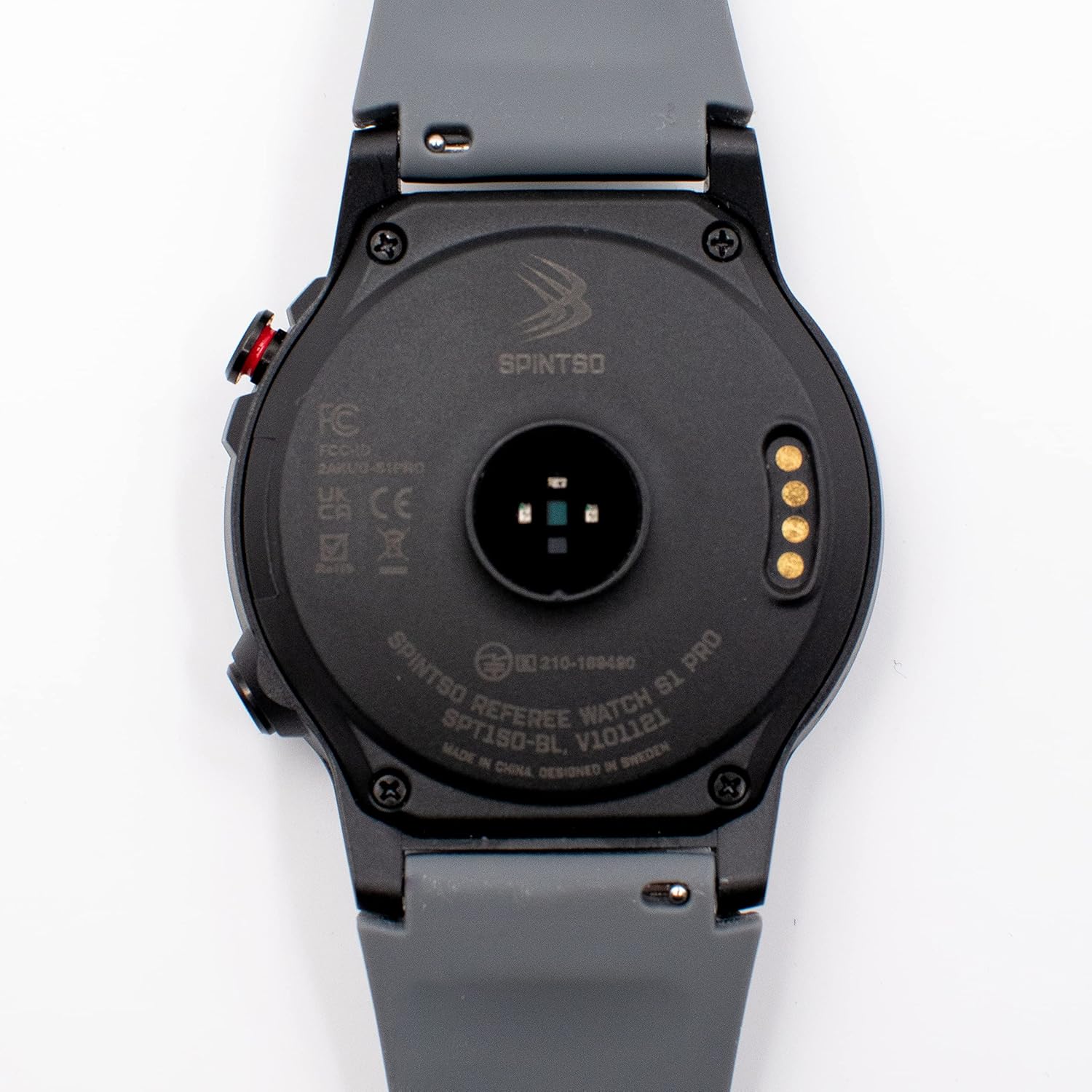
Image: The back of the Spintso S1 PRO Smartwatch, highlighting the optical heart rate sensor and magnetic charging contacts.
5. Troubleshooting
If you encounter any issues with your SPINTSO S1 PRO Smartwatch, please consider the following general troubleshooting steps:
- Device Not Responding: Ensure the watch is fully charged. Try restarting the device by holding down the main button.
- Pairing Issues: Ensure Bluetooth is enabled on your phone and the watch. Try unpairing and re-pairing the device through the Spintso Watch app.
- App Sync Issues: Ensure your phone has a stable internet connection. Close and reopen the Spintso Watch app.
- Inaccurate Readings (GPS/HR): Ensure the watch is worn snugly on your wrist. For GPS, ensure you are in an open area with clear sky view.
For persistent issues, refer to the support section of the Spintso Watch app or contact SPINTSO customer support.
6. Specifications
| Feature | Specification |
|---|---|
| Brand | SPINTSO |
| Model Number | S1 PRO |
| Color | Black |
| Operating System | Wear OS |
| Connectivity | GPS, Bluetooth |
| Special Features | GPS, Pedometer, Heart Rate Monitor, Blood Pressure Monitor |
| Compatible Devices | Bluetooth-enabled devices |
| Battery Composition | Lithium-ion |
| Rechargeable Battery | Yes |
| Charging Time | 2 hours (to 100%) |
| Battery Life (Standby) | 10-15 days |
| Battery Life (Regular Use) | 3-4 days |
| Battery Life (Games/Always-on, No GPS) | 12 hours |
| Battery Life (Games/Always-on, With GPS) | 5.5 hours |
| ASIN | B0B6G6WKWW |
7. Warranty and Support
For information regarding product warranty, please refer to the documentation included with your purchase or visit the official SPINTSO website. For technical support, troubleshooting assistance, or inquiries about your SPINTSO S1 PRO Smartwatch, please contact SPINTSO customer service through their official channels.
Ask a question about this manual
Ask about setup, troubleshooting, compatibility, parts, safety, or missing instructions. Manuals+ will review the question and use this page’s manual context to help answer it.