Introduction
This manual provides essential information for the safe and efficient operation of your AKAI PM-80P PartyMate Pro Speaker. Please read these instructions thoroughly before using the product and retain them for future reference.
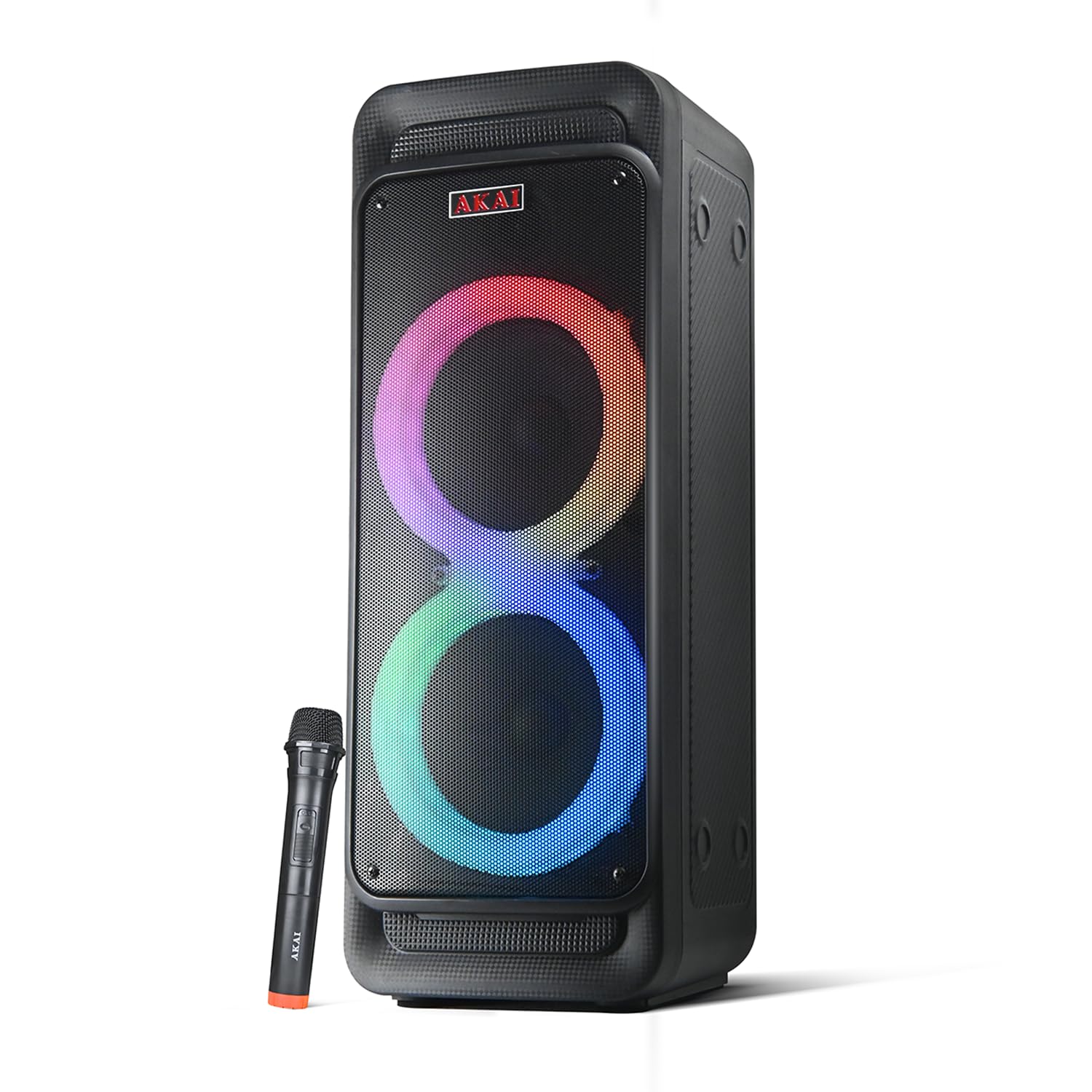
Image: The AKAI PM-80P PartyMate Pro Speaker, a black tower speaker with colorful LED lights on its two main drivers, accompanied by a wireless microphone.
What's in the Box
Verify that all items listed below are included in your package:
- 1N Main Speaker
- 1N Wireless Mic
- 1N Adopter (Power Adapter)
- 1N Remote Control
- 1N User Manual/Warranty Card
Setup
1. Powering On/Off
- To power on the speaker, press and hold the power button located on the control panel.
- To power off, press and hold the power button again.
2. Charging the Speaker
- Connect the provided power adapter to the DC 9V input port on the speaker's control panel.
- Plug the adapter into a standard wall outlet.
- The charging indicator light will illuminate during charging.
- A full charge provides up to 8 hours of playtime at 70% volume.
3. Connecting the Wireless Microphone
- Ensure the wireless microphone has fresh batteries.
- Turn on the microphone. It should automatically pair with the speaker.
- Adjust microphone volume using the dedicated switch on the control panel (Switch 5: Mic Volume).
Operating Instructions
The speaker features an intuitive control panel for easy operation. Refer to the diagram below for button identification.

Image: Detailed diagram of the AKAI PM-80P speaker's top control panel, showing various buttons and ports including AUX, USB, TF Card, microphone inputs, mode, mute, light, volume, bass, treble, mic echo, mic volume, TWS, previous, next, and record/mic priority.
1. Mode Selection
Press the MODE button to cycle through available input sources: Bluetooth, AUX, USB, TF Card, and FM Radio.
2. Bluetooth Pairing
- Ensure the speaker is in Bluetooth mode (indicated on the display).
- On your device (smartphone, laptop), enable Bluetooth and search for "AKAI PM-80P".
- Select the speaker to pair. A confirmation sound will indicate successful pairing.
3. AUX Input
- Connect an external audio device using a 3.5mm AUX cable to the AUX port.
- Switch the speaker to AUX mode using the MODE button.
4. USB/TF Card Playback
- Insert a USB drive or TF (microSD) card containing MP3 files into the respective ports.
- The speaker will automatically switch to USB/TF mode and begin playback.
- Use the PREVIOUS and NEXT buttons to navigate tracks.
5. TWS (True Wireless Stereo) Function
To connect two AKAI PM-80P speakers for a stereo experience:
- Ensure both speakers are powered on and in Bluetooth mode, but not paired with any device.
- On one speaker, long press the TWS button. It will search for the other speaker.
- Once connected, a confirmation sound will be heard. You can now pair your device to the primary speaker.

Image: A diagram illustrating the TWS (True Wireless Stereo) function, showing two speakers wirelessly connected to a smartphone, indicating stereo sound playback.
6. LED Light Control
Press the LIGHT button to change the LED light patterns or turn them off. The speaker features multi-color LED lights that sync to the beat.

Image: The AKAI PM-80P speaker showcasing its dynamic multi-color LED lights, which enhance the audio experience.
7. Karaoke Function and Recording
- Connect a wired microphone to one of the 6.35mm MIC input jacks, or use the included wireless microphone.
- Adjust microphone volume (Switch 5) and echo (Switch 4) as desired.
- To activate Microphone Priority (music volume lowers when speaking into the mic), press the REC/MIC PRI button.
- To record, long press the REC/MIC PRI button. Ensure a USB drive or TF card is inserted for storage.

Image: A person enjoying karaoke with the AKAI PM-80P speaker and its wireless microphone, highlighting the karaoke support feature.
8. Volume and Tone Control
- Use the main rotary knob for MASTER VOLUME CONTROL.
- Adjust BASS (Switch 2) and TREBLE (Switch 3) levels to customize your sound.
Maintenance
1. Cleaning
Wipe the speaker with a soft, dry cloth. Do not use abrasive cleaners or solvents. Ensure all ports are free from dust and debris.
2. Storage
Store the speaker in a cool, dry place away from direct sunlight and extreme temperatures when not in use for extended periods.
3. IPX4 Splashproof Protection
The AKAI PM-80P speaker is IPX4 splashproof, meaning it is protected against splashing water from any direction. This makes it suitable for outdoor use where light water splashes may occur. However, it cannot be submerged in water. Ensure all port covers are securely closed before exposure to moisture.

Image: The AKAI PM-80P speaker standing on a wet surface, with water droplets indicating its IPX4 splashproof rating, suitable for use in light rain or near water.
Troubleshooting
| Problem | Possible Cause | Solution |
|---|---|---|
| No power | Battery is depleted; Power adapter not connected. | Charge the speaker fully; Ensure power adapter is securely connected and outlet is functional. |
| No sound | Volume too low; Incorrect input mode; Device not connected properly. | Increase master volume; Select correct input mode (Bluetooth, AUX, USB/TF); Re-pair Bluetooth or re-connect cable. |
| Bluetooth not connecting | Speaker not in pairing mode; Device too far; Interference. | Ensure speaker is in Bluetooth mode; Move device closer to speaker; Turn off other Bluetooth devices. |
| Microphone not working | Microphone off; Low batteries in wireless mic; Mic volume too low. | Turn on microphone; Replace batteries; Increase Mic Volume (Switch 5). |
| TWS pairing failed | Speakers already paired to a device; Too far apart. | Ensure both speakers are unpaired from any device; Place speakers closer together and try TWS pairing again. |
Specifications
| Feature | Detail |
|---|---|
| Model Name | PM-80P |
| Speaker Type | Satellite (Tower Speaker) |
| Connectivity Technology | Bluetooth 5.0, AUX, USB, TF Card |
| Speaker Maximum Output Power | 80 Watts RMS |
| Subwoofer Diameter | 2 x 6.5 Inches |
| Tweeter Diameter | 1 x 1 Inch |
| Battery Capacity | 5200 mAh |
| Playtime | Up to 8 hours (at 70% volume) |
| Control Method | Touch Panel |
| Special Features | Wireless Mic, Multi-color LED Lights, Karaoke Support, IPX4 Splashproof, TWS Function |
| Product Dimensions | 21D x 21W x 55H Centimeters |
| Item Weight | 5 kg 940 g |

Image: The AKAI PM-80P speaker emphasizing its 80W High Bass Performance, detailing the 6.5-inch woofers and 1-inch tweeter for powerful audio output.

Image: A visual representation of the AKAI PM-80P speaker's easy connectivity options, including Bluetooth 5.0, AUX, USB, and TF Card support.
Warranty and Support
Your AKAI PM-80P PartyMate Pro Speaker comes with a 12-month warranty from the date of purchase. Please refer to the included Warranty Card for detailed terms and conditions.
For technical support or service inquiries, please contact Akai India at esales@akaiindia.in.
Official Product Videos
AKAI PartyMate Pro PM-80P Overview
Video: A comprehensive overview of the AKAI PartyMate Pro PM-80P speaker, showcasing its design, key features, and various functionalities including LED lights, battery life, and connectivity options.
AKAI PartyMate 80P Features
Video: This video highlights the main features of the AKAI PartyMate 80P, including its powerful sound, long battery life, dynamic LED lights, and various input options like AUX and USB.
AKAI PartyMate 80P User Experience
Video: A demonstration of the AKAI PartyMate 80P in use, showing its portability, LED light effects, and the ease of controlling various functions from the top panel.


