
eKids CO-B42.EXV22
eKids Cocomelon Bluetooth Headphones for Kids
Model: CO-B42.EXV22
Introduction
Welcome to the instruction manual for your new eKids Cocomelon Bluetooth Headphones. These wireless headphones are designed specifically for children, featuring safe listening levels and a comfortable fit. This manual provides essential information on setting up, operating, maintaining, and troubleshooting your headphones to ensure optimal performance and longevity.
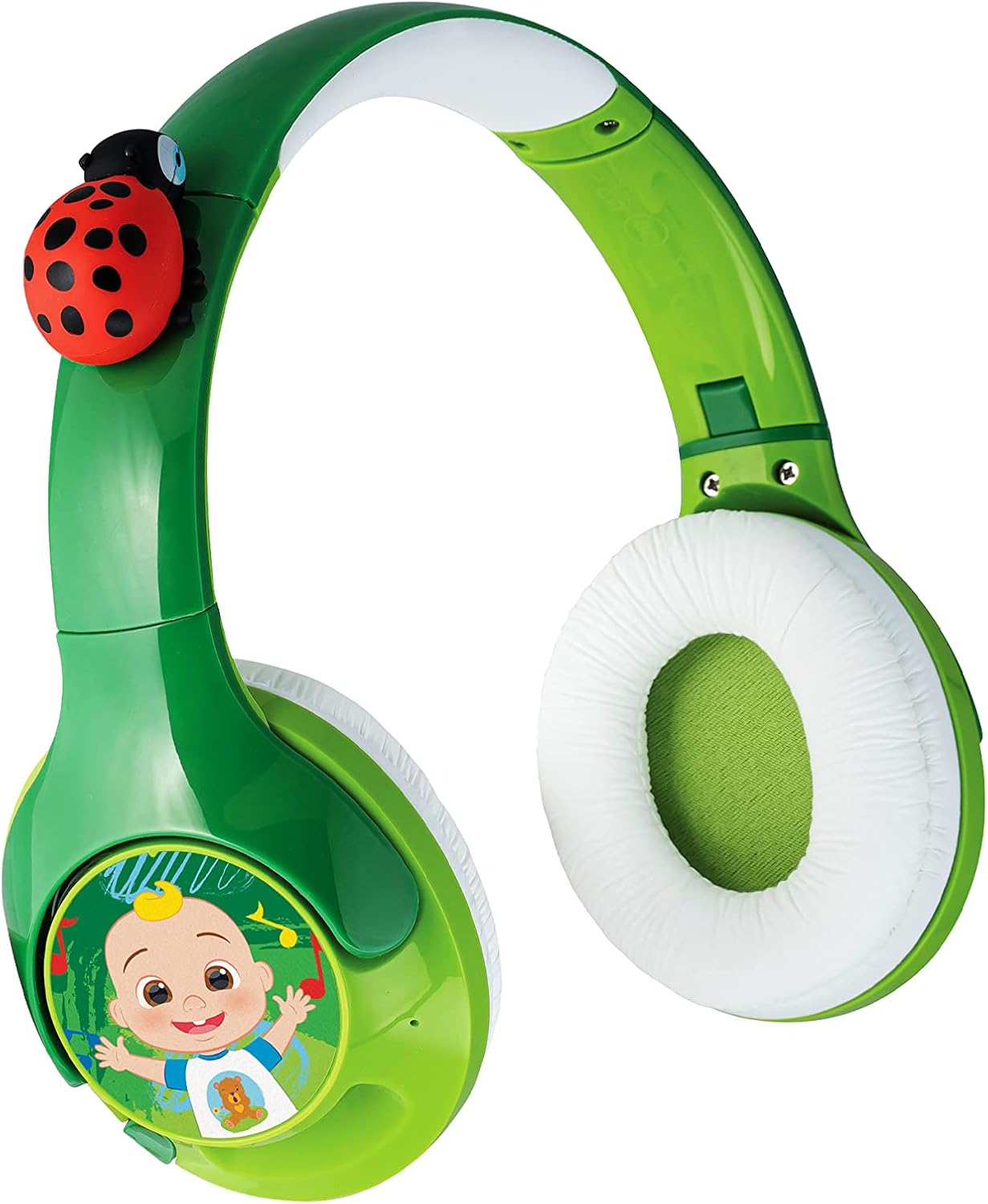
Figure 1: Overview of the eKids Cocomelon Bluetooth Headphones. This image displays the vibrant green headphones with white ear cushions, featuring a red ladybug accent on the headband and a Cocomelon character graphic on the right ear cup.
Product Features
- Wireless Connectivity: Connects via Bluetooth to compatible devices like smartphones, tablets, and computers.
- Parental Volume Control: Volume is reduced to 85 dB for safe listening. Adjustable volume output for iOS and Android devices.
- Custom Fit: Features an adjustable headband and comfy padded ear cushions for a personalized and comfortable fit.
- Rechargeable Battery: Provides up to 8 hours of continuous playtime on a single charge.
- Cocomelon Design: Incorporates iconic Cocomelon character and ladybug details.
What's in the Box
- eKids Cocomelon Bluetooth Headphones
- USB-C Charging Cable
Setup
1. Charging the Headphones
Before first use, fully charge your headphones. Locate the USB-C charging port on the headphones. Connect the included USB-C charging cable to the headphones and the other end to a USB power source (e.g., computer USB port, USB wall adapter). The LED indicator will show charging status.

Figure 2: Charging Port and Controls. This diagram highlights the location of the USB-C charging port, the On/OFF & Bluetooth button, the AUX Jack, and the LED indicator on the headphones, along with overall dimensions.
2. Powering On/Off
To power on the headphones, press and hold the On/OFF & Bluetooth button until the LED indicator lights up. To power off, press and hold the same button until the LED indicator turns off.
Operating Instructions
1. Bluetooth Pairing
To pair your headphones with a Bluetooth device:
- Ensure the headphones are powered off.
- Press and hold the On/OFF & Bluetooth button for approximately 5-7 seconds until the LED indicator flashes blue and red, indicating pairing mode.
- On your device (smartphone, tablet, etc.), enable Bluetooth and search for "eKids COCOMELON" in the list of available devices.
- Select "eKids COCOMELON" to connect. The LED indicator on the headphones will turn solid blue when successfully paired.
Bluetooth Pairing Tip: To manually pair after initial setup, wait 12 seconds from power ON, then press and hold the Bluetooth Pairing Button for 2-3 seconds. To reset Bluetooth, press and hold the Bluetooth Pairing Button for 7 seconds while the unit is powered ON.
2. Volume Control
The headphones feature a built-in volume limiter set to 85 dB for safe listening. Additionally, you can adjust the volume output for iOS and Android devices using the physical volume switch (H/M/L) located on the ear cup.

Figure 3: Parental Volume Control Switch. This image shows a detailed view of the H (High), M (Medium), and L (Low) switch on the side of the ear cup, used to set the appropriate sound level.

Figure 4: Recommended Volume Levels. This table provides guidance on selecting the appropriate volume level (High, Medium, Low) for different environments and device platforms (iOS vs. Android) to ensure safe and optimal listening.
3. Using with Audio Cable (Optional)
While primarily wireless, these headphones can also be used with a 3.5mm audio cable (not included) by connecting it to the AUX Jack. This is useful if the battery is depleted or for devices without Bluetooth connectivity.
Maintenance
1. Cleaning
Wipe the headphones with a soft, dry cloth. Do not use abrasive cleaners or immerse the headphones in water.
2. Storage
Store the headphones in a cool, dry place away from direct sunlight and extreme temperatures. The headphones are foldable for portable storage.

Figure 5: Foldable Design. This image demonstrates how the headphones can be folded inward, making them compact and easy to store or transport.
3. Battery Care
To prolong battery life, avoid fully discharging the battery frequently. Charge the headphones regularly, even if not in use for extended periods.
Troubleshooting
| Problem | Possible Cause | Solution |
|---|---|---|
| Headphones do not power on. | Battery is low or depleted. | Charge the headphones using the included USB-C cable. |
| Cannot pair via Bluetooth. | Headphones not in pairing mode; device Bluetooth off; interference. | Ensure headphones are in pairing mode (flashing blue/red LED). Turn Bluetooth off and on on your device. Move closer to the device. Reset Bluetooth on headphones (hold button for 7 seconds). |
| No sound or low volume. | Device volume too low; headphones volume switch set to 'Low'; headphones not connected. | Increase volume on your connected device. Check the H/M/L switch on the headphones. Ensure headphones are properly paired or connected via AUX cable. |
| Sound distortion. | Too far from device; interference; low battery. | Move closer to the Bluetooth device (within 26 feet/8 meters). Charge the headphones. |
Specifications
- Model: CO-B42.EXV22
- Connectivity: Bluetooth Wireless
- Bluetooth Distance: > 8M / 26ft
- Sensitivity: 85-90dB
- Battery Life: Up to 8 hours
- Charging Port: USB-C
- Included Components: USB-C charging cable
- Material: Plastic
- Item Weight: 8.1 ounces
- Package Dimensions: 7.91 x 7.28 x 2.87 inches
- Manufacturer: KIDdesigns
- UPC: 092298956183
Warranty and Support
For warranty information and customer support, please refer to the official eKids website or contact their customer service directly. The product may be covered by a limited manufacturer's warranty.
Official User Guide (PDF): Download PDF
eKids Brand Store: Visit eKids Store on Amazon
Related documentsCO-B42.EXV22


Ask a question about this manual
Ask about setup, troubleshooting, compatibility, parts, safety, or missing instructions. Manuals+ will review the question and use this page’s manual context to help answer it.