
1. Introduction
This manual provides detailed instructions for the HEXIEDEN Wireless Dog Fence & Training Collar System, Model KD-661C. This 2-in-1 system combines a wireless boundary fence with a training collar, designed to provide a safe and effective way to manage your dog's outdoor activities. Please read this manual thoroughly before use to ensure proper setup, operation, and maintenance of the system.

Image: The HEXIEDEN Wireless Dog Fence & Training Collar System in use, featuring a dog wearing the collar and the transmitter unit.
2. Important Safety Notes
- This wireless fencing system is designed exclusively for dogs.
- Do not leave the collar on your dog for more than 10 hours per day to prevent skin irritation.
- Keep the receiver collar out of reach of children.
- Always read all instructions carefully before operating this product.
- A low battery in the receiver may cause inconsistent operation. Recharge the battery immediately when it indicates low power.
- When the LED power indicator on the receiver glows red and flashes, it signifies a low battery. Please charge the unit.
- The charger is compatible with both the transmitter and receiver. The LED will turn blue once charging is complete.
3. Package Contents
Verify that all items listed below are included in your package:
- 1 x Wireless Transmitter
- 1 x Collar Receiver
- 1 x Adjustable TPU Strap
- 1 x Charger with USB Cable
- 2 x Screws
- 2 x Screw Holders
- 4 x Metal Contact Probes (2 short, 2 long)
- 1 x LED Test Bulb
- 1 x English Manual (this document)
- 20 x Boundary Flags
4. Product Components
Familiarize yourself with the main components of your HEXIEDEN Wireless Dog Fence System:
4.1. Transmitter Unit (KD-661C)

Image: Front and back view of the KD-661C transmitter, highlighting its controls and charging port.
- Power Indicator LED: Shows power status.
- ON/OFF Button: To power the unit on or off.
- MIN/MAX Buttons (+/-): Adjusts the signal level (boundary range).
- LED Distance Display: Shows the current signal level setting.
- Rubber Cover & Charging Port: Protects the charging port.
4.2. Collar Receiver
Image: The receiver collar, indicating contact points and the power LED.
- Contact Points: Deliver static correction.
- Power LED: Indicates power and battery status.
- ON/OFF Button: To power the receiver on or off.
- Charging Port: For recharging the internal battery.
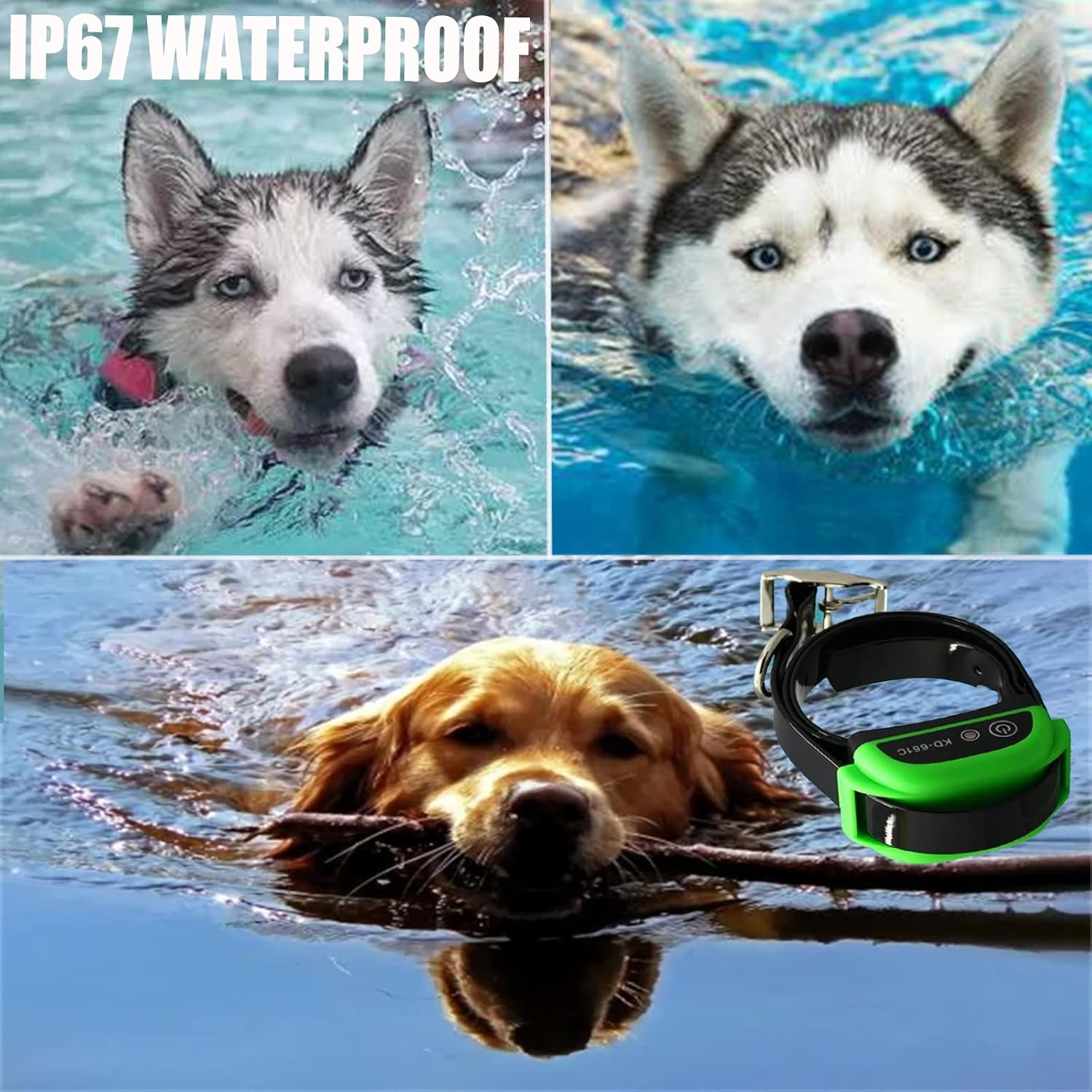
Image: The receiver collar is IP67 waterproof, allowing dogs to swim or play in wet conditions.
5. Setup Guide
5.1. Charging the Devices
Both the transmitter and receiver units are equipped with rechargeable batteries. Ensure both devices are fully charged before initial use.

Image: Both the transmitter and receiver have built-in rechargeable batteries.
- Connect the provided USB cable to the charger.
- Plug the charger into a standard wall outlet.
- Carefully lift the rubber cover on the charging port of both the transmitter and receiver.
- Insert the USB cable into the charging port of each device.
- The LED indicator will show charging status (e.g., red while charging, blue when fully charged).
- Charging time: Transmitter takes approximately 3-4 hours. Receiver takes approximately 2-3 hours.

Image: Detail of the charging interface on the receiver unit.
5.2. Fitting the Collar Receiver
Proper fit of the collar is crucial for effective operation and your dog's comfort.
- Attach the adjustable TPU strap to the receiver unit.
- Select the appropriate length of metal contact probes (short for short-haired dogs, long for long-haired dogs) and screw them firmly into the receiver.
- Place the collar around your dog's neck, ensuring the contact points touch the skin.
- Adjust the strap so it is snug but not too tight. You should be able to fit one or two fingers comfortably between the strap and your dog's neck.
- The collar is suitable for dogs weighing 10-110 lbs with neck sizes from 8 to 28 inches.
5.3. Setting Up the Wireless Boundary
The system creates a circular boundary around the transmitter.
- Place the transmitter in a central location within the desired containment area. Ensure it is elevated and away from large metal objects that could interfere with the signal.
- Turn on the transmitter by pressing the ON/OFF button.
- Use the MIN/MAX (+/-) buttons to adjust the signal level. The LED display will show the current setting (1-100). A higher number indicates a larger boundary radius.
- Walk the perimeter of the desired boundary with the receiver collar in hand to test the signal range. Mark the boundary with the provided flags where the collar first emits a warning tone.
- Adjust the signal level on the transmitter until the boundary matches your desired area. The range can be adjusted from 82 feet (25 meters) to 1640 feet (500 meters) in radius.
6. Operating Instructions
6.1. Powering On/Off
- Transmitter: Press and hold the ON/OFF button until the display lights up. Press and hold again to turn off.
- Receiver: Press and hold the ON/OFF button until the LED indicator lights up. Press and hold again to turn off.
6.2. Understanding Correction Modes

Image: The receiver operates in Beep mode and Static Shock mode.
The system operates with a progressive warning and correction sequence:
- When your dog approaches the set boundary, the receiver collar will emit a warning sound (beep) every 2 seconds.
- If your dog continues to move beyond the boundary after the third warning sound, the system will initiate a low-level static correction.
- The intensity of the static correction will gradually increase if the dog remains outside the boundary.
- To prevent excessive punishment, if your dog stays outside the specified area, the receiver will cease correction after the third cycle.
The static correction is designed to be harmless and operates at 3.7V, sufficient to deter your dog without causing injury.
6.3. Multi-Dog Operation
One transmitter unit can support multiple receiver collars simultaneously.

Image: A single transmitter can manage multiple dogs with individual receiver collars.
To add additional dogs, simply purchase additional HEXIEDEN KD-661C receiver collars and follow the fitting and charging instructions for each. All collars will respond to the same boundary set by the single transmitter.
7. Maintenance
- Cleaning: Regularly clean the receiver collar and contact points with a damp cloth. Ensure the contact points are free of dirt or debris to maintain proper function.
- Battery Care: Recharge the transmitter and receiver when the low battery indicator appears. Avoid fully depleting the battery frequently to prolong its lifespan. Store devices in a cool, dry place when not in use for extended periods.
- Collar Inspection: Periodically check the collar strap for wear and tear. Replace if damaged. Ensure the contact points are securely fastened.
8. Troubleshooting
| Problem | Possible Cause | Solution |
|---|---|---|
| Receiver not working / No correction | Low battery; Receiver off; Contact points not touching skin; Transmitter off or out of range. | Charge receiver; Turn receiver on; Adjust collar fit; Turn transmitter on; Check transmitter range setting. |
| Inconsistent boundary / False corrections | Transmitter placed near large metal objects; Low battery in transmitter or receiver; Environmental interference. | Relocate transmitter to a higher, more open area; Charge both devices; Avoid placing near appliances or metal structures. |
| Collar LED flashing red | Low battery on receiver. | Recharge the receiver immediately. |
| Dog not responding to correction | Collar too loose; Contact points not making contact; Dog's coat too thick; Correction level too low. | Tighten collar (ensure 1-2 fingers fit); Use longer contact probes; Trim dog's fur around contact points; Increase transmitter signal level. |
9. Specifications
- Model: KD-661C
- System Type: Wireless Dog Fence & Training Collar 2-in-1
- Boundary Range: Adjustable from 82 ft (25 m) to 1640 ft (500 m) radius
- Correction Levels: 100 adjustable levels
- Collar Waterproof Rating: IP67
- Collar Strap Material: Eco-friendly TPU
- Collar Neck Size: 8 to 28 inches
- Recommended Dog Weight: 10-110 lbs
- Receiver Battery Life: Weeks (with normal use)
- Receiver Charging Time: 2-3 hours
- Transmitter Charging Time: 3-4 hours
- Correction Voltage: 3.7V (harmless static electricity)
10. Warranty and Support
HEXIEDEN products are manufactured with quality and performance in mind. For specific warranty information, please refer to the warranty card included in your product packaging or contact your retailer. For technical support, troubleshooting assistance, or to inquire about replacement parts, please contact HEXIEDEN customer service through the contact information provided at the point of purchase or on the official HEXIEDEN website.
Please retain your proof of purchase for warranty claims.