
1. Introduction and Safety Information
Thank you for choosing the Respekta AB700-33 Built-in Electric Oven. This manual provides essential information for the safe and efficient use of your appliance. Please read these instructions carefully before installation, operation, and maintenance, and keep them for future reference.
General Safety Warnings
- Electrical Safety: Ensure the oven is correctly installed by a qualified electrician and connected to a properly grounded power supply. Do not use adapters or extension cords.
- Hot Surfaces: The oven and its accessible parts become very hot during use. Exercise caution to avoid burns. Keep children away from the appliance.
- Supervision: Never leave the oven unattended during operation, especially when cooking with oil or fat.
- Cleaning: Always disconnect the oven from the power supply before cleaning or performing maintenance.
- Damage: Do not operate the oven if it is damaged. Contact Respekta customer service for repairs.
2. Setup and Installation
The Respekta AB700-33 is designed for built-in installation. Proper installation is crucial for safety and optimal performance. A mounting kit is included with your oven.
Unpacking
- Carefully remove all packaging materials from the oven.
- Inspect the oven for any signs of damage during transit. If damage is found, do not install and contact your retailer.
- Remove all accessories and internal packaging from the oven cavity.
Installation
Warning: Installation and electrical connection must be performed by a qualified technician in accordance with local safety regulations.
- Ensure the cabinet opening dimensions match the oven's specifications (refer to Section 5: Specifications).
- Secure the oven into the cabinet using the provided mounting kit.
- Connect the oven to the main power supply. Verify that the voltage and frequency match the appliance's requirements (230V, 50Hz).
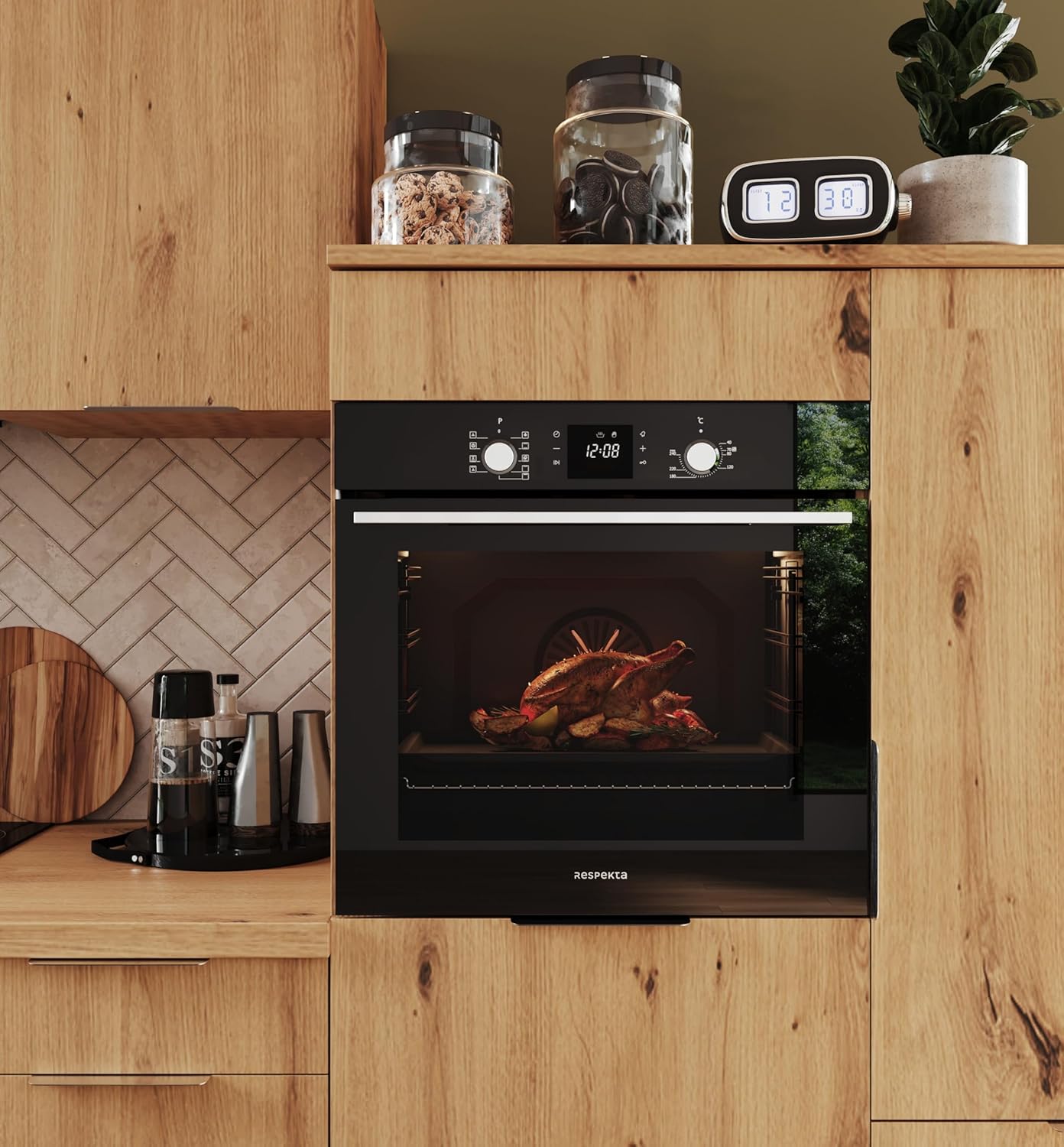
Figure 2.1: Front view of the Respekta AB700-33 Built-in Oven, showcasing its sleek design when installed in a kitchen cabinet.

Figure 2.2: Side view of the oven, illustrating its depth and dimensions critical for proper built-in installation.
First Use Preparation
Before using the oven for the first time, wipe the interior and accessories with a damp cloth. Heat the empty oven at maximum temperature for approximately 30 minutes to burn off any manufacturing residues. Ensure good ventilation during this process.
3. Operating Instructions
The Respekta AB700-33 oven features intuitive controls for various cooking functions.
Control Panel Overview

Figure 3.1: Detailed view of the oven's control panel, featuring the LED display, touch controls, and rotary knobs for function and temperature selection.
- Function Knob: Located on the left, this knob selects the desired cooking mode (e.g., conventional heat, fan-assisted, grill). The oven offers 8 heating modes.
- LED Display with Touch Control: The central display shows time, temperature, and timer settings. Touch buttons allow for precise adjustments.
- Temperature Knob: Located on the right, this knob sets the desired cooking temperature, up to 250°C.
Setting the Time
Upon first connection or after a power outage, the display will flash. Use the touch controls to set the current time. Confirm the setting to start the clock.
Cooking Functions
- Turn the Function Knob to select your desired cooking mode.
- Turn the Temperature Knob to set the desired temperature.
- The oven will begin to preheat. The indicator light will turn off once the set temperature is reached.
- Place your food inside the oven using the appropriate rack or baking tray.

Figure 3.2: The spacious 80-liter oven interior with multiple rack positions, allowing for flexible cooking arrangements.
Timer Function
The oven is equipped with a timer function. Use the touch controls on the LED display to set a cooking duration or a delayed start time. An audible signal will indicate when the set time has elapsed.
4. Maintenance and Cleaning
Regular cleaning and maintenance will ensure the longevity and optimal performance of your Respekta AB700-33 oven.
General Cleaning
- Exterior: Clean the exterior surfaces with a soft cloth and mild detergent. Avoid abrasive cleaners or solvents.
- Interior: For light soiling, wipe the interior with a damp cloth after the oven has cooled. For stubborn stains, use a specialized oven cleaner, following the product instructions carefully.
- Accessories: Racks and baking trays can be washed in warm soapy water or in a dishwasher.

Figure 4.1: The oven interior with racks, demonstrating the ease of access for cleaning and maintenance.
Steam Cleaning Function
The AB700-33 features a steam cleaning function to help loosen baked-on food residues.
- Pour approximately 200ml of water into the bottom of the oven cavity.
- Select the steam cleaning function (refer to your control panel for the specific symbol).
- Run the cycle for the recommended duration (typically 15-20 minutes).
- Once the cycle is complete and the oven has cooled, wipe away the softened residues with a sponge or cloth.
Triple Glass Door
The triple glass door can be disassembled for thorough cleaning between the glass panes if necessary. Refer to the detailed instructions in the full manual for safe disassembly and reassembly.
5. Troubleshooting
Before contacting customer service, please check the following common issues and solutions:
| Problem | Possible Cause | Solution |
|---|---|---|
| Oven does not heat up. | No power supply. Oven door not closed properly. Incorrect settings. | Check the circuit breaker. Ensure the door is fully closed. Verify function and temperature settings. |
| Display is not working. | Power outage. Loose connection. | Check power supply. If persistent, contact a qualified technician. |
| Uneven cooking results. | Incorrect rack position. Overcrowding the oven. | Adjust rack position. Avoid placing too many items in the oven at once. |
| Smoke or odor during first use. | Residues from manufacturing. | This is normal. Ensure good ventilation and run the oven empty at max temperature for 30 minutes. |
If the problem persists after attempting these solutions, please contact Respekta customer support or a qualified service technician.
6. Technical Specifications
| Feature | Specification |
|---|---|
| Brand | Respekta |
| Model Number | AB700-33 |
| Product Type Name | Built-in Oven |
| Capacity | 80 Liters |
| Product Dimensions (L x W x H) | 56.5 x 59.5 x 59.5 cm |
| Item Weight | 31.2 Kilograms |
| Installation Type | Built-in |
| Fuel Type | Electric |
| Energy Type Used | Electric |
| Voltage | 230 Volts |
| Frequency | 50 Hz |
| Power / Wattage | 2500 Watts |
| Heating Method | Radiant |
| Oven Cooking Mode | Radiant |
| Special Feature | Touch Control |
| Timer Function | Available |
| Door Opening | Front |
| Finish Type | Two-tone (Black and Silver) |
| Color | Black/Silver |
| Included Options | Built-in Oven, User Manual, Mounting Kit |
7. Warranty and Support
For warranty information, please refer to the documentation provided with your purchase or contact your retailer. Respekta offers customer support for any questions or issues you may encounter with your AB700-33 oven.
For technical assistance or service requests, please visit the official Respekta website or contact their customer service department directly. Ensure you have your model number (AB700-33) and purchase details available when contacting support.


