
1. Introduction
The Transformers EarthSpark Deluxe Class Terran Twitch action figure brings the excitement of the Transformers: EarthSpark animated series to life. This figure allows for conversion between robot and drone modes, offering dynamic play and display options. Terran Twitch features a distinctive red and gold design, standing at approximately 5 inches tall in robot mode. This manual provides essential information for the proper handling, transformation, and care of your figure.
2. What's in the Box
Carefully unpack your new Transformers EarthSpark Deluxe Class Terran Twitch figure. The package should contain the following items:
- Terran Twitch action figure
- Blaster accessory
- Build-a-figure piece (for Dr. Meridian “Mandroid”)
- Instruction sheet (this document)

Figure packaging, illustrating the contents.
3. Initial Setup
Before beginning play or transformation, ensure all components are present and undamaged. The blaster accessory can be held by the figure in robot mode or integrated into the drone mode as per transformation steps.

Terran Twitch in robot mode with blaster accessory.
4. Operating the Figure: Transformation
The Terran Twitch figure can convert between two distinct modes: robot and drone. Follow the steps below for each transformation. Exercise care and gentle force during conversion to prevent damage to the figure's joints and parts.
Official video demonstrating the transformation of the Terran Twitch figure.
4.1. Robot Mode to Drone Mode (12 Steps)
- Ensure the figure is in its standing robot mode.
- Detach any accessories, such as the blaster, for easier transformation.
- Fold the robot's feet upwards and inward.
- Collapse the lower legs to align with the upper legs.
- Rotate the waist section to begin forming the drone's body.
- Fold the robot's arms inward towards the torso.
- Position the drone's main body section, often involving rotating the chest or back panel.
- Extend or unfold the drone's propeller arms/wings.
- Rotate the propellers into their operational position.
- Securely tab or snap all connecting parts to form a compact drone.
- Attach the blaster accessory to its designated slot on the drone, if applicable.
- Verify all parts are locked into place for stable drone mode.

Terran Twitch in drone mode.
4.2. Drone Mode to Robot Mode
To convert Terran Twitch back to robot mode, reverse the steps outlined above. Carefully untab and unfold each section, extending the limbs and rotating panels until the robot form is achieved. Ensure all joints are fully extended and locked into place for stability.
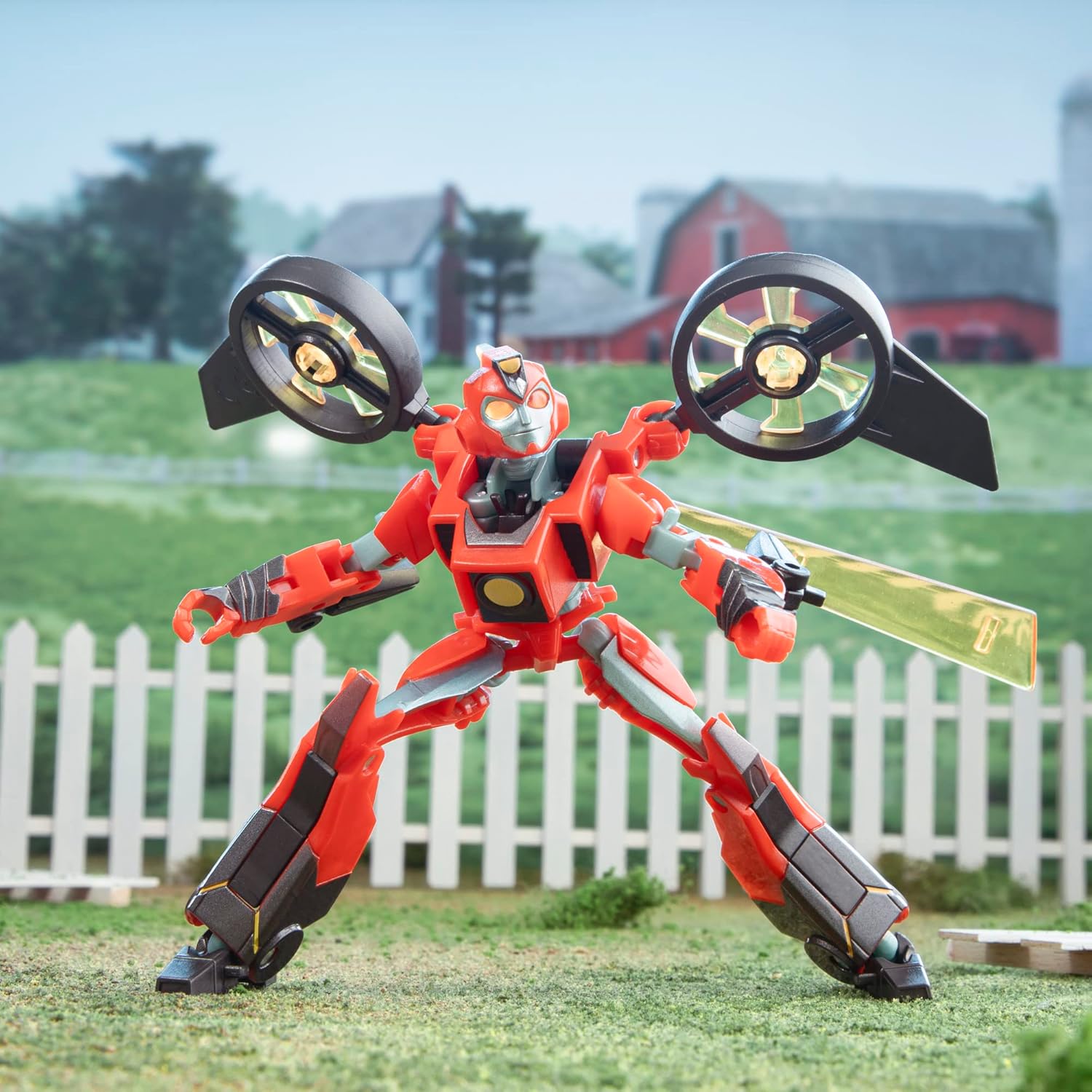
Terran Twitch in robot mode.
5. Maintenance
To ensure the longevity and optimal condition of your Terran Twitch figure, follow these maintenance guidelines:
- Cleaning: Wipe the figure with a soft, dry cloth to remove dust. For stubborn dirt, a slightly damp cloth can be used, followed by immediate drying. Avoid harsh chemicals or abrasive cleaners.
- Storage: Store the figure in a cool, dry place away from direct sunlight and extreme temperatures, which can cause discoloration or material degradation.
- Handling: Always handle the figure by its main body parts. Avoid excessive force on small or delicate components during play or transformation.
6. Troubleshooting
If you encounter any issues with your Terran Twitch figure, consider the following common solutions:
- Difficulty Transforming: Ensure you are following the transformation steps in the correct order. Some joints may be stiff initially; apply gentle, consistent pressure. Refer to the video demonstration if needed.
- Loose Joints: Over time, joints may become slightly loose. This is normal with repeated use. If a joint is excessively loose, it may be possible to tighten it with a small amount of clear nail polish or a similar non-damaging adhesive applied to the joint and allowed to dry.
- Missing or Damaged Parts: If any parts are missing or damaged upon unboxing, contact the retailer or manufacturer's customer support immediately.
7. Specifications
| Model Number | F6734 |
| Brand | Transformers |
| Character | Twitch |
| Figure Type | Action Figure |
| Series | EarthSpark |
| Size | 5-Inch (approximate height in robot mode) |
| Material | Plastic |
| Item Weight | 68 Grams |
| Recommended Age | 6+ Years |
| Assembly Required | No (minor accessory attachment) |
| Batteries Required | No |
8. Safety Information
WARNING: Small parts may be generated. Not for children under 3 years due to choking hazard.
Always supervise young children during play. Keep packaging materials away from children to avoid suffocation risks.
9. Warranty and Support
Specific warranty details are typically provided with the product at the time of purchase or can be found on the manufacturer's official website. For product support, inquiries about missing parts, or further assistance, please refer to the contact information provided by the manufacturer, Hasbro, or your retailer.


