1. Introduction
Thank you for choosing the Yuwei CM019 Backup Camera. This manual provides detailed instructions for the installation, operation, and maintenance of your new rear view camera system. Designed for various vehicles including cars, pickup trucks, minivans, SUVs, and sedans, the CM019 offers enhanced visibility for safer reversing.
Key features include 720P/CVBS image quality, a 140-degree wide viewing angle, night vision capabilities, and an IP69K waterproof rating for reliable performance in diverse conditions.

Figure 1: Yuwei CM019 Backup Camera Unit
2. Package Contents
Please verify that all items listed below are included in your package:
- 1x Yuwei CM019 Backup Camera
- 1x 26ft/8M RCA Video Extension Cable
- 1x Camera Power Cable
- Zip Ties
- Wire Clasps
- User Manual

Figure 2: Contents included in the product box
3. Specifications
| Feature | Specification |
|---|---|
| Model | CM019 |
| Image Sensor | CMOS |
| Video Signal Output | CVBS (default), AHD (720P, 30fps) |
| Lens | 6 Glass Lens |
| Viewing Angle | 140 Degrees (Real Angle of View) |
| Night Vision | 5 LED lights for color night vision |
| Waterproof Rating | IP69K |
| Operating Temperature | -22°F to 176°F (-30°C to 80°C) |
| Voltage | 12 Volts |
| Installation Type | Surface Mount, Dashboard Mount (License Plate Bracket) |
| Connector Type | RCA |
| Product Dimensions | 9.3"L x 1.6"W x 1.3"H |
| Housing Material | Stainless Metallic Housing |

Figure 3: Camera and bracket dimensions

Figure 4: Illustration of the camera's durable stainless metallic housing
4. Setup and Installation
4.1 Mounting the Camera
The CM019 camera is designed for license plate mounting. The bracket allows for adjustment to achieve the preferred viewing angle without obstructing license plate information.
- Position the camera bracket behind your vehicle's license plate.
- Secure the bracket using your license plate screws.
- Adjust the camera angle by loosening the screws on the camera box, tilting it up or down, and then tightening the screws to fix the position.

Figure 5: Camera mounted on a license plate, designed not to cover essential information
4.2 Wiring Connections
Follow these steps to connect the camera to your vehicle's electrical system and monitor:
- Power Connection: Connect the camera's power cable (red wire) to your vehicle's reversing light positive (+) wire. Connect the black wire to a ground (GND) point.
- Video Connection: Connect the yellow RCA connector from the camera to the yellow RCA input on your monitor or car stereo. Use the provided 26ft/8M RCA extension cable if needed.
- Trigger Wire (Optional): If your monitor or stereo has a reverse trigger input, connect the red trigger wire from the RCA cable to this input. This will automatically switch the display to the camera view when reversing.

Figure 6: Wiring diagram for camera installation
4.3 Signal Configuration (AHD/CVBS) and Parking Lines
The camera supports both CVBS and AHD video signal outputs. CVBS is the default setting. To switch to AHD signal (720P, 30fps), locate the purple loop wire on the camera cable and cut it. For parking assistance lines, locate the green loop wire:
- CVBS Signal: Keep the purple loop intact. Compatible with most standard monitors.
- AHD Signal: Cut the purple loop wire. This provides a higher resolution image, suitable for AHD/HD compatible monitors.
- Parking Assistance Lines: The green loop wire controls the parking lines. Cut the green loop to disable parking lines, or keep it intact to enable them.

Figure 7: Instructions for switching between AHD/CVBS signals and enabling/disabling parking assistance lines
5. Operating Instructions
5.1 Basic Operation
Once installed and connected, the camera will activate automatically when your vehicle is shifted into reverse gear (if connected to the reversing light and trigger wire). The image will be displayed on your connected monitor or car stereo screen.
5.2 Night Vision
The CM019 features 5 integrated LED lights that activate in low-light conditions, providing a clear color view at night. This enhances visibility during nighttime reversing maneuvers.

Figure 8: Camera's night vision capability with 5 LED lights
5.3 Wide Angle View
The camera provides a 140-degree wide viewing angle, significantly reducing blind spots behind your vehicle. This broad perspective assists in detecting obstacles and other vehicles, making reversing safer.
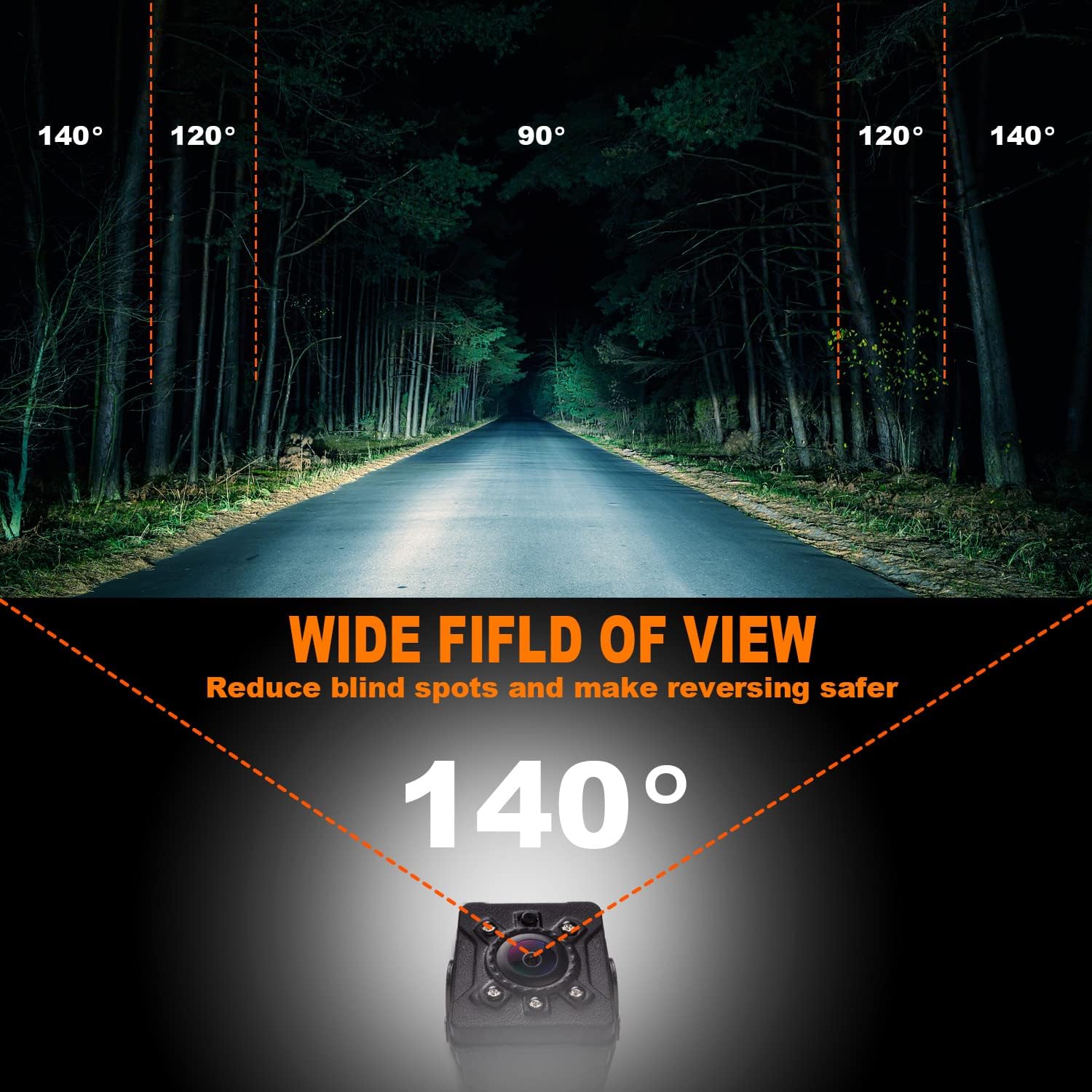
Figure 9: Illustration of the 140-degree wide field of view

Figure 10: Comparison of visible range with a 140-degree camera
6. Maintenance
6.1 Weather Resistance
The CM019 camera is built with an IP69K waterproof rating and is designed to operate reliably in extreme temperatures ranging from -22°F to 176°F (-30°C to 80°C). This ensures durability against rain, snow, and varying climates.

Figure 11: Camera's IP69K waterproof rating and temperature resilience
6.2 Cleaning the Lens
To ensure optimal image clarity, periodically clean the camera lens. Use a soft, damp cloth to gently wipe away any dirt, dust, or water spots. Avoid using abrasive cleaners or materials that could scratch the lens.
7. Troubleshooting
If you encounter issues with your Yuwei CM019 Backup Camera, please refer to the following common problems and solutions:
- No Image or Signal on Monitor:
- Check all power connections to ensure they are secure and receiving 12V power.
- Verify the RCA video cable is securely connected to both the camera and the monitor.
- Ensure your monitor is set to the correct video input channel.
- If using AHD, confirm your monitor supports AHD signal and the purple loop wire is cut.
- Image is Upside Down:
- Check the physical orientation of the camera on its bracket. It may need to be flipped.
- Some monitors have a 'mirror' or 'flip' setting in their menu; check if this needs adjustment.
- Blurry Image at Night:
- The camera uses white light LEDs for night vision. In some environments, these can cause glare or reflections, leading to a blurry appearance. Ensure the lens is clean.
- No Parking Assistance Lines:
- Refer to Section 4.3 and ensure the green loop wire is intact (not cut) to enable parking lines.
8. Warranty and Support
Yuwei provides lifetime technical support for all our products. If you have any questions, require assistance with installation, or encounter any issues not covered in this manual, please contact our customer support team. We are committed to ensuring your satisfaction with our products.
For support, please refer to the contact information provided with your purchase or visit the official Yuwei website.


