
Uncanny Brands Venom Waffle Maker
Uncanny Brands Marvel Venom Waffle Maker Instruction Manual
Model: Venom Waffle Maker
Introduction
Thank you for purchasing the Uncanny Brands Marvel Venom Waffle Maker. This appliance is designed to create custom-shaped waffles with ease. Please read this instruction manual thoroughly before use to ensure safe and efficient operation.

Image: The Venom Waffle Maker shown with its product packaging.
Important Safety Information
When using electrical appliances, basic safety precautions should always be followed, including the following:
- Read all instructions before operating the appliance.
- Do not touch hot surfaces. Use handles or knobs.
- To protect against electrical shock, do not immerse cord, plugs, or the appliance in water or other liquid.
- Close supervision is necessary when any appliance is used by or near children.
- Unplug from outlet when not in use and before cleaning. Allow to cool before putting on or taking off parts, and before cleaning the appliance.
- Do not operate any appliance with a damaged cord or plug, or after the appliance malfunctions or has been damaged in any manner. Return appliance to the nearest authorized service facility for examination, repair, or adjustment.
- The use of accessory attachments not recommended by the appliance manufacturer may cause injuries.
- Do not use outdoors.
- Do not let cord hang over edge of table or counter, or touch hot surfaces.
- Do not place on or near a hot gas or electric burner, or in a heated oven.
- Extreme caution must be used when moving an appliance containing hot oil or other hot liquids.
- To disconnect, remove plug from wall outlet.
- Do not use appliance for other than intended household use.
Setup and First Use
- Unpack: Carefully remove the waffle maker from its packaging. Retain packaging for future storage or transport.
- Clean: Wipe the non-stick cooking plates with a damp cloth or sponge. Dry thoroughly. Do not immerse the appliance in water.
- Placement: Place the waffle maker on a stable, heat-resistant surface near an electrical outlet. Ensure adequate ventilation around the appliance.
- Pre-heat: Close the lid and plug the appliance into a 120V AC electrical outlet. The indicator lights will illuminate, signaling that the waffle maker is preheating.
- Initial Burn-off: During the first use, a slight odor or smoke may occur. This is normal for new appliances and will dissipate quickly.
Operating Instructions
Follow these steps to prepare waffles using your Uncanny Brands Marvel Venom Waffle Maker:
- Preheat: Plug in the waffle maker. The indicator lights will turn on, signifying that the unit is heating. Wait until the green indicator light illuminates, indicating the waffle maker has reached the optimal cooking temperature.
- Prepare Batter: While the unit preheats, prepare your favorite waffle batter.
- Pour Batter: Open the lid. Pour approximately 1/2 to 3/4 cup of batter onto the lower cooking plate. For a smaller, mask-shaped waffle, pour batter only into the central Venom mask area. For a larger, round waffle, spread the batter over the entire plate.
- Close Lid: Carefully close the lid. Do not force it shut.
- Cook: Allow the waffles to cook for 3-5 minutes, or until golden brown and crispy. Cooking time may vary based on batter type and desired crispness. The green indicator light may cycle on and off during cooking, which is normal.
- Remove Waffles: Once cooked, open the lid and carefully remove the waffles using a heat-resistant, non-metallic utensil (e.g., plastic or wooden spatula). Do not use metal utensils, as they can damage the non-stick coating.
- Repeat: Close the lid and wait for the green indicator light to illuminate again before cooking additional waffles.
- Finish: When finished cooking, unplug the waffle maker from the electrical outlet and allow it to cool completely before cleaning.

Image: A freshly cooked waffle, shaped like Venom's mask, resting in the open waffle maker.
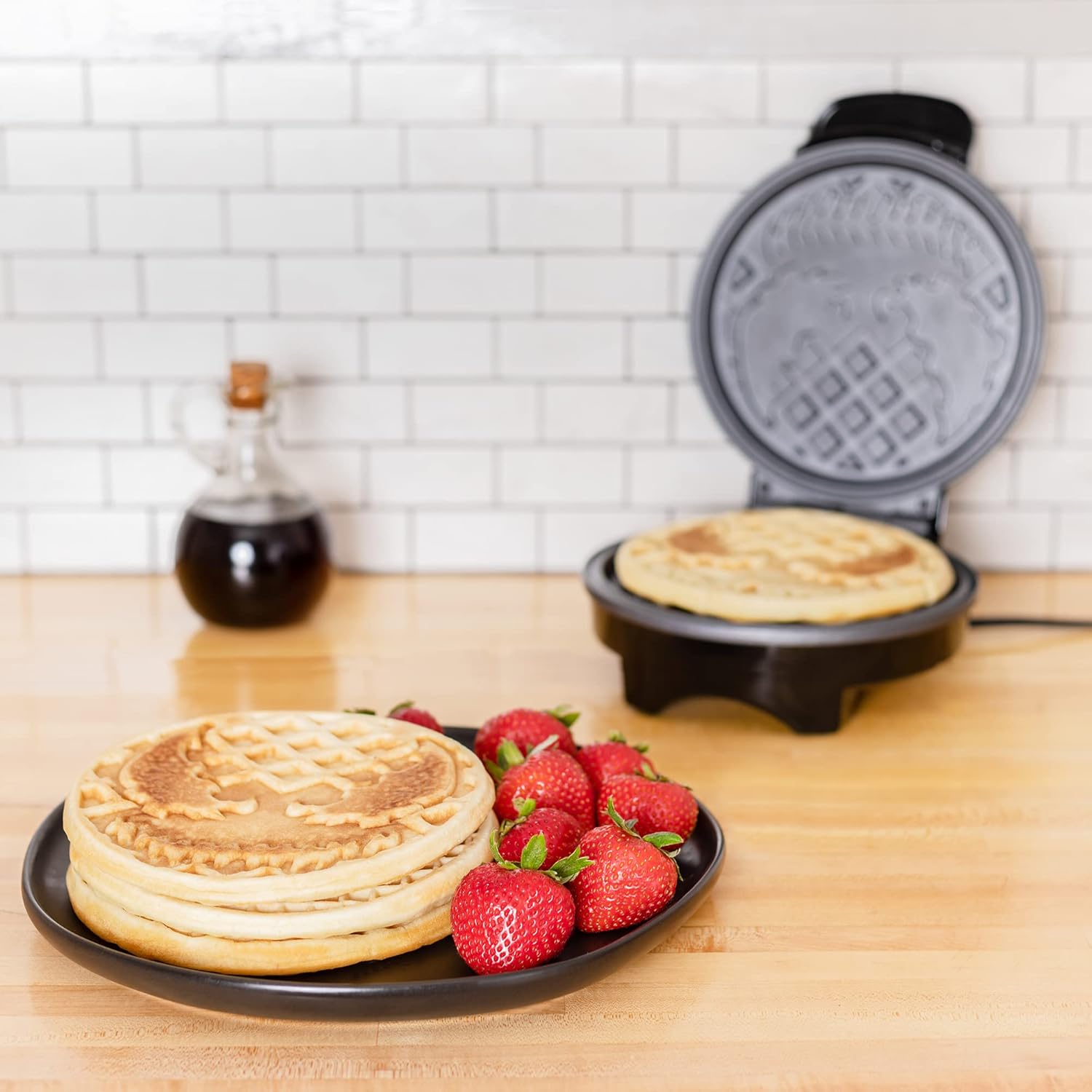
Image: Two Venom-shaped waffles on a black plate, accompanied by fresh strawberries and a glass of orange juice.
Video: An overview of the Uncanny Brands Marvel Venom Waffle Maker, demonstrating its design and features.
Cleaning and Maintenance
Proper cleaning and maintenance will extend the life of your waffle maker.
- Always unplug the appliance and allow it to cool completely before cleaning.
- Wipe the cooking plates with a damp cloth or sponge. For stubborn residue, a small amount of cooking oil can be applied to soften it before wiping.
- Do not use abrasive cleaners, scouring pads, or metal utensils on the non-stick surfaces, as this can damage the coating.
- Wipe the exterior of the waffle maker with a damp cloth. Do not immerse the appliance in water or other liquids.
- Ensure all parts are dry before storing.
- Store the waffle maker in a cool, dry place.
Troubleshooting
| Problem | Possible Cause | Solution |
|---|---|---|
| Waffles sticking to plates. | Plates not properly seasoned or too much sugar in batter. | Ensure plates are clean. Lightly brush with cooking oil before each use. Reduce sugar in batter if necessary. |
| Waffles not cooking evenly or browning. | Insufficient preheating time or uneven batter distribution. | Allow the waffle maker to fully preheat until the green indicator light illuminates. Ensure batter is spread evenly. |
| Waffle maker not turning on. | Not plugged in or power outlet issue. | Check that the appliance is securely plugged into a working electrical outlet. |
Specifications
- Brand: Uncanny Brands
- Model: Venom Waffle Maker
- Special Feature: Non-Stick Coating
- Color: Venom (Black with white Venom logo)
- Material: Aluminum
- Product Dimensions: 7.87"D x 4.49"W x 9.92"H
- Wattage: 900 watts
- Voltage: 120 Volts
- Item Weight: 2.8 Pounds (approximately 1.27 kg)
- Included Components: Lid
- UPC: 840790125954
- ASIN: B0B5YNM5RH
Warranty and Customer Support
For warranty information or customer support regarding your Uncanny Brands Marvel Venom Waffle Maker, please refer to the warranty card included with your product or visit the official Uncanny Brands website. You may also contact their customer service directly for assistance.
Uncanny Brands Store: Visit Uncanny Brands on Amazon
Related documentsVenom Waffle Maker


Ask a question about this manual
Ask about setup, troubleshooting, compatibility, parts, safety, or missing instructions. Manuals+ will review the question and use this page’s manual context to help answer it.