
Merkury Innovations MI-CW017-101W
Contents
Merkury Innovations 1080p Smart Wi-Fi Camera User Manual
Model: MI-CW017-101W
Brand: Merkury Innovations
Introduction
This manual provides detailed instructions for the setup, operation, and maintenance of your Merkury Innovations 1080p Smart Wi-Fi Camera. Please read this guide thoroughly before using the product to ensure proper functionality and safety.
What's in the Box
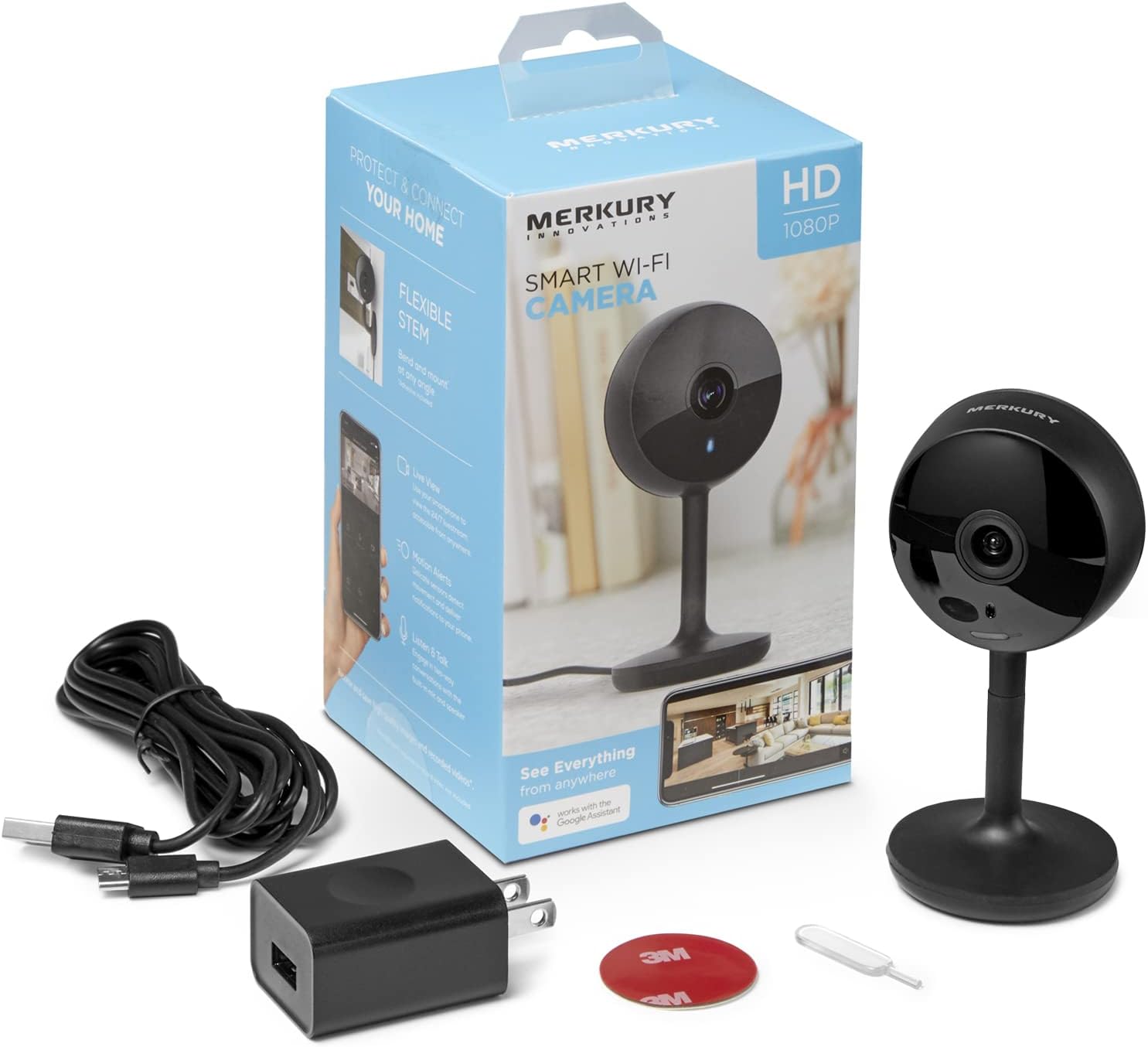
Verify that all components are present in the packaging:
- Security Camera
- Mounting Adhesive
- USB Cable
- Power Adapter
Product Overview
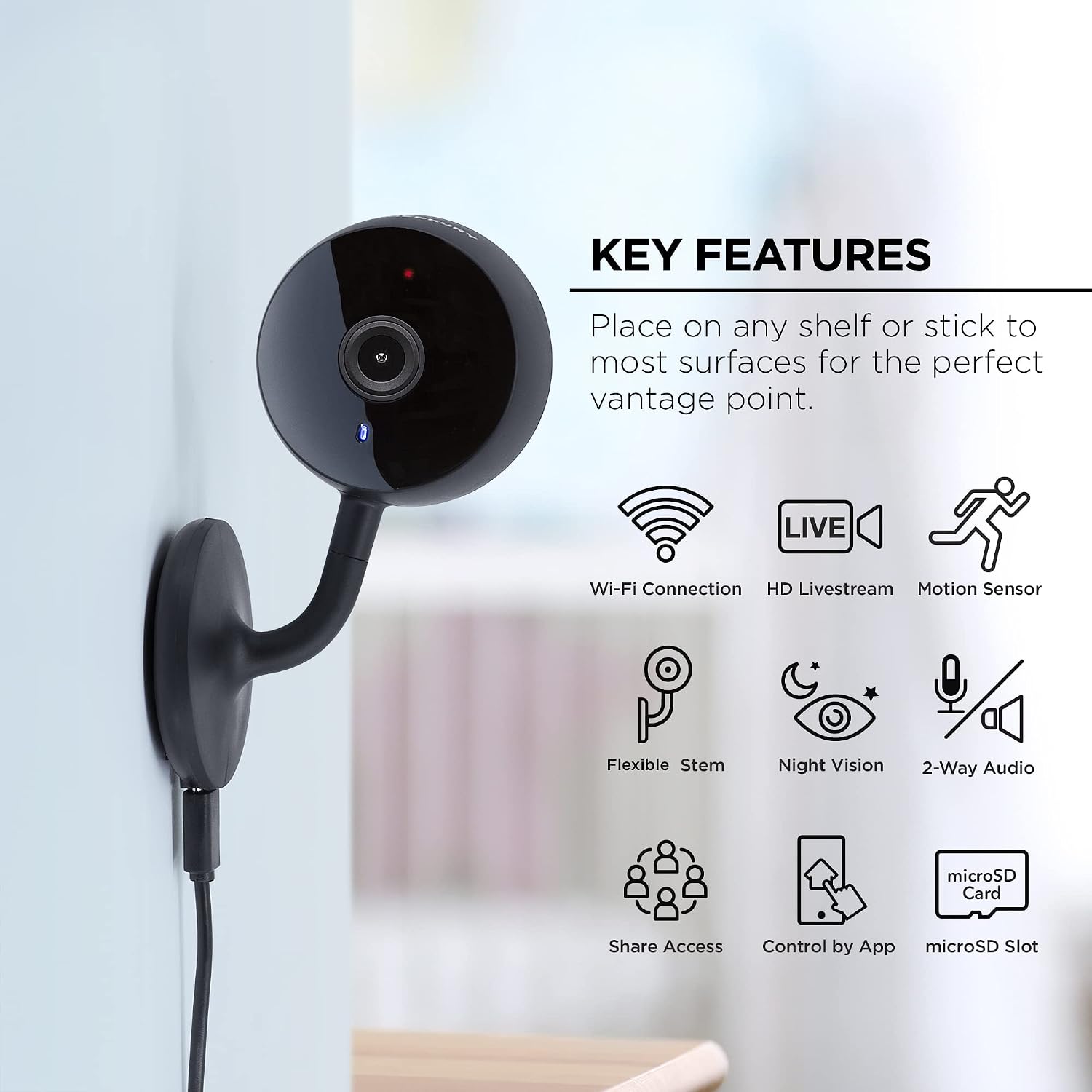
The Merkury Innovations 1080p Smart Wi-Fi Camera offers comprehensive home monitoring with several key features:
- 1080p HD Livestream: View live video feed in high definition.
- 2-Way Audio: Communicate through the camera using the built-in microphone and speaker.
- Night Vision: Monitor in low-light conditions with infrared night vision.
- Motion Alerts: Receive notifications on your phone when motion is detected.
- Micro SD Card Storage: Supports local storage for recorded footage (card not included).
- Voice Control: Compatible with Amazon Alexa and Google Home for hands-free operation.
- Flexible Stem: Allows for versatile placement on shelves or mounted to surfaces.

Setup
Initial Setup and Wi-Fi Connection
- Power On: Connect the camera to a power source using the provided USB cable and power adapter.
- Download App: Download the Merkury Innovations app from your device's app store.
- Account Creation: Create an account or log in to the app.
- Add Device: Follow the in-app instructions to add your new camera. Ensure your Wi-Fi network is 2.4 GHz, as the camera is not compatible with 5GHz networks.
- Pairing: The app will guide you through the pairing process, which typically involves scanning a QR code displayed on your phone with the camera.
Placement
The camera's flexible stem allows for versatile placement. It can be placed on any flat surface like a shelf or desk, or mounted to most surfaces using the included mounting adhesive.


Operating Instructions
Live Video Streaming
Access 24/7 live video streaming directly from the Merkury Innovations app on your smartphone or tablet. The camera provides a 1080p HD livestream.
2-Way Audio
To use the 2-way audio feature, open the live view in the app and press and hold the designated microphone icon to speak. Release to listen.

Night Vision
The camera automatically switches to infrared night vision in low-light conditions, providing clear monitoring even in complete darkness.

Motion Alerts
Configure motion detection settings within the app to receive alerts on your phone when activity is detected in the camera's field of view.
Voice Control Integration
The camera works with Amazon Alexa and Google Home. Link your Merkury Innovations account to your smart assistant app to enable voice commands. For example, you can say, "Alexa, show me the baby room camera."

Maintenance
Cleaning
To clean the camera, gently wipe the lens and body with a soft, dry cloth. Avoid using liquid cleaners or abrasive materials.
Firmware Updates
Periodically check the Merkury Innovations app for available firmware updates. Keeping your camera's firmware up-to-date ensures optimal performance and security.
Micro SD Card Management
If using a Micro SD card for storage, ensure it is properly inserted. Format the card periodically through the app to maintain recording efficiency. Replace the card if it shows signs of degradation or error.
Troubleshooting
| Problem | Possible Cause | Solution |
|---|---|---|
| Camera not connecting to Wi-Fi | Incorrect Wi-Fi band (5GHz), weak signal, incorrect password, camera too far from router. | Ensure your Wi-Fi network is 2.4 GHz. Move the camera closer to the router. Double-check Wi-Fi password. Restart your router and the camera. |
| No live video feed | Camera offline, internet connectivity issues, app malfunction. | Check camera's power and Wi-Fi connection. Verify your internet connection. Restart the app or reinstall it. |
| Motion alerts not received | Motion detection disabled, app notifications off, sensitivity too low. | Enable motion detection in the app settings. Check phone notification settings for the app. Adjust motion sensitivity. |
| 2-Way Audio not working | Microphone/speaker issues, app permissions. | Ensure app has microphone permissions. Check volume settings on your phone and in the app. |
| Night Vision unclear | Obstruction in front of lens, insufficient ambient light for IR. | Clean the camera lens. Ensure no objects are blocking the camera's view, especially near the IR sensors. |
Specifications
- Model: MI-CW017-101W
- Dimensions: 2.12" x 4.17" x 1.96" (54 mm x 106 mm x 50 mm)
- Weight: 6.7 ounces (approx. 190g)
- Camera Resolution: Up to 1080p HD
- Field of View: 115°
- Storage: Supports up to 128GB Micro SD card (not included)
- Wi-Fi: IEEE 802.11N, 2.4 GHz (not compatible with 5GHz Wi-Fi networks)
- Control Method: Voice (Amazon Alexa, Google Home), App
- Mounting Type: Desk, Adhesive
- International Protection Rating: IP65
Warranty and Support
For warranty information and technical support, please refer to the official Merkury Innovations website or contact their customer service directly. Keep your purchase receipt for warranty claims.
Website: www.merkuryinnovations.com
Documents and downloads
Ask a question about this manual
Ask about setup, troubleshooting, compatibility, parts, safety, or missing instructions. Manuals+ will review the question and use this page’s manual context to help answer it.