
1. Introduction
This manual provides essential information for the safe and efficient installation, operation, and maintenance of your ocioc Quiet Ceiling Fan with LED Light. Please read all instructions carefully before beginning installation or use. Retain this manual for future reference.
Safety Warnings
- Always turn off the power supply at the circuit breaker before installation or maintenance.
- Ensure the ceiling structure can support the fan's weight (approximately 8.12 pounds).
- Use appropriate tools for installation, including a screwdriver and electric drill.
- If you are unfamiliar with electrical wiring, consult a professional electrician.
- Keep the fan away from water and high humidity to avoid electrical hazards.
2. Product Overview
The ocioc 32-inch Quiet Ceiling Fan is designed for optimal air circulation and lighting in various indoor and outdoor settings. Key features include:
- Quiet DC Motor: Operates with minimal noise (30 Decibels) while providing large air volume (1364 Cubic Feet Per Minute).
- Reversible Motor: Allows switching between downward airflow for summer cooling and upward airflow for winter heat distribution.
- Multifunctional Remote Control: Offers 6 wind speed settings and 3 timer settings (1H/2H/4H).
- Integrated LED Light: Features three color temperatures (Warm Light 3000K, Natural Light 4500K, Day Light 6000K) with soft, bright, and non-blinding illumination (180W equivalent).
- Easy Installation: Designed for self-installation with detailed instructions and video support.

Figure 2.1: Overview of fan features including remote control, quiet DC motor, 6 speeds, timer, easy installation, and reversible function.
3. Specifications
| Specification | Detail |
|---|---|
| Brand | ocioc |
| Model Name | 9012 |
| Size | 32 inch |
| Color | Black |
| Product Dimensions | 32"D x 32"W x 10"H |
| Item Weight | 8.12 pounds |
| Power Source | AC |
| Wattage | 48 watts |
| Voltage | 120 Volts |
| Motor Type | DC |
| Noise Level | 30 Decibels |
| Number of Blades | 3 |
| Air Flow Capacity | 1364 Cubic Feet Per Minute |
| Control Method | Remote |
| Special Features | 3 Color Temperature, DC Reversible Motor, LED Light, Remote Controlled, Timer |
| Indoor/Outdoor Usage | Indoor, Outdoor |
| Included Components | Light Kit, Remote |
4. Setup & Installation
Follow these steps for proper installation of your ocioc ceiling fan. It is recommended to watch the installation videos for visual guidance.
Components Overview

Figure 4.1: All components included in the fan package.
Installation Steps
- Prepare the Motor Base: Remove the motor base of the fan by unscrewing the four screws that secure it. Carefully remove the screws one by one and place them safely aside.
- Attach Fan Blades: Take out the three fan blades. Insert each blade into its designated slot in the motor. Tighten the two screws on each blade securely. Repeat for all blades.
- Install Light Fixture: Flip the fan over. Screw the light fixture into the blade's mounting hole one by one, ensuring all screws are securely fastened. Lock the safety rope to the motor base.
- Connect Light Wires: Connect the light wires to the fan motor using the wiring terminals, ensuring correct orientation and secure connections.
- Connect Controller Wires: Connect the wires from the controller to the motor power wires, matching the colors accordingly. Ensure each wire is securely connected and the plugs are fully inserted.
- Mount Hanger Bracket: Secure the hanger bracket to the ceiling with four screws.
- Hang the Fan: Align the fan's holes with the small hooks on the bracket, then hang the fan securely.
- Connect Ceiling Wiring: Connect the wiring from the fan controller to the live wire, neutral wire, and ground wire in the ceiling. Ensure all connections are secure.
- Final Securement: Hang the entire ceiling fan to the ceiling mounting base. Tighten the fan with screws to ensure it is firmly installed.
Installation Videos
Video 4.2: Detailed guide on how to install the ocioc 32-inch ceiling fan. This video covers component assembly and ceiling mounting.
Video 4.3: Another perspective on the ocioc Small Ceiling Fan Installation, providing additional visual assistance for the setup process.
Video 4.4: General Ceiling Fan Installation Video, useful for understanding common wiring and mounting procedures.
5. Operating Instructions
Your ocioc ceiling fan is operated using the included remote control. Ensure the remote has working batteries.
Remote Control Functions
- Power On/Off: Press the power button to turn the fan and light on or off.
- Fan Speed: Select from 6 different wind speed settings to adjust airflow intensity.
- Timer Settings: Set the fan to turn off automatically after 1 hour, 2 hours, or 4 hours.
- Light Control: Adjust the LED light through three color temperatures: Warm Light (3000K), Natural Light (4500K), and Day Light (6000K). The light is dimmable.
- Reversible Motor: Use the reversible function to change the direction of the fan blades. Downward airflow is ideal for cooling in summer, while upward airflow helps circulate warm air in winter.
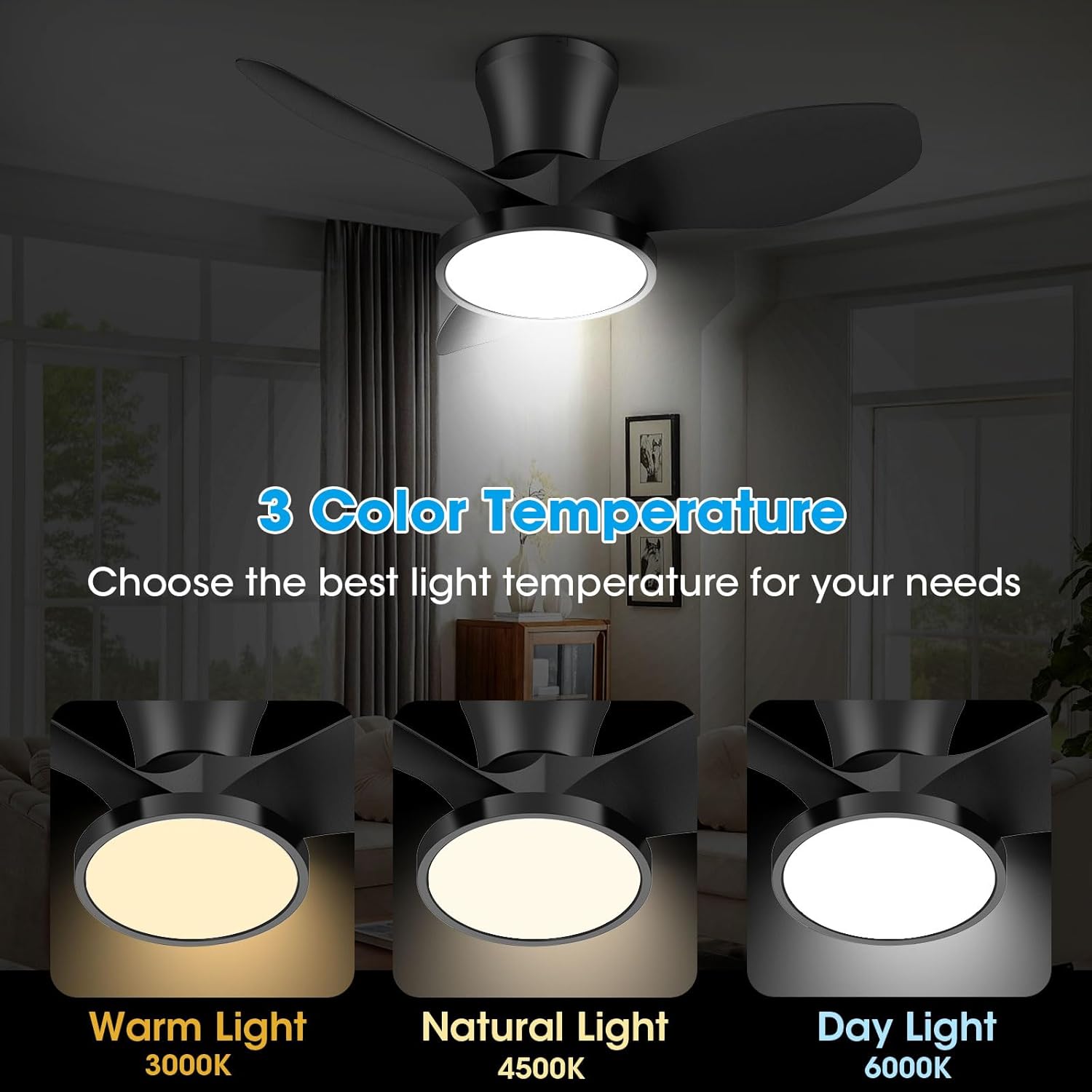
Figure 5.1: Three color temperature options for the integrated LED light.

Figure 5.2: Illustration of the 6 adjustable fan speeds and their corresponding wind intensity.

Figure 5.3: Visual representation of the reversible motor function for seasonal use.
6. Maintenance
Regular maintenance ensures the longevity and optimal performance of your ceiling fan.
- Cleaning: Dust the fan blades and motor housing periodically with a soft, damp cloth. Do not use abrasive cleaners or solvents.
- Tighten Screws: Check all screws and connections annually to ensure they are secure. Loose connections can cause noise or malfunction.
- Blade Balance: If the fan wobbles, check that the blades are securely attached and balanced.
7. Troubleshooting
If you encounter issues with your fan, refer to the following common problems and solutions:
| Problem | Possible Cause | Solution |
|---|---|---|
| Fan does not start | No power supply; Loose wiring; Remote control battery low | Check circuit breaker; Verify all wire connections; Replace remote control batteries. |
| Light does not work | Loose light wiring; LED module failure | Check light wire connections; Contact customer support if LED module is faulty. |
| Fan wobbles | Loose blade screws; Unbalanced blades; Improper mounting | Tighten all blade screws; Ensure blades are balanced; Recheck mounting bracket installation. |
| Excessive noise | Loose screws; Motor issue | Check and tighten all screws; If noise persists, contact customer support. |
8. Warranty & Support
For any problems or inquiries regarding your ocioc ceiling fan, please contact customer support. Detailed installation instructions and videos are provided to assist with setup. If you encounter any issues, please reach out to us for assistance.