
1. Product Overview
The SCULPFUN AP-FC Air Assist Pump is designed to enhance the performance of laser engraving and cutting machines, such as the SCULPFUN S10 and other compatible models. It provides a controlled airflow to the laser's focal point, improving cutting efficiency and engraving quality by clearing smoke and debris.
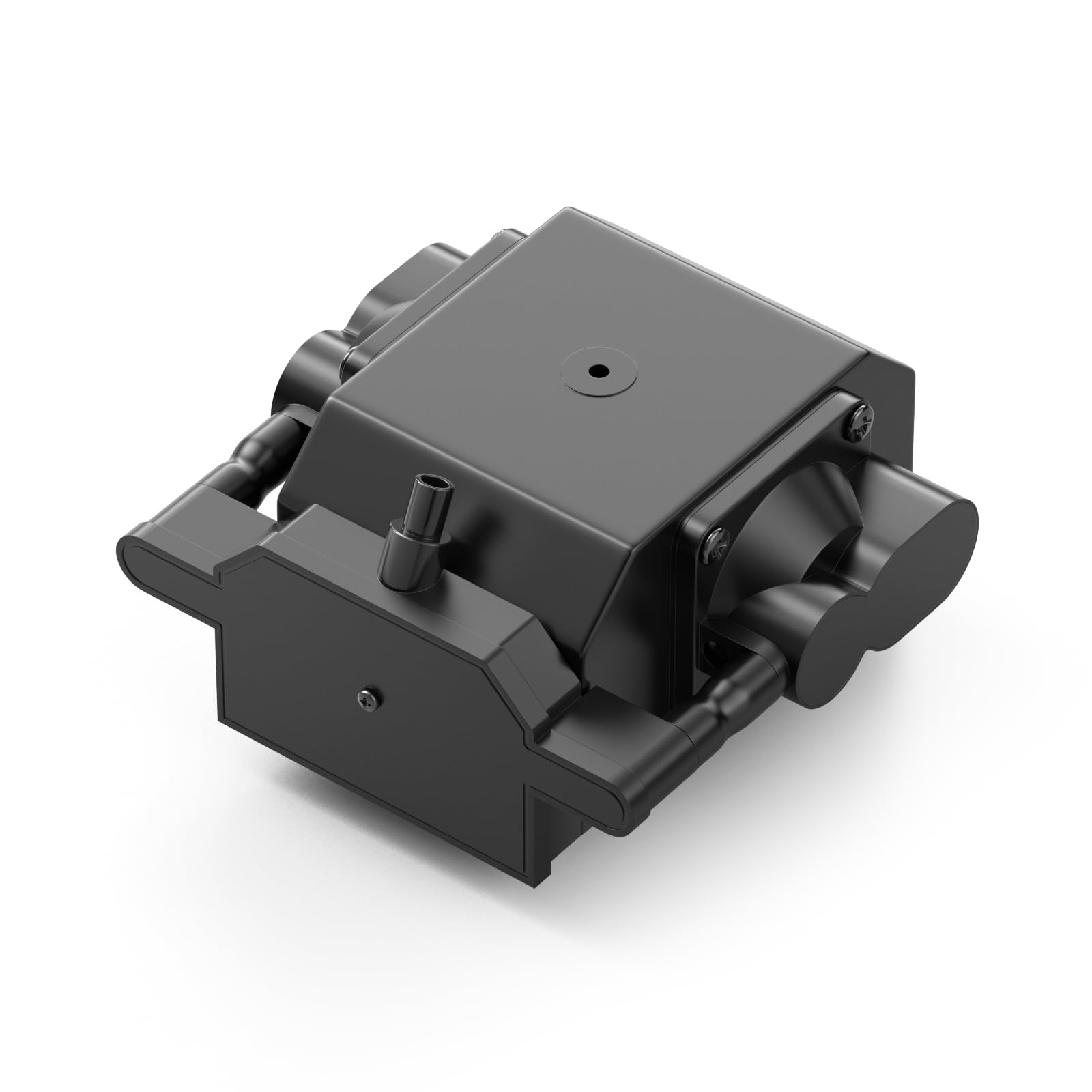
Image 1.1: SCULPFUN AP-FC Air Assist Pump.
2. Setup Instructions
- Unpack Components: Carefully remove the air assist pump, air hose, and power adapter from the packaging.
- Connect Air Hose: Attach one end of the air hose to the outlet nozzle of the air assist pump and the other end to the air assist nozzle on your laser engraving machine. Ensure a secure connection to prevent air leaks.
- Position the Pump: Place the air assist pump on a stable, flat surface near your laser engraver. Ensure it is not obstructed to allow for proper ventilation.
- Connect Power: Plug the power adapter into the air assist pump and then into a suitable power outlet.
- Initial Check: Before starting any operation, turn on the air assist pump and verify that air is flowing steadily from the laser's air assist nozzle.

Image 2.1: Air assist pump connected to a laser engraving machine.
Setup Demonstration Video
Video 2.1: This video demonstrates the setup and the effect of the SCULPFUN Air Assist on laser cutting and engraving, showing comparisons with and without air assist.
3. Operating Instructions
3.1 Adjustable Airflow
The SCULPFUN AP-FC Air Assist Pump features an adjustable speed design, allowing you to control the airflow rate from 0 to 30 liters per minute (L/Min). Rotate the adjuster knob on the power cord to increase or decrease the airflow. Adjust the airflow according to the specific requirements of your laser engraving or cutting task to achieve optimal results.

Image 3.1: Adjusting the airflow using the control knob.
3.2 Benefits of Air Assist
- Clean Cutting and Engraving: The directed airflow helps to blow away smoke, dust, and debris generated during laser processing, resulting in cleaner cuts and more precise engravings. This reduces charring and discoloration on the material surface.
- Enhanced Cutting Performance: By removing molten material and debris from the cutting path, the air assist allows the laser to penetrate deeper and cut faster, especially through thicker materials.
- Low Noise Operation: The pump is designed for quiet operation, producing noise levels below 40dB, ensuring a more comfortable working environment.
- Stable Air Pressure: The high stability design ensures consistent air output, even during prolonged operation, contributing to reliable and repeatable results.

Image 3.2: The air assist pump operates with low noise, typically below 40dB.

Image 3.3: Examples of clean cutting and engraving results on various materials like wood, leather, acrylic, and steel, achieved with air assist.
3.3 Pump Operation Video
Video 3.1: This video showcases the SCULPFUN 30L/min Air Pump in operation, highlighting its features and performance.
4. Specifications
| Feature | Detail |
|---|---|
| Brand | SCULPFUN |
| Model | AP-FC |
| Material | Acrylic, Metal |
| Color | Black |
| Operation Mode | Manual |
| Power | 20W |
| Voltage | 110V / 230V |
| Frequency | 50Hz |
| Air Capacity | 0-30 L/Min (Adjustable) |
| Pressure | ≥0.03MPa |
| Noise Level | Below 40dB |
| Outer Diameter (Hose) | Φ8mm |
| Dimensions (L x W x H) | 125mm x 123mm x 76mm |

Image 4.1: Technical specifications and dimensions of the air assist pump.
5. Warranty Information
The SCULPFUN AP-FC Air Assist Pump comes with a one-year manufacturer's warranty. This warranty covers defects in materials and workmanship under normal use. Please retain your proof of purchase for warranty claims.
6. Support and Contact
For technical assistance, troubleshooting, or warranty inquiries, please contact SCULPFUN customer support. You can find more information and contact details on the official SCULPFUN Amazon store page: SCULPFUN Official Store.
When contacting support, please provide your product model (AP-FC) and a detailed description of the issue.


