1. Introduction
The Zooz 700 Series Z-Wave Long Range Smart Relay ZEN51 is designed to integrate existing wall switches into your Z-Wave smart home system. This compact relay allows you to retain your preferred switch style and color while adding smart control capabilities. It is suitable for on/off control of various loads, including lighting and small fans. The relay features a dry contact output, making it versatile for unique applications beyond standard lighting, such as 120V signal monitoring for sump pumps or motion lights.
What's in the Box:
- Smart Relay
- User Manual

Image: The Zooz ZEN51 Smart Relay shown alongside its product packaging.
2. Specifications
| Model Number | ZEN51 |
| Z-Wave Region | US/CA/MX |
| Power | 110-120 V AC, 60 Hz |
| Max Load | 960 W incandescent, 150 W LED bulbs, 10 A resistive, 1/2 HP fan motors (Do not use with tube lights or switched receptacles) |
| Z-Wave Range | Up to 300 feet line of sight (1300 feet with Z-Wave Long Range enabled) |
| Dimensions | 1.5" tall, 1.4" wide, 0.7" deep |
| Operating Temperature | 32-104° F (0-40° C) |
| Installation and Use | Indoor only |
| Material | Copper |
| Connector Type | Screw |
| Contact Type | Normally Open |
| Current Rating | 1.5 Amps |
| Certifications | ETL certified, conforms with North American safety standards |
Important Note: Do not exceed 150 W of LEDs or 960 W incandescent. Use with small fans under 1/2 hp only.
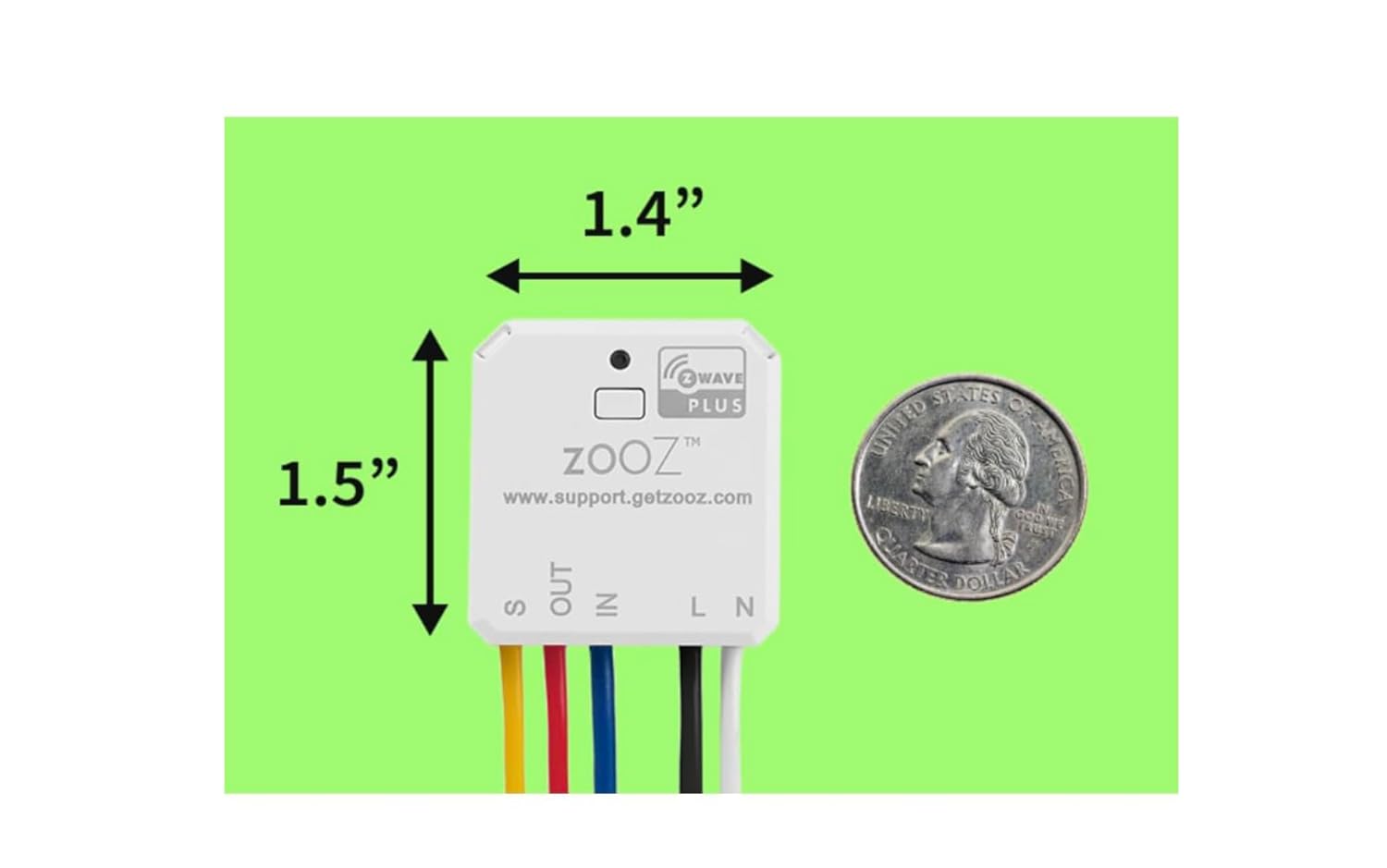
Image: The compact size of the ZEN51 relay, measuring 1.5 inches tall by 1.4 inches wide, demonstrated with a US quarter for scale.
3. Setup and Installation
The ZEN51 relay is designed for easy installation. It features pigtail wires for convenient connections. Always ensure power is off at the circuit breaker before beginning any electrical work.
3.1. Wiring Requirements
NEUTRAL WIRE REQUIRED: A neutral wire is essential for the operation of this device. Please check your switch box for a neutral wire before purchasing or attempting installation. If a neutral wire is not available at the switch box, the relay can often be installed at the light fixture where neutral connections are typically present.
Connect the relay to mechanical on/off or momentary switches only. Do NOT connect to dimmers or electronic/smart switches.
3.2. Wiring Diagram (Single Pole Setup)

Image: A detailed wiring diagram illustrating the connection of the ZEN51 relay to a standard wall switch and light fixture in a single pole configuration.
For 3-way compatible setups, refer to the detailed wiring diagrams provided by Zooz. The relay can be used to automate 3-way configurations, even if neutral is not available at all switch boxes, by installing it at the light fixture.
3.3. Pairing with a Z-Wave Hub
This is an advanced Z-Wave device and requires an updated Z-Wave hub to display correctly. All Zooz devices work best with the Z-Box Hub. It has been tested to work well with Hubitat, Home Assistant (Z-Wave JS), and HomeSeer, and is compatible with SmartThings.
Before pairing, ensure you have the appropriate Z-Wave driver installed on your hub. For SmartThings, this typically involves installing an Edge Driver from the Zooz channel.

Image: The reverse side of the ZEN51 module, displaying its product information and a SmartStart QR code for easy pairing.
To initiate pairing, tap the pairing button on the relay quickly three times. Use your Z-Wave hub's application to scan for nearby devices. The relay should be discovered and added to your network.
4. Operating the ZEN51 Relay
Once installed and paired, the ZEN51 relay allows for both manual control via the connected wall switch and smart control through your Z-Wave hub.
4.1. Smart Bulb Mode
The Smart Bulb Mode allows you to control smart bulbs via Z-Wave without cutting power to them when the relay is off. This feature brings back the physical switch function for your existing switches even when using smart bulbs, ensuring they remain powered for smart control.
4.2. Z-Wave Features
The ZEN51 utilizes the new 700 series Z-Wave technology, offering powerful features such as Z-Wave Long Range, SmartStart, and S2 authenticated security. Ensure your hub or home automation software supports these functionalities to take full advantage of the relay's capabilities.

Image: A clear view of the ZEN51 Smart Relay module, highlighting its compact design and pre-attached colored wires for installation.
5. Maintenance
The Zooz ZEN51 Smart Relay is designed for long-term, maintenance-free operation once properly installed. Keep the device and its surrounding area clean and free from dust and debris. Avoid exposing the device to excessive moisture or extreme temperatures outside of its specified operating range.
6. Troubleshooting
If you encounter issues with your ZEN51 relay, consider the following common troubleshooting tips:
- Pairing Issues: If the device does not pair, ensure you are tapping the pairing button quickly and consistently three times. Some users find that a faster cadence of presses improves pairing success.
- Device Unresponsive: Verify that the neutral wire is correctly connected and that the relay is receiving power. Ensure the connected wall switch is a mechanical on/off or momentary type, not a dimmer or electronic switch.
- Incorrect Switch Behavior: If the physical switch requires multiple presses to operate after smart control, check your hub's device options. The default switch setup might need to be configured for toggle inputs.
- Hub Compatibility: Ensure your Z-Wave hub is updated and supports the 700 series Z-Wave technology for optimal performance and feature access.
For more detailed troubleshooting or specific issues, refer to the Zooz support website or contact their customer support.
7. Warranty
The Zooz ZEN51 Smart Relay is backed by a 5-year warranty once registered. Please refer to the official Zooz website for full warranty terms and registration details.
8. Support
For any questions, technical assistance, or support needs, Zooz provides US-based customer support 7 days a week. You can find contact information and additional resources on the official Zooz website: www.support.getzooz.com


