
Introduction
Thank you for choosing the Generic ZD-X5066T Car Stereo Multimedia Player. This manual provides essential information for the safe and efficient use of your new device. Please read this manual thoroughly before installation and operation, and retain it for future reference. This unit is designed to provide high-quality audio and video entertainment, hands-free communication, and navigation support in your vehicle.
Safety Information
- Professional Installation Recommended: Due to the complexity of car electrical systems, professional installation is highly recommended to prevent damage to the unit or your vehicle.
- Driving Safety: Do not operate the unit's advanced features or watch videos while driving. Distracted driving can lead to accidents.
- Power Supply: Ensure the unit is connected to a 12V DC power supply with a negative ground. Incorrect voltage can cause damage.
- Avoid Moisture: Do not expose the unit to water or excessive moisture. This can cause electrical shock or malfunction.
- Ventilation: Ensure proper ventilation around the unit to prevent overheating. Do not block ventilation openings.
- Fuses: Replace fuses only with those of the specified rating. Using incorrect fuses can cause fire or electrical damage.
Package Contents
Please check the contents of your package against the list below. If any items are missing or damaged, contact your retailer.
- Generic ZD-X5066T Main Unit (Car Stereo)
- Remote Control
- Power Wiring Harness
- USB Cable
- User Manual
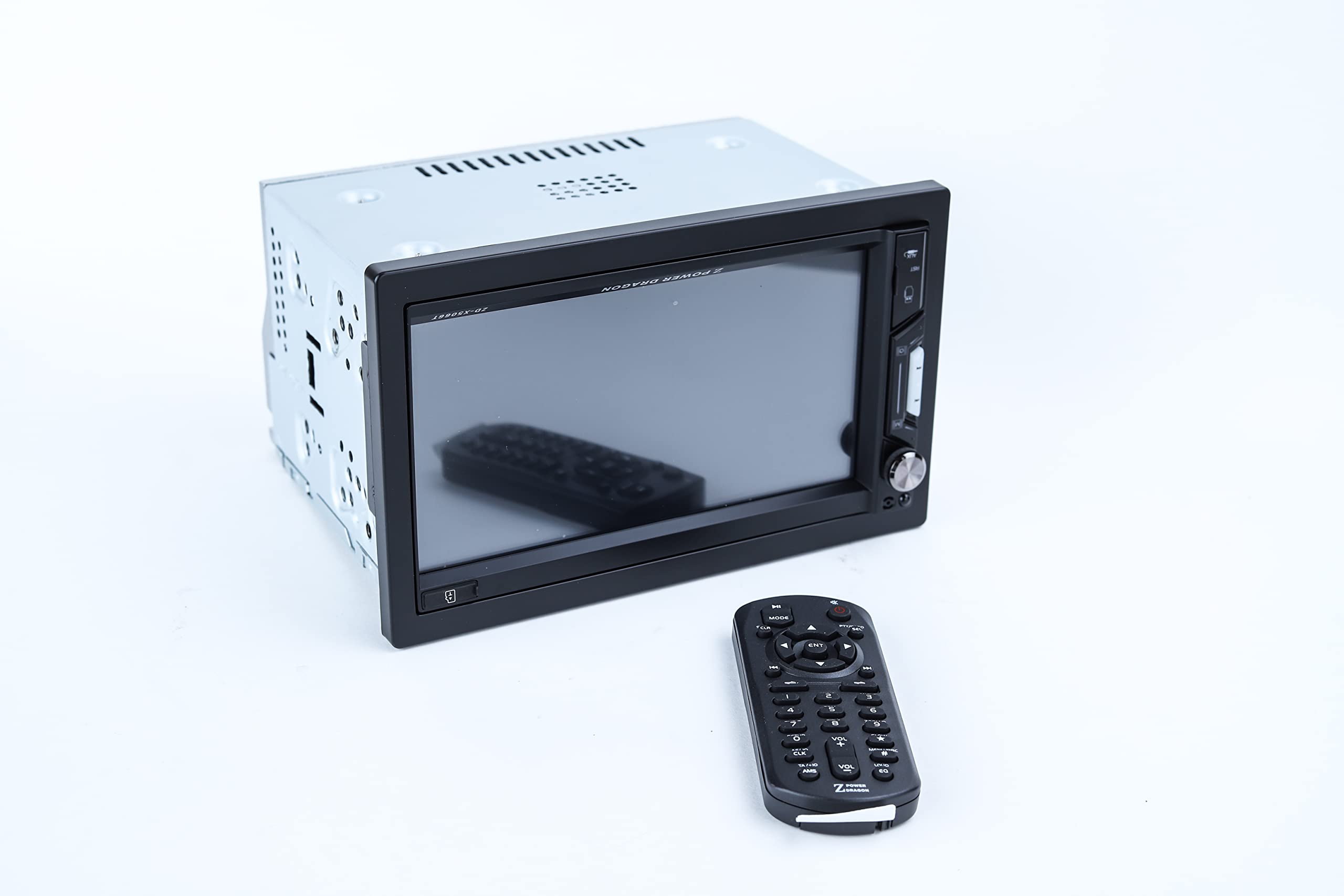
Image: Retail packaging of the Generic ZD-X5066T Car Stereo, showing the product and its features on the box.
Product Overview
Front Panel

Image: Front view of the ZD-X5066T Car Stereo, highlighting the 7-inch touchscreen display, physical buttons on the right side, and a volume knob.
The front panel features a large 7-inch digital TFT touchscreen for intuitive control and media display. On the right side, you will find essential physical buttons for quick access to functions like power, mode selection, and a rotary knob for volume control. A USB port and possibly an AUX input are typically located on the front for easy access to external media.
Rear Panel

Image: Rear view of the ZD-X5066T Car Stereo, displaying various input/output ports including RCA connectors for audio and video, antenna input, and the main power harness connector.
The rear panel houses all necessary connections for integrating the unit into your vehicle's electrical system and connecting external components. This includes the main power harness connector, RCA outputs for external amplifiers or subwoofers, video input/output, and an antenna input for radio reception. Cooling fins are also visible, designed to dissipate heat during operation.
Setup & Installation
Proper installation is crucial for optimal performance and safety. If you are unsure about any steps, consult a professional installer.
Wiring Connections
- Disconnect Battery: Before starting, disconnect the negative terminal of your vehicle's battery to prevent electrical shorts.
- Mounting: Carefully slide the main unit into the dashboard opening. Secure it using the provided mounting brackets or screws.
- Power Wiring: Connect the power harness. Match the wires from the unit to your vehicle's wiring:
- Yellow wire: Constant 12V (Battery)
- Red wire: Switched 12V (Accessory/Ignition)
- Black wire: Ground
- Speaker Wiring: Connect the speaker wires from the unit to your vehicle's speakers. Ensure correct polarity (+/-) for each speaker.
- Antenna Connection: Connect your car's radio antenna to the antenna input on the rear of the unit.
- Optional Connections: Connect any additional accessories such as a rearview camera, external amplifier, or subwoofer via the RCA ports.
- Reconnect Battery: Once all connections are secure, reconnect the negative terminal of your vehicle's battery.
- Test Functionality: Turn on the unit and test all functions (radio, USB, Bluetooth, volume, etc.) to ensure proper operation.
Operating Instructions
Basic Operations
- Power On/Off: Press the POWER button (usually on the front panel or remote) to turn the unit on or off.
- Volume Control: Rotate the VOLUME knob or use the volume buttons on the remote control or touchscreen to adjust the audio level.
- Source Selection: On the touchscreen, tap the MODE or SOURCE icon to switch between available inputs like Radio, USB, Bluetooth, and AUX.
Radio Function
- Band Selection: Tap the BAND icon to switch between FM and AM bands.
- Auto Scan: Press and hold the SCAN button to automatically search for and store strong radio stations.
- Manual Tuning: Use the TUNE +/- buttons to manually adjust the frequency.
- Presets: Tap a preset number on the screen to recall a saved station. To save a station, tune to it, then press and hold a preset number until you hear a beep.
USB Playback
- Insert USB: Insert a USB flash drive into the USB port. The unit will automatically switch to USB mode and begin playback.
- Navigation: Use the touchscreen to browse folders and select audio or video files.
- Playback Controls: Standard controls like Play/Pause, Next/Previous Track, and Fast Forward/Rewind are available on the screen.
Bluetooth Connectivity
- Pairing: Go to the Bluetooth menu on the unit. Enable Bluetooth on your mobile device and search for available devices. Select "ZD-X5066T" (or similar name) from the list and confirm pairing.
- Hands-Free Calling: Once paired, you can make and receive calls directly through the unit. Use the touchscreen to dial, answer, or end calls.
- Audio Streaming: Play music from your paired device wirelessly through the car stereo. Use the unit's controls for playback.
Maintenance
- Cleaning the Screen: Use a soft, dry, lint-free cloth to gently wipe the touchscreen. Do not use abrasive cleaners or solvents, as they can damage the screen.
- General Cleaning: Wipe the unit's exterior with a soft, damp cloth. Avoid getting moisture into any openings.
- Temperature: Avoid exposing the unit to extreme temperatures, direct sunlight for prolonged periods, or high humidity.
- Ventilation: Ensure that the ventilation openings on the unit are not blocked by debris or other objects to prevent overheating.
Troubleshooting
If you encounter issues with your unit, refer to the following table for common problems and solutions.
| Problem | Possible Cause | Solution |
|---|---|---|
| No power | Blown fuse; Incorrect wiring; Disconnected battery. | Check and replace fuse; Verify all power connections (Yellow, Red, Black wires); Ensure car battery is connected. |
| No sound | Volume too low; Mute function active; Incorrect speaker wiring. | Increase volume; Deactivate mute; Check speaker connections and polarity. |
| Bluetooth not connecting | Bluetooth not enabled on unit/device; Device not in pairing mode; Interference. | Ensure Bluetooth is on for both devices; Put device in pairing mode; Try pairing again in a different location. |
| USB not playing files | Unsupported file format; Corrupted USB drive; USB drive not properly inserted. | Check supported file formats; Try a different USB drive or reformat; Ensure USB drive is fully inserted. |
| Touchscreen unresponsive | Temporary software glitch; Screen dirty. | Restart the unit; Clean the screen with a soft, dry cloth. |
Specifications
| Brand | Generic |
| Model Number | ZD-X5066T (Also listed as XR 10264) |
| Screen Size | 7 Inch |
| Aspect Ratio | 16:9 |
| Screen Surface Description | Glossy |
| Maximum Screen Resolution | 1024 Pixels |
| Special Features | Built-in Bluetooth, Touchscreen |
| Connectivity Technology | USB, Bluetooth |
| Screen Type | LCD Screen |
| Specific Product Uses | General multimedia consumption |
| Color | Black |
| Display Type | LCD Screen |
| Display Technology | LCD |
| Has Color Screen | Yes |
| Included Components | Bluetooth module, Remote Control, Main Unit, USB cable |
| Product Type Name | Car Stereo Multimedia Player |
| Mounting Type | In-dash (Standard DIN) |
| Compatible Devices | Smartphone |
| Item Shape | Rectangular |
| Item Weight | 1000 Grams |
| Hardware Interface | USB |
| Total USB Ports | 1 |
Warranty & Support
Warranty Information
This Generic ZD-X5066T Car Stereo Multimedia Player comes with a one-year manufacturer's limited warranty from the date of purchase. This warranty covers defects in materials and workmanship under normal use. It does not cover damage caused by improper installation, accident, misuse, abuse, negligence, or unauthorized modification.
Customer Support
For technical assistance, warranty claims, or any questions regarding your product, please contact your retailer or the manufacturer's customer support. Please have your model number (ZD-X5066T) and proof of purchase ready when contacting support.