
1. Product Overview
The BLACK+DECKER 50 Pint Portable Dehumidifier is designed to efficiently remove excess moisture from your indoor environment, covering areas up to 4500 square feet. This unit features a built-in pump for continuous drainage, a detachable water bucket, and smart WiFi connectivity for convenient control via a mobile application.

Image: Front view of the BLACK+DECKER 50 Pint Portable Dehumidifier, highlighting its built-in pump feature and Energy Star certification.
Key Features:
- WiFi Connection: Easily connect to the BLACK+DECKER smart app (iOS or Android compatible) to control dehumidifying features remotely.
- 50 Pints/Day Capacity: Extracts up to 50 pints of water every 24 hours, ideal for rooms up to 4500 sq. ft.
- Effortless Drain with Built-in Pump: The integrated pump can drain water up to 16 ft. above the drain outlet, allowing for flexible placement and continuous operation without manual emptying.
- Gravity Drain Option: Includes a 3.28 ft. drain hose for continuous gravity feed drainage, compatible with a standard garden hose.
- Adjustable Humidistat: Allows setting relative humidity from 35% to 80%.
- Overflow Protection: Features a detachable 14.3 pint bucket with an indicator alarm and automatic shut-off to prevent overflow.
- User-Friendly Controls: LED digital display and a 2-speed fan for easy operation.
- Portability: Equipped with bottom casters for easy movement from room to room.
2. Setup Guide
Follow these steps to set up your dehumidifier for optimal performance.
2.1 Unpacking and Placement
Carefully remove the dehumidifier from its packaging. Place the unit on a level surface in the area where humidity control is desired. Ensure there is at least 8 inches of space around the unit for proper airflow.
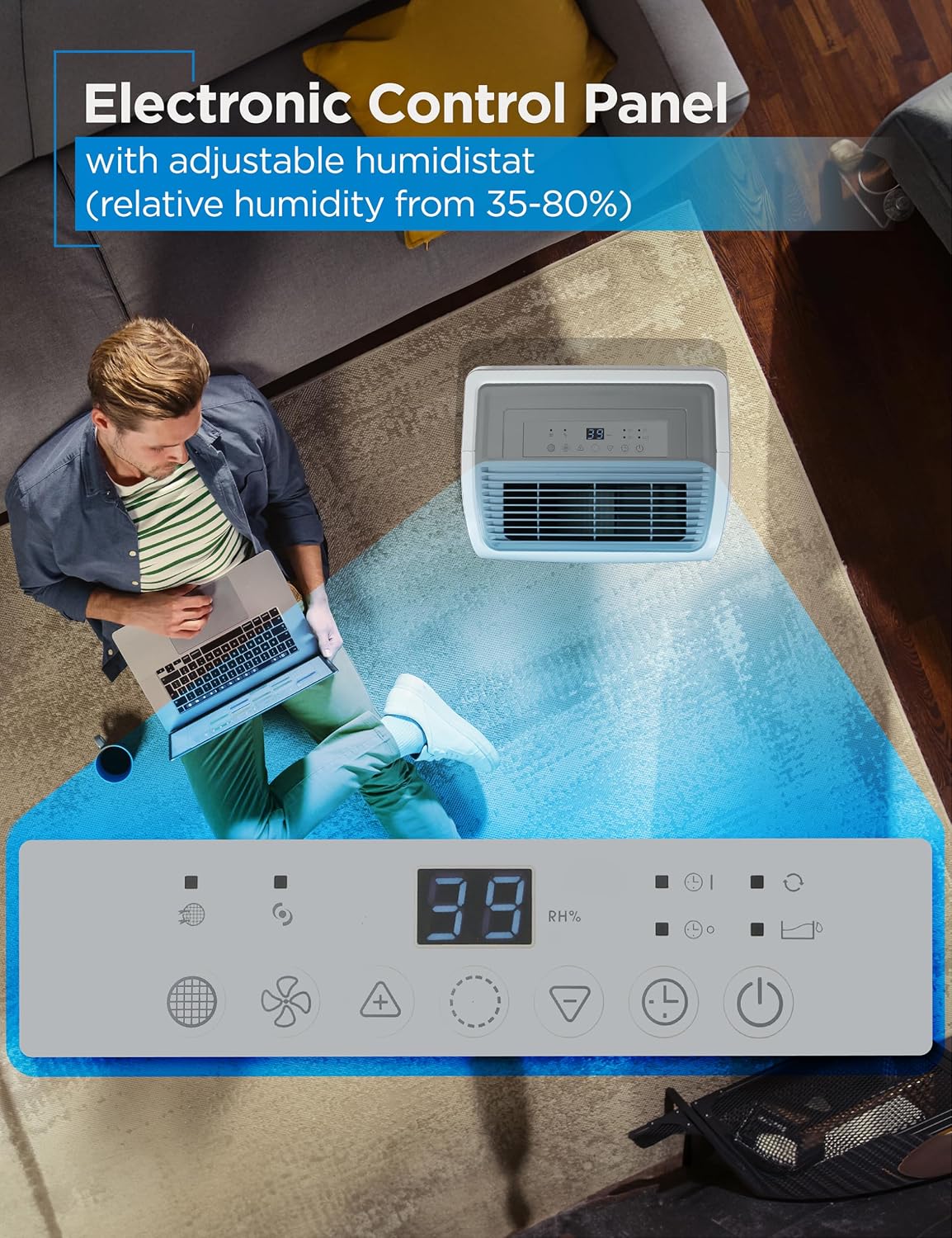
Image: Diagram showing the dimensions of the dehumidifier (15.75"W x 11.61"D x 24.80"H).
2.2 Power Connection
Plug the power cord into a grounded electrical outlet. Ensure the voltage matches the unit's requirements.
2.3 Drainage Options
Your dehumidifier offers two drainage methods: manual bucket emptying or continuous drainage.
2.3.1 Manual Drainage
The unit will collect water in its internal 14.3-pint bucket. When the bucket is full, an indicator alarm will sound, and the unit will automatically shut off. Carefully remove the bucket and empty the collected water.
2.3.2 Continuous Drainage (Built-in Pump)
For continuous operation without manual emptying, connect the included 16.4 ft. pump drain hose to the pump drain outlet. Route the hose to a suitable drain location, ensuring the hose is not kinked or obstructed. The built-in pump can lift water up to 16 feet vertically.
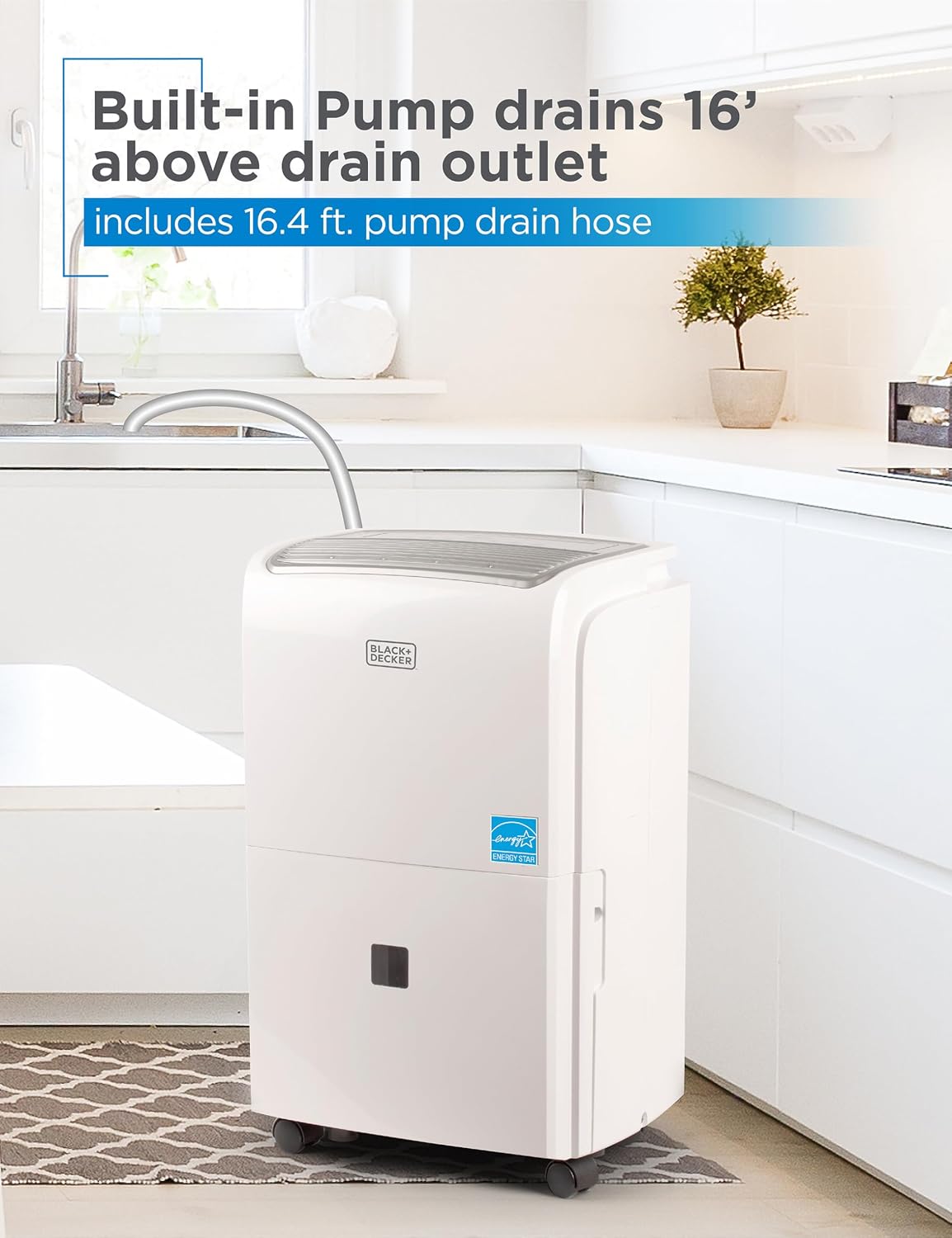
Image: The dehumidifier positioned in a kitchen, with its built-in pump hose extended to drain water into a sink.
2.3.3 Continuous Drainage (Gravity)
Alternatively, for gravity drainage, connect the 3.28 ft. drain hose (or a standard garden hose) to the gravity drain outlet. Ensure the hose is sloped downwards to allow water to flow continuously to a floor drain or other suitable receptacle.
2.4 WiFi Connection (Optional)
Download the BLACK+DECKER smart app from your device's app store. Follow the in-app instructions to connect your dehumidifier to your home WiFi network. This enables remote control and monitoring.

Image: A smartphone displaying the BLACK+DECKER app interface, controlling the dehumidifier wirelessly.
3. Operating Instructions
Familiarize yourself with the control panel and operating modes.

Image: Close-up view of the dehumidifier's electronic control panel, showing the digital display and various function buttons.
3.1 Control Panel Functions
- Power Button: Turns the unit ON or OFF.
- Humidity Setting: Use the '+' and '-' buttons to adjust the desired relative humidity level (35% to 80%). The unit will operate until the set humidity is reached.
- Fan Speed: Select between two fan speeds (High/Low) to control airflow and noise level.
- Timer: Set a timer for automatic ON/OFF operation.
- Filter Reset: Illuminates when the filter needs cleaning. Press to reset after cleaning.
- Full Bucket Indicator: Lights up when the water bucket is full and needs to be emptied.
3.2 Setting Desired Humidity
Press the '+' or '-' buttons to set your desired humidity level. The display will show the current room humidity. Once the set humidity is reached, the compressor will turn off, and the fan will continue to run for a short period before shutting down. The unit will restart automatically if the humidity rises above the set level.
3.3 Continuous Operation
To run the dehumidifier continuously regardless of humidity levels, select the 'Continuous' mode if available on your control panel, or ensure a continuous drain option is properly set up.

Image: Visual representation of the dehumidifier's powerful extraction capability, indicating it extracts up to 50 pints of water and covers up to 4500 sq ft.
4. Maintenance
Regular maintenance ensures efficient operation and extends the life of your dehumidifier.
4.1 Cleaning the Air Filter
The air filter should be cleaned approximately every two weeks or when the 'Filter Reset' indicator illuminates. A dirty filter can reduce efficiency and airflow.
- Turn off the dehumidifier and unplug it from the power outlet.
- Locate the air filter, typically at the back or side of the unit.
- Gently remove the filter.
- Wash the filter with warm, soapy water. Rinse thoroughly.
- Allow the filter to air dry completely before reinserting it.
- Plug in the unit and press the 'Filter Reset' button to clear the indicator.

Image: A hand demonstrating the easy removal of the washable filter for cleaning.
4.2 Cleaning the Water Bucket
If you are using the manual drainage option, regularly clean the water bucket to prevent mold and mildew growth.
- Remove the water bucket from the unit.
- Wash the bucket with warm water and a mild detergent.
- Rinse thoroughly and dry before placing it back into the dehumidifier.
4.3 Storage
If storing the unit for an extended period, ensure the water bucket is empty and clean, and the filter is clean and dry. Store the unit upright in a cool, dry place.
5. Troubleshooting
Refer to this section for common issues and their solutions.
| Problem | Possible Cause | Solution |
|---|---|---|
| Dehumidifier does not turn on. | No power supply. Water bucket is full or not properly inserted. Room temperature is too low. | Check power cord connection and outlet. Empty and reinsert the water bucket correctly. Unit may not operate below 41°F (5°C). |
| Unit runs but does not dehumidify. | Air filter is clogged. Humidity setting is too high. Room size is too large. | Clean the air filter. Lower the desired humidity setting. Ensure unit capacity matches room size. |
| Unit is noisy. | Unit is not on a level surface. Air filter is clogged. | Place the unit on a flat, stable surface. Clean the air filter. |
| Water leaks from the unit. | Water bucket is not properly seated. Drain hose is kinked or clogged. | Ensure the water bucket is fully inserted. Check drain hose for kinks or obstructions. |
| WiFi connection issues. | Incorrect network password. Router too far from unit. App issues. | Verify WiFi password. Move unit closer to router or use a range extender. Restart app or reinstall. |
6. Technical Specifications
| Specification | Detail |
|---|---|
| Brand | BLACK+DECKER |
| Model Name | BLACK+DECKER 50 Pint Portable Dehumidifier with Built-in Pump and Drain Hos |
| Item Model Number | BDT50PWTBWF |
| Floor Area Coverage | 4500 Square Feet |
| Capacity | 50 Pints (per 24 hours) |
| Product Dimensions | 11.61"D x 15.75"W x 24.8"H |
| Item Weight | 41.8 Pounds |
| Color | White |
| Special Features | Portable, Built-in Pump, Automatic Shutoff, WIFI |
| Number of Speeds | 7 |
| Wattage | 515 watts |
| Operation Mode | Continuous |
| Dehumidification Capacity | 6.26 Gallons per Day |
| Included Components | 50 Pint Portable Dehumidifier |
| UPC | 810064694417 |
7. Warranty and Support
For warranty information and customer support, please refer to the documentation included with your product or visit the official BLACK+DECKER website. You can also contact their customer service for assistance with product operation, troubleshooting, or parts replacement.
Online Support: Visit the BLACK+DECKER Store on Amazon for additional resources and product information.


