
GTRS P800
GTRS P800 Rosewood Fretboard Professional Electric Guitar Kit User Manual
Model: P800
Your guide to setting up, operating, and maintaining your GTRS P800 Intelligent Electric Guitar.
1. Product Overview
The GTRS Professional 800 (P800) is a premium electric guitar featuring an integrated Intelligent Processor System. This system allows for seamless integration of traditional guitar features with modern digital simulation technology, controlled via a dedicated mobile application. The P800 offers a wide range of tonal possibilities and practice tools.
Key features include:
- Integrated GTRS Intelligent Processor System.
- 9 classic guitar simulations and 126 guitar effects.
- 40 drum grooves and 10 metronome variations.
- 80-second looper function.
- App control for editing settings and cloud sharing.
- Constructed with an American alder wood body and Canadian roasted flame maple neck with rosewood fretboard.
- Upgraded GTRS SCN-1N/M Hum-canceling and HM-1B Humbucker pickups.
- 22 medium stainless-steel frets, GTRS 18:1 locking tuners, and a Wilkinson VS 50 II bridge.
- High-capacity lithium battery for extended play.

Figure 1: GTRS P800 Electric Guitar Kit contents, including the guitar, gig bag, charging cable, and user manual.

Figure 2: Detailed view of the GTRS P800 guitar, highlighting features such as the C-shape neck, roasted flame maple, rosewood fretboard, GTRS locking tuners, 25.5" scale, 09-42 strings, high gloss finish, body curve, and alder solid body.

Figure 3: The G100 Intelligent Processor System, integrated into the GTRS P800, offering guitar simulations, effects, drum patterns, metronome, and looper functions.
Note: No official seller videos were found in the provided product data.
2. Setup
2.1 Unboxing and Initial Inspection
Carefully remove the guitar and all accessories from the packaging. Inspect the guitar for any visible damage during transit. Ensure all listed components are present: GTRS P800 guitar, gig bag, charging cable, and user manual.
2.2 Charging the Intelligent Processor System
Before first use, fully charge the guitar's internal lithium battery. Connect the provided charging cable to the guitar's charging port (typically located near the output jack) and to a standard USB power adapter (not included). The indicator light on the Super Knob will show charging status.

Figure 4: The input/output jack and USB-C charging port on the GTRS P800 guitar.
2.3 Connecting to the GTRS App
The GTRS App is essential for accessing the full range of features. Download the GTRS App from your device's app store (compatible with Android and Apple operating systems). Enable Bluetooth on your mobile device and open the GTRS App. Follow the in-app instructions to pair your GTRS P800 guitar via Bluetooth. Once connected, the app will display the guitar's status and allow access to all intelligent features.
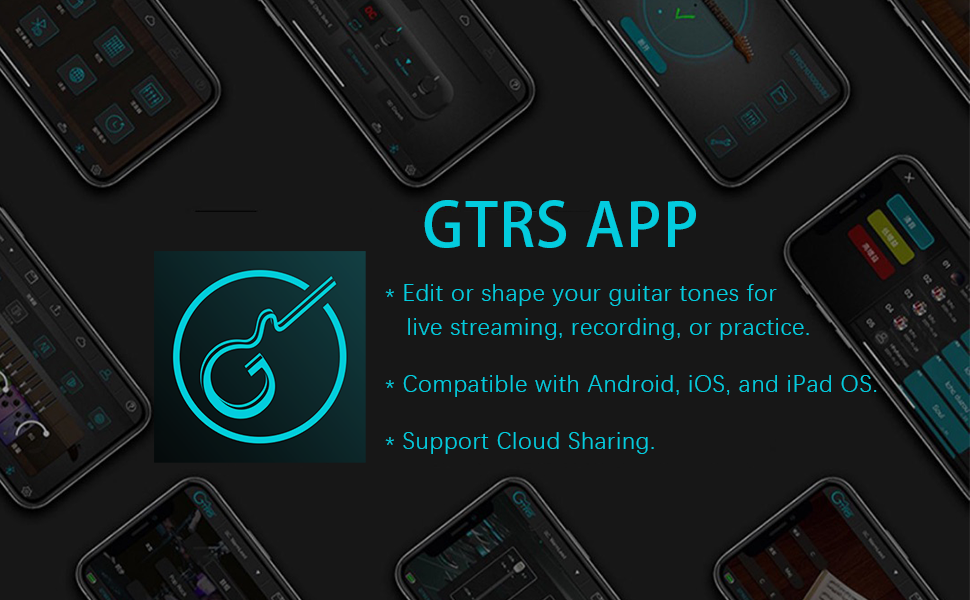
Figure 5: The GTRS App interface, used for controlling and customizing the guitar's intelligent features.
2.4 Basic Physical Setup
While the guitar is typically set up at the factory, minor adjustments may be needed. Check the string action and intonation. The GTRS P800 features GTRS 18:1 locking tuners for stable tuning. Ensure strings are properly seated and tuned to standard pitch using a reliable tuner, either external or via the GTRS App's built-in tuner.
3. Operating the GTRS P800
3.1 Using the GTRS App
The GTRS App is the control center for your intelligent guitar. It allows you to:
- Guitar Simulations: Select from 9 classic guitar simulations to emulate different guitar tones.
- Guitar Effects: Access and customize 126 guitar effects, including distortions, modulations, delays, and reverbs.
- Drum Grooves: Choose from 40 drum grooves for practice and accompaniment.
- Metronome: Utilize 10 metronome variations for precise timing practice.
- Looper: Record and playback up to 80 seconds of audio for layering and practice.
- Preset Management: Edit, save, and organize your customized tones and settings.
- Cloud Sharing: Upload and share your presets with other GTRS users.
All settings can be quickly edited and saved through the GTRS App. Ensure your guitar is connected via Bluetooth for real-time control.
3.2 The Super Knob
The Super Knob on the guitar provides quick access to essential functions without the app. Turn it on to activate the intelligent system. It can be used to switch between presets, control volume, and activate the tuner. Refer to the app for detailed Super Knob functionalities and customization options.

Figure 6: The Super Knob on the GTRS P800, providing direct control over various intelligent features.
3.3 Connectivity Options
The GTRS P800 offers versatile connectivity:
- Direct to Amplifier: Connect the guitar's output jack to a standard guitar amplifier.
- Headphones: Plug headphones directly into the guitar for silent practice.
- Mixers/Studio Monitors: Connect to audio interfaces, mixers, or studio monitors for recording or monitoring.
- GWF-4 Footswitch: Enhance control with the optional GWF-4 footswitch (compatible device GCA5, GWU4, GWF4), allowing hands-free control of looper, drums, tuner, and effects switching.
- Recording/Live Streaming (OTG): Use the OTG function for direct recording or live streaming audio/video to compatible devices.
4. Maintenance
4.1 Cleaning
Regularly wipe down the guitar body, neck, and fretboard with a soft, lint-free cloth. For the body, a slightly damp cloth can be used, followed by a dry one. Avoid abrasive cleaners or solvents. For the rosewood fretboard, use a specialized fretboard conditioner periodically to prevent drying and cracking.
4.2 String Replacement
Replace strings regularly to maintain optimal tone and playability. The P800 uses 09-42 gauge strings. When replacing, ensure proper winding on the GTRS locking tuners for tuning stability.
4.3 Battery Care
The guitar is equipped with a high-capacity lithium battery. To prolong battery life:
- Avoid fully discharging the battery frequently.
- Charge the guitar regularly, even if not in constant use.
- Store the guitar in a cool, dry place when not in use.
4.4 Software Updates
Periodically check the GTRS App for software and firmware updates for your guitar. Updates often include new features, bug fixes, and performance improvements. Follow the in-app instructions for updating to ensure your system is current.
5. Troubleshooting
5.1 No Sound Output
- Ensure the guitar's Super Knob is turned on and the intelligent system is active.
- Check the guitar's volume knob and the volume settings within the GTRS App.
- Verify that your amplifier or headphones are properly connected and powered on.
- Check the instrument cable for damage or loose connections.
- Ensure the battery is charged.
5.2 App Connectivity Issues
- Make sure Bluetooth is enabled on your mobile device.
- Restart both the GTRS App and your guitar (turn Super Knob off and on).
- Ensure your mobile device is within Bluetooth range of the guitar.
- Check for any pending app updates.
5.3 Battery Not Charging
- Verify the charging cable is securely connected to both the guitar and the power source.
- Try a different USB power adapter or USB port.
- Ensure the charging cable is not damaged.
If you encounter persistent issues not covered here, please refer to the support section.
6. Specifications
| Feature | Specification |
|---|---|
| Brand | GTRS |
| Model Number | P800 |
| Item Weight | 16.42 pounds |
| Product Dimensions | 45 x 16 x 6 inches |
| Country of Origin | China |
| Back Material | Alder |
| Body Material | Alder |
| Color Name | Blue |
| Compatible Devices | GCA5, GWU4, GWF4 |
| Fretboard Material | Rosewood |
| Guitar Pickup Configuration | H |
| Scale Length | 25-1/2'' |
| String Material | Stainless Steel |
| Supported Software | GTRS APP |
| Top Material | Maple Wood, Rosewood, Alder Wood |
| Neck Material Type | Maple |
| Number of Strings | 6 |
| Guitar Bridge System | Tune-O-Matic |
| Material Type | Alder Wood, Canadian Roasted Flame Maple, Rosewood |
| Size | P800 Rosewood Fretboard |
| Proficiency Level | Professional |
| Battery Type | Lithium Ion |
| Operating System | Android, Apple |
| Hand Orientation | Right |
7. Warranty and Support
7.1 Warranty Information
GTRS products typically come with a manufacturer's warranty covering defects in materials and workmanship. Specific warranty terms and duration may vary. Please retain your proof of purchase for warranty claims. For detailed warranty information, refer to the documentation included with your product or visit the official GTRS website.
Extended protection plans may also be available for purchase, offering additional coverage beyond the standard manufacturer's warranty.
7.2 Customer Support
For technical assistance, troubleshooting, or general inquiries, please contact GTRS customer support. You can often find support contact information on the official GTRS website or through the GTRS App.
You can also visit the official GTRS Store on Amazon for product information and support resources: GTRS Store
Related documentsP800


Ask a question about this manual
Ask about setup, troubleshooting, compatibility, parts, safety, or missing instructions. Manuals+ will review the question and use this page’s manual context to help answer it.