
1. Introduction
This manual provides detailed instructions for the installation, operation, and maintenance of your OREiN 2-in-1 Bathroom Exhaust Fan with Light. This unit is designed to provide efficient ventilation and illumination for your bathroom, helping to reduce humidity and odors. Please read this manual thoroughly before installation and use, and retain it for future reference.

Image 1.1: The OREiN 2-in-1 Bathroom Exhaust Fan with Light, showcasing its sleek design and integrated lighting.
2. Product Features
- Powerful Ventilation: Operates at 100 Cubic Feet Per Minute (CFM) to effectively remove moisture and odors from your bathroom.
- Quiet Operation: Engineered for quiet performance with a sound level of 1.5 Sones, ensuring minimal disturbance.
- Integrated LED Lighting: Features a bright 1500 lumen LED light for ample illumination.
- 3-Color Temperature Selectable (3CCT): Choose between 3000K (soft white), 4000K (bright white), or 5000K (daylight) to match your preference. The color temperature is selected via a toggle switch on the fan housing.
- Nightlight Function: Includes a 2200K nightlight for low-level illumination in the dark. Activate by cycling the light switch within 2 seconds.
- DC Motor with Slow Start/Stop: Equipped with a durable DC motor that features a slow start and slow stop mechanism to protect the motor and extend its lifespan.
- Easy Installation: Designed with a fast bracket for secure and straightforward installation between ceiling joists or directly to a joist.
- Durable Construction: Made from metal and plastic components for long-lasting use.
- Certifications: FCC and ETL Listed, ensuring compliance with safety and performance standards.

Image 2.1: Illustration of the 3-color temperature selectable feature (3000K, 4000K, 5000K) for the integrated LED light.

Image 2.2: Visual representation of the dimmable 3CCT light (19W, 1500LM) and the 200LM nightlight, with instructions for cycling the light switch to change modes.
3. Safety Information
To reduce the risk of fire, electric shock, or injury to persons, observe the following:
- Installation work and electrical wiring must be done by qualified person(s) in accordance with all applicable codes and standards, including fire-rated construction codes and standards.
- Sufficient air is needed for proper combustion and exhausting of gases through the flue (chimney) of fuel burning equipment to prevent back-drafting. Follow the heating equipment manufacturer’s guideline and safety standards such as those published by the National Fire Protection Association (NFPA), and the American Society for Heating, Refrigeration and Air Conditioning Engineers (ASHRAE), and the local code authorities.
- When cutting or drilling into wall or ceiling, do not damage electrical wiring and other hidden utilities.
- Ducted fans must always be vented to the outdoors.
- Do not use this fan with any solid-state speed control device.
- This unit must be grounded.
- Do not install in a cooking area.
- This product is designed for general ventilating use only. Do not use to exhaust hazardous or explosive materials and vapors.
- To avoid motor bearing damage and noisy and/or unbalanced impellers, keep drywall spray, construction dust, etc. off power unit.
- The fan is suitable for use in a shower or tub enclosure when installed in a GFCI protected branch circuit.
4. Package Contents
Please check the package contents to ensure all parts are present and undamaged:
- OREiN 2-in-1 Bathroom Exhaust Fan with Light Unit
- Mounting Bracket (Fast Bracket)
- Installation Hardware (screws, wire connectors)
- User Manual (this document)
5. Installation Instructions
Before beginning installation, ensure power is turned off at the circuit breaker. It is recommended to have a qualified electrician perform the installation.
5.1 Dimensions and Requirements
- Housing Dimensions: 7.68" x 7.55" x 6.42" (L x W x H)
- Light Cover Size: 10.1" x 10.1"
- Ceiling Opening Size: 8.11" x 7.48"
- Duct Size: 4 inches (round)

Image 5.1: Detailed product dimensions and required ceiling opening size for installation.
5.2 Mounting the Fan Housing
- Identify the desired location for the fan. Ensure there is sufficient space in the ceiling cavity and access to an existing or new ducting system.
- Cut a ceiling opening of 8.11" x 7.48".
- Attach the fast bracket to the fan housing.
- Mount the fan housing between ceiling joists using the fast bracket, or nail/screw it directly to a joist. Ensure the housing is securely fastened and flush with the ceiling surface.
- Connect the 4-inch ductwork to the fan's exhaust port. Ensure the duct does not bend into the opening to block the damper. Use rigid or semi-rigid ducting for optimal performance.
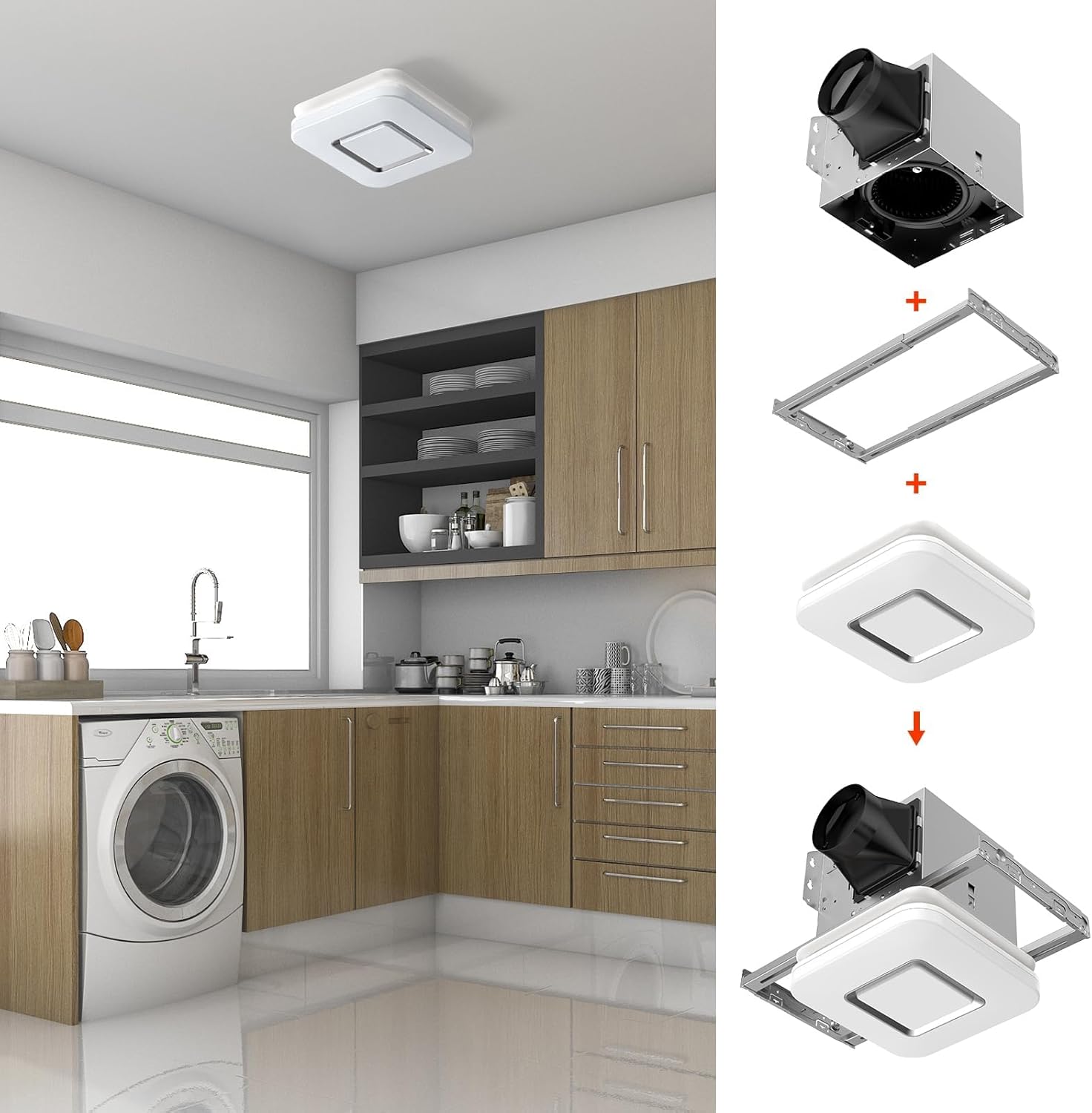
Image 5.2: Step-by-step visual guide for installing the fan housing and light cover.
5.3 Electrical Wiring
All wiring must comply with local electrical codes. Ensure power is OFF before wiring.
- Remove the wiring cover from the fan housing.
- Connect the household wiring to the fan's wiring using appropriate wire connectors.
- Connect the ground wire.
- Ensure all connections are secure. Replace the wiring cover.

Image 5.3: Electrical wiring diagrams for single and dual switch configurations. Note the warning about ducting not blocking the damper.
5.4 Attaching the Light Cover
- Once the housing is installed and wired, connect the light fixture's electrical connector to the receptacle inside the fan housing.
- Carefully push the light cover into the ceiling opening until the mounting springs engage and hold it securely in place.
6. Operating Instructions
6.1 Selecting Light Color Temperature (3CCT)
The fan's LED light offers three color temperature options: 3000K (soft white), 4000K (bright white), and 5000K (daylight).
- To select your desired color temperature, locate the toggle switch on the back of the fan housing (before final installation of the light cover).
- Slide the switch to the corresponding setting for 3000K, 4000K, or 5000K.
- Once set, the light will operate at this color temperature when turned on.
6.2 Using the Nightlight Function
The fan includes a 2200K nightlight feature.
- To activate the nightlight mode, quickly turn the light switch OFF and then ON again within 2 seconds.
- The light will switch to the nightlight mode.
- To return to the main light mode, repeat the OFF-ON cycle.
7. Maintenance
Regular maintenance helps ensure optimal performance and extends the lifespan of your exhaust fan. Always disconnect power before performing any maintenance.
7.1 Cleaning the Light Cover and Grille
- Gently pull down the light cover to detach it from the housing springs.
- Wipe the light cover and grille with a damp cloth using a mild, non-abrasive cleaning solution.
- Do not use abrasive cleaners or solvents.
- Ensure the cover is completely dry before reattaching.
7.2 Cleaning the Fan Motor and Blades
- With the light cover removed and power disconnected, carefully vacuum or wipe dust and debris from the fan motor and blades.
- Do not immerse the motor in water.
- Ensure no foreign objects are obstructing the fan blades.

Image 7.1: Diagram showing the internal components of the exhaust fan, including the DC motor, check valve, lampshade, and wind wheel (fan blades).
8. Troubleshooting
If you experience issues with your OREiN exhaust fan, refer to the following table for common problems and solutions.
| Problem | Possible Cause | Solution |
|---|---|---|
| Fan does not operate. | No power; loose wiring; faulty switch. | Check circuit breaker. Ensure all wiring connections are secure. Test the wall switch. |
| Light does not turn on. | Loose electrical connection to light; faulty LED module. | Ensure the light's electrical connector is properly seated. If issue persists, contact customer support. |
| Weak or no air movement. | Blocked ductwork; damper obstructed; fan blades dirty; incorrect ducting. | Check ductwork for kinks or blockages. Ensure the damper is not obstructed. Clean fan blades. Use rigid or semi-rigid ducting. |
| Excessive noise. | Loose mounting; fan blades dirty or damaged; motor issue. | Ensure fan housing is securely mounted. Clean fan blades. If noise persists, contact customer support. |
| Nightlight not working or cycling incorrectly. | Incorrect switch cycling; electrical issue. | Ensure you are cycling the switch OFF-ON within 2 seconds. If issue persists, contact customer support. |
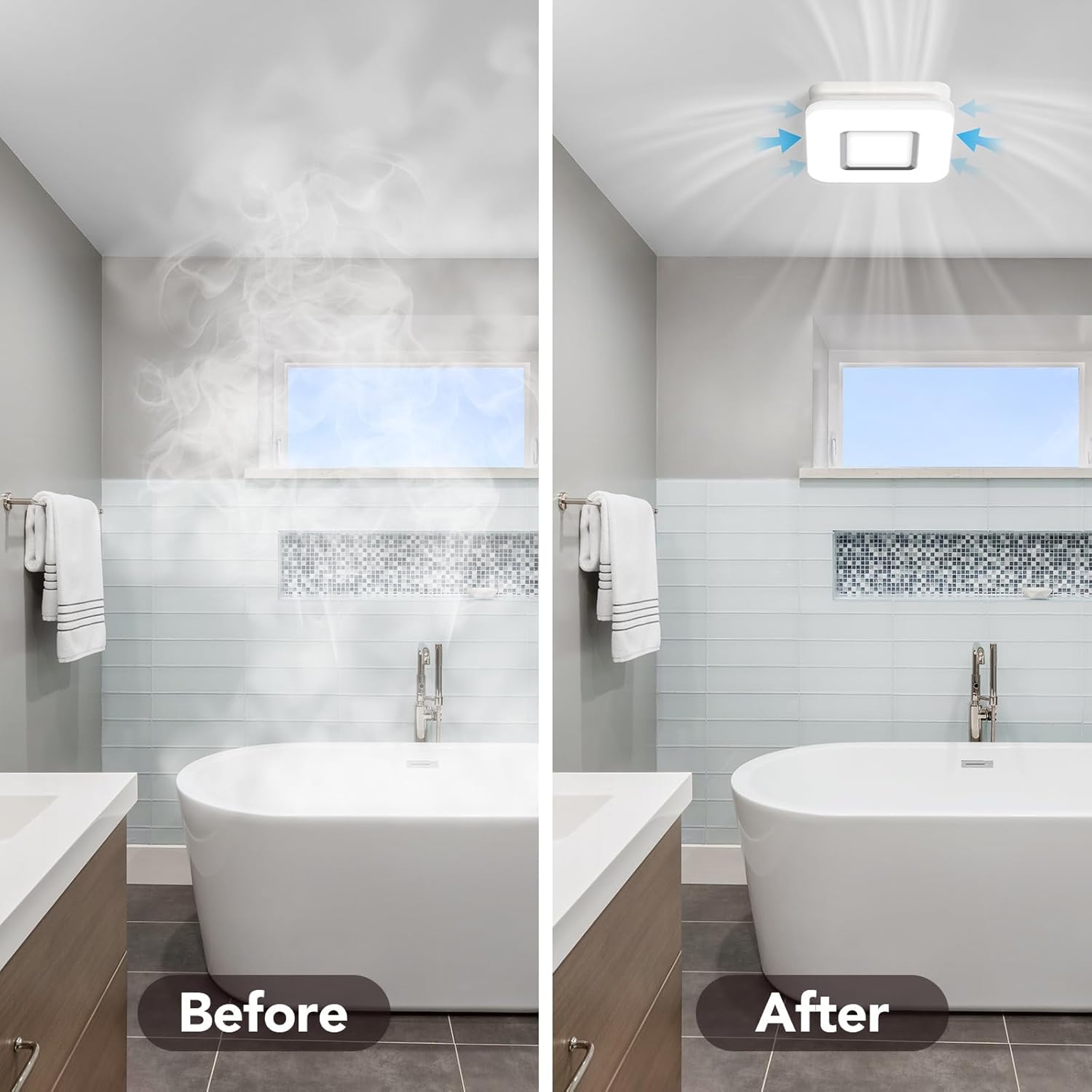
Image 8.1: Visual comparison showing a bathroom before and after effective steam removal by the exhaust fan.
9. Specifications
| Feature | Specification |
|---|---|
| Brand | OREiN |
| Model Number | OL17002 |
| Air Flow Capacity | 100 CFM (Cubic Feet Per Minute) |
| Sound Level | 1.5 Sones |
| Light Output | 1500 Lumens (main light) |
| Color Temperature (CCT) | 3000K / 4000K / 5000K Selectable |
| Nightlight Color Temperature | 2200K |
| Wattage (Fan) | 25 Watts |
| Wattage (Light) | 19 Watts |
| Power Source | DC |
| Housing Dimensions | 7.68" L x 7.55" W x 6.42" H |
| Light Cover Size | 10.1" x 10.1" |
| Ceiling Opening Size | 8.11" x 7.48" |
| Blade Material | Plastic |
| Item Weight | 7.72 Pounds |
| Certifications | ETL, FCC Listed |
| Efficiency | Energy Star Certified |
10. Warranty and Support
OREiN products are manufactured to high-quality standards and are backed by a manufacturer's warranty. For specific warranty details, please refer to the warranty card included with your product or visit the official OREiN website.
For technical support, troubleshooting assistance, or warranty claims, please contact OREiN customer service:
- Contact: Search for "OREiN" online or contact through the Amazon platform.
- Phone: 1(844)506-1530 (24-Hour Service)
Please have your model number (OL17002) and purchase information ready when contacting support.

Image 10.1: OREiN customer service contact information for support inquiries.


