
Introduction
This manual provides detailed instructions for the proper installation, use, and maintenance of your Samsung Official Silicone Cover with Ring, designed specifically for the Galaxy Z Flip4. Please read this guide thoroughly to ensure optimal protection and functionality for your device.
Product Overview
The Samsung Official Silicone Cover with Ring offers a blend of style and protection for your Galaxy Z Flip4. Crafted from durable silicone, it provides a comfortable grip and helps safeguard your phone from daily impacts and scratches. The integrated ring enhances security, preventing accidental drops and offering a convenient way to hold your device.
- Keeps your phone secure and stylish.
- Silicone material protects against shocks and scratches.
- Integrated ring on the back for enhanced grip and drop prevention.
- Provides a smooth, matte finish for a premium feel.
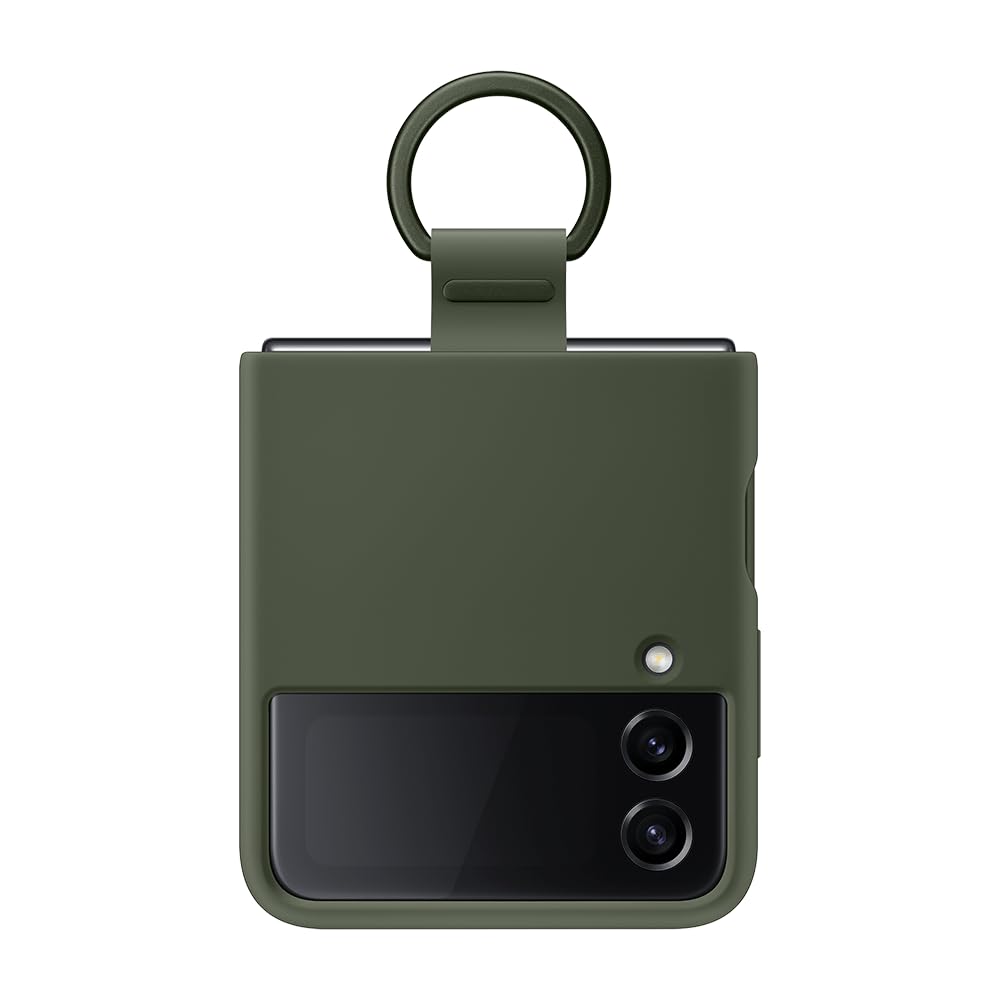
Image: The Samsung Official Silicone Cover with Ring in Khaki, shown on a closed Galaxy Z Flip4, viewed from the side. The ring is visible at the top.
Setup Instructions
1. Installing the Case
- Ensure your Galaxy Z Flip4 is clean and free of dust or debris.
- Gently align the top half of the case with the top section of your phone. Press firmly until it snaps into place.
- Repeat the process for the bottom half of the case, ensuring all edges are securely fitted around your phone.

Image: An unfolded Samsung Galaxy Z Flip4, fully encased in the Khaki Silicone Cover. This view demonstrates the full coverage of the case.
2. Using the Integrated Ring
The ring is designed to provide a secure grip and can also function as a kickstand in certain orientations.
- To use as a grip: Slide your finger through the ring for a more secure hold on your phone, reducing the risk of accidental drops.
- To use as a stand: Position the phone on a flat surface with the ring extended to prop up your device for hands-free viewing.

Image: Rear view of the Samsung Galaxy Z Flip4 Khaki Silicone Cover, clearly showing the integrated ring attachment at the bottom half of the case.
Operating Instructions
Once installed, the silicone cover requires no special operation. The ring can be used as needed for improved grip or as a stand. Ensure the phone is fully unfolded or folded when using the case to avoid strain on the hinge area.

Image: The Samsung Galaxy Z Flip4 Khaki Silicone Cover shown on a phone that is partially folded, illustrating how the case accommodates the device's unique hinge design.
Maintenance
To keep your silicone cover in optimal condition:
- Cleaning: Wipe the case regularly with a soft, damp cloth. For stubborn stains, use a mild soap solution and rinse thoroughly. Avoid harsh chemicals or abrasive cleaners, as these can damage the silicone material.
- Storage: When not in use, store the case in a cool, dry place away from direct sunlight to prevent discoloration or material degradation.
- Ring Care: Periodically check the ring attachment for any signs of wear or looseness. While durable, excessive force or twisting can affect its integrity.
Troubleshooting
- Case does not fit properly: Ensure you have the correct model (Galaxy Z Flip4). Remove the case and re-install, making sure both halves are aligned and snapped into place correctly.
- Ring feels loose: The ring is designed to swivel. If it feels excessively loose or detached, inspect the attachment point. If damaged, contact Samsung support for assistance.
- Discoloration or stains: Follow the cleaning instructions in the Maintenance section. Some types of dyes or prolonged contact with certain materials may cause permanent staining on silicone.
Specifications
| Feature | Detail |
|---|---|
| Brand | Samsung |
| Model Number | EF-PF721TGEGWW |
| Compatible Phone Models | Samsung Galaxy Z Flip4 |
| Material | Silicone |
| Color | Taupe (Khaki) |
| Item Weight | 38 Grams |
| Water Resistance Level | Not waterproof |
Warranty Information
This Samsung Official Silicone Cover with Ring is covered by Samsung's standard accessory warranty. Please refer to the warranty card included with your purchase or visit the official Samsung website for detailed terms and conditions. Keep your proof of purchase for warranty claims.
Support
For further assistance, technical support, or to inquire about replacement parts, please visit the official Samsung support website or contact their customer service. You can find contact information and FAQs on the Samsung website specific to your region.
Online Support: www.samsung.com/support


