
Eureka NEC582
Contents
Eureka Lightweight Cordless Vacuum Cleaner User Manual
Model: NEC582 | Brand: Eureka
Product Overview
The Eureka Lightweight Cordless Vacuum Cleaner is designed for versatile and efficient cleaning. It features a powerful 450W BLDC motor, a removable battery for extended runtime, LED headlights, and a large capacity dust cup. Its cordless design allows for easy maneuverability across various surfaces, including multi-flooring, carpets, and hard floors.

Image: Eureka Lightweight Cordless Vacuum Cleaner and its components.
Key Features
- Easy Empty XL Dust Cup
- LED Headlight
- Lay Flat Design
- 450W highly efficient BLDC motor
- Complete Seal System
- Ideal for Pet Owners
Setup and Assembly
Battery Installation
The vacuum comes with a removable Lithium-Ion battery. To install, align the battery pack with the slot on the main unit and slide it in until it clicks securely.
Charging the Battery
Connect the charging adapter to the battery charging station. Place the battery into the charging station. The indicator lights on the battery will show the charging status. Ensure the battery is fully charged before first use.
Assembling the Vacuum
Connect the extension wand to the main vacuum body. Then, attach the desired floor head or accessory to the other end of the extension wand. Ensure all connections are secure.
Operating Instructions
Powering On/Off
Press the power button located on the handle to turn the vacuum on or off.
Adjusting Suction Power and Floor Type
The vacuum features a user-friendly LED display. Use the "Floor Type" button to switch between Hard Floor and Carpet modes. Use the "Mode" button to select between Min, Mid, and Max suction power settings.

Image: User-friendly LED display for easy control.

Image: UI display for customized cleaning.
Using Attachments
The vacuum includes various attachments for different cleaning needs. The motorized pet tool is effective for removing pet hair from upholstery and carpets. The crevice tool is ideal for tight spaces, and the brush tool can be used for delicate surfaces.

Image: Motorized pet tool for effective pet hair removal.

Image: Vacuum in use on different floor types.
Maintenance and Care
Emptying the Dust Cup
To empty the XL dust cup, detach it from the main unit by pressing the release button. Position the dust cup over a trash bin and press the bottom release button to open the trap door and empty the contents.
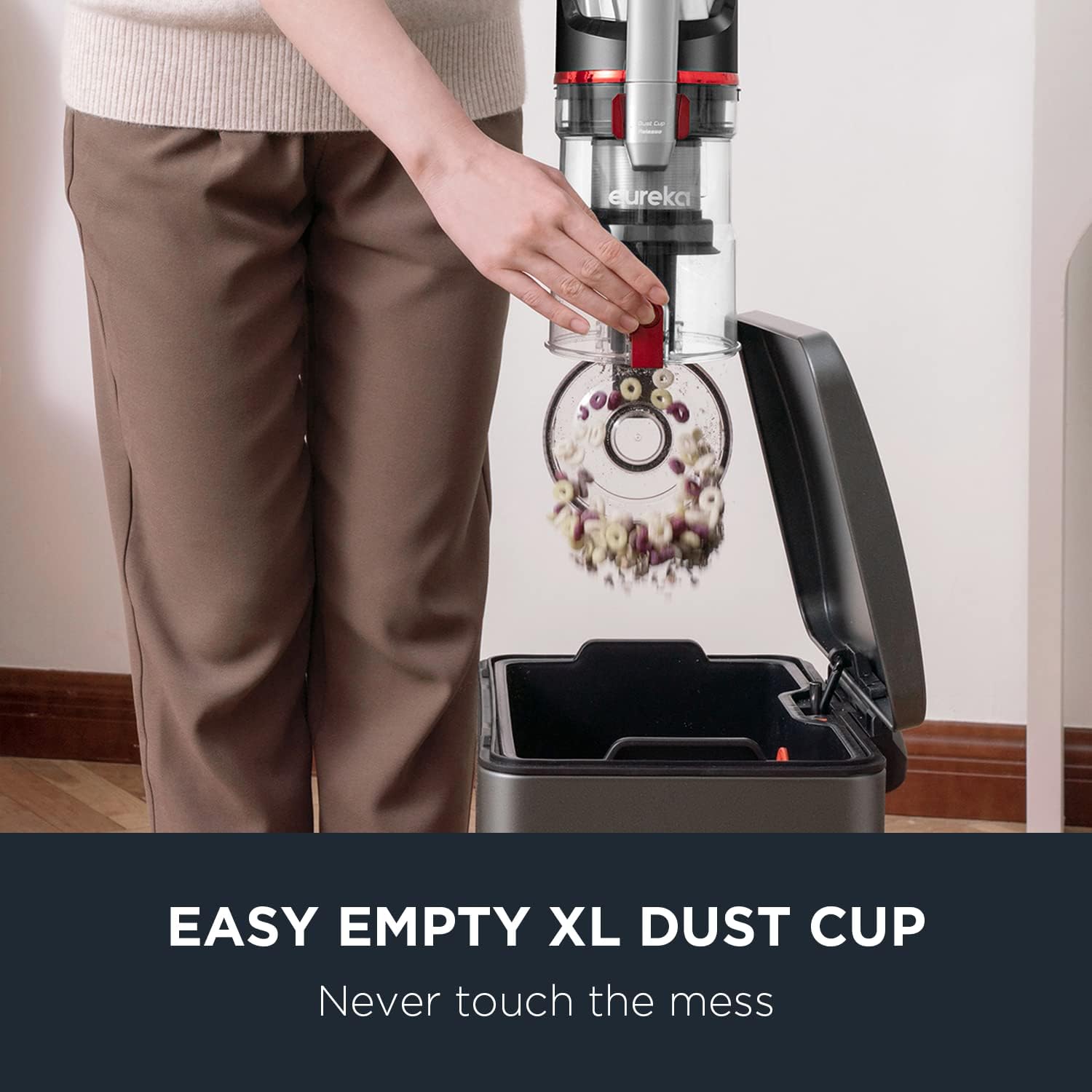
Image: Easy empty XL dust cup design.
Cleaning Filters
Regularly clean the HEPA filter and other internal filters to maintain optimal suction. Refer to the user manual (PDF) for detailed instructions on filter removal and cleaning frequency.

Image: Complete Seal Cyclonic Filtration System.
Cleaning the Roller Brush
It is recommended to clean the roller brush and belt every 2 weeks to prevent clogging by hair and dirt. Long-term failure to clean may cause malfunction.
Troubleshooting
For common issues and solutions, please refer to the official Troubleshooting Guide (PDF).
Product Specifications
| Feature | Detail |
|---|---|
| Brand | Eureka |
| Special Feature | Bagless |
| Included Components | Battery, HEPA Filter |
| Is Cordless? | Yes |
| Capacity | 1 Liters |
| Wattage | 450 watts |
| Runtime | 2 hours |
| Form Factor | Stick, Handheld |
| Color | Red |
| Battery Description | Lithium-Ion |
| Amperage | 15.17 Amps |
| Manufacturer | Eureka |
| Controller Type | Push Button |
| Motor Horsepower | 0.603 horsepower |
| Control Method | Touch |
| Number of Speeds | 2 |
| Portable | Yes |
| Number of Handles | 1 |
| Number of Power Levels | 2 |
| Number of Wheels | 3 |
| Series Number | 582 |
| Indoor/Outdoor Usage | Indoor |
| UPC | 840296500118 |
| Item Weight | 6.31 pounds |
| Product Dimensions | 10.9 x 9.1 x 45.7 inches |
| Item model number | NEC582 |
| Batteries | 2 Lithium Ion batteries required. (included) |
| Manufacturer Part Number | NEC582 |
| Special Features | Bagless |
| ASIN | B0B5R38RX9 |
| Customer Reviews | 3.6 3.6 out of 5 stars 114 ratings 3.6 out of 5 stars |
| Date First Available | July 4, 2022 |
Warranty and Support
Warranty Information
For detailed warranty information, please consult the official user manual or contact Eureka customer support.
Customer Support
For further assistance, visit the Eureka Store on Amazon or refer to the contact information provided in your product packaging.
Documents and downloads
Ask a question about this manual
Ask about setup, troubleshooting, compatibility, parts, safety, or missing instructions. Manuals+ will review the question and use this page’s manual context to help answer it.