
ViewSonic VB-WIFI-005
ViewSonic VB-WIFI-005 Dual Band WiFi 6 USB Adapter User Manual
Model: VB-WIFI-005
1. Introduction
The ViewSonic VB-WIFI-005 is an optional wireless module designed to provide fast internet connectivity and Bluetooth capabilities for compatible ViewSonic ViewBoard interactive displays (IFP50-3, IFP50-4, IFP50-5, IFP52, IFP62, IFP110G series) and non-interactive digital displays (CDE20, CDE30 series). This module supports dual-band Wi-Fi (2.4GHz and 5.0GHz) with Wi-Fi 6 (802.11AX) standard for high-speed data transmission up to 9.6 Gbps, and Bluetooth 5 for efficient file and data transfer.
2. Safety Information
- Do not expose the device to moisture or extreme temperatures.
- Do not attempt to disassemble or repair the device yourself. Refer all servicing to qualified personnel.
- Keep the device away from strong magnetic fields.
- Ensure proper ventilation when the device is in use.
3. Package Contents
- 1 x ViewSonic VB-WIFI-005 USB Adapter
4. Setup
4.1 Physical Installation
- Locate an available USB port on your compatible ViewSonic display. Refer to your display's manual for the recommended USB port for accessories.
- Carefully insert the VB-WIFI-005 USB adapter into the USB port. Ensure it is fully seated.

Image: The ViewSonic VB-WIFI-005 USB Adapter with its USB connector visible, ready for insertion into a compatible display.
4.2 Driver Installation (Automatic)
The ViewSonic VB-WIFI-005 is designed for plug-and-play functionality with compatible ViewSonic displays. The necessary drivers should install automatically upon connection. If prompted, follow the on-screen instructions on your display.
4.3 Initial Connection
Once the adapter is physically installed and drivers are recognized, your display should detect the new wireless capabilities. Proceed to the display's network settings to configure Wi-Fi and Bluetooth connections.
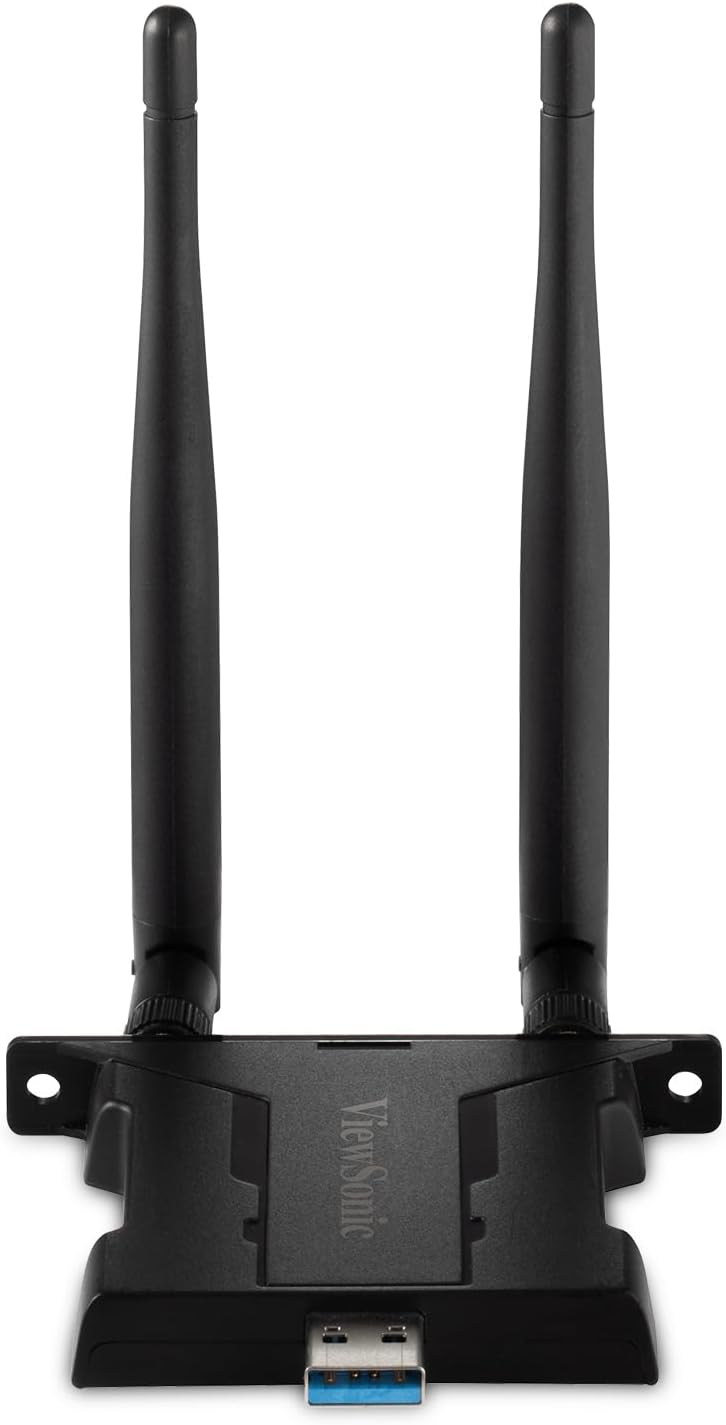
Image: Front view of the ViewSonic VB-WIFI-005 USB Adapter, showcasing its compact design and dual antennas for enhanced signal reception.
5. Operating Instructions
5.1 Connecting to Wi-Fi
- Navigate to the 'Network Settings' or 'Wi-Fi Settings' menu on your ViewSonic display.
- Enable Wi-Fi if it is not already enabled.
- Select your desired Wi-Fi network from the list of available networks.
- Enter the network password (if required) and confirm the connection.
- The adapter supports both 2.4GHz and 5.0GHz frequencies, allowing for flexible and reliable connections.
5.2 Connecting to Bluetooth Devices
- Go to the 'Bluetooth Settings' menu on your ViewSonic display.
- Ensure Bluetooth is turned on and the display is discoverable.
- Put your Bluetooth device (e.g., keyboard, mouse, headphones) into pairing mode.
- Select your device from the list of available Bluetooth devices on the display.
- Follow any on-screen prompts to complete the pairing process.
6. Maintenance
- Keep the adapter clean by wiping it with a soft, dry cloth.
- Avoid using liquid cleaners or solvents.
- Store the adapter in a cool, dry place when not in use.
7. Troubleshooting
| Issue | Possible Cause | Solution |
|---|---|---|
| Adapter not recognized by display. | Not fully inserted, incompatible port, or driver issue. | Ensure adapter is fully inserted. Try a different USB port. Restart the display. Check display's manual for compatible USB ports. |
| Cannot connect to Wi-Fi network. | Incorrect password, out of range, or network issue. | Verify Wi-Fi password. Move closer to the Wi-Fi router. Restart the router. Check if other devices can connect to the network. |
| Bluetooth device not pairing. | Device not in pairing mode, out of range, or interference. | Ensure Bluetooth device is in pairing mode. Move device closer to the display. Turn off other Bluetooth devices nearby. |
| Slow Wi-Fi speeds. | Network congestion, interference, or distance from router. | Try connecting to the 5GHz band if available. Reduce interference from other electronic devices. Optimize router placement. |
8. Specifications
| Feature | Detail |
|---|---|
| Model Number | VB-WIFI-005 |
| Brand | ViewSonic |
| Wireless Standard | Wi-Fi 6 (802.11AX) |
| Frequency Bands | 2.4GHz, 5.0GHz |
| Max Transmission Speed | Up to 9.6 Gbps |
| Bluetooth Version | Bluetooth 5 |
| Interface | USB |
| Compatible Devices | ViewSonic ViewBoard interactive displays (IFP50-3/4/5, IFP52, IFP62, IFP110G series), non-interactive digital displays (CDE20, CDE30 series) |
| Color | Black |
| Item Weight | 2.46 ounces |
9. Warranty and Support
This ViewSonic product is covered by a limited warranty. For detailed warranty information, including terms and conditions, please refer to the warranty card included with your product or visit the official ViewSonic website. For technical support, product registration, or service inquiries, please contact ViewSonic customer support through their official channels. Keep your purchase receipt as proof of purchase for warranty claims.
ViewSonic Official Website: www.viewsonic.com
Related documentsVB-WIFI-005


Ask a question about this manual
Ask about setup, troubleshooting, compatibility, parts, safety, or missing instructions. Manuals+ will review the question and use this page’s manual context to help answer it.