
Introduction
Thank you for choosing Music Sound AUINEARMSTYPECK USB-C Wired In-Ear Headphones. These headphones are designed to provide a high-quality audio experience with the convenience of a wired connection. Featuring passive noise isolation, powerful bass, and an integrated microphone, they are suitable for listening to music and managing calls on compatible USB-C devices.

Image: Music Sound AUINEARMSTYPECK USB-C Wired In-Ear Headphones, showcasing the earbuds and cable.
Product Features
- In-Ear Design: Ergonomic earbuds provide a comfortable fit and passive noise isolation for immersive audio with powerful bass.
- Wired Connectivity: Ensures a stable audio connection to your device via a 1.2m tangle-free cable.
- Integrated Microphone: Allows for clear hands-free communication during calls.
- Call Control Button: A convenient button on the inline control for answering and ending calls.
- USB-C Compatibility: Designed for use with all electronic devices featuring a USB-C port.

Image: A person wearing the in-ear headphones, highlighting their comfortable and secure fit.
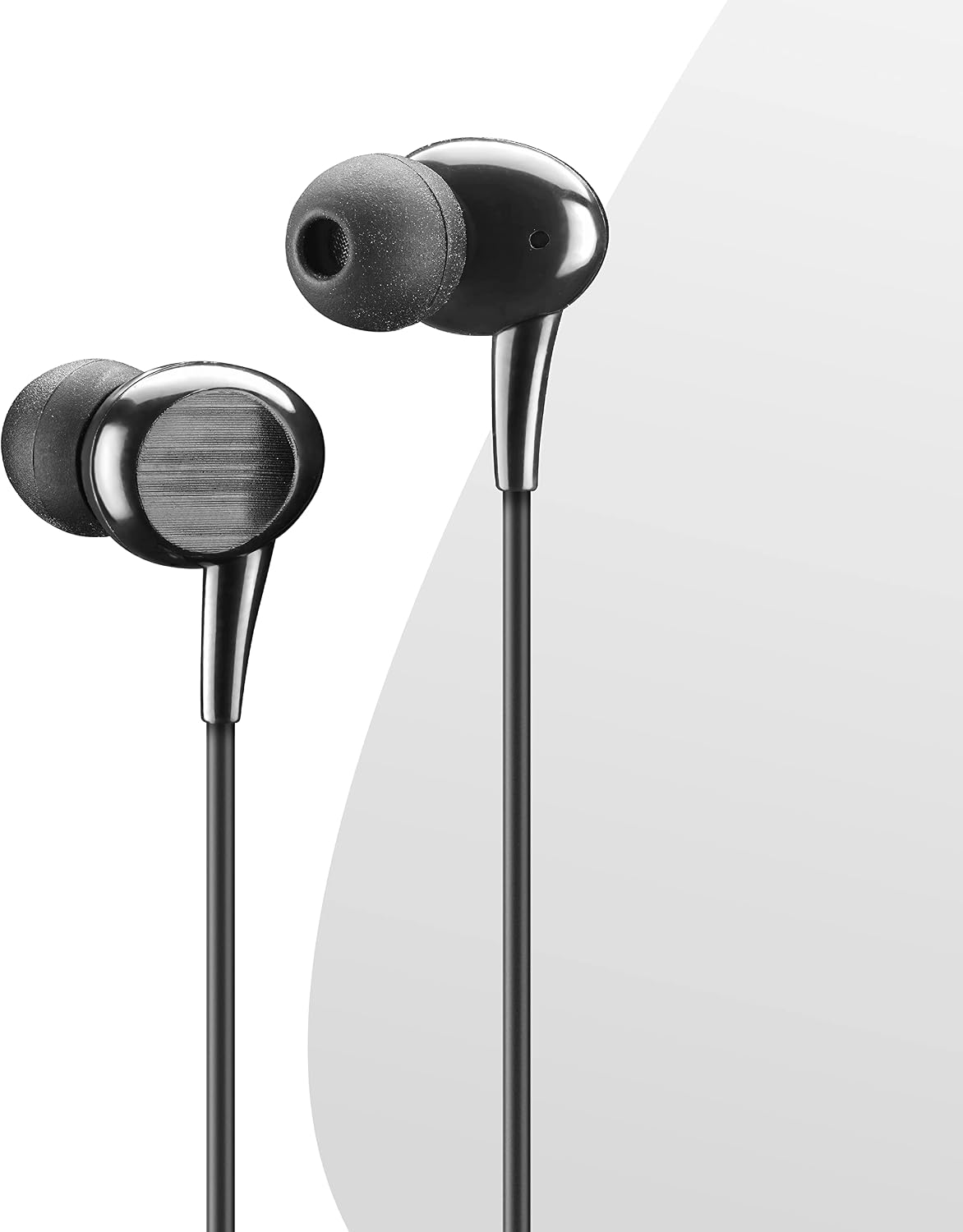
Image: A detailed view of the in-ear headphone earbuds, showing their ergonomic shape.
Package Contents
Please check the box for the following items:
- 1x Music Sound USB-C In-Ear Headphones with Microphone
- 1x 1.2m Tangle-Free Cable (integrated with headphones)
- Ear Cushions (pre-installed or included separately)
- 1x User Manual (this document)
Setup
- Identify USB-C Port: Locate the USB-C port on your smartphone, tablet, computer, or other compatible audio device.
- Connect Headphones: Gently insert the USB-C connector of your Music Sound headphones into your device's USB-C port until it is fully seated.
- Wear Earbuds: Place the earbuds comfortably into your ears. Ensure a snug fit to achieve optimal sound quality and passive noise isolation. Adjust as needed for comfort.

Image: A close-up view of the USB-C connector, illustrating the connection type.
Operating Instructions
- Listening to Music: Once connected, your device should automatically recognize the headphones. Play audio from your preferred application.
- Making and Receiving Calls:
- To answer an incoming call, press the central button on the inline control.
- To end an active call, press the central button again.
- To mute the microphone during a call, press and hold the central button (functionality may vary by device).
- Volume Control: Use the '+' and '-' buttons on the inline control to adjust the audio volume up or down.

Image: The in-ear headphones showing the inline microphone and control buttons for calls and volume.
Maintenance
- Cleaning: Regularly wipe the earbuds and cable with a soft, dry cloth. For ear tips, gently remove them and clean with mild soap and water, then ensure they are completely dry before reattaching. Do not use harsh chemicals or abrasive materials.
- Storage: Store the headphones in a clean, dry place away from direct sunlight and extreme temperatures. To prevent tangling and damage, coil the cable neatly when not in use.
- Cable Care: Avoid pulling the cable forcefully or bending it sharply, as this can damage the internal wiring.
Troubleshooting
- No Sound:
- Ensure the USB-C connector is fully and securely inserted into your device's port.
- Check your device's volume settings and ensure they are not muted or set too low.
- Test the headphones with another compatible USB-C device to determine if the issue is with the headphones or the original device.
- Microphone Not Working:
- Verify that the microphone is not muted on your device or via the inline control.
- Check your device's audio input settings to confirm that the headphones' microphone is selected as the input source.
- Poor Sound Quality:
- Ensure the earbuds are properly seated in your ears for effective passive noise isolation.
- Clean any debris or earwax from the ear tips and speaker grilles.
Specifications
| Brand | Music Sound |
| Model Name | AUINEARMSTYPECK |
| Connectivity Technology | Wired |
| Connector Type | USB-C |
| Form Factor | In-Ear |
| Noise Control | Passive Noise Reduction |
| Cable Length | 1.2 meters |
| Frequency Range | 20 Hz - 20,000 Hz |
| Microphone | Integrated |
| Control Type | Call Control (Tactile) |
| Compatible Devices | Apple, Samsung, Acer, Huawei, Microsoft, Siemens, Skype, Sony, Nokia, Lenovo, HTC, Blackberry, Universal, Tablet, Mobile Phone, Music Production Equipment |
| Material | Plastic |
| Water Resistance Level | Waterproof |
| Country of Origin | China |
Warranty and Support
Warranty: This Music Sound product is covered by a 2-year manufacturer's warranty from the date of purchase. Please retain your proof of purchase for warranty claims.
Support: For technical assistance, troubleshooting, or to inquire about warranty services, please visit the official Music Sound website or contact their customer service department. Contact information can typically be found on the product packaging or the brand's official website.