
1. Introduction
Thank you for choosing the Candy Smart Linea Pura Monosplit Air Conditioner. This manual provides essential information for the safe and efficient operation, installation, and maintenance of your new air conditioning system. Please read this manual thoroughly before using the appliance and keep it for future reference.
2. Safety Information
Important Safety Instructions:
- Read all instructions before using the appliance.
- This appliance must be installed by a certified professional in accordance with local and national regulations (e.g., EU Regulation No. 517/2014, Art. 11, Para. 5).
- Do not attempt to repair or modify the unit yourself. Contact qualified service personnel for all repairs.
- Ensure the power supply matches the specifications listed on the unit's rating label.
- Keep children away from the unit and remote control.
- Do not block the air inlets or outlets of the indoor or outdoor units.
- Turn off the power supply before cleaning or performing any maintenance.
3. Product Overview
The Candy Smart Linea Pura Monosplit Air Conditioner is designed to provide both cooling and heating for optimal indoor comfort. It features smart connectivity and an efficient self-cleaning function.
Key Features:
- Air Purification (Self-Clean): The Self-Clean function eliminates bacteria, mold, and dirt using cold expansion technology, which easily removes accumulated grime during the defrosting phase.
- Hot and Cold Air: Equipped with a heat pump, this air conditioner can both cool and heat your environment, adapting to your comfort needs throughout the year.
- Energy Efficiency: High energy efficiency class A++ in cooling mode and A+ in heating mode ensures reduced energy consumption and greater savings.
- Connectivity: Control your air conditioner remotely using the hOn app. Adjust temperature, settings, select modes, and program on/off times from your smartphone or tablet.
- Quiet Operation: Operates at a low noise level of 19 dBA for a peaceful environment.
Components Included:
- Indoor Unit (9000 Btu)
- Outdoor Unit
- Remote Control

Image: Indoor unit and remote control.
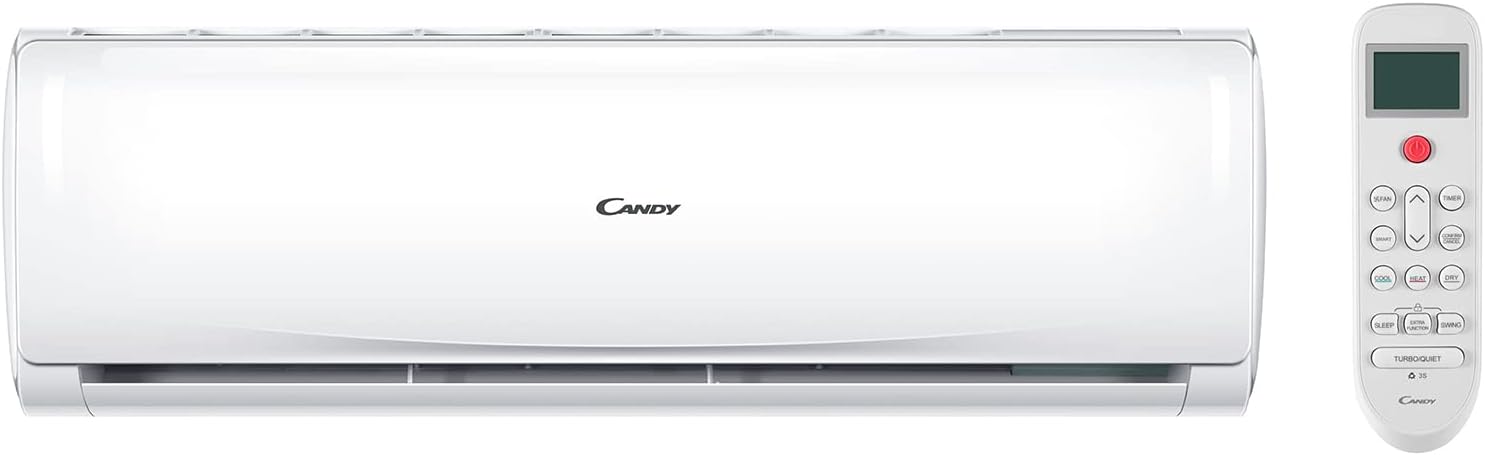
Image: Outdoor unit of the Candy Smart Linea Pura air conditioner.
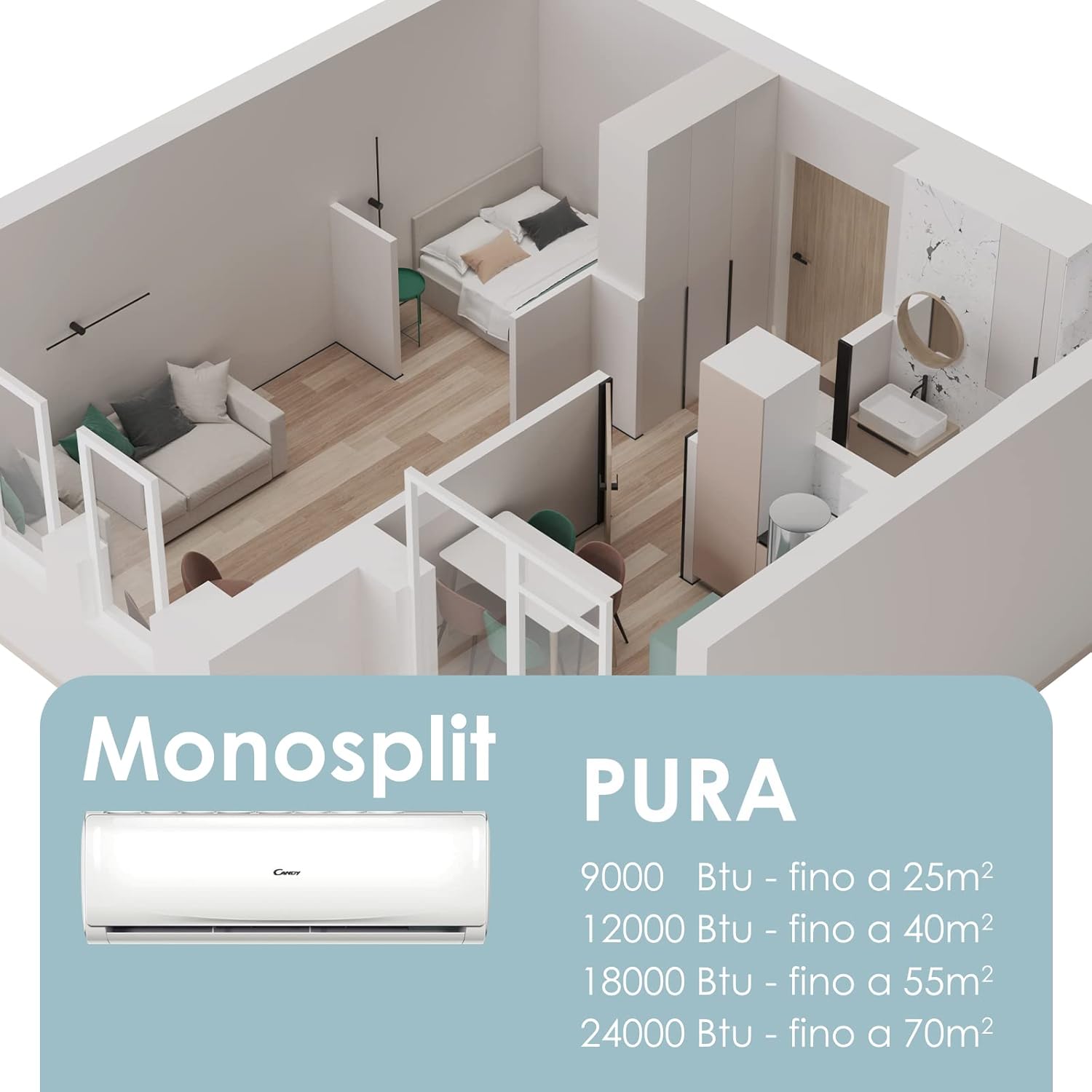
Image: Diagram illustrating the Monosplit system and recommended room sizes for different BTU capacities. The 9000 Btu unit is ideal for rooms up to 25 m².
4. Setup
Professional Installation Required:
The installation of this air conditioning system, which contains fluorinated greenhouse gases, must be carried out by a certified company or technician. This is a legal requirement under EU Regulation No. 517/2014, Article 11, Paragraph 5. Failure to comply may result in improper operation and void your warranty.
Please refer to the Installation Manual (PDF) for detailed instructions to be followed by your certified installer.
5. Operating Instructions
Using the Remote Control:
The included remote control allows you to adjust various settings of your air conditioner. Point the remote control directly at the indoor unit when operating.
- Power Button: Turns the unit on or off.
- Mode Button: Cycles through operating modes: Cool, Heat, Fan, Dry, Auto.
- Temperature Adjustment: Use the Up/Down arrows to set your desired temperature.
- Fan Speed: Adjust the fan speed (Low, Medium, High, Auto).
- Swing Function: Activates or deactivates the automatic louver swing for air distribution.
- Timer: Set the unit to turn on or off automatically after a specified period.

Image: A woman using the remote control to operate the Candy Smart Linea Pura air conditioner, illustrating the air flow.
Smart Control with hOn App:
For advanced control and smart features, download the hOn app on your smartphone or tablet. The app allows for remote management of your air conditioner.
- Download: Search for "hOn" in your device's app store.
- Pairing: Follow the in-app instructions to connect your air conditioner to your home Wi-Fi network and pair it with the app.
- Remote Functions: Adjust temperature, change operating modes, set schedules, and monitor energy consumption from anywhere.
- Voice Control: The unit supports voice control via compatible smart home assistants (e.g., Alexa, Google Home) when integrated with the hOn app.

Image: A woman interacting with the hOn app on her smartphone, demonstrating remote control capabilities for the air conditioner.
6. Maintenance
Regular maintenance ensures optimal performance and longevity of your air conditioner.
Self-Clean Function:
The Self-Clean function helps maintain the cleanliness of the indoor unit's evaporator, preventing the buildup of bacteria and mold. Activate this function periodically as recommended by the manufacturer or when indicated by the unit.

Image: A bedroom setting with the Candy air conditioner installed, highlighting the Self-Clean function for maintaining a clean evaporator.
Filter Cleaning:
The unit is equipped with an antimicrobial air filter. Clean the air filter regularly (e.g., every two weeks or as needed) to ensure efficient operation and good air quality. Refer to the full manual for detailed instructions on how to remove and clean the filter.
- Turn off the power supply to the unit before cleaning.
- Open the front panel of the indoor unit.
- Remove the air filters.
- Clean the filters with a vacuum cleaner or wash them with lukewarm water and mild detergent.
- Allow filters to dry completely before reinstalling.
- Close the front panel.
Seasonal Maintenance:
Before and after long periods of non-use (e.g., at the start and end of cooling/heating seasons), it is advisable to have the unit inspected by a qualified technician.
7. Troubleshooting
If you encounter issues with your air conditioner, refer to the following common problems and solutions. If the problem persists, contact customer support.
| Problem | Possible Cause | Solution |
|---|---|---|
| Unit does not turn on | No power supply; Remote control batteries low; Unit in standby mode. | Check power connection and circuit breaker; Replace remote control batteries; Press the power button on the unit or remote. |
| Insufficient cooling/heating | Dirty air filter; Blocked air intake/outlet; Room too large for unit capacity; Doors/windows open. | Clean air filter; Clear obstructions; Ensure room size is within unit capacity (25 m² for 9000 Btu); Close doors and windows. |
| Unusual noise | Loose parts; Unit not level; Foreign object inside. | Contact a qualified technician for inspection. |
| Water leakage from indoor unit | Clogged drain hose; Improper installation. | Contact a qualified technician for inspection and repair. |
| hOn app connectivity issues | Wi-Fi signal weak; Incorrect pairing procedure; App outdated. | Ensure strong Wi-Fi signal; Re-attempt pairing following app instructions; Update hOn app to the latest version. |
8. Specifications
Detailed technical specifications for the Candy Smart Linea Pura Monosplit Air Conditioner (Model: HRPURASET0001).

Image: Energy efficiency label indicating the unit's performance ratings.
| Feature | Detail |
|---|---|
| Brand | CANDY |
| Model Name | HRPURASET0001 |
| Cooling Capacity | 9000 British Thermal Units (BTU) |
| Heating Capacity | 9000 British Thermal Units (BTU) |
| Seasonal Energy Efficiency Ratio (SEER) | 15.5 |
| Energy Efficiency (Cooling) | A++ |
| Energy Efficiency (Heating) | A+ |
| Noise Level | 19 Decibel (dBA) |
| Product Dimensions (DxWxH) | 30P x 70l x 60H cm |
| Item Weight | 40 Kilograms |
| Color | White |
| Voltage | 230 Volt |
| Electric Power | 800 watts |
| Refrigerant | [Assumed Low GWP Refrigerant] |
| Filter Type | Antimicrobial air filter |
| Inverter Type | No inverter |
| Installation Type | Professional installation required |
| Compressor Type | Rotary scroll |
| External Unit Required | Yes |
| Main Material | Aluminum alloy |
| Control Method | App, Voice |
| Operating Modes | Cooling and heating |
| Recommended Surface Area | 25 square meters |
| BEE Star Rating | 5 stars |
9. Warranty and Support
Warranty Information:
This product comes with a Lifetime Warranty. Please retain your proof of purchase for warranty claims. For specific terms and conditions, refer to the warranty documentation provided with your product or contact Candy customer service.
Additional Resources:
- Installation Manual: For detailed installation instructions (to be used by certified professionals).
Download Installation Manual (PDF) - Information Sheet: Contains additional product details from the supplier.
Download Information Sheet (PDF)
Customer Support:
For technical assistance, service requests, or any questions not covered in this manual, please contact Candy customer support through their official website or the contact information provided with your purchase.

