
1. Introduction
This manual provides detailed instructions for the installation, operation, and maintenance of your Strpump 9-inch Android 10 Car Stereo Radio. Please read this manual thoroughly before using the product to ensure proper function and to prevent damage. Keep this manual for future reference.

Image 1.1: Front view of the Strpump 9-inch Android 10 Car Stereo Radio, showcasing its display and integrated fascia.
2. Safety Information
- Ensure the vehicle's ignition is off and the battery is disconnected before beginning installation to prevent electrical short circuits.
- Professional installation is recommended. Incorrect installation may damage the device or vehicle.
- Do not operate the device in a manner that distracts you from driving. Always prioritize road safety.
- Avoid exposing the unit to extreme temperatures, direct sunlight for prolonged periods, or excessive moisture.
- Use only specified accessories and wiring harnesses provided with the unit.
3. Package Contents
Verify that all items listed below are present in your package:
- Main Head Unit (Machine)
- GPS Antenna
- Radio Fascia (specific to Citroen C4 2013-2016)
- USB Cables (x2)
- CAM In Cable
- Installation Tool
- 4G SIM RCA Cable
- 4G Antenna
- External Microphone
- Power Harness (specific to vehicle model)
- Can bus (optional, for some car models)

Image 3.1: Visual representation of the included accessories: main unit, GPS antenna, radio fascia, USB cables, CAM In cable, installation tool, 4G SIM RCA cable, 4G antenna, microphone, power harness, and optional Can bus.
4. Setup and Installation
The Strpump car stereo is designed for a plug-and-play, non-destructive installation. However, professional installation is recommended.
4.1 Pre-Installation Check
- Confirm compatibility with your Citroen C4 (2013-2016).
- Ensure all package contents are present.
- Disconnect the vehicle's battery before proceeding.
4.2 Installation Steps (General)
- Carefully remove the original car stereo and fascia using the provided installation tool.
- Connect the new power harness to the vehicle's wiring. The harness is designed for plug-and-play, minimizing harm to the original car harness.
- Connect the GPS antenna, 4G antenna, USB cables, CAM In cable, and external microphone to their respective ports on the new head unit.
- If your car has a factory amplifier or OEM camera, a different harness set may be required. Contact the seller for assistance.
- Mount the new head unit into the dashboard opening, ensuring all cables are properly routed and secured.
- Install the new radio fascia around the head unit.
- Reconnect the vehicle's battery.

Image 4.1: Comparison showing the original Citroen C4 dashboard before installation and the dashboard after the Strpump car stereo has been integrated.
5. Operating Instructions
Your Strpump car stereo operates on Android 10, providing a familiar smartphone-like experience.
5.1 User Interface (UI) Overview
The main UI provides access to various applications and settings. Swipe left or right to navigate through different screens.

Image 5.1: Various screens of the Strpump car stereo's user interface, including the main UI, menu UI, navigation, Carplay, Bluetooth music, radio, USB music, video, file manager, 32-band EQ, and OBD2 interfaces.
5.2 Basic Functions
- Radio: Access FM/AM radio stations. The unit supports online radio via internet connection.
- Bluetooth: Pair your smartphone for hands-free calling and A2DP music streaming. An external microphone is included for clear call quality.
- Music/Video: Play media from USB drives or internal storage. Supports lossless music and various video formats.
5.3 Navigation (GPS)
The unit supports various GPS applications, including pre-installed offline maps and online options like Google Maps, iGO, Waze, and Navitel.
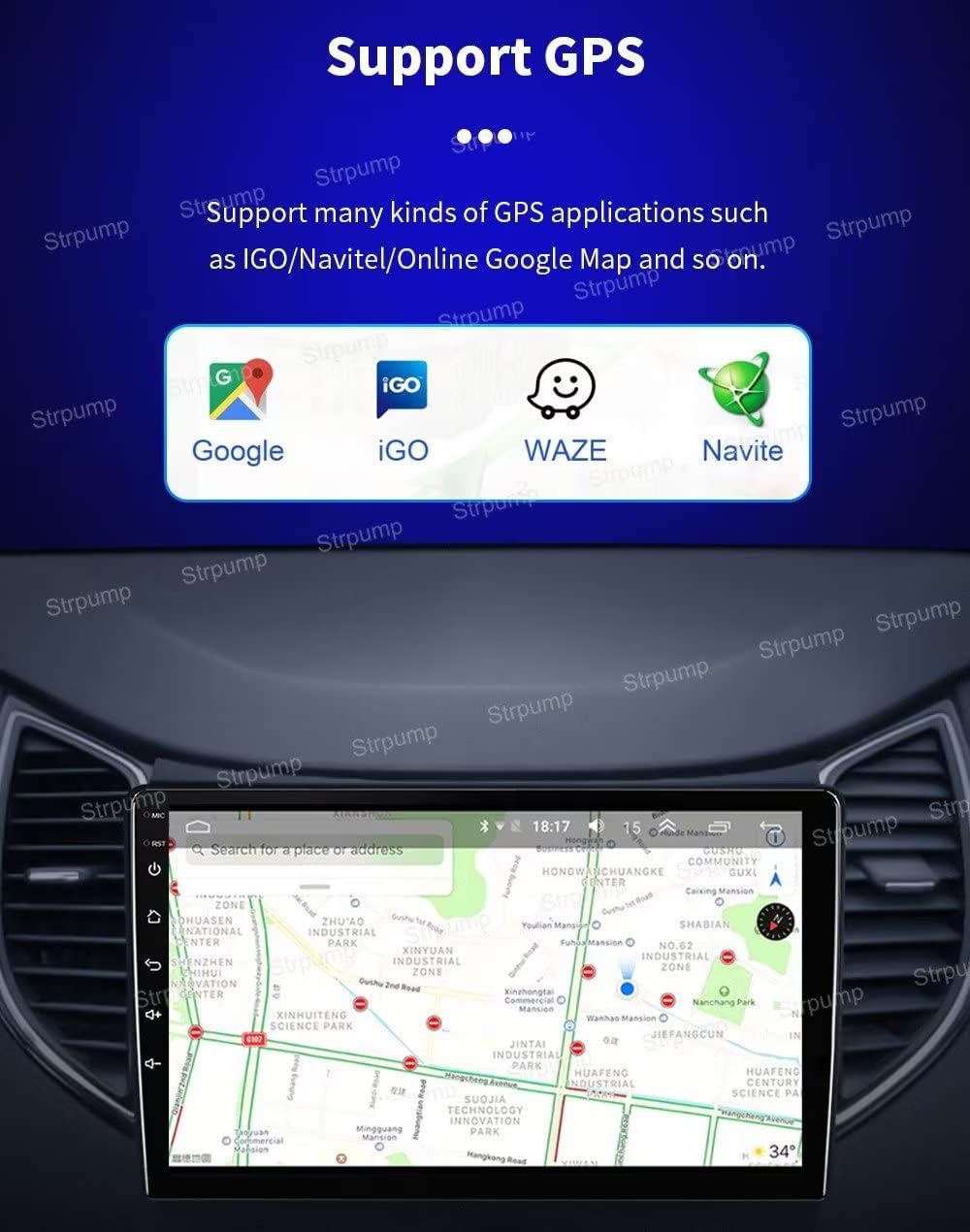
Image 5.2: Display of the GPS navigation interface on the Strpump car stereo, showing map data and supported navigation applications like Google, iGO, Waze, and Navitel.
5.4 CarPlay & Android Auto
The unit features built-in wired and wireless CarPlay and wired Android Auto. Connect your smartphone to the 6-pin USB port to automatically activate the respective interface.
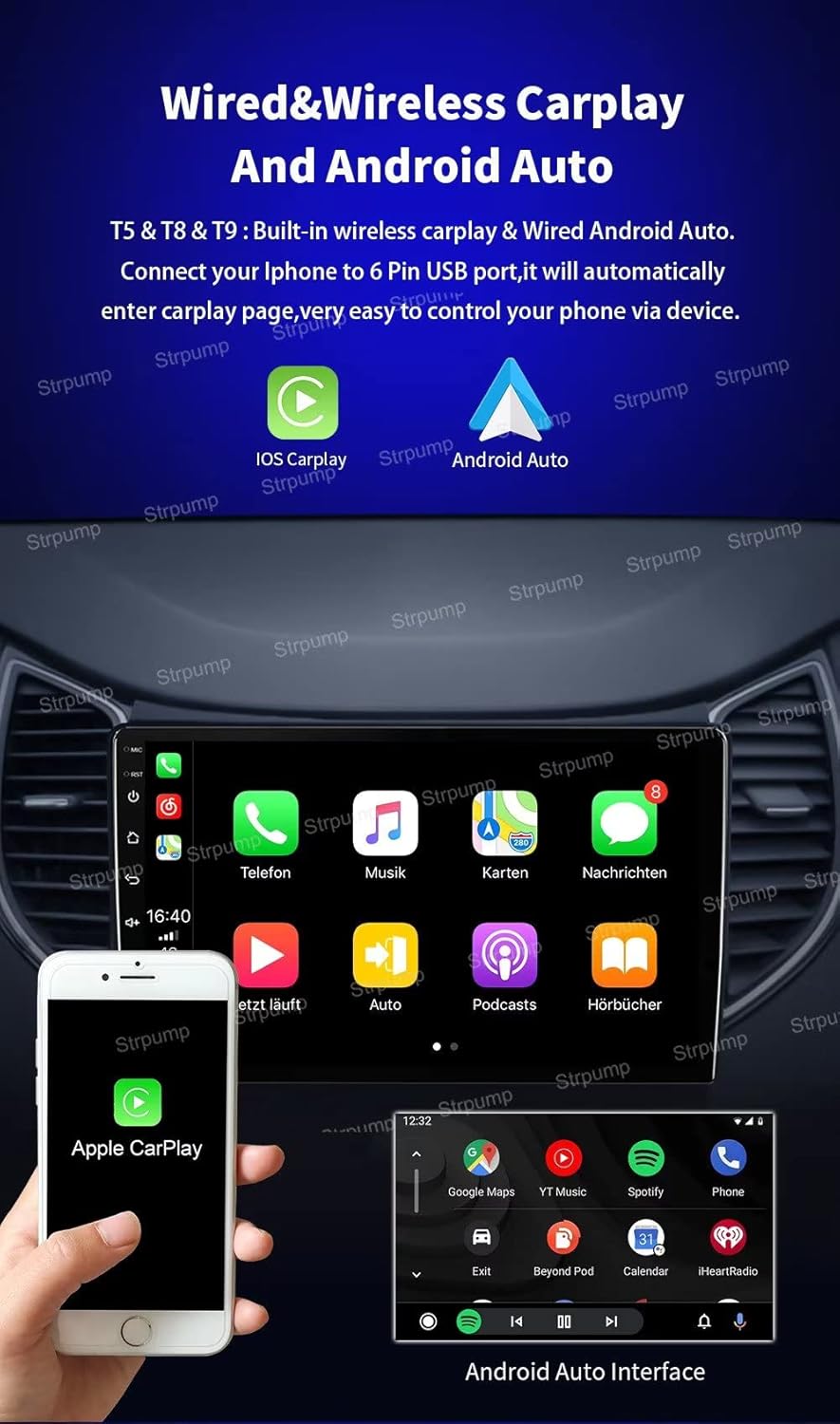
Image 5.3: Screenshots demonstrating the Apple CarPlay and Android Auto interfaces on the Strpump car stereo, showing various app icons and navigation.
5.5 4G & Wi-Fi Connectivity
The unit has built-in 4G and Wi-Fi capabilities. Insert a 4G SIM card (via the 4G SIM RCA cable) or connect to a Wi-Fi hotspot to access online features, streaming, and app downloads.

Image 5.4: Graphic illustrating the built-in 4G LTE and Wi-Fi capabilities of the Strpump car stereo, including supported 4G working bands.
5.6 DSP Audio Processor
The integrated 32-band DSP audio processor allows for detailed sound customization, enhancing your audio experience.
5.7 Steering Wheel Control
The unit supports steering wheel controls, allowing you to manage audio and other functions without taking your hands off the wheel.
5.8 Rear View Camera
The system automatically switches to the reverse display when the car is put into reverse gear. It supports both normal CVBS AV cameras and HD AHD cameras.

Image 5.5: Display showing the automatic switch to reverse camera view on the Strpump car stereo, with guidelines and a separate image of an AHD rear-view camera.
6. Maintenance
- Clean the screen with a soft, lint-free cloth. Avoid abrasive cleaners.
- Keep the unit free from dust and debris.
- Ensure proper ventilation around the unit to prevent overheating.
- Regularly check for software updates to ensure optimal performance and security.
7. Troubleshooting
| Problem | Possible Cause | Solution |
|---|---|---|
| Unit does not power on | Incorrect wiring; Blown fuse; Vehicle battery low | Check power harness connections; Inspect vehicle fuses; Charge/check vehicle battery. |
| No sound | Volume too low; Mute activated; Speaker wiring issue | Increase volume; Deactivate mute; Check speaker connections. |
| GPS signal lost/inaccurate | GPS antenna obstructed/disconnected; Poor satellite coverage | Ensure GPS antenna is properly connected and has a clear view of the sky; Move to an open area. |
| Bluetooth connection issues | Device not in pairing mode; Interference; Out of range | Ensure both devices are in pairing mode; Reduce distance between devices; Restart Bluetooth on both devices. |
| Touchscreen unresponsive | Software glitch; Screen damage | Restart the unit; If issue persists, contact support. |
8. Specifications
- Operation System: Android 10.0
- CPU: UIS8581A Octa-Core CortexTM A55 1.6GHZ
- RAM: 4GB
- ROM: 64GB
- Screen: 9-inch 2.5D+IPS QLED, 1280*720 HD resolution
- Audio Output Power: 4 x 60W
- DSP: Built-in 32-band audio processor
- Connectivity: Wi-Fi, 4G (with SIM support), Bluetooth
- Special Features: Built-in CarPlay & Android Auto, GPS Navigation, Steering Wheel Control, Rear View Camera support (AHD compatible), Subwoofer Output, Google Play Store access.
- Compatible Devices: Smartphone
- Connector Types: 3.5mm Jack, RCA, USB
- Manufacturer Part Number: SP-TS18-4GB-9709

Image 8.1: Close-up view highlighting the 1280x720P resolution and 2.5D+IPS QLED screen technology, emphasizing clarity and delicate display.
9. Warranty and Support
For warranty information or technical support, please refer to the documentation provided at the time of purchase or contact Strpump customer service directly. Ensure you have your model number (SP-TS18-4GB-9709) and purchase details available when seeking support.