1. Important Safety Information
Read and understand all safety warnings and instructions before operating the generator. Failure to follow these instructions may result in electric shock, fire, serious injury, or death.
- Carbon Monoxide Hazard: Never operate the generator indoors or in enclosed spaces. Exhaust contains carbon monoxide, a colorless and odorless gas that can cause death.
- Fire Hazard: Gasoline is highly flammable. Always refuel in a well-ventilated area with the engine off and cool. Do not smoke or allow open flames near the generator.
- Electrical Safety: Do not operate in wet conditions. Ensure all connections are secure. Do not overload the generator.
- Hot Surfaces: The generator's engine and muffler become very hot during operation and remain hot for a while after shutdown. Avoid contact to prevent burns.
- Children and Pets: Keep children and pets away from the generator during operation.
2. Product Overview
The AIVOLT VS1400101 Inverter Generator is a compact and portable power solution designed for various applications, offering clean and stable power for sensitive electronics.
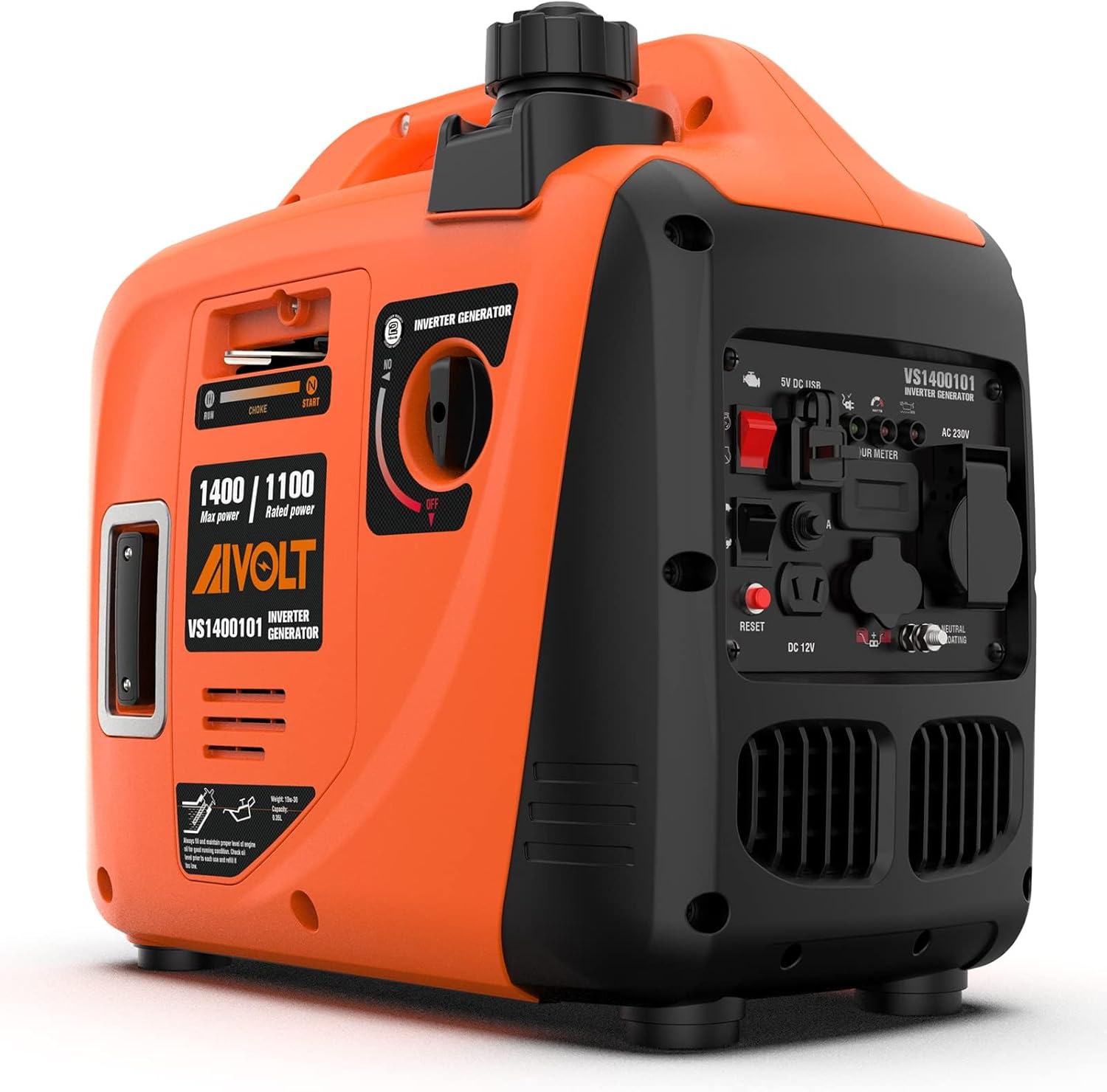
Figure 2.1: Main view of the AIVOLT 1400W Inverter Generator. This compact and portable unit provides reliable power for various needs.
Key Features:
- Clean Power: Inverter technology provides stable, clean power (less than 3% THD), safe for sensitive electronics like TVs, laptops, and phones.
- High Output: Delivers 1400 Watts peak power and 1100 Watts operating power.
- Ultra-Lightweight: Weighs only 12.8 kg, making it easy to transport with its robust handle.
- Quiet Operation: Operates at a low noise level of 60 dB at 7 meters distance (25% load), comparable to a normal conversation.
- Extended Run Time: Runs for up to 8 hours at 25% load, 5.5 hours at 50% load, 4 hours at 75% load, and 3.1 hours at 100% load.
- Eco-Mode: Optimizes engine speed based on load, saving fuel and extending run time.
- Multi-Function Control Panel: Includes AC outlets, 12V DC outlet, and two 5V USB outlets. Features 3 LED indicators and an hour meter.
- Parallel Ready: Can be connected with another AIVOLT 1400W inverter generator to double the output power.
Control Panel Layout:

Figure 2.2: Detailed view of the generator's control panel, highlighting various ports and indicators.
- 1. Engine Control Switch: ON/OFF switch for the engine.
- 2. 5V DC USB Ports (x2): For charging USB-powered devices.
- 3. Hour Meter: Displays the total operating hours of the generator.
- 4. 230V AC Outlet: Standard AC power output.
- 5. Eco-Mode Switch: Activates or deactivates the fuel-saving Eco-Mode.
- 6. Reset Button: Resets the circuit breaker in case of overload.
- 7. 12V DC Outlet: For 12V DC appliances or battery charging.
- 8. Parallel Output Terminals: Used to connect two identical generators for increased power output.
- 9. Grounding Terminal: For connecting a ground wire for safety.
- 10. Output Indicator (Green): Illuminates when the generator is producing power.
- 11. Overload Indicator (Red): Illuminates when the generator is overloaded.
- 12. Low Oil Indicator (Red): Illuminates when the oil level is low.
3. Setup and First Use
Before starting your AIVOLT Inverter Generator for the first time, ensure proper setup and fluid levels.
3.1 Adding Engine Oil
The generator is shipped without engine oil. It is crucial to add the correct type and amount of oil before first use.
- Unscrew and remove the cover plate on the side of the generator using a cross screwdriver.
- Twist off the oil dipstick and keep it free from pollutants.
- Using the provided oil funnel, inject approximately 350ml of 10W-30 engine oil into the oil tank.
- Check the oil level with the oil dipstick, ensuring it reaches the "L" (Low) position or slightly above, but not exceeding the maximum fill line.
- Securely replace the oil dipstick and the cover plate.
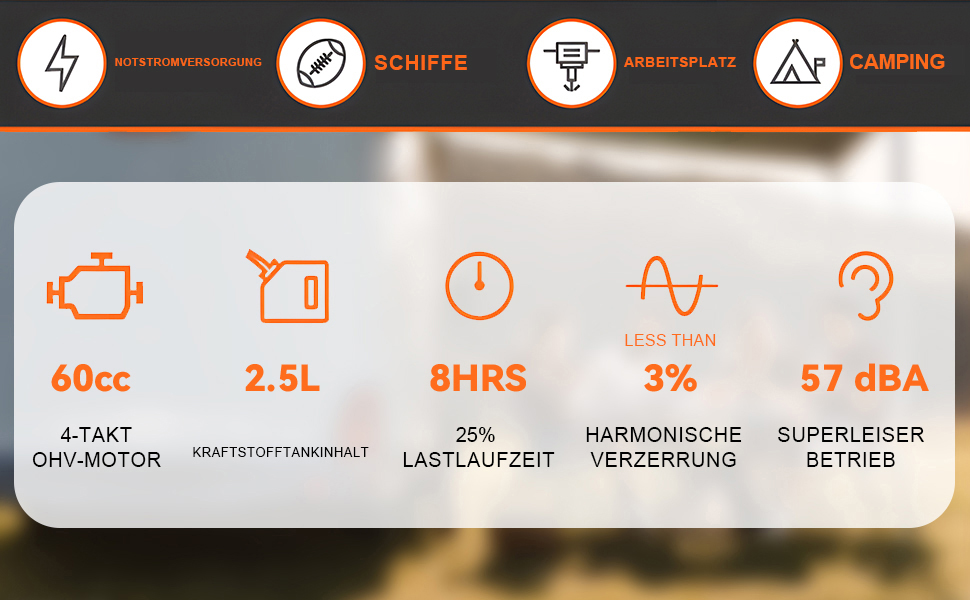
Figure 3.1: Illustration of adding engine oil to the generator. Proper oil level is essential for engine longevity.
3.2 Adding Fuel
Use unleaded gasoline with an octane rating of 90 or higher. The fuel tank capacity is 2.5 liters.
- Unscrew the fuel cap located on top of the generator.
- Carefully pour gasoline into the fuel tank, ensuring not to overfill. Leave a small air gap to allow for fuel expansion.
- Securely replace the fuel cap.
3.3 Starting the Generator
Follow these steps for a successful first start:
- Turn the engine switch to the "ON" position (red switch on the control panel).
- Turn the fuel switch to the "RUN" position (rotary switch on the side).
- Pull the choke lever out to the "START" position.
- Pull the rope of the recoil starter swiftly until the engine starts.
- Once the engine starts, immediately push the choke lever back to the "RUN" position.
- Allow the generator to run for a few minutes to warm up before connecting any loads.
Video 3.1: Official operation video demonstrating the setup and starting procedure for the AIVOLT 1400W Inverter Generator.
4. Operating Instructions
4.1 Connecting Electrical Devices
The generator provides multiple output options:
- 230V AC Outlet: Connect standard household appliances. Ensure the total wattage does not exceed 1100W continuous or 1400W peak.
- 12V DC Outlet: Use for 12V DC devices or for charging 12V batteries with the included charging cable.
- 5V DC USB Ports: Charge smartphones, tablets, and other USB-powered devices.

Figure 4.1: The generator's control panel showing the various output options available for connecting different types of devices.
4.2 Eco-Mode Operation
The Eco-Mode switch (turtle icon) allows the generator to automatically adjust engine speed to match the load, reducing fuel consumption and noise levels. This mode is ideal for light loads or when maximum power is not required.
- To activate Eco-Mode, press the Eco-Mode switch. The generator's engine speed will decrease if the load is low.
- To deactivate Eco-Mode and operate at full power, press the Eco-Mode switch again. The engine speed will increase to provide maximum output.
4.3 Parallel Operation
For increased power output, two identical AIVOLT 1400W Inverter Generators can be connected in parallel using a compatible parallel kit (sold separately). This allows for combined power output, effectively doubling the available wattage.
- Connect the parallel cables to the dedicated parallel output terminals on both generators.
- Follow the instructions provided with the parallel kit for proper connection and synchronization.

Figure 4.2: Two AIVOLT generators connected for parallel operation, demonstrating the capability to double power output.
5. Maintenance
Regular maintenance ensures the longevity and optimal performance of your generator.
5.1 Engine Oil Change
Change the engine oil after the first 5 hours of operation, and then every 50 hours or annually, whichever comes first.
- Ensure the engine is warm but not hot.
- Place a suitable container under the oil drain plug.
- Remove the oil dipstick and the oil drain plug to allow the oil to drain completely.
- Once drained, replace the oil drain plug and refill with fresh 10W-30 engine oil (approx. 0.35L).
- Check the oil level with the dipstick and replace it securely.
5.2 Air Filter Maintenance
Inspect the air filter regularly and clean or replace as needed, especially in dusty conditions.
- Remove the air filter cover.
- Remove the foam air filter element.
- Wash the air filter element in warm, soapy water, rinse thoroughly, and allow it to air dry completely.
- Lightly apply engine oil to the dry filter element and squeeze out any excess.
- Reinstall the air filter element and cover.
6. Troubleshooting
This section provides solutions to common issues you might encounter with your generator.
| Problem | Possible Cause | Solution |
|---|---|---|
| Engine does not start | No fuel; Low oil level; Choke not set correctly; Engine switch OFF | Add fuel; Add oil; Adjust choke; Turn engine switch ON |
| No power output | Overload; Circuit breaker tripped; Eco-Mode active (for high loads) | Reduce load; Press Reset button; Deactivate Eco-Mode |
| Engine runs, but stops shortly after | Low oil level; Fuel issue; Air filter clogged | Check/add oil; Check fuel quality/level; Clean/replace air filter |
| Excessive noise | Overload; Eco-Mode off; Loose components | Reduce load; Activate Eco-Mode; Check for loose parts |
7. Specifications
| Feature | Detail |
|---|---|
| Brand | AIVOLT |
| Model Number | 1400W (VS1400101) |
| Max Power | 1400 Watts |
| Rated Power | 1100 Watts |
| Voltage | 230 Volts |
| Fuel Type | Gasoline |
| Fuel Tank Capacity | 2.5 Liters |
| Engine Oil Type | 10W-30 |
| Engine Oil Capacity | 0.35 Liters |
| Noise Level (25% load @ 7m) | 60 dB |
| Product Dimensions | 43 x 25.2 x 40.01 cm |
| Item Weight | 12.8 Kilograms |
| Special Features | Portable, Eco-Mode, Parallel Ready |
8. Warranty and Support
AIVOLT offers lifetime technical support for this product. For any questions, issues, or technical assistance, please contact AIVOLT customer service.
Visit the official AIVOLT store for more information and products: AIVOLT Store