
1. Product Overview
This manual provides comprehensive instructions for the safe and efficient use of your Reaks Heated Mattress Pad Controller, Model HL-NCHT-05. This controller is designed to regulate the heat settings and timer functions for compatible heated mattress pads, ensuring a comfortable sleeping experience. Please read this manual thoroughly before initial use and retain it for future reference.
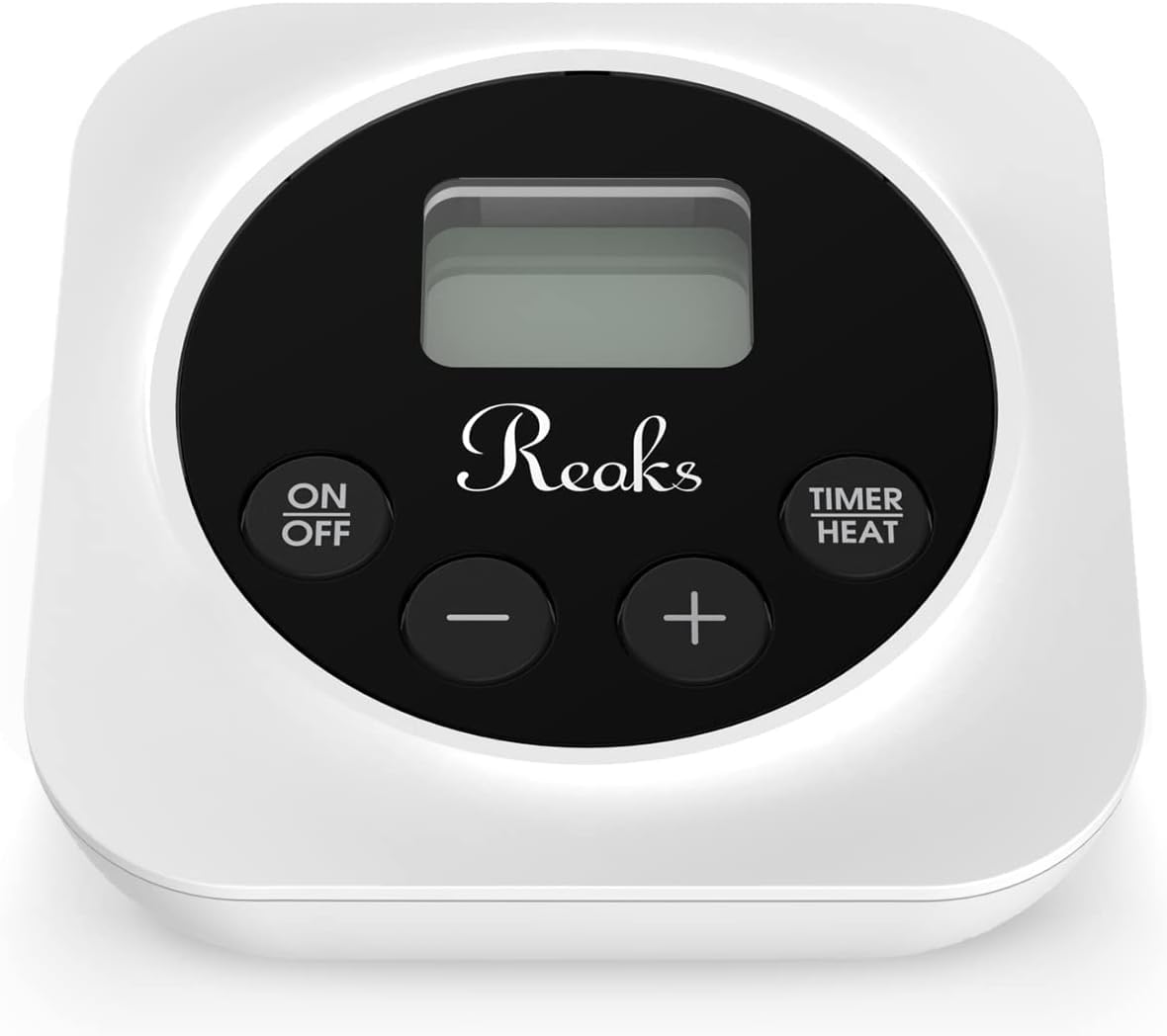
Figure 1: Front view of the Reaks Heated Mattress Pad Controller. It features a central digital display, an 'ON/OFF' button on the left, a 'TIMER/HEAT' button on the right, and '+' and '-' buttons below the display for adjustments. The brand name 'Reaks' is prominently displayed above the digital screen.
2. Setup Instructions
- Unpack: Carefully remove the controller from its packaging. Inspect for any signs of damage.
- Connect to Mattress Pad: Locate the connector cable from your heated mattress pad. Align the connector from the mattress pad with the port on the Reaks controller. Push firmly until it clicks into place, ensuring a secure connection.
- Power Connection: Plug the controller's power cord into a standard 120V AC electrical outlet. Ensure the outlet is easily accessible.
- Placement: Place the controller on a stable, flat surface near your bed, ensuring the cord is not pinched or obstructed. Avoid placing it under pillows or blankets to prevent overheating.
Important: Do not use this controller with any heated mattress pad other than the one it was designed for, or a compatible Reaks heated mattress pad. Refer to your mattress pad's manual for compatibility information.
3. Operating Instructions
3.1. Turning On/Off
- To turn the mattress pad ON, press the ON/OFF button once. The digital display will illuminate and show the current heat setting.
- To turn the mattress pad OFF, press the ON/OFF button again. The display will turn off.
3.2. Adjusting Heat Settings
- Once the controller is ON, the display shows the current heat level.
- Press the + button to increase the heat setting.
- Press the - button to decrease the heat setting.
- Heat levels typically range from 1 (lowest) to a maximum setting (e.g., 10 or H for High), depending on the mattress pad model.
3.3. Using the Timer Function
- With the controller ON, press the TIMER/HEAT button once to activate the timer function. The display will show the default timer duration (e.g., "1H" for 1 hour).
- While the timer is displayed, use the + and - buttons to adjust the desired shut-off time. The timer can usually be set in increments (e.g., 1-10 hours).
- After setting the timer, the display will revert to showing the heat setting after a few seconds. The timer will count down, and the mattress pad will automatically turn off when the set time expires.
- To cancel the timer, press the TIMER/HEAT button repeatedly until the timer display disappears or is set to "0H" (if applicable).
4. Care and Maintenance
- Cleaning: Disconnect the controller from the power outlet and the mattress pad before cleaning. Wipe the surface of the controller with a soft, damp cloth. Do not immerse the controller in water or use abrasive cleaners.
- Storage: When not in use, store the controller in a cool, dry place, away from direct sunlight and extreme temperatures. Ensure the cord is not tightly wrapped or kinked.
- Inspection: Periodically inspect the power cord and controller for any signs of damage, such as frayed wires or cracks. If damage is found, discontinue use immediately and contact customer support.
5. Troubleshooting
| Problem | Possible Cause | Solution |
|---|---|---|
| Controller not turning on. |
|
|
| Mattress pad not heating. |
|
|
| Display not working correctly. |
|
|
6. Product Specifications
- Model Name: HL-NCHT-05
- Brand: Reaks
- Product Dimensions: 11"L x 6"W
- Item Weight: 12.8 ounces
- Color: White
- Special Feature: Durable
- Power Input: Standard 120V AC (Note: Specific wattage/amperage should be confirmed on the product label.)
7. Warranty and Customer Support
For warranty information, technical assistance, or to report any issues with your Reaks Heated Mattress Pad Controller, please refer to the warranty card included with your purchase or visit the official Reaks website. You may also contact the retailer where the product was purchased for support.
Online Support: Visit the Reaks Store on Amazon