
1. Introduction
Thank you for purchasing the Merkury Innovations Whirlwind Personal Cooling Fan. This compact and innovative bladeless fan is designed to provide personal cooling comfort wherever you go. Its rechargeable battery and versatile design make it ideal for both handheld and desktop use. Please read this manual thoroughly before using the product to ensure proper operation and to maximize its lifespan.
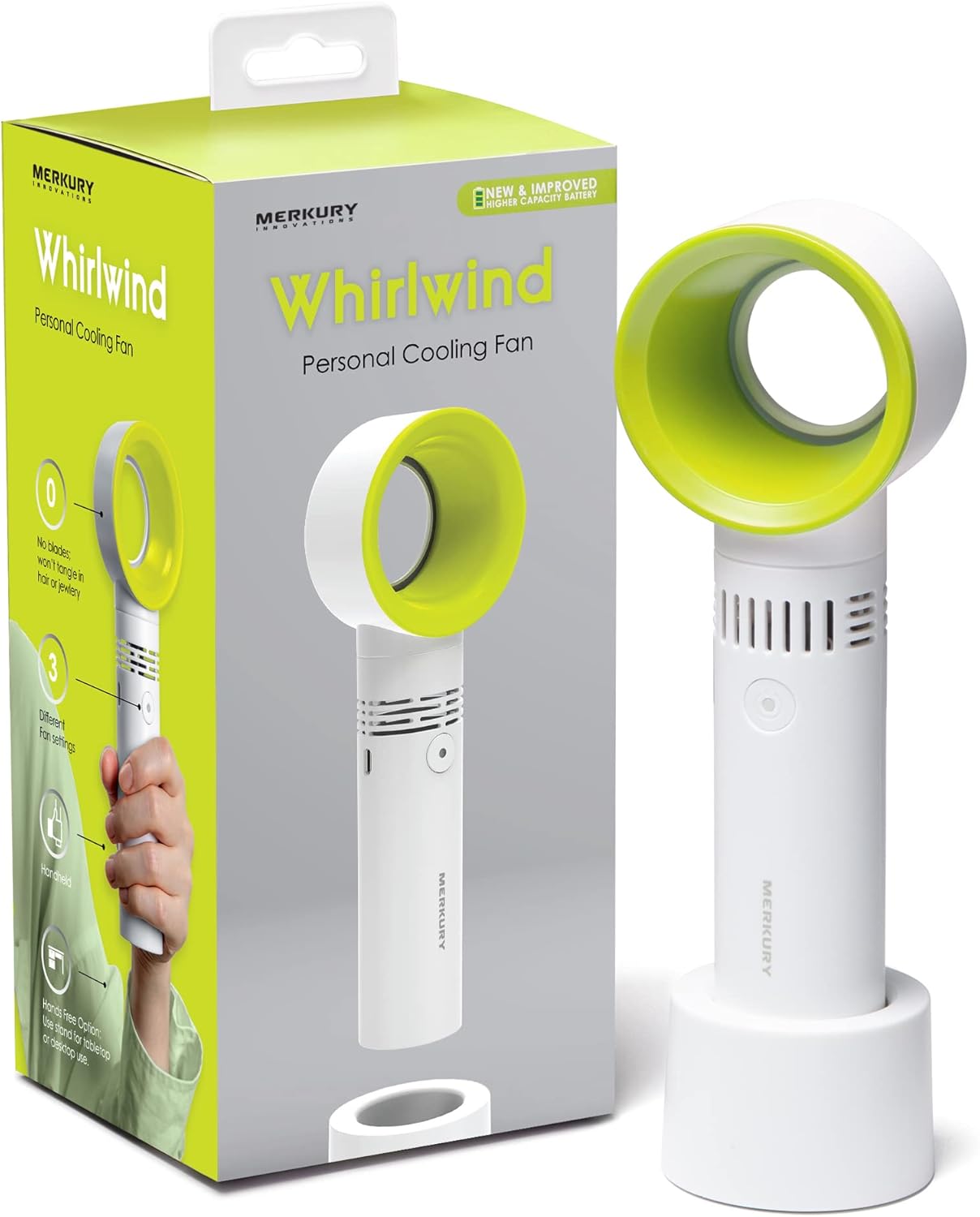
Image 1.1: The Merkury Innovations Whirlwind Personal Cooling Fan shown with its retail packaging. The fan is white with a green inner ring, featuring a sleek, bladeless design and a detachable base for desktop use.
2. Safety Information
To ensure safe operation and prevent damage, please observe the following precautions:
- Do not insert fingers or foreign objects into the fan's air outlet or inlet.
- Keep the fan away from water or other liquids. Do not use in wet environments.
- Do not disassemble, repair, or modify the fan yourself. Contact customer support if service is required.
- Keep out of reach of small children and pets.
- Use only the provided USB charging cable or a certified equivalent.
- Do not expose the fan to extreme temperatures or direct sunlight for prolonged periods.
- Ensure the charging port is dry before connecting the charging cable.
3. Package Contents
Verify that all items are present in your package:
- Merkury Innovations Whirlwind Personal Cooling Fan
- Fan Base Holder (detachable)
- USB Charging Cable

Image 3.1: The image displays the three main components included in the package: the Personal Cooling Fan, its detachable Fan Base Holder, and the USB Charging Cable.
4. Product Overview & Features
The Whirlwind Personal Cooling Fan offers a blend of portability and performance:
- Bladeless Design: Safe for use around hair and jewelry, and easy to clean.
- 3 Speed Settings: Adjust airflow to your preference (Low, Medium, High).
- Rechargeable Battery: Provides up to 6 hours of use on a single charge.
- Versatile Use: Can be used handheld or placed on its detachable base for desktop use.
- Compact & Lightweight: Easy to carry for travel or daily use.
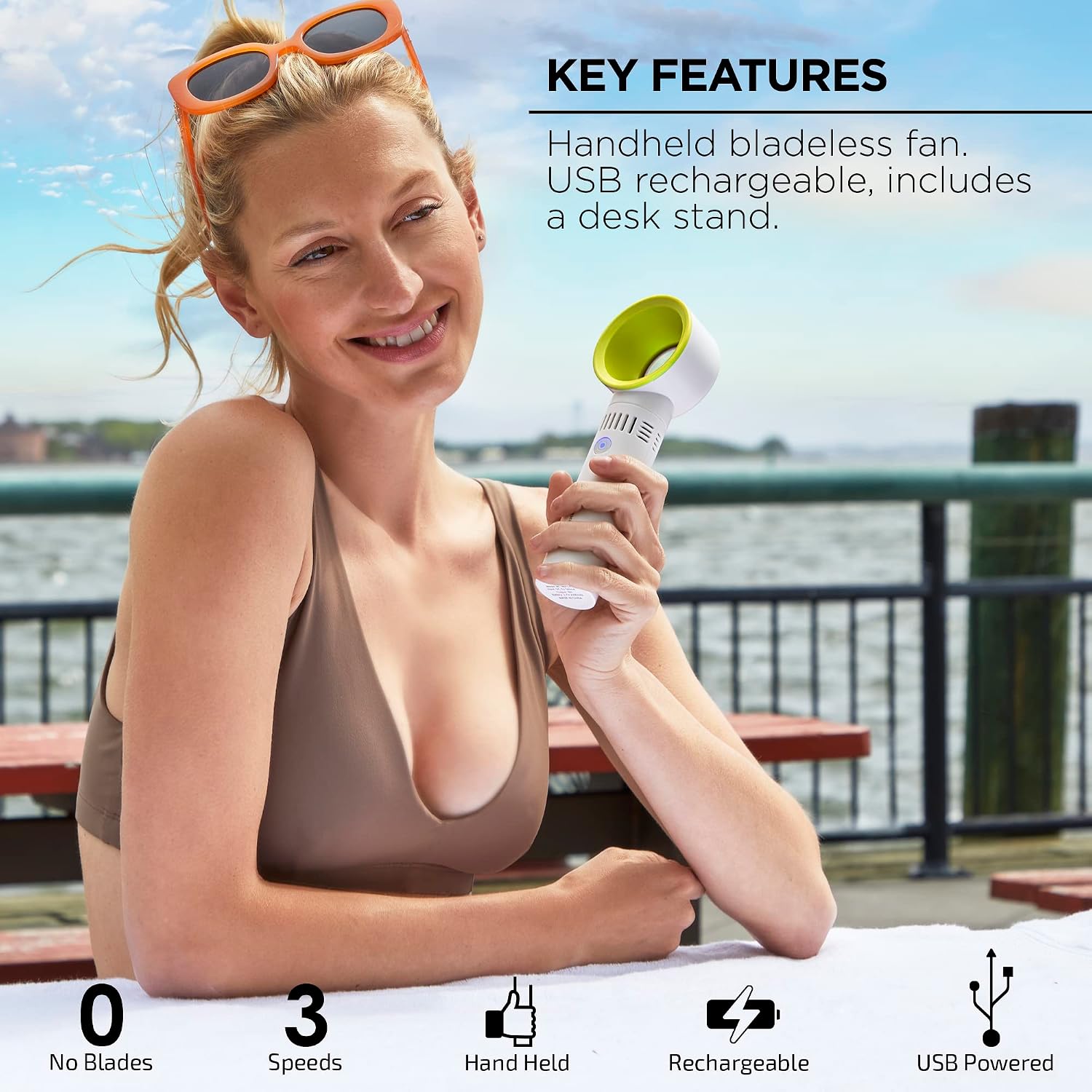
Image 4.1: Highlights key features: No Blades, 3 Speeds, Handheld, Rechargeable, and USB Powered.

Image 4.2: Demonstrates the bladeless design, suitable for various indoor environments.
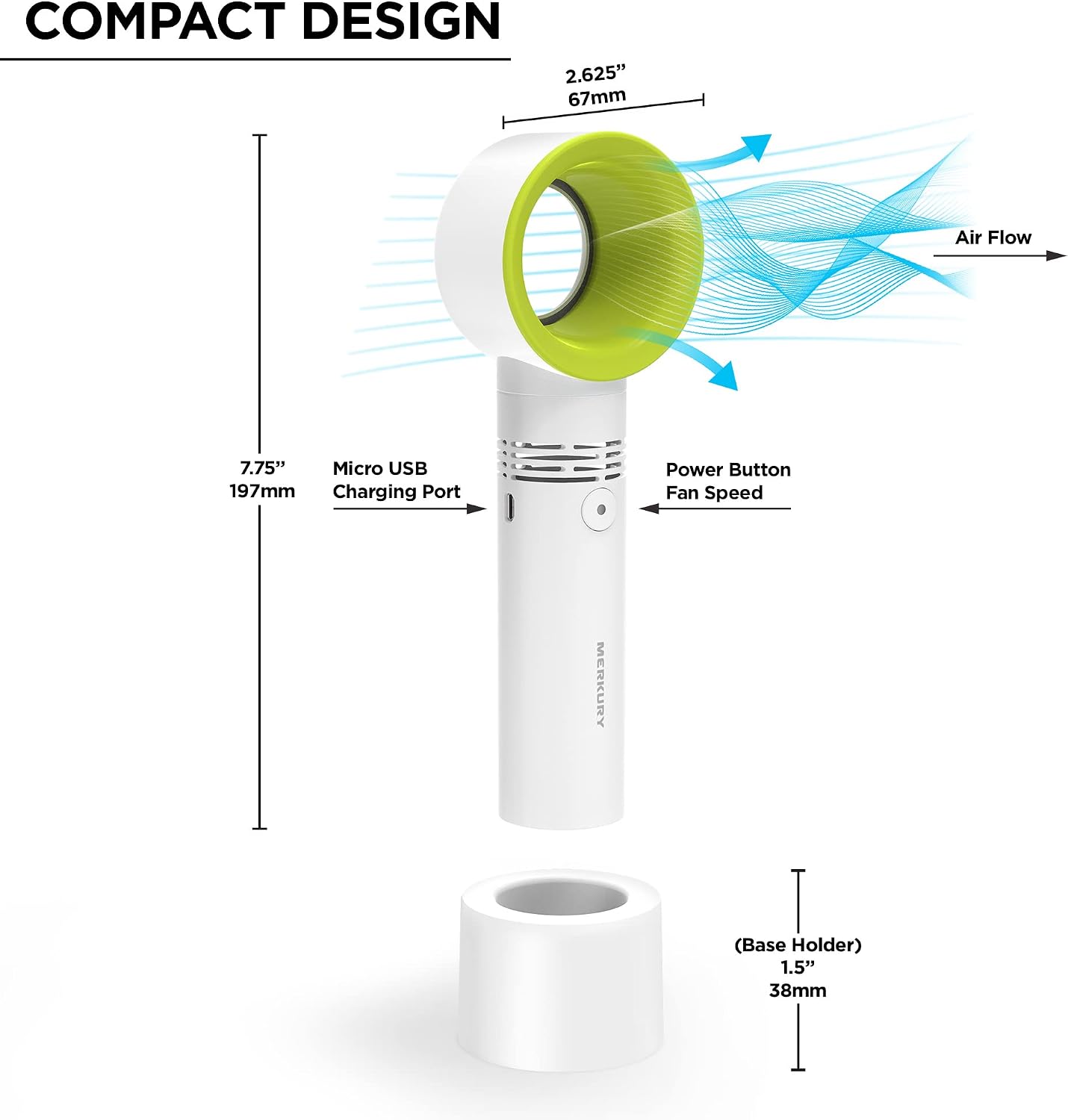
Image 4.3: Illustrates the fan's compact dimensions (2.62" x 7.75") and labels the Micro USB Charging Port, Power Button, and Fan Speed control.
5. Setup
The Merkury Innovations Whirlwind Personal Cooling Fan requires minimal setup.
- Unpack: Carefully remove all components from the packaging.
- Attach Base (Optional): If you wish to use the fan on a desktop or flat surface, gently insert the bottom of the fan handle into the Fan Base Holder until it is securely seated.
- Initial Charge: Before first use, fully charge the fan. Refer to the 'Charging the Fan' section for instructions.
6. Operating Instructions
Using your Whirlwind Personal Cooling Fan is simple:
- Power On/Off: Press the power button located on the handle to turn the fan on. Press it again to cycle through the speed settings and to turn it off.
- Adjust Fan Speed: Each press of the power button will cycle through the three available speed settings: Low, Medium, and High. After the High setting, pressing the button again will turn the fan off.

Image 6.1: Illustrates the fan's three speed levels (low, medium, and high) for adjustable comfort.
7. Charging the Fan
The fan is powered by a built-in rechargeable battery.
- Connect Cable: Insert the micro USB end of the charging cable into the charging port on the fan's handle.
- Connect to Power: Plug the USB-A end of the cable into a USB power source (e.g., computer USB port, USB wall adapter, power bank).
- Charging Indicator: The indicator light on the fan will illuminate during charging and turn off when fully charged.
- Battery Life: A full charge provides approximately 6 hours of continuous use, depending on the speed setting.

Image 7.1: Shows the fan being charged via its USB port, highlighting its long-lasting battery life of up to 6 hours per charge.
8. Maintenance
To keep your fan in optimal condition:
- Cleaning: Use a soft, dry cloth to wipe the exterior of the fan. For the air inlet and outlet, use a soft brush or cotton swab to gently remove dust. Do not use abrasive cleaners or immerse the fan in water.
- Storage: When not in use for extended periods, store the fan in a cool, dry place, away from direct sunlight.
9. Troubleshooting
If you encounter issues with your fan, try the following solutions:
| Problem | Possible Cause | Solution |
|---|---|---|
| Fan does not turn on. | Battery is depleted. | Charge the fan using the provided USB cable. |
| Weak airflow. | Fan is on a low speed setting. | Press the power button to cycle to a higher speed setting. |
| Fan is noisy. | Normal operation at higher speeds. | This is typical for personal fans. If noise is excessive, ensure no obstructions are present. |
| Fan does not charge. | Cable or power source issue. | Try a different USB cable or power adapter. Ensure the cable is fully inserted. |
10. Specifications
| Feature | Detail |
|---|---|
| Brand | Merkury Innovations |
| Model Number | MI-HBF04-371 |
| Color | Green |
| Power Source | Battery Powered (Rechargeable via USB) |
| Number of Speeds | 3 |
| Wattage | 5 watts |
| Voltage | 5 Volts |
| Item Weight | 7.4 ounces |
| Product Dimensions | 2.62 x 2.62 x 7.75 inches |
| Special Features | Portable, Lightweight, Bladeless |
| Control Method | Touch |
| Main Power Connector Type | USB |
11. Warranty & Support
Merkury Innovations products are designed with quality and performance in mind. For warranty information or technical support, please refer to the contact details provided on the product packaging or visit the official Merkury Innovations website. Keep your purchase receipt as proof of purchase for any warranty claims.