1. Introduction
This manual provides detailed instructions for the assembly, operation, and maintenance of your FRTEC Simracing Sprint Cockpit. Please read this manual thoroughly before use to ensure proper setup and safe operation. This simracing cockpit is designed to provide a stable and immersive experience for racing simulations, featuring a comfortable, breathable seat and robust support for steering wheels and pedals.
2. Safety Information
Always observe the following safety precautions:
- Ensure all components are securely fastened before use.
- Do not exceed the recommended user height of 1.60m to 1.95m.
- Keep hands and fingers clear of moving parts during adjustment.
- Place the cockpit on a stable, level surface to prevent tipping.
- Regularly inspect the cockpit for any signs of wear or damage. Discontinue use if damage is found.
3. Package Contents
Verify that all parts are present before beginning assembly. If any parts are missing or damaged, contact customer support.
- Simracing Seat (with embroidered FRTEC Sprint logo)
- Steering Wheel Base Support (45 x 22 cm)
- Adjustable Pedal Base
- Assembly Hardware (bolts, nuts, washers, tools)
- Instruction Manual (this document)
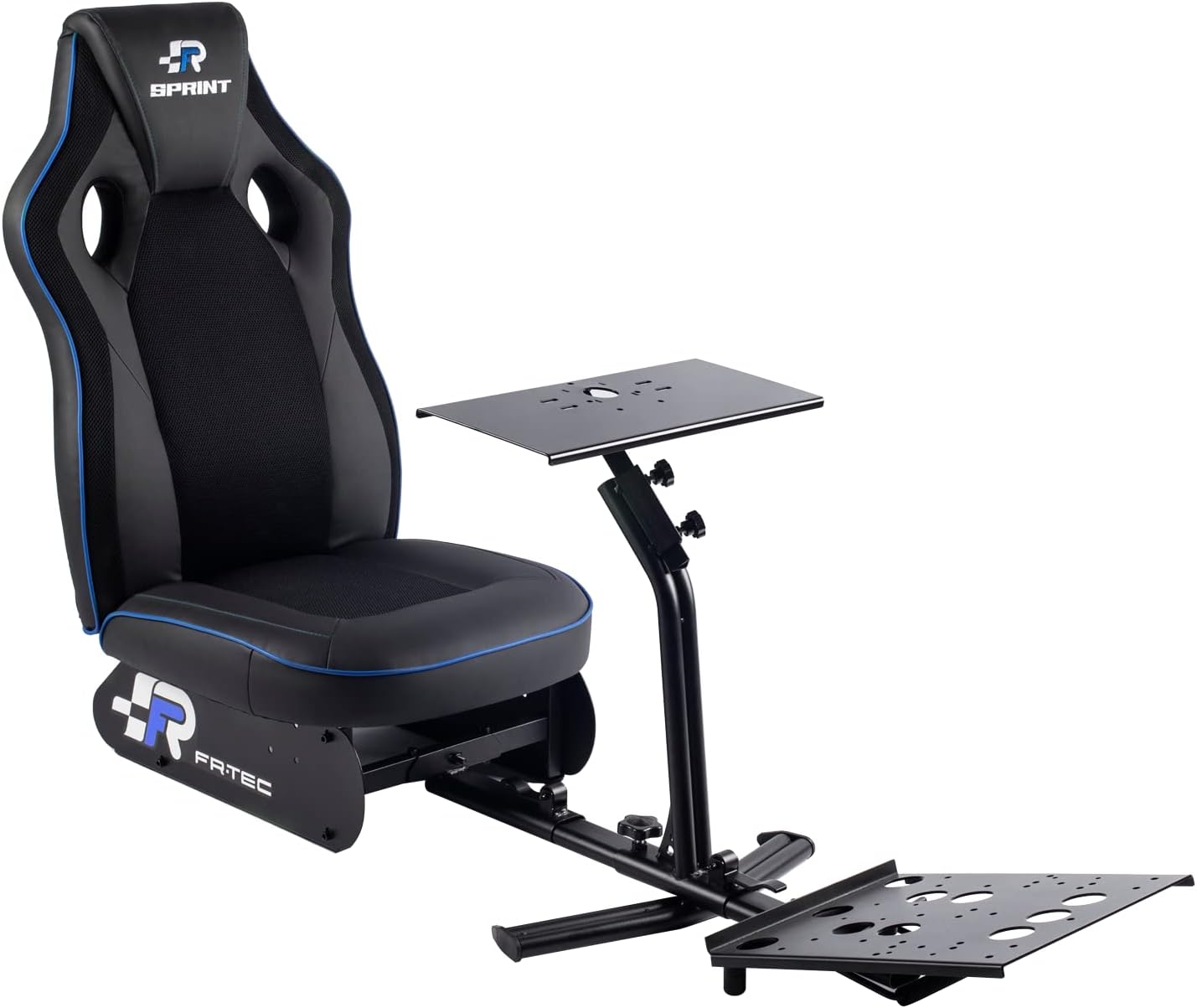
Image: Overview of the FRTEC Simracing Sprint Cockpit, showing the seat, steering wheel support, and pedal base.
4. Setup and Assembly
The FRTEC Simracing Sprint Cockpit is designed for easy assembly. Follow these steps for quick setup:
- Unpack Components: Carefully remove all parts from the packaging. Lay them out on a clean, flat surface.
- Attach Seat to Frame: Secure the simracing seat to the main frame using the provided bolts and tools. Ensure the seat is firmly attached and does not wobble.
- Install Steering Wheel Base: Mount the steering wheel base support to the front section of the frame. This base features two fixation points for stability.
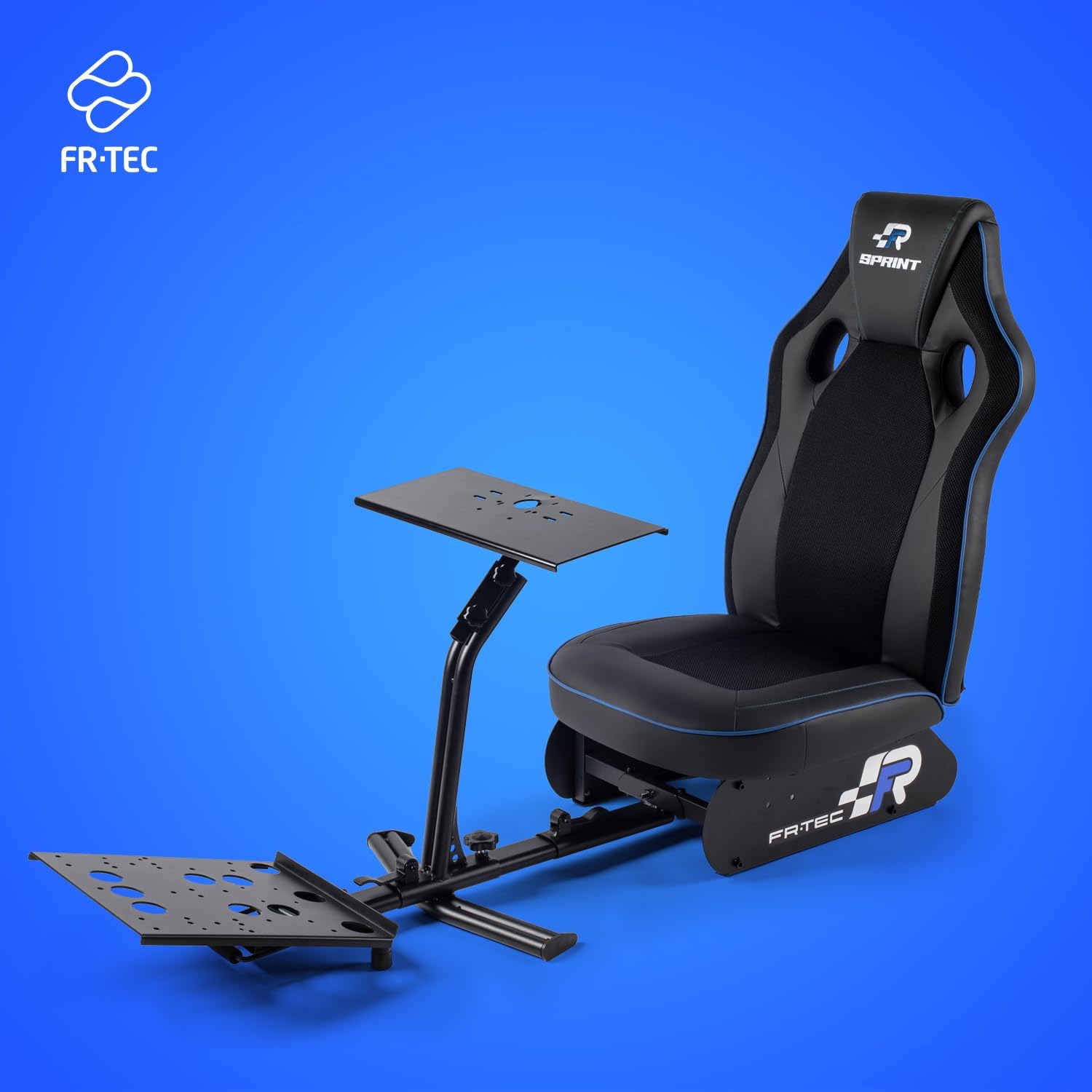
Image: The FRTEC Simracing Sprint Cockpit viewed from the front-right, highlighting the steering wheel support and pedal base.
- Attach Pedal Base: Connect the adjustable pedal base to the front of the steering wheel support frame. This base can be rotated from 10° to 28° horizontally and its distance is also adjustable.
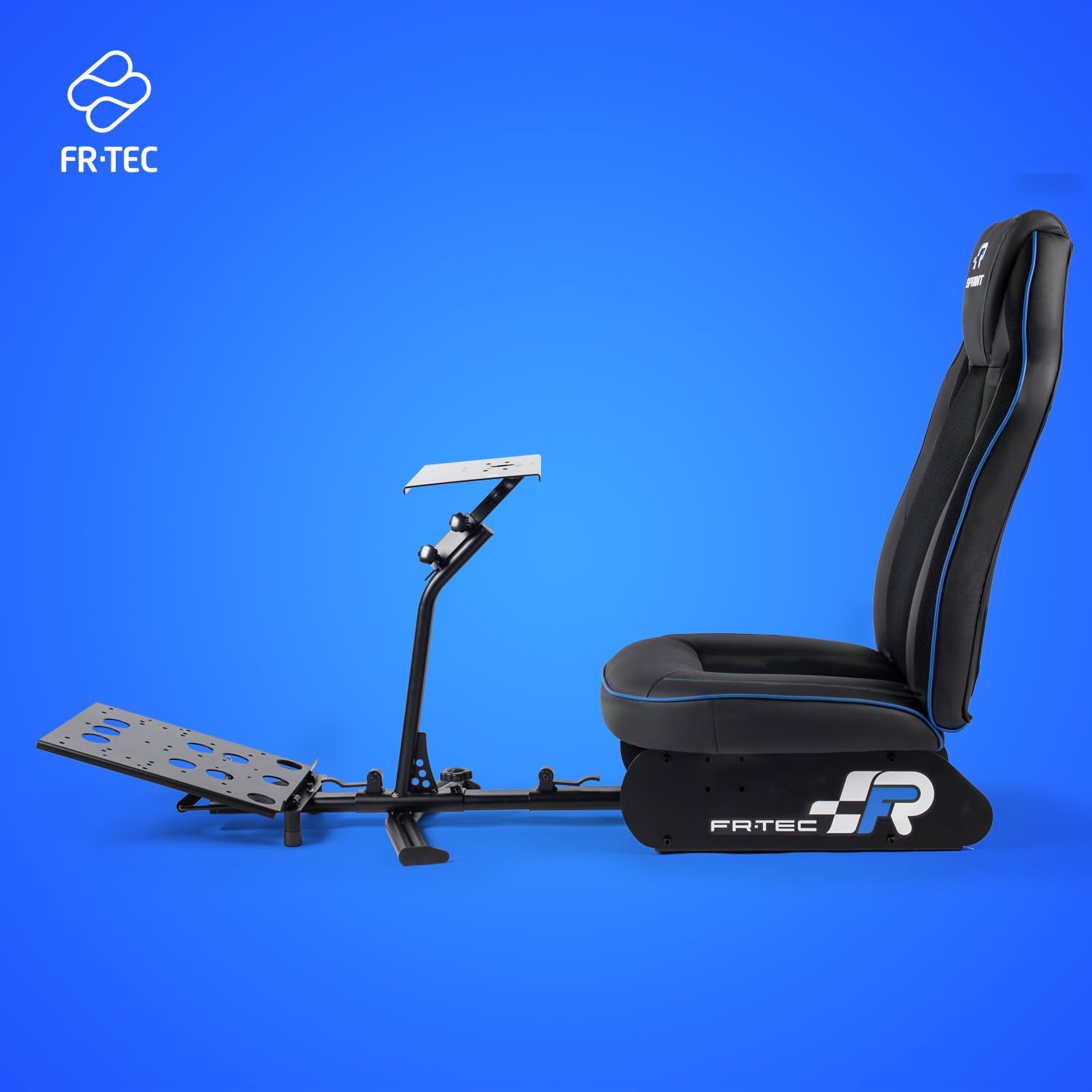
Image: Side view of the FRTEC Simracing Sprint Cockpit, showing the adjustable pedal base and the overall structure.
- Adjust for Comfort: Adjust the height of the steering wheel base and the angle/distance of the pedal base to suit your preferred driving position. The recommended user height is between 1.60m and 1.95m.
- Mount Peripherals: Secure your steering wheel and pedals to their respective bases. The cockpit is compatible with all steering wheels on the market.
5. Operating Instructions
Once assembled, the FRTEC Simracing Sprint Cockpit is ready for use. Its design ensures a stable and secure platform for your simracing peripherals.
- Stability: The triangular base structure provides stability for controlling even the fastest and most unexpected movements.
- Compatibility: The seat, steering wheel base, and pedal base are fully compatible with all steering wheels and pedals available on the market.
- Adjustments:
- Steering Wheel Base: Adjust the height of the steering wheel platform for optimal ergonomic positioning.
- Pedal Base: Rotate the pedal base between 10° and 28° in a horizontal position to adapt your experience. The distance of the pedal base is also adjustable.

Image: Diagram illustrating the adjustable height of the steering wheel platform and the adjustable distance and angle of the pedal base on the FRTEC Simracing Sprint Cockpit.
6. Maintenance and Care
Proper maintenance will extend the life of your FRTEC Simracing Sprint Cockpit.
- Cleaning: Clean the cockpit using a damp cloth. Avoid abrasive cleaners or solvents that may damage the synthetic leather, metal, or fabric materials.
- Inspection: Periodically check all bolts and connections to ensure they remain tight. Re-tighten if necessary.
- Storage: The cockpit is foldable for convenient storage when not in use.
7. Troubleshooting
If you encounter issues with your FRTEC Simracing Sprint Cockpit, refer to the following common problems and solutions:
| Problem | Possible Cause | Solution |
|---|---|---|
| Cockpit feels unstable or wobbly. | Loose assembly bolts or uneven surface. | Ensure all assembly bolts are securely tightened. Place the cockpit on a flat, level surface. |
| Steering wheel or pedals are not securely mounted. | Improper mounting or incompatible peripherals. | Verify that your peripherals are correctly attached to the mounting plates. Ensure they are compatible with universal mounting systems. |
| Difficulty adjusting pedal base angle/distance. | Adjustment knobs are too tight or mechanism is stiff. | Loosen adjustment knobs sufficiently before attempting to change position. Apply a small amount of silicone lubricant if the mechanism is stiff. |
8. Product Specifications
| Feature | Detail |
|---|---|
| Brand | FRTEC |
| Model Number | FT7009 |
| Color | Sprint (Black with Blue accents) |
| Dimensions (L x W x H) | 150 x 48 x 95 cm (approx. 48P x 150l x 95H centimeters) |
| Weight | 24 Kilograms |
| Material | Synthetic Leather, Metal (Alloy Steel), Fabric |
| Special Feature | Foldable |
| Recommended User Height | 1.60 m to 1.95 m |
| Steering Wheel Base Dimensions | 45 x 22 cm |
| Pedal Base Adjustment | 10° to 28° horizontal rotation, adjustable distance |
9. Warranty Information
FRTEC products are manufactured to high-quality standards. For specific warranty terms and conditions, please refer to the documentation included with your purchase or visit the official FRTEC website. Keep your proof of purchase for warranty claims.
Return Policy: The buybox winner indicates a return policy of 30 days for refund/replacement. Please refer to your retailer's specific return policy for details.
10. Customer Support
For technical assistance, missing parts, or any inquiries regarding your FRTEC Simracing Sprint Cockpit, please contact FRTEC customer support through their official website or the retailer from whom you purchased the product.
Manufacturer: FR-TEC
For more information about FRTEC and their products, visit: FRTEC Brand Page