
maXpeedingrods MXR3500S
MaXpeedingrods 3500 Watt Dual Fuel Inverter Generator User Manual
Model: MXR3500S
Brand: maXpeedingrods
Introduction
This manual provides essential information for the safe operation, maintenance, and troubleshooting of your MaXpeedingrods 3500 Watt Dual Fuel Inverter Generator, Model MXR3500S. This versatile generator is designed to provide reliable power using both gasoline and propane, making it suitable for home backup, outdoor camping, and RV use. It features a digital display for real-time monitoring and offers both electric and recoil start options.
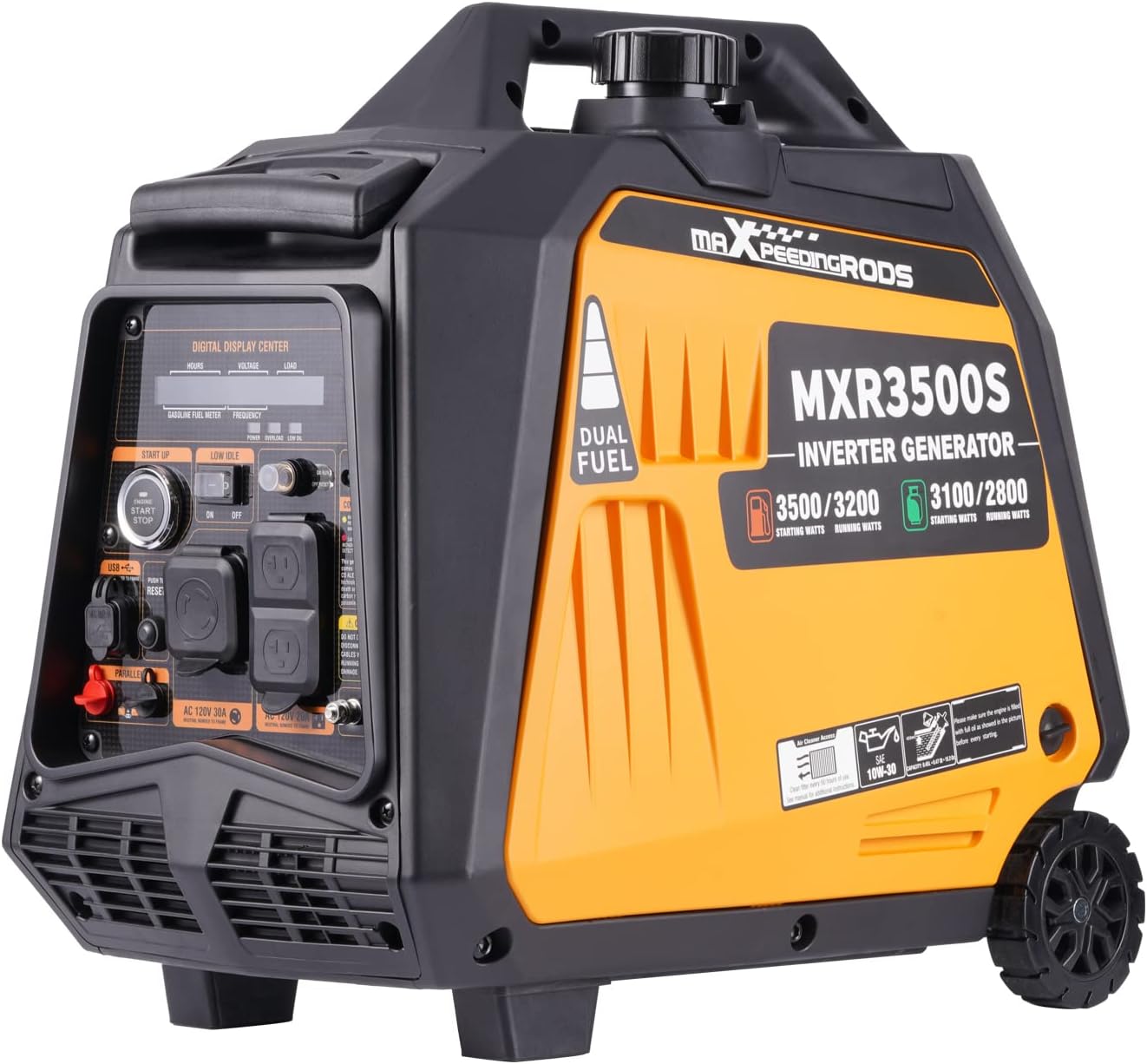
Image: The MaXpeedingrods 3500 Watt Dual Fuel Inverter Generator, showcasing its compact design and control panel.
Safety Information
Always read and understand all safety warnings and instructions before operating the generator. Failure to do so can result in serious injury or death.
- Carbon Monoxide Hazard: Generators produce carbon monoxide (CO), an odorless, colorless, and poisonous gas. Operate the generator outdoors in a well-ventilated area, far away from windows, doors, and vents. Never operate indoors, in a garage, or in any enclosed space.
- Fire Hazard: Gasoline and propane are highly flammable. Store fuel in approved containers in a well-ventilated area away from ignition sources. Do not refuel a hot or running engine. Ensure proper ventilation when using propane.
- Electrical Shock Hazard: Do not operate the generator in wet conditions. Ensure all electrical connections are secure and dry. Do not overload the generator.
- Hot Surfaces: The generator's engine and muffler become very hot during operation and remain hot for some time after shutdown. Avoid contact with hot surfaces to prevent burns.
- Children and Pets: Keep children and pets away from the generator at all times.
Setup
1. Unpacking and Initial Inspection
Carefully remove the generator from its packaging. Inspect for any shipping damage. Ensure all included accessories are present.
2. Adding Engine Oil
The generator is shipped without engine oil. Before first use, add the recommended type and amount of engine oil (refer to the oil funnel included in the accessories). Do not overfill.
3. Fuel Connection (Dual Fuel Capability)
Your generator operates on both gasoline and propane.
- For Gasoline: Fill the fuel tank with fresh, unleaded gasoline. Do not overfill.
- For Propane (LPG): Connect a standard propane tank to the generator's propane inlet using the provided hose and regulator. Ensure all connections are tight to prevent leaks.

Image: Illustration of the dual fuel design, showing how to add gasoline and connect a propane tank.
4. Battery Connection
For electric start and when using LPG, ensure the included battery is properly connected. The battery comes pre-charged and does not require initial charging.
Operating the Generator
1. Starting Procedures
The generator offers both electric start and recoil (pull) start options.
- Electric Start: Ensure the fuel valve is open and the engine switch is in the "ON" position. Press and hold the electric start button until the engine starts.
- Recoil Start: Ensure the fuel valve is open and the engine switch is in the "ON" position. Pull the recoil cord firmly and smoothly until the engine starts.

Image: Demonstrates the two starting methods: electric start button and manual recoil start.
2. Eco Mode
Engage the Eco mode switch to extend run times, especially under lighter loads. This feature adjusts engine speed to match the load, improving fuel efficiency and reducing noise.
3. Digital Display Monitoring
The integrated digital display provides real-time information on fuel level, voltage, frequency, load, and operating hours. Monitor these indicators to ensure optimal performance and timely refueling or maintenance.

Image: Close-up view of the generator's digital display, showing various operational metrics.
4. Runtime Information
Expected run times vary by fuel type and load:
- Approximately 11 hours (Gasoline) or 24 hours (LPG) at 25% load.
- Approximately 6.5 hours (Gasoline) or 13.5 hours (LPG) at 50% load.
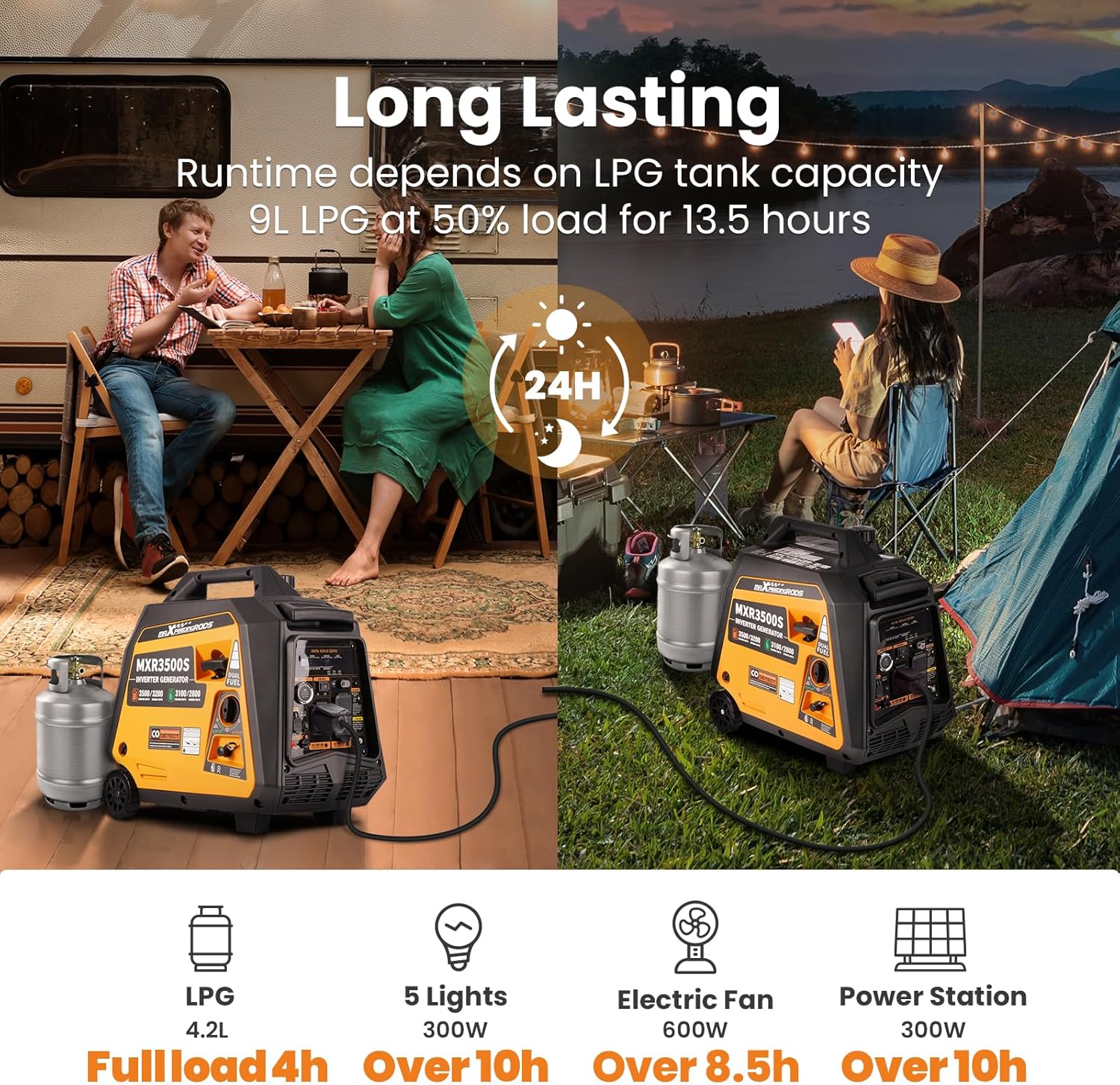
Image: Visual representation of the generator's long-lasting runtime capabilities for various applications.
5. Operation Video
Watch this official video for a visual guide on operating your MXR3500S generator.
Video: MXR3500S Operation Video. This video demonstrates the key steps for starting and running the generator.
Maintenance
Regular maintenance ensures the longevity and optimal performance of your generator.
- Oil Changes: Perform the first oil change after 20 hours of operation, and subsequent changes every 100 hours or annually, whichever comes first. Use the recommended oil type.
- Spark Plug Inspection: Inspect the spark plug periodically. Clean or replace it as needed to ensure reliable starting and efficient combustion. A spark plug socket wrench is included for this purpose.
- Air Filter Cleaning: Check and clean the air filter regularly, especially in dusty conditions. A clogged air filter can reduce engine performance.
- General Cleaning: Keep the generator clean and free of debris. Ensure cooling vents are not obstructed.
Maintenance Video
For detailed maintenance procedures, refer to the official maintenance video.
Video: MXR3500S Maintenance Video English. This video provides instructions for routine maintenance tasks.
Troubleshooting
If you encounter issues with your generator, consult the following common troubleshooting steps. For persistent problems, contact customer support.
| Problem | Possible Cause | Solution |
|---|---|---|
| Generator will not start | No fuel, low oil, engine switch off, spark plug issue, dead battery (for electric start) | Add fuel, check oil level, turn engine switch ON, inspect/replace spark plug, charge/check battery. |
| Engine runs, but no power output | Circuit breaker tripped, overloaded, Eco mode engaged with high load | Reset circuit breaker, reduce load, disengage Eco mode for higher loads. |
| CO Alert light flashing/Generator shuts down | Carbon Monoxide detection, overheating | Move generator to a more open, well-ventilated area. Allow to cool down if overheating is suspected. |
| Oil Leakage | Overfilled oil, loose drain plug, damaged seal | Check oil level and drain excess if overfilled. Ensure drain plug is tight. Contact support if leakage persists. |
Specifications
| Feature | Detail |
|---|---|
| Brand | maXpeedingrods |
| Model Name | MXR3500S |
| Wattage (Gasoline) | 3500 Surge Watts / 3200 Rated Watts |
| Wattage (Propane) | 3100 Surge Watts / 2800 Rated Watts |
| Fuel Type | Dual Fuel (Gasoline and LPG) |
| Power Source | Gas and LPG |
| Item Weight | 55 pounds (25 Kilograms) |
| Voltage | 120 Volts |
| Frequency | 60 Hz |
| Engine Type | 4 Stroke |
| Engine Displacement | 145 Cubic Centimeters |
| Tank Volume | 6 Liters |
| Runtime (Max) | Up to 24 hours (LPG at 25% load) |
| Product Dimensions | 20.8"L x 12.2"W x 19.8"H |
| Special Features | Digital Display, Portable, Electric Start, Dual Fuel, Extra-Long Run Time, Pure Sine Wave |
| Total Power Outlets | 2 AC outlets (1x 120V 30A, 1x 120V 20A), USB ports |
Included Components and Accessories
The following items are included with your MaXpeedingrods MXR3500S generator:
- Spark Plug Socket Wrench
- Owner Manual (PDF version available online)
- Oil Funnel
- US Plug
- Generator Parallel Cables
- Screwdriver
- Generator Cover
- Pressure Relief Valve Kit

Image: A visual display of all accessories included with the generator, such as the oil funnel, spark plug wrench, and cover.
Additional Features
Bluetooth Control
Some models may feature Bluetooth connectivity, allowing you to monitor and control the generator via a smartphone application. This provides real-time data on load power, remaining fuel, running time, voltage, and frequency.

Image: A smartphone screen displaying the generator's app interface for Bluetooth control and monitoring.
Pure Sine Wave Technology
The inverter technology provides clean, stable pure sine wave power, making it safe for sensitive electronics such as laptops, TVs, cameras, and cell phones.

Image: Diagram illustrating the smooth waveform of pure sine wave power, ideal for sensitive electronics.
Warranty and Support
Your MaXpeedingrods generator typically comes with a 2-year warranty. For warranty claims, technical assistance, or any product-related inquiries, please contact MaXpeedingrods customer support directly.
An official User Manual in PDF format is also available for download: Download User Manual (PDF)
Related documentsMXR3500S


Ask a question about this manual
Ask about setup, troubleshooting, compatibility, parts, safety, or missing instructions. Manuals+ will review the question and use this page’s manual context to help answer it.