
Introduction
The coioc S50-W Bluetooth 5.3 Wireless Earbuds offer an immersive audio experience with advanced features designed for convenience and durability. These earbuds feature a digital LED display for battery monitoring, IPX7 waterproofing for active lifestyles, and a comfortable in-ear design with adjustable ear tips. Enjoy stable connections, pure sound quality, and extended playtime with fast charging capabilities.
What's in the Box
- Wireless Charging Case
- Charging Cable
- User Manual
- Adjustable Silicone Ear Tips (S, M, L)
Setup
Charging the Earbuds and Case
Before first use, fully charge the earbuds and charging case. The case features a Type-C interface for convenient charging. A 10-minute charge can provide 1 hour of use, and the total playtime with the charging case is approximately 40 hours. The LED digital display on the case shows the battery percentage for both the case and individual earbuds (L/R).

Image: The charging case with earbuds, displaying battery life indicators for both the case and individual earbuds, highlighting 40 hours of total playtime.

Image: Close-up of the charging case's LED digital display, showing separate power indicators for the case and the left and right earbuds.
Pairing with Your Device
The coioc S50-W earbuds utilize Bluetooth 5.3 technology for a stable and fast connection. Pairing can be completed in as little as 1 second. Simply take the earbuds out of the charging case, and they will automatically enter pairing mode. Search for "S50" in your device's Bluetooth settings and click to connect. The earbuds are compatible with smartphones, laptops, and tablets.

Image: A smartphone screen showing Bluetooth settings with "S50" available for connection, next to the charging case with earbuds, illustrating the one-step pairing process.
Video: An official product video demonstrating the features and setup of the coioc S50-W Bluetooth Wireless Earbuds, including pairing and usage.
Operating the Earbuds
Smart Touch Controls
The coioc S50-W earbuds feature intuitive smart touch controls on each earbud, allowing you to manage music playback and calls with simple taps.
- Play/Pause: Double click on either the Left (L) or Right (R) earbud.
- Summons Siri: Triple click on either the Left (L) or Right (R) earbud.
- Answer/End Call: Double click on either the Left (L) or Right (R) earbud.
- Reject Call: Long press on either earbud.
- Switch Song: Long press on either earbud.
- Volume +/-: Click once on either the Left (L) or Right (R) earbud.
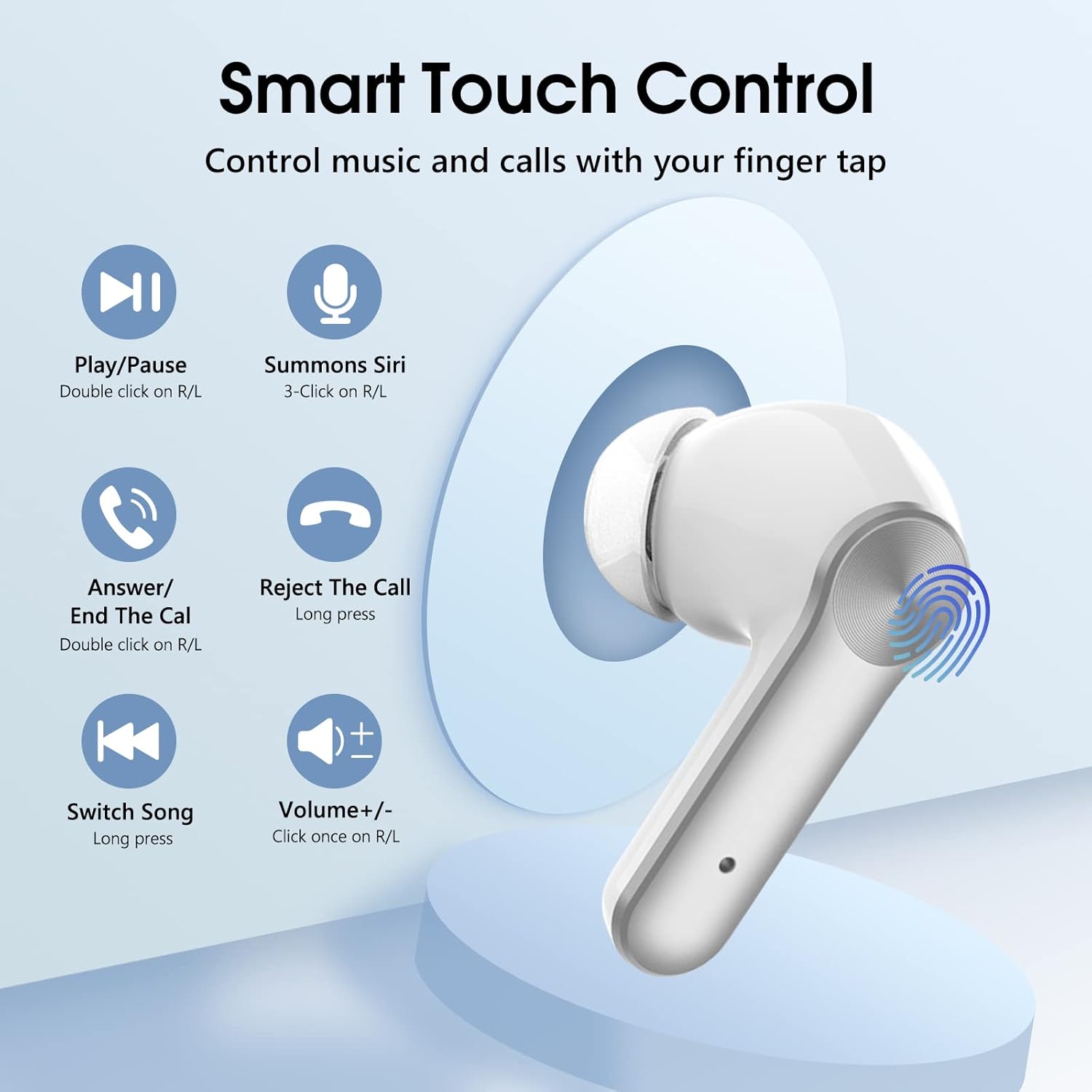
Image: A visual guide detailing the various touch gestures on the earbuds for controlling music, calls, and voice assistants.
Comfortable and Secure Fit
The earbuds are designed with an ergonomic in-ear shape to ensure comfort and a secure fit for prolonged use. Three sizes of silicone ear tips (S, M, L) are included to help you find the most comfortable and effective seal for optimal sound quality and noise isolation.
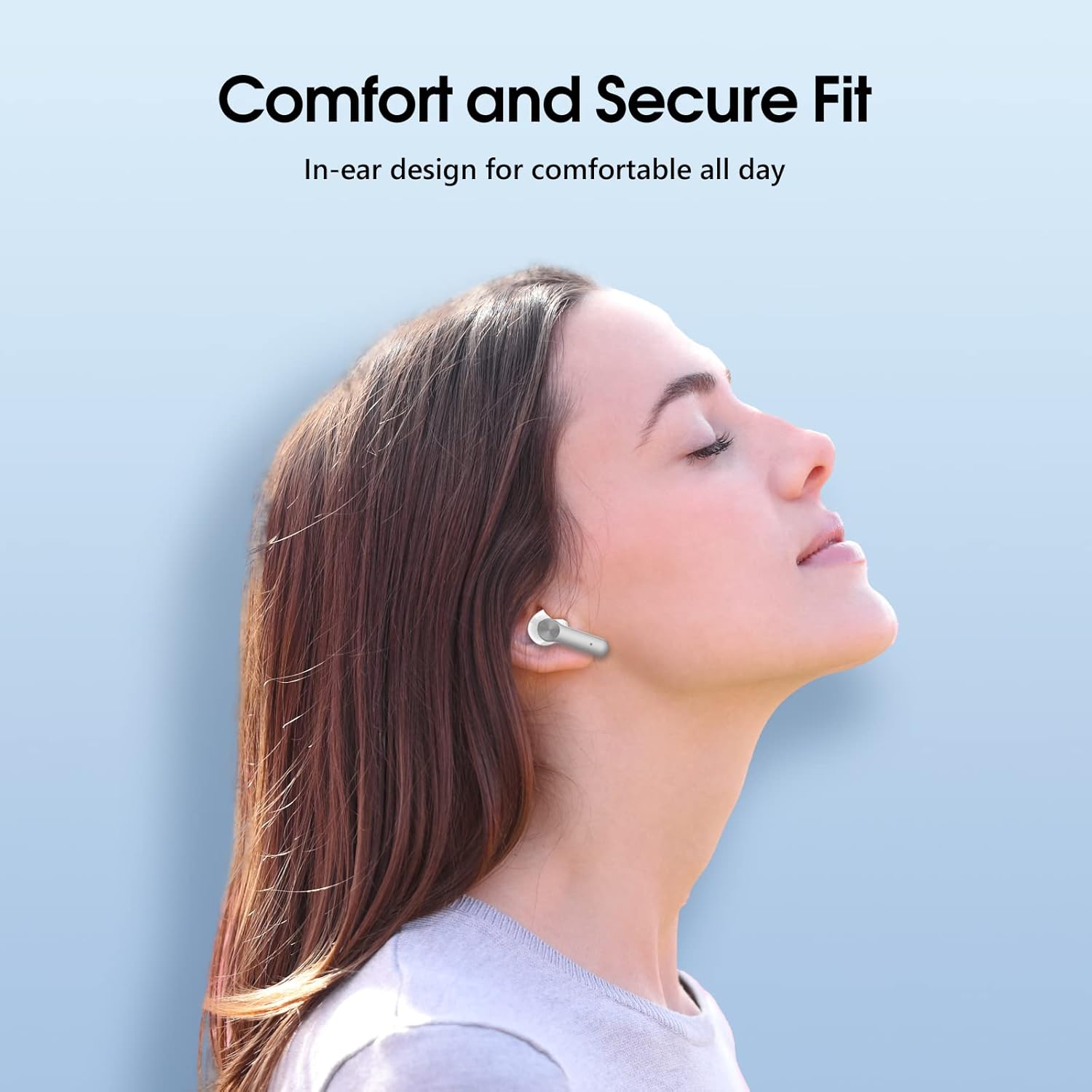
Image: A person wearing the earbuds, illustrating the comfortable and secure in-ear design suitable for all-day wear.
IPX7 Waterproof Rating
Equipped with IPX7 nano-coating technology, these wireless headphones are protected against liquids, including sweat and splashes. This feature ensures durability and a longer service life, making them suitable for sports and various activities.

Image: The earbuds shown partially submerged in water, visually representing their IPX7 waterproof capability.
Maintenance
Cleaning Your Earbuds
Regular cleaning helps maintain optimal performance and hygiene. Use a soft, dry cloth or a cotton swab lightly dampened with alcohol to clean the charging contacts on both the earbuds and inside the charging case. Also, ensure to clean the eartips and the mesh covering the speaker to prevent debris buildup that could affect sound quality.

Image: A diagram illustrating the locations of charging contacts and speaker mesh, with instructions for cleaning to resolve charging and sound quality issues.
Troubleshooting
Earbuds Not Charging
If your earbuds are not charging, the most common cause is dirty charging contacts. Please use alcohol to clean the charging contacts on both the earbuds and inside the charging case. Ensure the earbuds are properly seated in the case.
Poor Sound Quality
If you experience poor sound quality, consider the following:
- Choose the right eartips: Selecting the correct size (S, M, L) of eartips can significantly improve bass response and noise isolation.
- Clean eartips and mesh: Debris or earwax buildup on the eartips or the speaker mesh can obstruct sound. Clean them regularly as described in the Maintenance section.
Specifications
| Feature | Detail |
|---|---|
| Brand | coioc |
| Model Name | S50-W |
| Item Model Number | S25 |
| Connectivity Technology | Wireless (Bluetooth 5.3) |
| Bluetooth Version | 5.3 |
| Water Resistance Level | IPX7 Waterproof |
| Battery Life (Single Charge) | 6 Hours |
| Total Playtime (with Case) | 40 Hours |
| Charging Interface | Type-C |
| Control Type | Voice Control, Touch Control |
| Ear Placement | In Ear |
| Form Factor | In Ear |
| Material | Plastic |
| Item Weight | 2.22 ounces (62.9 Grams) |
| Product Dimensions | 2.2 x 2.56 x 0.98 inches |
Warranty and Support
For warranty information and customer support, please refer to the documentation included with your product or visit the official coioc website. If you encounter any issues not covered in this manual, please contact coioc customer service for assistance.


