
1. Introduction
Thank you for choosing the JBL Multisystem Quadriaxial 69QDMS120 6x9 inch speaker system. This manual provides essential information for the proper installation, operation, and maintenance of your new speakers. Please read this manual thoroughly before installation and use to ensure optimal performance and longevity of your product.
1.1 What's in the Box
- 2x JBL 6x9 inch 4-way speakers
- 1x User Manual (this document)
- 1x Warranty Certificate
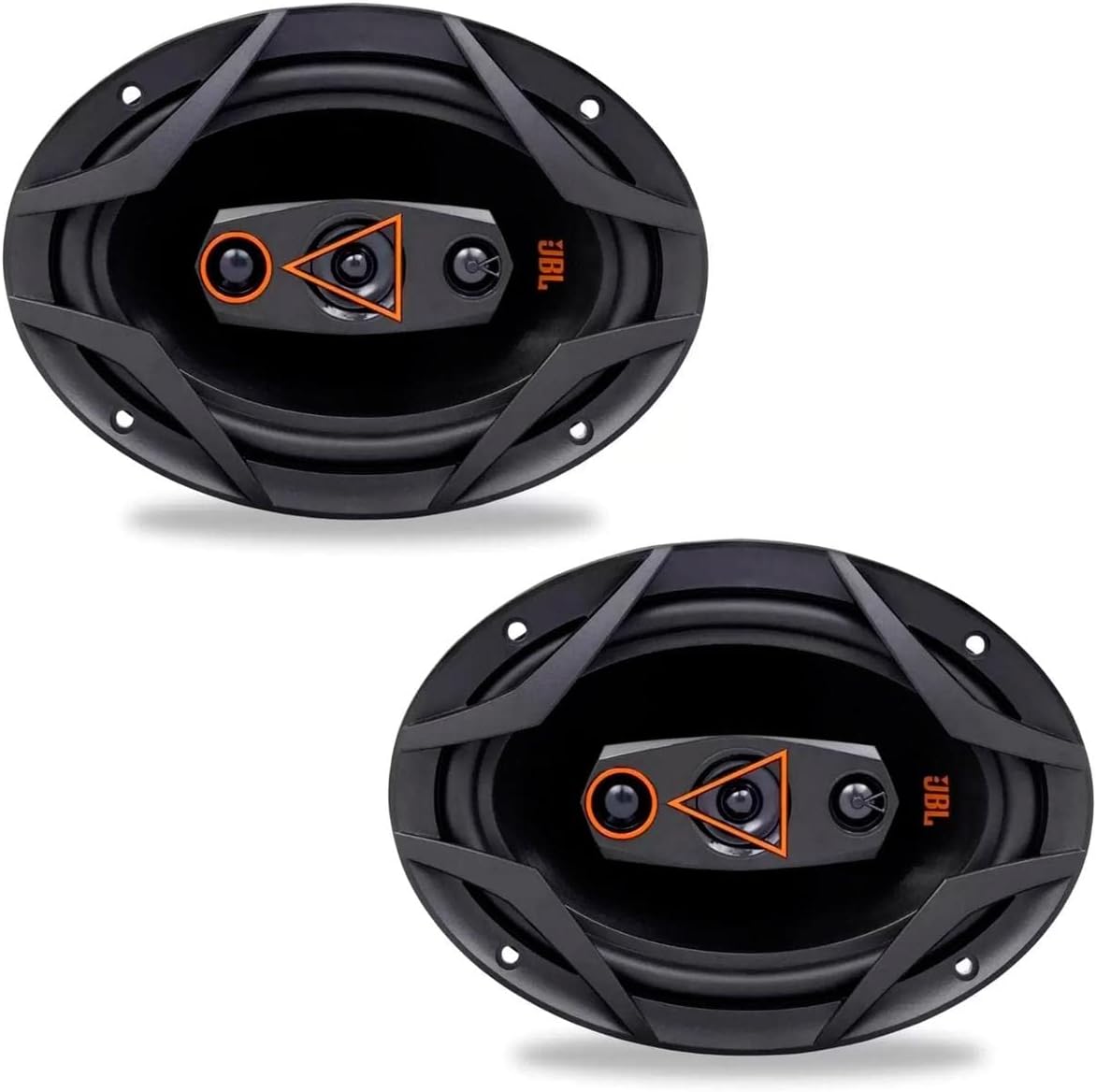
Figure 1.1: A pair of JBL Multisystem Quadriaxial 69QDMS120 6x9 inch speakers, showcasing their design and size.
2. Safety Information
Please observe the following safety precautions to prevent damage to the product or injury to yourself.
- Professional Installation Recommended: For optimal performance and to avoid damage, installation by a qualified professional is highly recommended.
- Hearing Protection: According to Federal Law No. 11.291, prolonged exposure to noise levels exceeding 85 dB can cause hearing damage. Always use appropriate hearing protection when operating audio systems at high volumes.
- Power Off Before Installation: Ensure all power to the audio system and vehicle is turned off before attempting any installation or wiring.
- Correct Wiring: Connect the speakers according to the correct polarity to prevent damage and ensure proper sound reproduction.
- Avoid Moisture: Do not expose the speakers to water or excessive moisture.
- Secure Mounting: Ensure speakers are securely mounted to prevent them from becoming loose during vehicle operation.
3. Setup and Installation
This section provides general guidelines for installing your JBL 69QDMS120 speakers. For specific vehicle requirements, consult your vehicle's manual or a professional installer.
3.1 Speaker Overview

Figure 3.1: Front view of a single JBL 69QDMS120 speaker, highlighting the quad-axial design with tweeter and midrange components.

Figure 3.2: Rear view of a single JBL 69QDMS120 speaker, showing the magnet structure and wiring terminals.
3.2 Mounting Location
The JBL 69QDMS120 speakers are designed for flush mounting. Choose a location in your vehicle that can accommodate the 6x9 inch dimensions and mounting depth. Common locations include rear deck or door panels.
- Ensure there is sufficient clearance behind the mounting surface for the speaker's magnet and frame.
- Avoid mounting locations that could interfere with vehicle mechanisms (e.g., window regulators).
3.3 Wiring Connections
Connect the speaker wires from your amplifier or head unit to the speaker terminals. Pay close attention to polarity:
- Connect the positive (+) terminal of the speaker to the positive (+) output of your amplifier/head unit.
- Connect the negative (-) terminal of the speaker to the negative (-) output of your amplifier/head unit.
- Incorrect polarity can result in poor bass response and degraded sound quality.
Use appropriate gauge speaker wire for your installation to minimize power loss and ensure optimal performance.
4. Operating Instructions
Once properly installed, your JBL 69QDMS120 speakers are ready for use. These speakers are designed to integrate with your existing car audio system.
- Power On: Turn on your car's audio system.
- Volume Control: Start with the volume at a low level and gradually increase it to your desired listening level. Avoid excessively high volumes to prevent speaker damage and hearing loss.
- Audio Settings: Adjust the bass, treble, balance, and fader settings on your head unit or amplifier to optimize sound quality for your vehicle's acoustics and personal preference.
- Break-in Period: New speakers may benefit from a break-in period of several hours of moderate listening to allow the cone and surround materials to loosen up, potentially improving sound quality.
5. Maintenance
Proper care and maintenance will ensure the longevity and performance of your JBL speakers.
- Cleaning: Use a soft, dry cloth to gently wipe the speaker grilles and surrounds. Do not use harsh chemicals, solvents, or abrasive cleaners.
- Avoid Overpowering: Do not continuously play audio at distortion levels, as this can damage the speaker components.
- Environmental Protection: While designed for automotive use, avoid exposing speakers to extreme temperatures, direct sunlight for prolonged periods, or excessive moisture.
- Inspect Connections: Periodically check wiring connections to ensure they are secure and free from corrosion.
6. Troubleshooting
If you experience issues with your speakers, refer to the following common problems and solutions.
| Problem | Possible Cause | Solution |
|---|---|---|
| No sound from speakers |
|
|
| Distorted sound |
|
|
| Weak bass response |
|
|
If the problem persists after attempting these solutions, please contact JBL customer support or a qualified audio technician.
7. Specifications
Below are the technical specifications for the JBL Multisystem Quadriaxial 69QDMS120 speakers.
| Model Name | 69QDMS120 |
| Speaker Type | Quadriaxial (4-way) |
| Speaker Size | 6x9 inches |
| Nominal Impedance | 4 Ohms |
| RMS Power Handling | 120 Watts RMS |
| Peak Power Handling (PMPO) | 240 Watts PMPO |
| Frequency Response | 52 Hz - 20 kHz |
| Sensitivity | 85 dB |
| Mounting Type | Flush Mount |
| Product Dimensions (D x W x H) | 10.7D x 25.8W x 19.6H cm (approx. 4.2D x 10.1W x 7.7H inches) |
| Product Weight | 2500 Grams (approx. 5.5 lbs) |
| Connectivity Technology | Auxiliary (wired) |
| Audio Output Mode | Stereo |

Figure 7.1: Side profile of the JBL 69QDMS120 speaker, illustrating its depth for mounting considerations.
8. Warranty Information
This product is covered by a 12-month limited warranty from the manufacturer, JBL.
- The warranty covers manufacturing defects.
- The warranty is valid only if the product has been used correctly and, if applicable, installed by a qualified professional.
- The warranty is limited to the exchange of any product found to have manufacturing defects.
- Please retain your proof of purchase and the warranty certificate for any warranty claims.
For detailed terms and conditions, please refer to the included Warranty Certificate.
9. Customer Support
If you require further assistance or have questions not covered in this manual, please contact JBL customer support.
- Online Support: Visit the official JBL website for FAQs, support articles, and contact information.
- JBL Store: You can also visit the JBL Store on Amazon for product information and related accessories.


