1. Product Overview
The UeeVii CPE453 Wireless Bridge is designed to extend your network wirelessly over long distances, providing a stable and high-speed connection for various outdoor applications. It operates on the 5.8GHz band, offering superior interference resistance and reliable throughput up to 100Mbps. This device is ideal for connecting remote buildings like garages, barns, or shops to your main network, or for extending surveillance camera coverage.

Figure 1.1: UeeVii CPE453 Wireless Bridge Units
The image displays two white UeeVii CPE453 wireless bridge units, showcasing their sleek, rectangular design. These units are used to establish a point-to-point or point-to-multipoint wireless network connection.
2. What's Included
The UeeVii CPE453 wireless bridge package includes all necessary components for a quick setup:
- 2 x CPE453 Wireless Bridge Units
- 2 x 24V PoE Injectors
- 2 x 3FT Test Network Cables
- 2 x Metal Ties
- 1 x User Manual (this document)
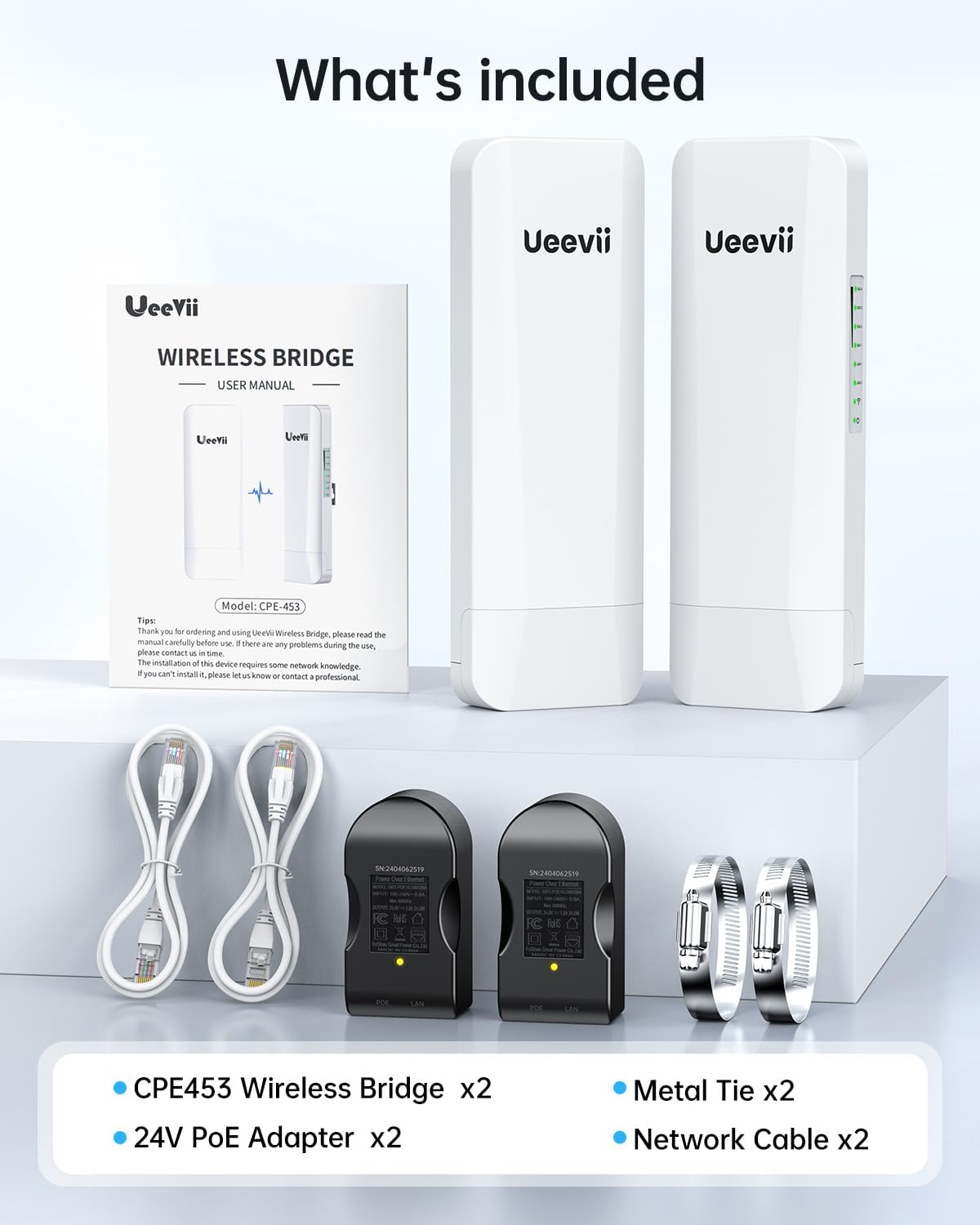
Figure 2.1: Package Contents
This image shows the complete contents of the UeeVii CPE453 package, including the two bridge units, two PoE adapters, two network cables, two metal ties, and the user manual.
3. Setup Guide
The CPE453 wireless bridges are designed for easy, out-of-the-box setup. They come pre-paired, simplifying the installation process. Follow these steps to establish your wireless link:
3.1 Initial Power-Up and Configuration
- Power Your Bridges: Connect each CPE453 unit to its respective 24V PoE adapter using the provided network cables. Plug the PoE adapters into a power outlet. Ensure both units power on.
- Set Master/Slave: One unit must be designated as the "Master" (M) and the other(s) as "Slave" (S). Use the M/S switch located on the unit's interface to set the roles. For a point-to-point connection, you will have one Master and one Slave. For point-to-multipoint, one Master and multiple Slaves.
- Select Channel: Short press the "Reset" button on each unit to cycle through the available channels (0-F). Ensure all paired units are set to the same channel for successful communication.
- Pairing: The units are pre-paired. Once powered and on the same channel, they should automatically establish a connection within approximately 2 minutes. The signal indicator lights on the units will illuminate to confirm a successful link.

Figure 3.1: Easy Setup and Installation
The image illustrates the simplicity of installing the UeeVii CPE453 unit on a wall, highlighting its user-friendly design for quick deployment.

Figure 3.2: Plug and Play Connectivity
This image provides a detailed view of the CPE453's ports, including LAN/PoE, LAN 2, DC port, and the M/S button, demonstrating the straightforward plug-and-play connection process.
3.2 Physical Installation
For optimal performance, ensure a clear line of sight between the Master and Slave units. The CPE453 supports both wall and pole mounting.
- Mounting Location: Choose a location that provides an unobstructed path between the units. Avoid obstacles like large trees, buildings, or dense foliage.
- Mounting Type: Use the included metal ties for pole mounting or appropriate screws (not included) for wall mounting. Ensure the units are securely fastened.
- Cable Management: Route the network cables neatly and ensure they are protected from environmental elements.

Figure 3.3: Flexible Mounting Options
The image showcases the versatility of the UeeVii CPE453, demonstrating both wall-mount and pole-mount installation methods, allowing for flexible placement in various outdoor environments.
3.3 Video Guide: How to Set up Point-to-multipoint?
For a visual guide on setting up a point-to-multipoint network, please refer to the official video below:
Video 3.1: How to Set up Point-to-multipoint?
This video provides step-by-step instructions on configuring the UeeVii CPE453 for a point-to-multipoint network setup, demonstrating the process of connecting multiple slave units to a single master unit.
4. Operating the Wireless Bridge
Once installed and powered, the UeeVii CPE453 operates as a transparent Ethernet bridge, extending your network without complex configurations. It supports both point-to-point and point-to-multipoint modes.
4.1 Network Extension Capabilities
- Dual 100Mbps Throughput: The bridge delivers a fast 100Mbps throughput, supporting simultaneous wireless connections for various devices and applications.
- Stable 5.8GHz Performance: Operating on the 5.8GHz band, the bridge offers low latency, high bandwidth, and superior interference resistance, ensuring stable connectivity.
- 2KM Range: Powered by 16dBi high-gain antennas, the wireless bridge extends your network up to 0.6 miles (approximately 2KM), ideal for linking distant locations.
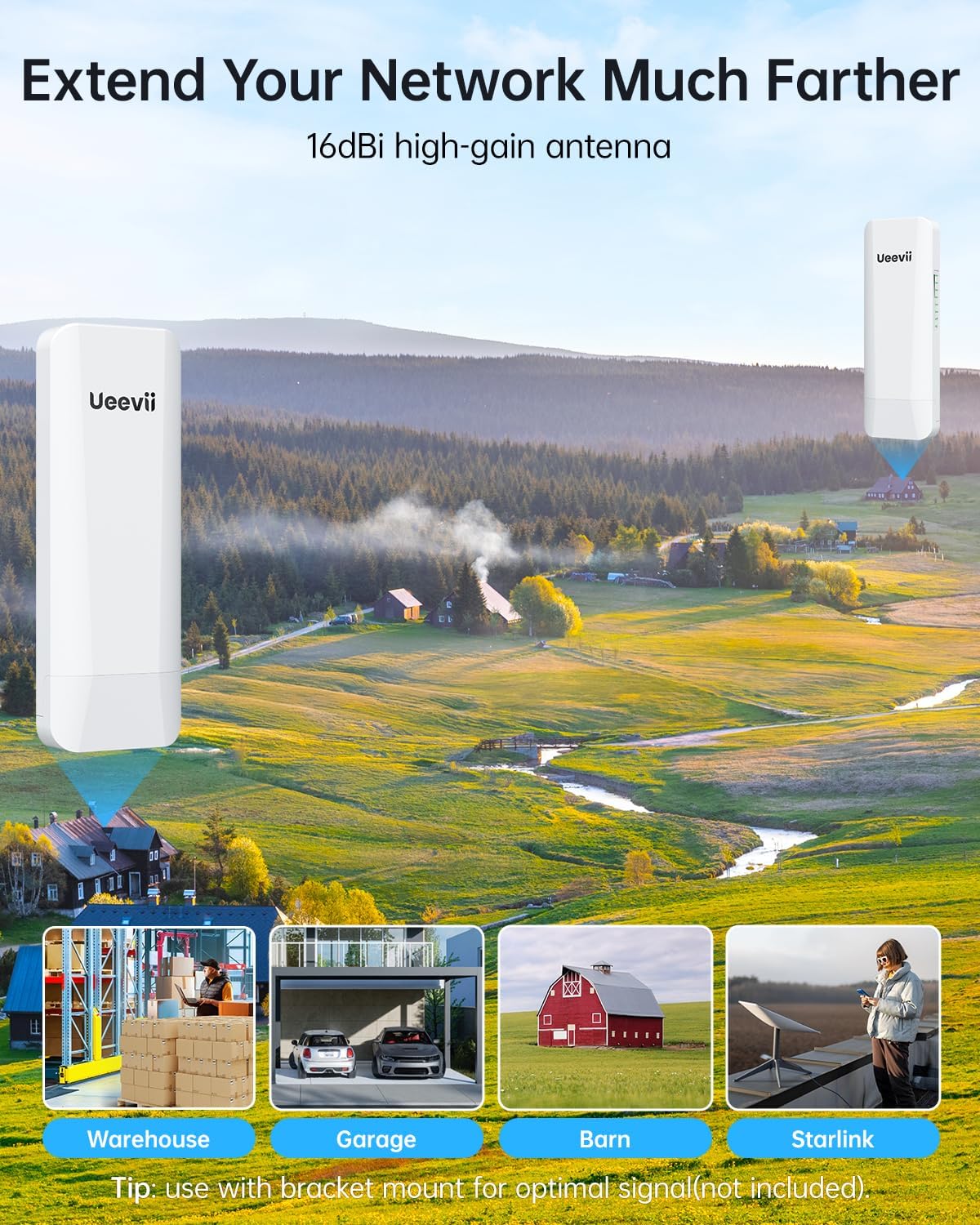
Figure 4.1: Extended Network Coverage
This image visually represents how the UeeVii CPE453 extends network coverage to distant locations such as warehouses, garages, barns, and even for Starlink installations, emphasizing its long-range capabilities.

Figure 4.2: Blazing-Fast 5.8GHz Link
The diagram illustrates the superior speed and stability of the 5.8GHz link provided by the CPE453 compared to the 2.4GHz band, indicating fewer dropouts and more reliable performance.
4.2 Point-to-Point vs. Point-to-Multipoint
- Point-to-Point: Connects two locations wirelessly, acting as a virtual Ethernet cable. Ideal for extending internet to a single remote building.
- Point-to-Multipoint: A single Master unit can connect to multiple Slave units, allowing network extension to several remote locations simultaneously.

Figure 4.3: Dual Mode Operation
This image clearly depicts the two primary operational modes of the UeeVii CPE453: Point-to-Point, connecting two distinct locations, and Point-to-Multipoint, where one master unit communicates with several slave units, maximizing coverage.
5. Maintenance
The UeeVii CPE453 is built for outdoor challenges and requires minimal maintenance.
- Weatherproof Design: With an IP65-rated protection, the unit is designed to withstand heavy rain, dust storms, and extreme temperatures, ensuring continuous operation in various climates.
- Regular Checks: Periodically inspect the physical installation for any loose connections or signs of wear. Ensure the mounting is secure.
- Cleaning: If necessary, gently wipe the exterior of the units with a soft, damp cloth to remove dust or dirt. Do not use harsh chemicals or abrasive materials.
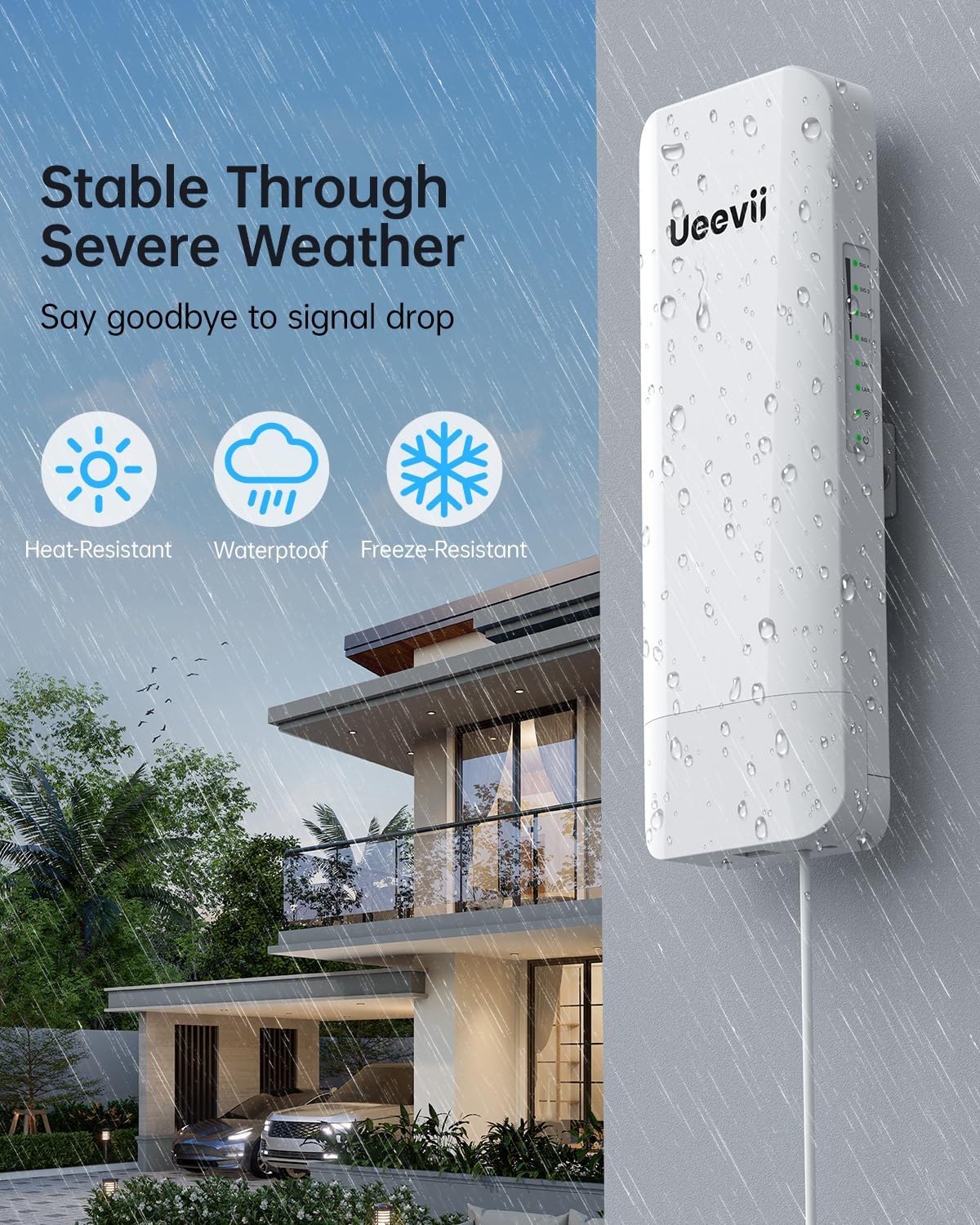
Figure 5.1: Stable Through Severe Weather
This image highlights the robust design of the UeeVii CPE453, showing it enduring rainfall, accompanied by icons indicating its heat-resistant, waterproof, and freeze-resistant properties, ensuring reliable performance in diverse weather conditions.
6. Troubleshooting
If you encounter issues with your UeeVii CPE453 Wireless Bridge, try the following troubleshooting steps:
- No Power:
- Ensure the PoE adapter is securely plugged into a working power outlet.
- Check all cable connections between the unit and the PoE adapter.
- No Link/Poor Signal:
- Verify that both Master and Slave units are set to the same channel.
- Ensure there is a clear line of sight between the units. Obstacles can significantly degrade signal quality.
- Check the signal indicator lights on the units. If they are not fully illuminated, reposition the units for better alignment.
- Confirm that the M/S switch is correctly set for each unit (one Master, others Slave).
- Network Connectivity Issues:
- Ensure your router or network device connected to the Master unit is functioning correctly.
- Verify the device connected to the Slave unit is properly configured to receive network access.
- Restart both the Master and Slave units, as well as any connected network equipment (router, PC).
For further assistance, refer to the FAQs on the UeeVii brand store or contact customer support.
7. Specifications
| Feature | Detail |
|---|---|
| Brand | UeeVii |
| Model Name | CPE453 |
| Product Dimensions | 1 x 1 x 1 inches |
| Item Weight | 2.73 pounds |
| Frequency Band Class | Single-Band (5.8 GHz) |
| Wireless Communication Standard | 802.11a, 802.11ac, 802.11n |
| Connectivity Technology | Ethernet, Wi-Fi |
| Recommended Uses | Outdoor network extension, surveillance camera connectivity, Starlink extender |
| Special Features | Access Point Mode, Guest Mode, Internet Security, LED Indicator, Weatherproof (IP65) |
8. Warranty and Support
UeeVii products are designed for reliability and performance. For information regarding product warranty, please refer to the warranty card included in your package or visit the official UeeVii website.
For technical support, troubleshooting assistance, or any inquiries, please contact UeeVii customer service through the contact information provided in the user manual or on the official UeeVii brand store on Amazon.
UeeVii Store Link: Visit UeeVii Store on Amazon


