
1. Introduction
Thank you for purchasing the RASTAR Mercedes F1 W11 EQ Performance 1/12 Scale Remote Control Car. This product is an officially licensed replica designed for enthusiasts aged 6 years and up. This manual provides essential information for the safe and optimal operation, setup, and maintenance of your RC car.
Please read this manual thoroughly before use and retain it for future reference.
2. Package Contents
Verify that all items listed below are present in your package:
- 1 x RASTAR Mercedes F1 W11 EQ Performance RC Car (1/12 Scale)
- 1 x Dual-Grip Remote Controller
- 1 x Sheet of Car Body Stickers
- 1 x User Manual (this document)
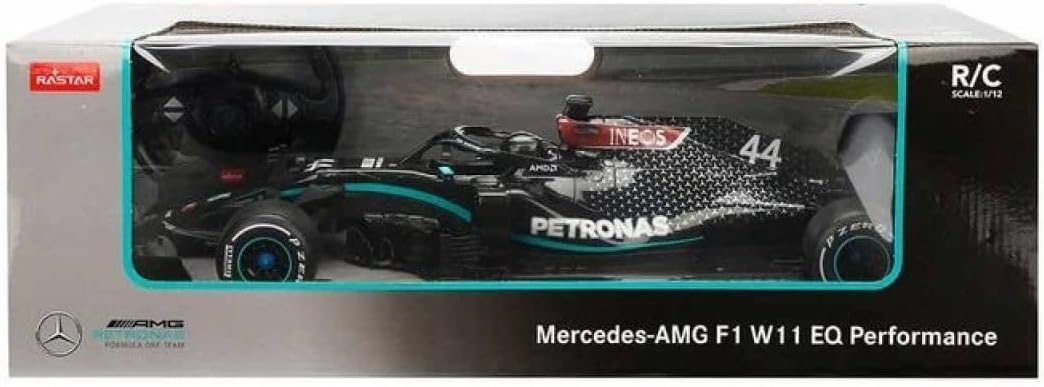
Image 2.1: The RASTAR Mercedes F1 RC Car as packaged, showing the car and remote controller.
3. Setup
3.1 Battery Installation
Batteries are not included and must be purchased separately. Ensure you use fresh, high-quality batteries for optimal performance.
- For the RC Car: Locate the battery compartment on the underside of the car. Open the cover. Insert five (5) AA batteries, ensuring correct polarity (+/-). Close the battery compartment cover securely.
- For the Remote Controller: Locate the battery compartment on the back of the controller. Open the cover. Insert two (2) AA batteries, ensuring correct polarity (+/-). Close the battery compartment cover securely.
Warning: Do not mix old and new batteries. Do not mix alkaline, standard (carbon-zinc), or rechargeable (nickel-cadmium) batteries.
3.2 Sticker Application
The included sticker sheet allows for customization of your RC car. Carefully peel and apply the stickers to the designated areas on the car body, referring to the product images for guidance. Ensure the car surface is clean and dry before applying stickers for best adhesion.
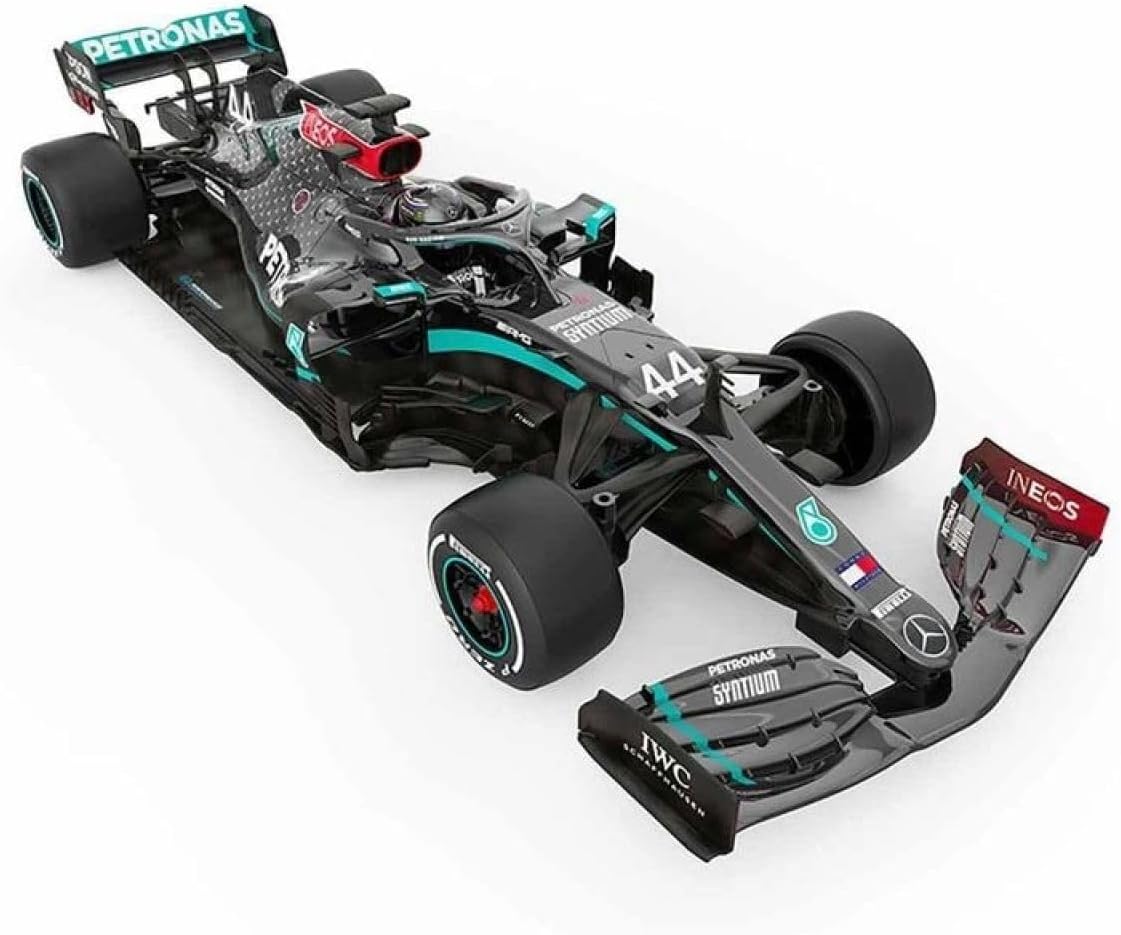
Image 3.1: An angled view of the RC car, illustrating the placement of various decals and details.
3.3 Pairing the Controller
The RC car and controller operate on a 2.4GHz frequency, allowing multiple cars to race simultaneously without interference. Typically, the car and controller will automatically pair upon activation. If pairing does not occur:
- Ensure both the car and controller have fresh batteries installed.
- Turn on the RC car using the switch on its underside.
- Turn on the remote controller.
- The indicator light on the controller should stop flashing and remain solid, indicating a successful connection.
4. Operating Instructions
4.1 Basic Controls
Familiarize yourself with the remote controller's functions:
- Forward: Push the left joystick forward.
- Reverse: Pull the left joystick backward.
- Turn Left: Push the right joystick left.
- Turn Right: Push the right joystick right.
- Stop: Release both joysticks to their neutral position.

Image 4.1: The RC car alongside its dual-grip remote controller, illustrating the control setup.
4.2 Driving Environment
For optimal performance and to prevent damage, operate the RC car on smooth, flat surfaces such as concrete, wood, or asphalt. Avoid driving on carpet, grass, sand, or wet surfaces.
The car has a maximum speed of approximately 5 mph (8.2 km/h) and a remote control range of up to 98 feet (15 meters).

Image 4.2: A detailed front view of the RC car, highlighting its aerodynamic design.
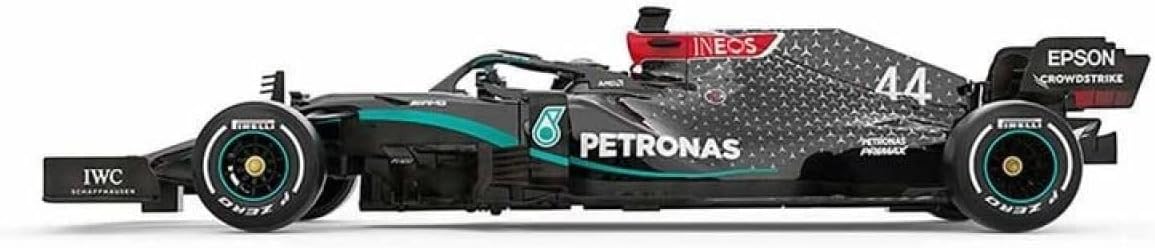
Image 4.3: A side profile view of the RC car, showcasing its length and design.
5. Maintenance
- Cleaning: Use a soft, dry cloth to wipe down the car and controller. Do not use water or chemical cleaners, as this can damage electronic components.
- Storage: When not in use, store the RC car and controller in a cool, dry place away from direct sunlight and moisture. Remove all batteries from both the car and controller if storing for extended periods to prevent leakage and damage.
- Battery Care: Always remove depleted batteries promptly. Dispose of batteries responsibly according to local regulations.
6. Troubleshooting
| Problem | Possible Cause | Solution |
|---|---|---|
| Car does not move or respond. |
|
|
| Short control range or intermittent signal. |
|
|
| Car moves slowly. |
|
|
7. Specifications
- Model: 98400
- Scale: 1:12
- Car Dimensions (L x W x H): Approximately 19.3 x 6.54 x 3.86 inches (49 x 16.6 x 9.8 cm)
- Controller Dimensions (L x W): Approximately 5 x 3.5 inches (12.7 x 8.9 cm)
- Weight: Approximately 2.46 pounds (1.11 kg)
- Material: Non-toxic ABS Plastic
- Frequency: 2.4 GHz
- Max Speed: Approximately 5 mph (8.2 km/h)
- Control Range: Up to 98 feet (15 meters)
- Car Battery Requirements: 5 x AA batteries (not included)
- Controller Battery Requirements: 2 x AA batteries (not included)
- Recommended Age: 6 years and up

Image 7.1: A diagram illustrating the length, width, and height measurements of the RC car.
8. Safety Information
- This product is not suitable for children under 3 years due to small parts.
- Adult supervision is recommended during operation, especially for younger children.
- Do not operate the RC car near people, pets, or fragile objects to prevent injury or damage.
- Avoid operating in crowded areas or on public roads.
- Do not touch the motor immediately after use, as it may be hot.
- Remove all batteries when the product is not in use or before cleaning.
- Do not attempt to modify or disassemble the product, as this may cause damage and void any warranty.
9. Warranty and Support
For warranty information or technical support, please contact RASTAR customer service through the retailer where the product was purchased or visit the official RASTAR website. Please have your model number (98400) and purchase details ready when contacting support.
RASTAR is committed to providing quality products and customer satisfaction.


