
1. Introduction
This manual provides detailed instructions for the installation, operation, and maintenance of your Strpump 9-inch Android 10 Car Stereo Radio. Please read this manual thoroughly before using the product to ensure proper functionality and to avoid damage.
The Strpump car stereo is an advanced in-dash navigation and entertainment system designed for specific Chevrolet Daewoo Matiz/Spark/Baic/Beat models from 2018-2019. It features an Android 10 operating system, a 9-inch QLED screen, and integrated connectivity options.
2. Product Features
- Operating System: Android 10.0
- Processor: UIS8581A Octa-Core CortexTM A55 1.6GHZ
- Memory/Storage: 2GB RAM + 32GB ROM
- Display: 9-inch 2.5D+IPS QLED screen, 1280*720 HD resolution
- Integrated Connectivity: Built-in Wireless Carplay & Wired Android Auto, 4G, Wi-Fi, Bluetooth (A2DP, hands-free calling)
- Audio: Built-in 32-Band DSP audio processor, 4 x 60W amplifier output, Subwoofer Output
- Navigation: Support for Online Map / Offline Map (preinstalled), Google Play Store for additional apps
- Camera Support: Front dash DVR camera, Rear camera (supports HD AHD camera)
- Additional Features: Steering wheel control, Split screen function, AUX-IN, Cam-IN, Boot Logos Optional, Lossless music, 3D Games, Online Video/TV/Movie/Music/Radio/YouTube, Twitter/Facebook/Gtalk/Gmail support.
- Optional Accessories Support: OBDII, TPMS, DVR, TV Tuner, DAB (accessories sold separately)
3. Accessories List
Verify that all items listed below are included in your package. If any items are missing or damaged, please contact customer support.

Figure 3.1: Included Accessories
This image displays the complete set of accessories that come with the Strpump car stereo. It includes the main head unit, a GPS antenna, a radio fascia (which varies by car model), two USB cables, a CAM In cable, installation tools, a 4G SIM RCA cable, a 4G antenna, an external microphone, and a power harness (which also varies by car model). A CAN bus module is shown as optional for some car models.
- Main Unit (Machine)
- GPS Antenna
- Radio Fascia (specific to your car model)
- USB Cables (x2)
- CAM In Cable
- Installation Tool Set
- 4G SIM RCA Cable
- 4G Antenna
- Microphone
- Power Harness (specific to your car model)
- CAN bus (Optional, for some car models)
4. Setup & Installation
The Strpump car stereo is designed for a plug-and-play, non-destructive installation. The included plastic frame and power harness are tailored for your specific vehicle model (Chevrolet Daewoo Matiz/Spark/Baic/Beat 2018-2019), ensuring no harm to the original car harness.
Important Note: If your vehicle is equipped with a factory amplifier or an OEM camera, you may require a different harness set. Please contact the seller for assistance before proceeding with installation.
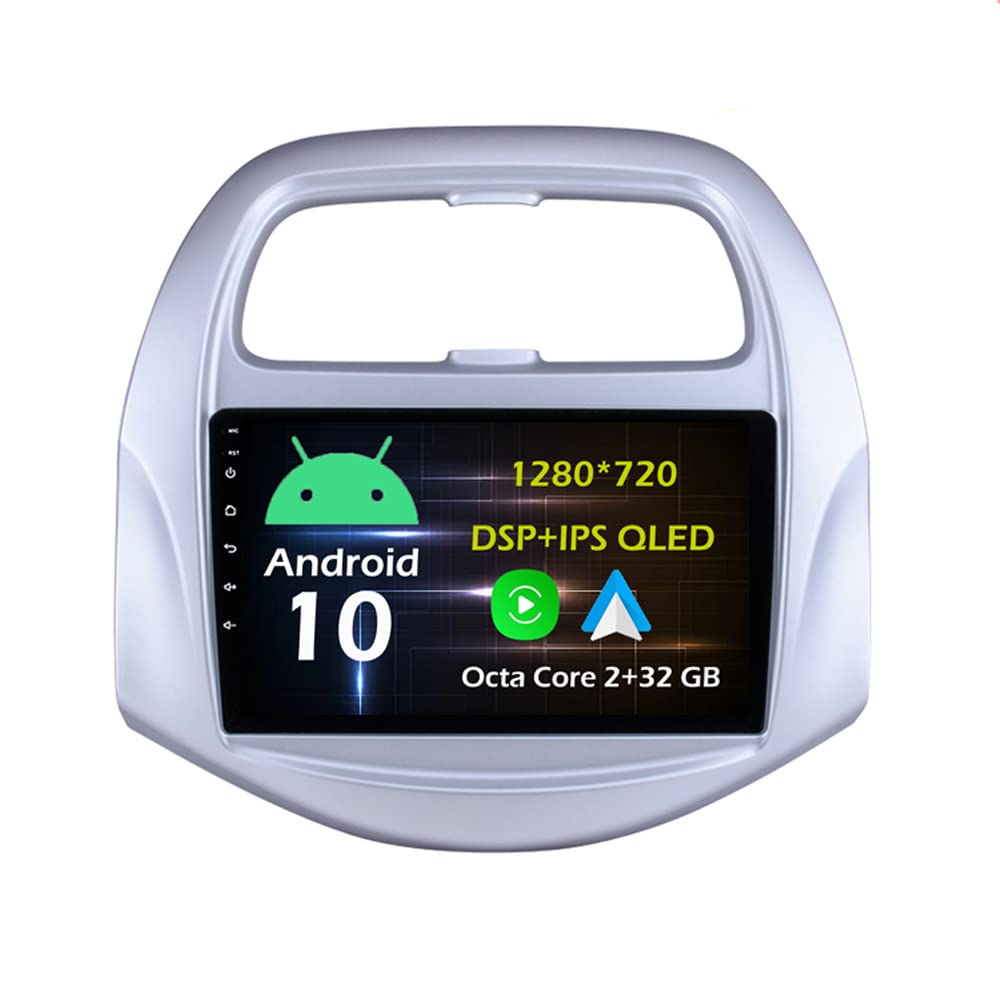
Figure 4.1: Before and After Installation
This image illustrates the transformation of the car's dashboard. The top panel shows the original car stereo setup, while the bottom panel displays the Strpump 9-inch Android stereo seamlessly installed, demonstrating the integrated fit and larger screen size.
4.1. Basic Installation Steps (General Guide)
- Preparation: Ensure the vehicle's ignition is off and the battery is disconnected before starting any electrical work.
- Remove Old Unit: Carefully remove the existing car stereo and dashboard trim using the provided installation tools.
- Connect Harness: Connect the new power harness and other necessary cables (GPS antenna, USB cables, CAM In cable, 4G antenna, microphone) to the Strpump unit and the vehicle's wiring. Ensure all connections are secure.
- Install Fascia: Mount the new radio fascia around the Strpump unit.
- Insert Unit: Carefully slide the Strpump unit with the fascia into the dashboard opening until it clicks into place.
- Reconnect Battery: Reconnect the vehicle's battery and turn on the ignition to test the unit.
- Test Functions: Verify all functions, including audio, navigation, Bluetooth, and camera inputs, are working correctly.
5. Operating Instructions
5.1. User Interface (UI) Overview
The Strpump car stereo features an intuitive Android 10 interface. Navigate through applications and settings using the touchscreen. The main UI provides quick access to frequently used functions.

Figure 5.1: User Interface Displays
This composite image showcases various screens of the Strpump car stereo's user interface, including the main home screen, the application menu, the navigation map, the Apple CarPlay interface, the Bluetooth music player, the radio tuner, the USB music player, the video player, the file manager, the 32-band equalizer, and the OBD2 diagnostic display. This provides a comprehensive view of the system's capabilities and layout.
The 2.5D+IPS QLED screen with 1280*720 resolution ensures a clear and vibrant display for all applications and media.

Figure 5.2: Screen Resolution and Technology
This image focuses on the display quality of the car stereo, emphasizing its 1280*720P resolution and 2.5D+IPS screen technology. The text indicates that the ultra-clear screen display effect is greatly improved, resulting in a more delicate screen display.
5.2. Navigation
The unit supports various GPS applications, including pre-installed offline maps and online services. You can download additional navigation apps from the Google Play Store.
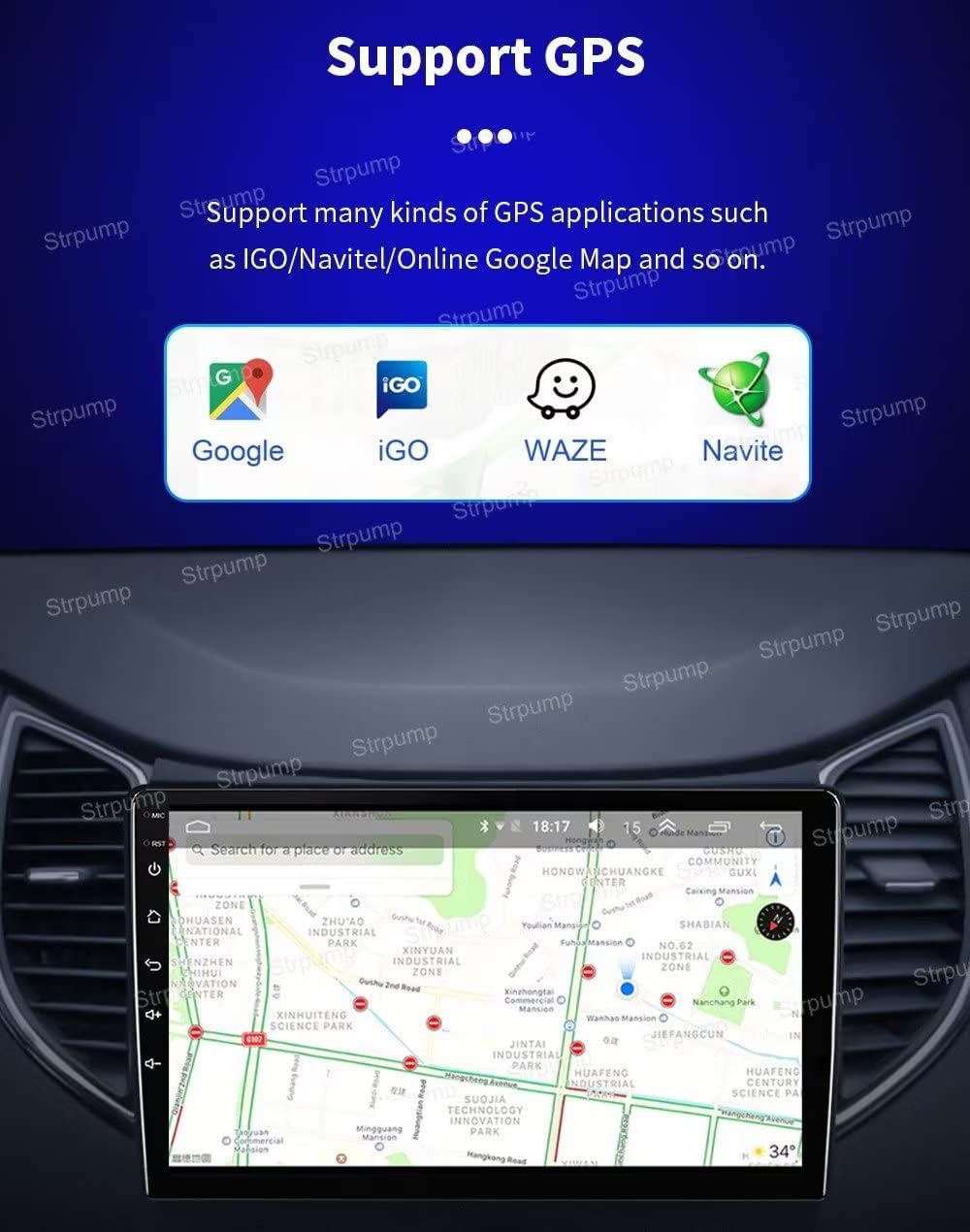
Figure 5.3: Supported Navigation Applications
This image shows the car stereo's navigation interface, demonstrating its compatibility with popular GPS applications such as Google Maps, iGO, Waze, and Navite. The screen displays a detailed map, indicating the unit's robust navigation capabilities.
5.3. Connectivity (4G, Wi-Fi, Bluetooth)
The stereo features built-in 4G and Wi-Fi capabilities for internet access and seamless connectivity.
- 4G: Insert a compatible 4G SIM card into the designated slot (via 4G SIM RCA Cable) to access mobile data. Refer to the specifications for supported 4G working bands.
- Wi-Fi: Connect to available Wi-Fi networks or create a Wi-Fi hotspot from your device.
- Bluetooth: Pair your smartphone for hands-free phone calls and A2DP music streaming. The external microphone ensures clear call quality.

Figure 5.4: Built-in 4G & Wi-Fi
This image highlights the integrated 4G LTE and Wi-Fi functionality of the car stereo. It lists the various 4G working bands supported, including GSM, WCDMA, TD-SCDMA, TDD-LTE, and FDD-LTE, ensuring broad network compatibility.
5.4. CarPlay & Android Auto
The unit supports both wired and wireless Apple CarPlay, and wired Android Auto, allowing seamless integration with your smartphone for navigation, music, calls, and more.
- Wireless CarPlay: For T5, T8 & T9 models, connect your iPhone wirelessly.
- Wired Android Auto: Connect your Android phone via a USB port (specifically the 6 Pin USB port) to activate Android Auto.
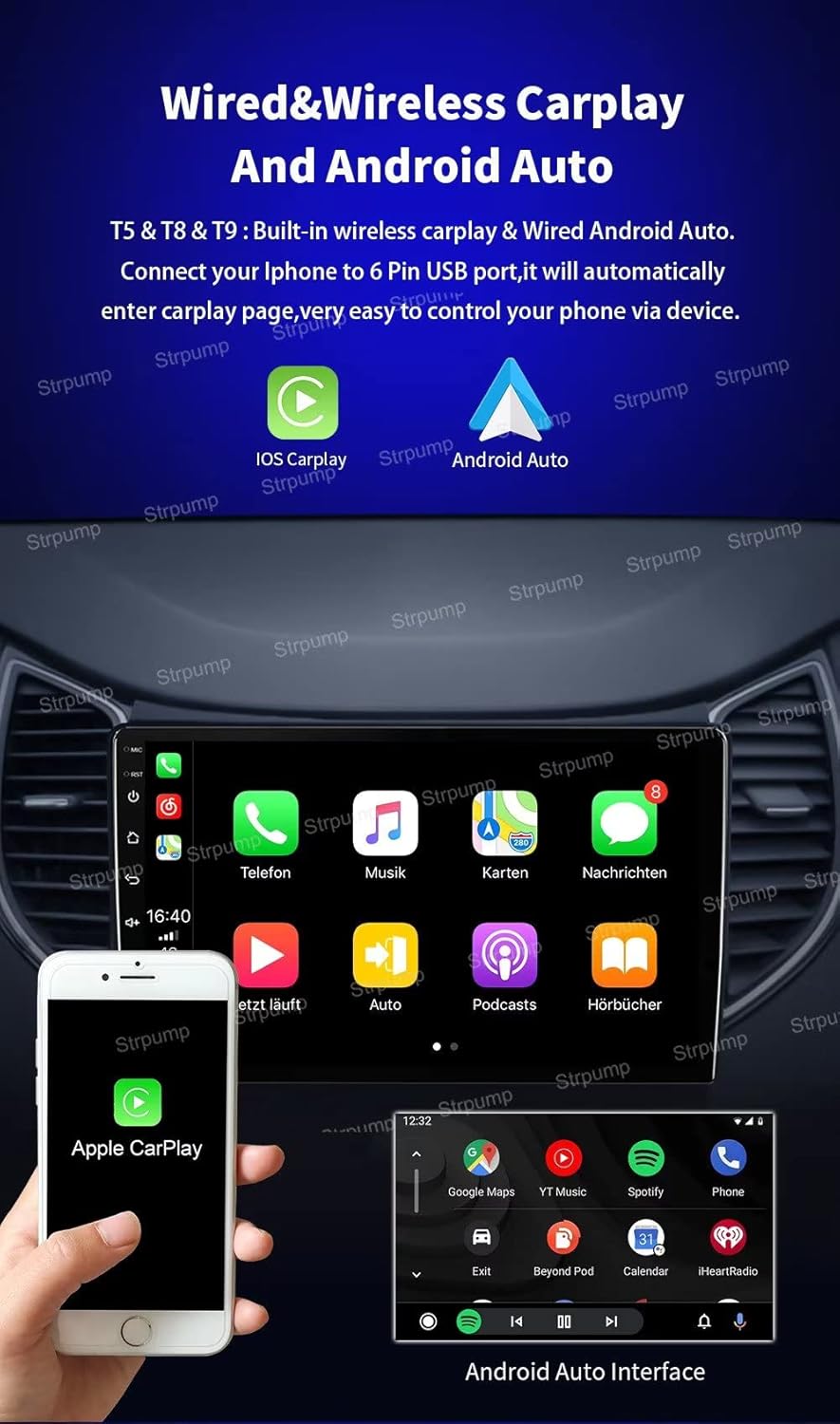
Figure 5.5: Wired & Wireless CarPlay and Android Auto
This image demonstrates the car stereo's compatibility with both Apple CarPlay and Android Auto. It shows the CarPlay interface on the main screen with an iPhone connected, and a separate inset displaying the Android Auto interface. The text confirms support for wireless CarPlay and wired Android Auto, with instructions to connect an iPhone to the 6 Pin USB port for automatic activation.
5.5. Audio Settings
- DSP Audio Processor: Utilize the built-in 32-Band DSP (Digital Signal Processor) to fine-tune your audio experience. Access the EQ settings from the main menu.
- Amplifier Output: The unit features a powerful 4 x 60W amplifier output.
- Subwoofer Output: Connect an external subwoofer for enhanced bass performance.
5.6. Rear View Camera
When connected, the system will automatically switch to the rear view display when you engage reverse gear, providing a clear view for parking and maneuvering.
- Supports normal CVBS AV cameras.
- Supports HD AHD cameras for superior image quality.

Figure 5.6: Rear View Camera Display
This image shows the car stereo screen displaying the feed from a rear view camera, providing a clear view of a parking area. An inset picture illustrates an AHD rearview camera, and the accompanying text confirms that the system automatically switches to this display when the car is in reverse gear and supports both normal CVBS and HD AHD cameras.
5.7. Other Functions
- Split Screen: Operate two applications simultaneously on the screen.
- Google Play Store: Download and install a wide range of Android applications.
- Media Playback: Support for Lossless music, 3D Games, Online Video / TV / Movie / Music / Radio / YouTube.
- Social Media: Access Twitter, Facebook, Gtalk, Gmail, and other services.
- Steering Wheel Control: Integrate with your vehicle's steering wheel controls for safe operation.
6. Maintenance
- Screen Cleaning: Use a soft, lint-free cloth to gently wipe the screen. Avoid abrasive cleaners or solvents.
- Software Updates: Periodically check for system software updates to ensure optimal performance and access to new features. Updates can typically be found in the system settings or through the manufacturer's website.
- General Care: Avoid exposing the unit to extreme temperatures, direct sunlight for prolonged periods, or excessive moisture.
7. Troubleshooting
- Unit Does Not Power On:
- Check all power connections and ensure they are securely plugged in.
- Verify the vehicle's battery is connected and charged.
- Check vehicle fuses related to the stereo system.
- No Sound:
- Ensure the volume is not muted or set to minimum.
- Check speaker wire connections.
- If your car has a factory amplifier, ensure the correct harness is used.
- GPS Signal Issues:
- Ensure the GPS antenna is properly installed and has a clear view of the sky.
- Check GPS settings within the unit.
- Bluetooth Connectivity Problems:
- Ensure Bluetooth is enabled on both the stereo and your mobile device.
- Delete previous pairings and try pairing again.
- Move your device closer to the stereo.
- Rear View Camera Not Displaying:
- Verify the camera is properly connected to the CAM In port.
- Ensure the reverse trigger wire is correctly connected.
- If your car has an OEM camera, you may need a specific adapter harness.
- System Slow or Unresponsive:
- Close unnecessary background applications.
- Perform a system restart.
- Consider a factory reset (note: this will erase all user data).
8. Specifications
| Feature | Detail |
|---|---|
| Model Number | B0B5DVX4Z7 |
| Operating System | Android 10.0 |
| CPU | UIS8581A Octa-Core CortexTM A55 1.6GHZ |
| RAM | 2GB |
| ROM | 32GB |
| Display Size | 9 Inches |
| Screen Type | 2.5D+IPS QLED |
| Resolution | 1280 x 720 |
| Connectivity Technology | Wi-Fi, 4G, Bluetooth |
| Special Features | Bluetooth, Built-in Carplay & Android Auto, DSP, GPS Navigation, Steering Wheel Control, Split Screen |
| Audio Output Mode | AUX, Stereo |
| Amplifier Output | 4 x 60W |
| Human Interface Input | Microphone, Touchscreen |
| Vehicle Service Type | Car (Chevrolet Daewoo Matiz/Spark/Baic/Beat 2018-2019) |
9. Warranty Information
This Strpump car stereo unit comes with a 1-Year Warranty from the date of purchase. This warranty covers manufacturing defects and malfunctions under normal use.
Please retain your proof of purchase for warranty claims. The warranty does not cover damage caused by improper installation, misuse, accidents, unauthorized repairs, or normal wear and tear.
10. Support
For technical assistance, installation queries, or to inquire about optional accessories (such as rear cameras, DVRs, TPMS, OBD, DAB, TV tuners) or specific harness requirements for factory amplifiers/OEM cameras, please contact the seller directly.
You can typically find seller contact information through your purchase platform or the Strpump brand store.
Strpump Brand Store: Visit the Strpump Store on Amazon