
1. Introduction
Thank you for choosing the Strpump 10.1-inch Android 10 Car Stereo. This advanced head unit is designed to enhance your driving experience with features like GPS navigation, multimedia playback, smartphone integration (Carplay & Android Auto), and various connectivity options. This manual provides essential information for the proper installation, operation, and maintenance of your new car stereo. Please read it thoroughly before use.
2. Safety Information
- Always ensure your vehicle is parked safely before operating the car stereo's advanced features.
- Do not attempt to disassemble or modify the unit. This may cause damage and void the warranty.
- Consult a professional for installation if you are unsure about any steps. Incorrect installation can lead to vehicle damage or malfunction.
- Keep the unit away from water and excessive moisture.
- Use only specified power cables and accessories.
3. Package Contents
Verify that all items listed below are included in your package:

Image: Overview of the accessories included with the Strpump car stereo, showing the main unit, GPS antenna, radio fascia, USB cables, CAM In cable, installation tool, 4G SIM RCA cable, 4G antenna, microphone, power harness, and optional Can bus.
- Main Head Unit (Machine)
- GPS Antenna
- Radio Fascia (Specific to your car model)
- USB Cable (x2)
- CAM In Cable
- Installation Tool
- 4G SIM RCA Cable
- 4G Antenna
- External Microphone
- Power Harness (Specific to your car model)
- Can bus (Optional, depending on car model)
4. Setup and Installation
The Strpump car stereo is designed for a plug-and-play, non-destructive installation in compatible 2014-2015 Honda Jazz/Fit (LHD) vehicles. The package includes a plastic frame and a dedicated power harness for seamless integration.

Image: The Strpump 10.1-inch car stereo installed in a Honda Jazz/Fit dashboard, demonstrating the integrated fit and appearance.
4.1 Pre-Installation Check
- Ensure your vehicle is a 2014-2015 Honda Jazz/Fit (Left-Hand Drive).
- Turn off the vehicle's ignition and disconnect the negative terminal of the car battery before starting installation.
- Gather all necessary tools, including the provided installation tool.
4.2 Installation Steps (General Guide)
- Carefully remove the original car radio and dashboard trim using the installation tool.
- Disconnect the existing wiring harness from the original radio.
- Connect the provided power harness to your vehicle's wiring. Ensure all connections are secure.
- Connect the GPS antenna, 4G antenna, and external microphone to the corresponding ports on the Strpump head unit.
- If installing a rear-view camera, connect the CAM In cable to the unit and route the camera cable to the rear of the vehicle.
- Mount the Strpump head unit into the dashboard opening, securing it with the provided plastic frame.
- Reconnect the car battery and test the unit's functionality.
- Reassemble the dashboard trim.
Important Note: If your car is equipped with a factory amplifier or an OEM camera, you may require a different harness set. Please contact the seller for assistance before installation.
5. Operating Instructions
The Strpump car stereo operates on Android 10.0, offering a user-friendly interface similar to a smartphone.
5.1 Basic Operation
- Power On/Off: Press and hold the power button on the unit or use the vehicle's ignition.
- Touch Screen: Navigate through menus and applications by tapping, swiping, and pinching on the 10.1-inch QLED screen.
- Volume Control: Adjust volume using the physical buttons or on-screen controls.

Image: Various screens of the Strpump car stereo's user interface, including the main UI, menu, navigation, Bluetooth music, USB music, video player, radio, file manager, 32-band EQ, and OBD2 display.
5.2 Navigation
The unit supports various GPS applications, including pre-installed offline maps and online options like Google Maps, iGO, Waze, and Navitel.
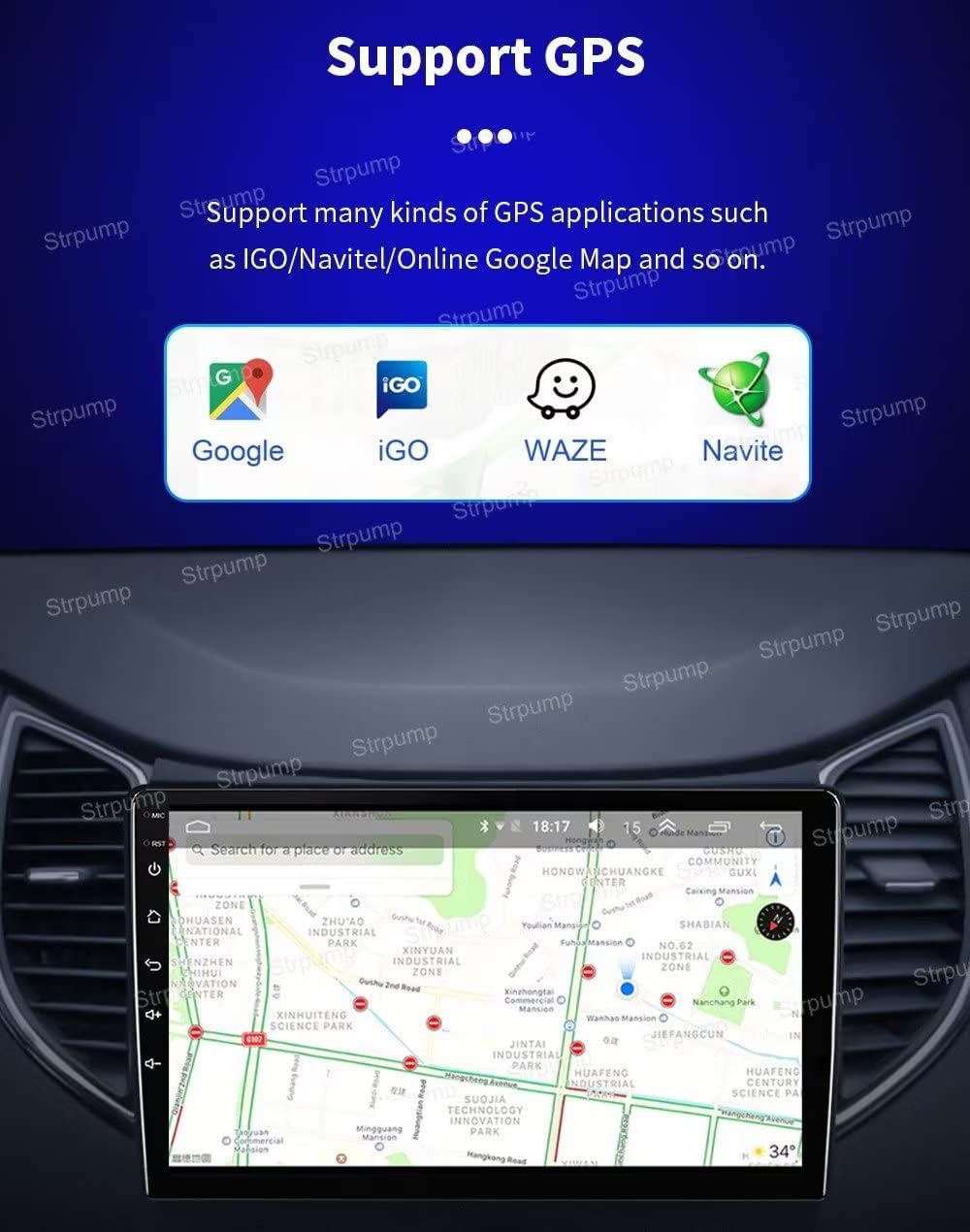
Image: The Strpump car stereo displaying a GPS navigation map, with icons for Google, iGO, Waze, and Navitel, indicating support for multiple navigation applications.
- Tap the 'Navigation' icon to launch your preferred map application.
- Enter your destination using the on-screen keyboard.
- Follow voice prompts and visual directions for guidance.
5.3 CarPlay & Android Auto
Enjoy seamless smartphone integration with built-in wired and wireless Apple CarPlay and Android Auto.
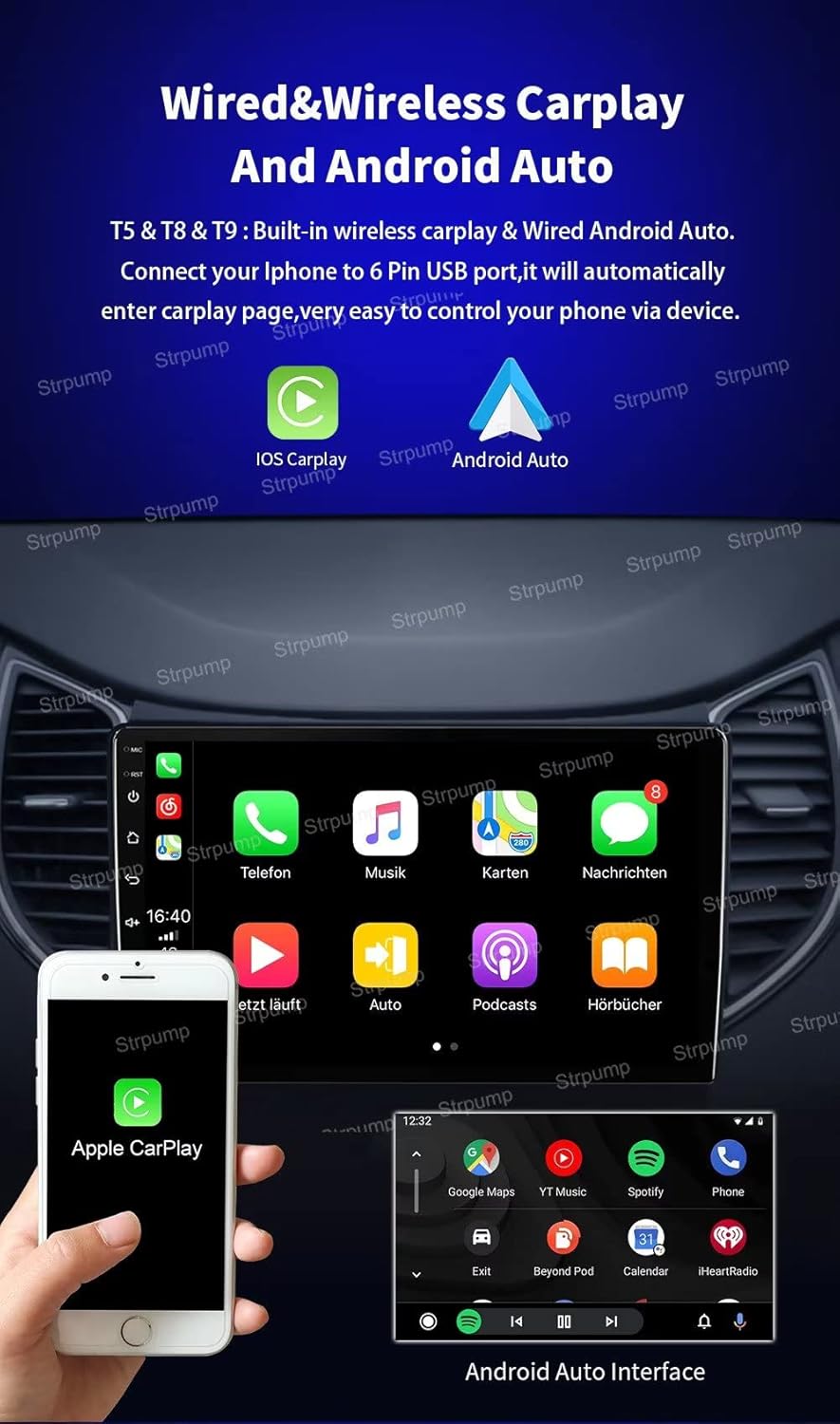
Image: The Strpump car stereo displaying both Apple CarPlay and Android Auto interfaces, showing how a smartphone connects via USB for these features.
- For Wired Connection: Connect your iPhone or Android phone to the unit's USB port. The system will automatically launch CarPlay or Android Auto.
- For Wireless Connection: Ensure Bluetooth and Wi-Fi are enabled on your phone and the head unit. Follow the on-screen prompts to pair your device for wireless CarPlay or Android Auto.
5.4 Bluetooth
- Pairing: Go to the Bluetooth settings on the head unit, enable Bluetooth, and search for available devices. Select your phone from the list and confirm pairing.
- Hands-free Calling: Once paired, you can make and receive calls directly from the head unit using the built-in or external microphone.
- A2DP Music Streaming: Stream audio from your paired phone to the car stereo.
5.5 Connectivity (4G & Wi-Fi)
The unit features built-in 4G and Wi-Fi capabilities for internet access.

Image: A graphic illustrating the 4G LTE connectivity feature of the Strpump car stereo, along with a list of supported GSM, WCDMA, TD-SCDMA, TDD-LTE, and FDD-LTE bands.
- Wi-Fi: Connect to available Wi-Fi networks or use your phone's hotspot for internet access.
- 4G: Insert a compatible 4G SIM card into the designated slot (via 4G SIM RCA Cable) to enable direct 4G cellular data connectivity.
5.6 Rear View Camera
The system automatically switches to the rear-view display when the vehicle is put into reverse gear.

Image: The Strpump car stereo displaying a rear-view camera feed with parking guidelines, and an inset image of an AHD rear-view camera, indicating support for both standard and high-definition cameras.
- Connect a compatible rear-view camera (supports normal CVBS AV camera and HD AHD camera).
- Ensure the camera is properly powered and connected to the 'CAM IN' port on the head unit.
6. Maintenance
- Cleaning: Use a soft, dry cloth to clean the screen and unit. Avoid abrasive cleaners or solvents.
- Software Updates: Periodically check for software updates to ensure optimal performance and access to new features. Follow instructions provided by the manufacturer for updates.
- Temperature: Avoid exposing the unit to extreme temperatures, which can affect its lifespan and performance.
7. Troubleshooting
If you encounter issues, refer to the following common troubleshooting steps:
- No Power:
- Check all power connections and fuses.
- Ensure the vehicle's ignition is on.
- No Sound:
- Verify volume settings are not muted or too low.
- Check speaker connections.
- Ensure the correct audio source is selected.
- GPS Not Working/Inaccurate:
- Ensure the GPS antenna is properly connected and has a clear view of the sky.
- Check GPS settings within the navigation application.
- Bluetooth Connection Issues:
- Ensure Bluetooth is enabled on both the head unit and your phone.
- Delete previous pairings and attempt to re-pair.
- Restart both devices.
- Touch Screen Unresponsive:
- Perform a soft reset of the unit (refer to specific model instructions if available).
- Ensure the screen is clean and free from debris.
For persistent issues or problems not covered here, please contact Strpump customer support.
8. Specifications
Detailed technical specifications for the Strpump 10.1-inch Android 10 Car Stereo:

Image: Close-up of the Strpump car stereo screen highlighting its 1280*720P resolution and 2.5D+IPS QLED screen technology for clear display.
| Operating System | Android 10.0 |
| CPU | UIS8581A Octa-Core CortexTM A55 1.6GHZ |
| RAM | 2GB |
| ROM (Storage) | 32GB |
| Screen Size | 10.1 Inches |
| Screen Type | 2.5D+IPS QLED |
| Resolution | 1280*720 HD |
| Connectivity | Bluetooth, Cellular (4G), Wi-Fi |
| Audio Output Mode | AUX, Stereo |
| Special Features | Built-in Carplay & Android Auto, DSP (32-Band EQ), GPS Navigation, Support DVR, AHD Rearview Camera |
| Vehicle Service Type | Car (2014-2015 Honda Jazz/Fit LHD) |
9. Warranty and Support
Warranty: The Strpump 10.1-inch Android 10 Car Stereo comes with a 1-year manufacturer's warranty from the date of purchase. This warranty covers defects in materials and workmanship under normal use.
Customer Support: For technical assistance, warranty claims, or inquiries regarding optional accessories (such as rear cameras, DVRs, TPMS, OBD, DAB, TV tuners), please contact Strpump customer service through the platform where you purchased the product. Provide your order number and a detailed description of the issue for prompt support.