
1. Introduction
This manual provides essential information for the safe and efficient operation, maintenance, and troubleshooting of your De'Longhi Magnifica Evo ECAM290.42.TB fully automatic bean-to-cup coffee machine. Please read all instructions carefully before using the appliance and retain this manual for future reference.

Image 1.1: Front view of the De'Longhi Magnifica Evo ECAM290.42.TB coffee machine, showcasing its sleek design and user interface.
2. Safety Instructions
Always observe basic safety precautions when using electrical appliances to reduce the risk of fire, electric shock, and/or injury to persons. This appliance is intended for household use only.
- Do not immerse the appliance, power cord, or plug in water or other liquids.
- Ensure the voltage indicated on the appliance corresponds to your mains voltage.
- Keep the appliance out of reach of children.
- Do not operate the appliance with a damaged cord or plug.
- Avoid contact with hot surfaces, such as the coffee spout and steam wand, during and immediately after operation.
- Only use whole coffee beans in the bean hopper. Do not use ground coffee, instant coffee, or other substances.
3. Package Contents
Verify that all components are present upon unpacking:
- De'Longhi Magnifica Evo ECAM290.42.TB Coffee Machine
- Water Filter
- Measuring Scoop for pre-ground coffee (if applicable)
- Descaling Solution (sample)
- Cleaning Brush
- Instruction Manual
4. Product Components Overview
Familiarize yourself with the main parts of your coffee machine.

Image 4.1: The De'Longhi Magnifica Evo coffee machine positioned in a kitchen, surrounded by various coffee preparations, illustrating its integration into a home environment.
4.1. Control Panel
The intuitive touch control panel allows for easy selection of various coffee beverages and machine settings.

Image 4.2: Detailed view of the control panel, highlighting the touch-sensitive buttons for different coffee types like Espresso, Coffee, Long, Doppio+, and Americano, along with Steam and settings icons.
4.2. Integrated Grinder
The machine features an integrated conical burr grinder for fresh coffee from whole beans. The grind fineness can be adjusted.
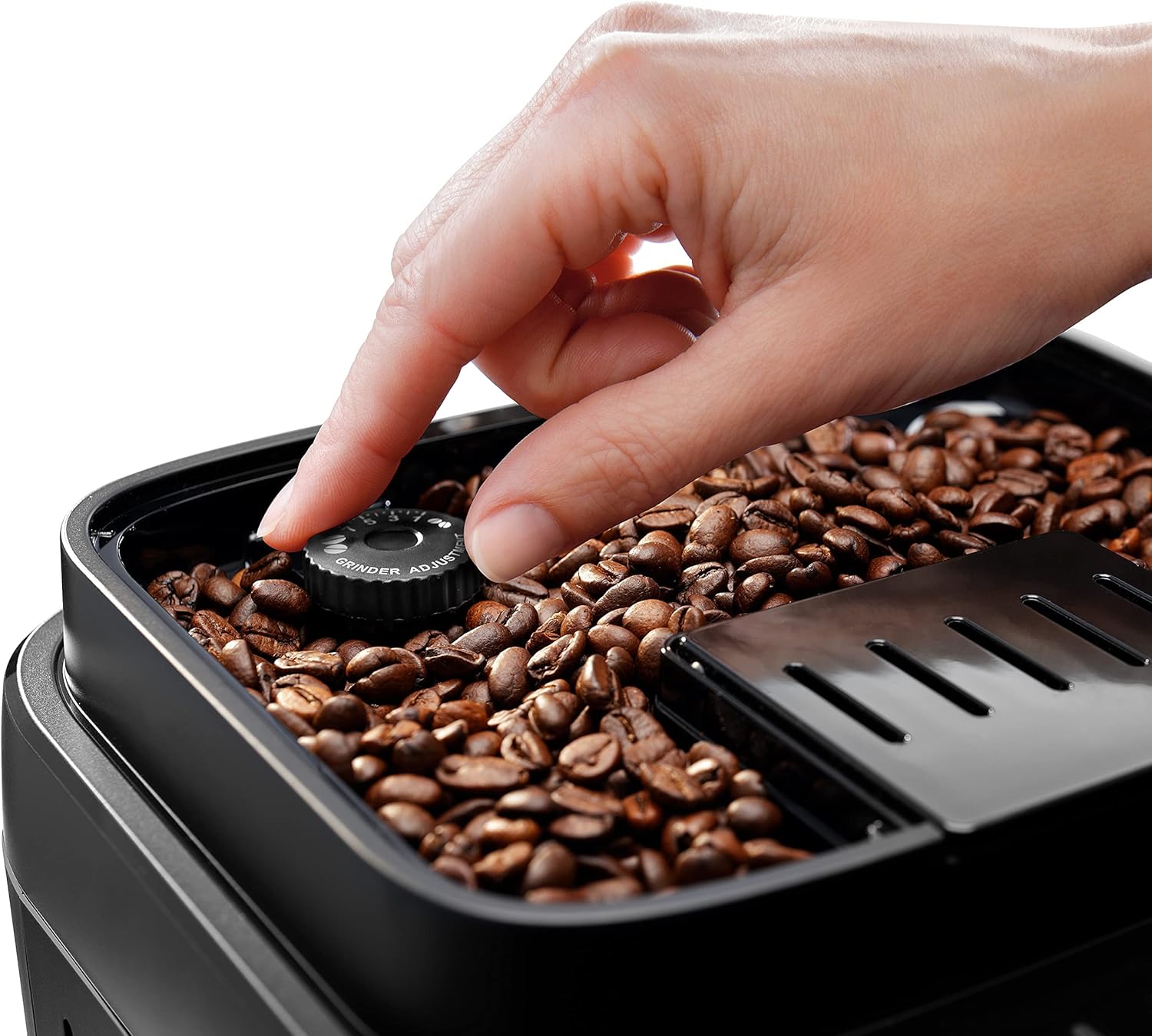
Image 4.3: A hand turning the grinder adjustment dial located within the bean hopper, demonstrating how to modify the grind fineness for optimal coffee extraction.
4.3. Steam Wand
The traditional steam wand allows for manual frothing of milk for cappuccinos and lattes.

Image 4.4: A hand holding a stainless steel milk pitcher positioned beneath the steam wand, ready for frothing milk to create creamy beverages.
4.4. Removable Components
Several parts are removable for easy cleaning and maintenance.
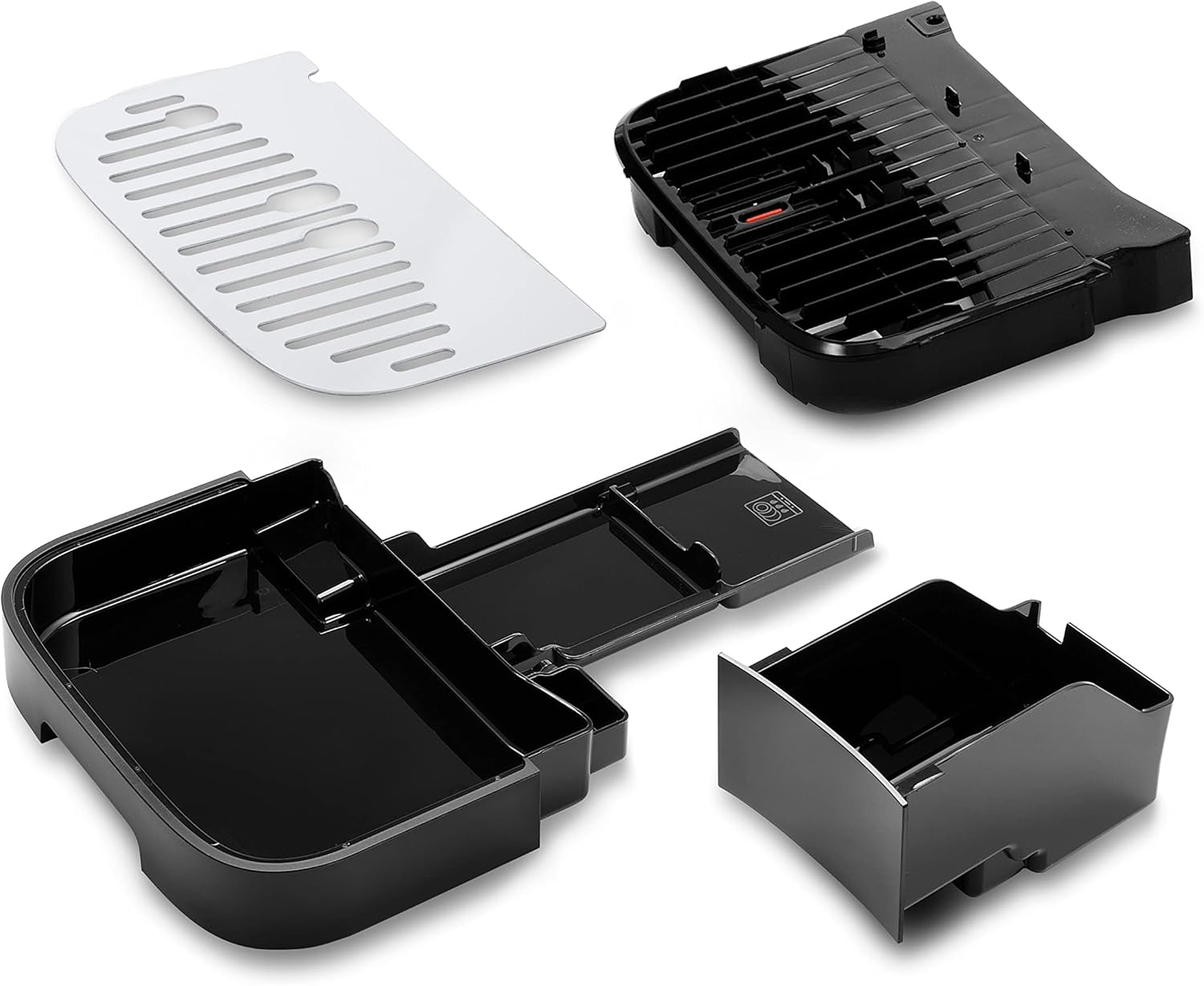
Image 4.5: An exploded view of the machine's removable parts, including the drip tray, coffee grounds container, and water tank lid, illustrating components designed for easy cleaning.
5. Setup
- Unpacking: Remove all packaging materials and ensure the machine is placed on a stable, level surface.
- Water Tank: Fill the water tank with fresh, cold tap water. Insert the water filter if provided.
- Bean Hopper: Open the bean hopper lid and pour whole coffee beans into the hopper. Do not overfill.
- Power Connection: Plug the appliance into a suitable power outlet.
- First Use Cycle: Follow the on-screen prompts or manual instructions for the initial rinse cycle to prepare the machine for use.
6. Operating Instructions
6.1. Making Coffee
- Ensure the water tank is filled and the bean hopper contains coffee beans.
- Place one or two cups under the coffee spouts.
- Select your desired coffee beverage from the control panel (e.g., Espresso, Coffee, Long).
- The machine will automatically grind the beans, brew, and dispense the coffee.

Image 6.1: A finger interacting with the touch control panel, selecting a coffee beverage, demonstrating the ease of use for brewing.

Image 6.2: A variety of coffee drinks, including espresso, lungo, and milk-based beverages, showcasing the versatility of the machine's output.
6.2. Frothing Milk
- Fill a milk pitcher with cold milk (dairy or non-dairy).
- Position the steam wand into the milk.
- Press the 'Steam' button on the control panel.
- Once steam is dispensed, move the pitcher to create desired froth.
- Turn off the steam by pressing the 'Steam' button again. Clean the steam wand immediately after use.

Image 6.3: A user actively frothing milk with the machine's steam wand, demonstrating the process of creating creamy foam for milk-based coffee drinks.
7. Maintenance
Regular cleaning and maintenance ensure optimal performance and longevity of your coffee machine.
7.1. Daily Cleaning
- Drip Tray and Grounds Container: Empty and rinse daily.
- Steam Wand: Wipe immediately after each use with a damp cloth. Purge steam to clear any milk residue.
- Water Tank: Rinse daily and refill with fresh water.
7.2. Weekly Cleaning
- Brew Unit: Remove the brew unit (refer to specific instructions in the full manual) and rinse under running water. Allow to air dry before reinserting.
- Coffee Spouts: Clean with a damp cloth.
7.3. Descaling
The machine will indicate when descaling is required. Use a De'Longhi descaling solution and follow the instructions provided with the descaler or in the full manual. Regular descaling prevents limescale buildup and maintains machine efficiency.
8. Troubleshooting
Refer to this section for common issues and their solutions. For more complex problems, contact customer support.
| Problem | Possible Cause | Solution |
|---|---|---|
| No coffee dispensed | Water tank empty; brew unit clogged; machine needs descaling. | Fill water tank; clean brew unit; perform descaling cycle. |
| Coffee is too weak/strong | Incorrect grind setting; insufficient coffee dose; poor quality beans. | Adjust grind fineness; check coffee dose settings; use fresh, quality beans. |
| Water basin sensor failure message | Water tank not correctly inserted; sensor dirty; internal fault. | Ensure water tank is fully seated; clean sensor area; if problem persists, contact support. |
| Milk not frothing properly | Steam wand clogged; milk too warm; incorrect milk type. | Clean steam wand; use cold milk; ensure proper frothing technique. |
9. Specifications
- Model: ECAM290.42.TB
- Brand: De'Longhi
- Power / Wattage: 1350 watts
- Voltage: 220V
- Capacity: 1 Liters (water tank)
- Material: Titanium (finish)
- Product Dimensions: 19 x 25 x 34 cm (D x W x H)
- Item Weight: 4.2 Kilograms
- Special Features: Integrated Coffee Grinder, Auto Shutoff
10. Warranty and Support
Your De'Longhi Magnifica Evo ECAM290.42.TB coffee machine comes with a manufacturer's warranty. Please refer to the warranty card included in your packaging for specific terms and conditions, including warranty duration and coverage.
For technical assistance, spare parts, or warranty claims, please contact De'Longhi customer support through their official website or the contact information provided in your product documentation. Always have your model number (ECAM290.42.TB) and purchase date available when contacting support.