1. Introduction
Thank you for choosing the Sanpyl USB Wired Foldable Silicone Keyboard. This manual provides essential information for the proper setup, operation, and maintenance of your new keyboard. Designed for portability and durability, this 103-key silicone keyboard offers a quiet typing experience and is suitable for various environments.

Figure 1.1: Sanpyl USB Wired Foldable Silicone Keyboard in blue, shown on a desk with a laptop.
2. Product Features
The Sanpyl USB Wired Foldable Silicone Keyboard is engineered with several key features to enhance user experience:
- Full Sealing Design: The keyboard features a fully sealed construction, making it waterproof and washable. This design allows for use in various environments and simplifies cleaning.
- Roll-Up Portability: Its flexible silicone material allows the keyboard to be easily rolled up, saving space and making it highly convenient for travel and storage.
- Mute Typing: Designed for quiet operation, this keyboard minimizes typing noise, ensuring it does not disturb others in shared spaces.
- 103-Key Layout: A standard 103-key layout provides full functionality for PC and laptop use.
- Plug and Play: Simple USB connectivity ensures immediate use without the need for driver installation.

Figure 2.1: Illustration highlighting the keyboard's waterproof and dustproof capabilities.

Figure 2.2: The keyboard's flexible design allows for easy rolling and portability.
Video 2.3: An overview demonstrating the soft, portable, and practical aspects of the Sanpyl wired keyboard.
3. Setup
Setting up your Sanpyl USB Wired Foldable Silicone Keyboard is straightforward:
- Unpack: Carefully remove the keyboard from its packaging.
- Connect: Plug the USB-A connector of the keyboard into an available USB port on your PC or laptop.
- Automatic Recognition: The operating system will automatically detect and install the necessary drivers. No additional software is required.
- Ready to Use: Once recognized, the keyboard is ready for immediate use.

Figure 3.1: The keyboard connects via a standard USB-A plug for easy setup.
4. Operating Instructions
The Sanpyl USB Wired Foldable Silicone Keyboard functions like a standard 103-key keyboard. Here are some general operating guidelines:
- Typing: Use the keys as you would on any conventional keyboard. The silicone material provides a soft touch.
- Mute Functionality: The keyboard's design inherently reduces typing noise, providing a quiet working environment.
- Indicator Lights: Observe the indicator lights for Num Lock and Caps Lock status, typically located on the top right of the keyboard.
- Function Keys: Standard F1-F12 function keys are available for various system commands and shortcuts.
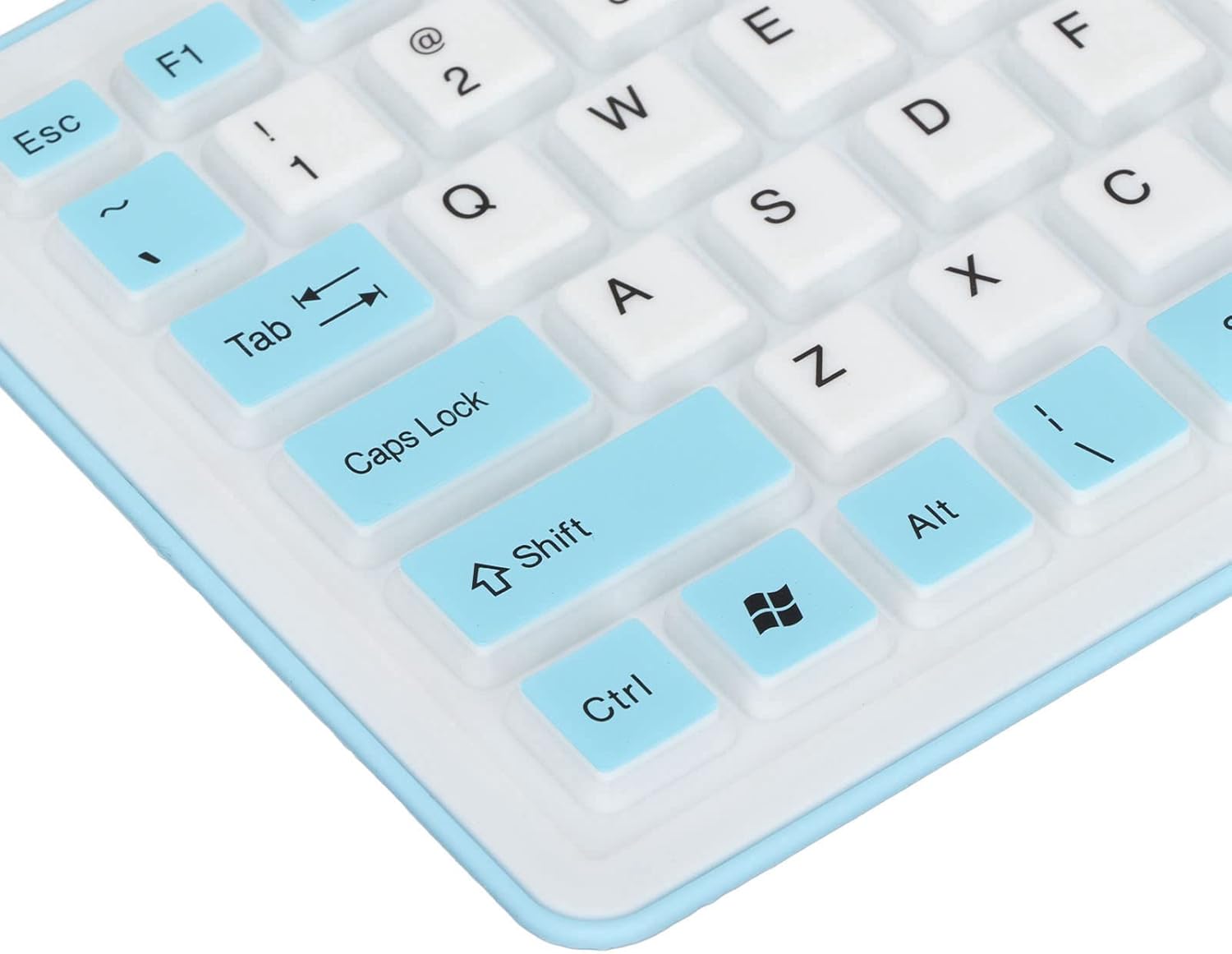
Figure 4.1: Close-up view of the keyboard keys, showcasing the silicone material and layout.
5. Maintenance
Due to its waterproof and washable design, maintaining your Sanpyl keyboard is simple:
- Cleaning: To clean, disconnect the keyboard from your computer. You can gently wipe the surface with a damp cloth or rinse it under running water. Ensure the USB connector is not exposed to water.
- Drying: Allow the keyboard to air dry completely before reconnecting it to your computer.
- Storage: When not in use, roll up the keyboard for compact storage. Avoid sharp objects that could puncture the silicone.
6. Troubleshooting
If you encounter issues with your Sanpyl keyboard, refer to the following common solutions:
| Problem | Solution |
|---|---|
| Keyboard not recognized / Not typing |
|
| Keys feel unresponsive |
|
| Indicator lights (Num Lock/Caps Lock) not working |
|
7. Specifications
Detailed technical specifications for the Sanpyl USB Wired Foldable Silicone Keyboard:
| Feature | Detail |
|---|---|
| Model Number | Sanpyln5toxvduiw3120-12 |
| Keys | 103 |
| Connectivity | USB, USB-A (Wired) |
| Material | Silicone |
| Special Features | Waterproof, Dustproof, Foldable, Mute Typing |
| Compatible Devices | PC, Laptop |
| Color | Blue (Current Variant) |
| Item Weight | 7 ounces (approx. 198 grams) |
| Package Dimensions | 5.91 x 3.5 x 3.11 inches |
8. Warranty and Customer Support
For warranty information, technical support, or any inquiries regarding your Sanpyl USB Wired Foldable Silicone Keyboard, please contact Sanpyl customer service through the retailer's platform or the official Sanpyl website. Please retain your proof of purchase for warranty claims.


