
1. Introduction
The ttstar YM-2 Dual Wireless Microphone System is designed to provide high-quality audio transmission for various applications including live performances, video recording, teaching, and interviews. Featuring dual transmitters and a portable receiver, this system offers clear sound with noise-reducing technology and a wide transmission range. This manual provides essential information for setting up, operating, and maintaining your wireless microphone system.
2. What's in the Box
Your ttstar YM-2 Dual Wireless Microphone System package includes the following components:
- 2 x Bodypack Wireless Transmitters
- 1 x Portable Wireless Receiver
- 2 x Headset Microphones
- 2 x Lavalier Lapel Microphones
- 1 x Short-Line Microphone
- 2 x TRS Adapters (6.35mm to 3.5mm)
- 1 x TRRS Adapter
- 1 x Camera Shoe Mount
- 2 x Windproof Furry Windscreens
- 1 x 3-in-1 USB Charging Cable
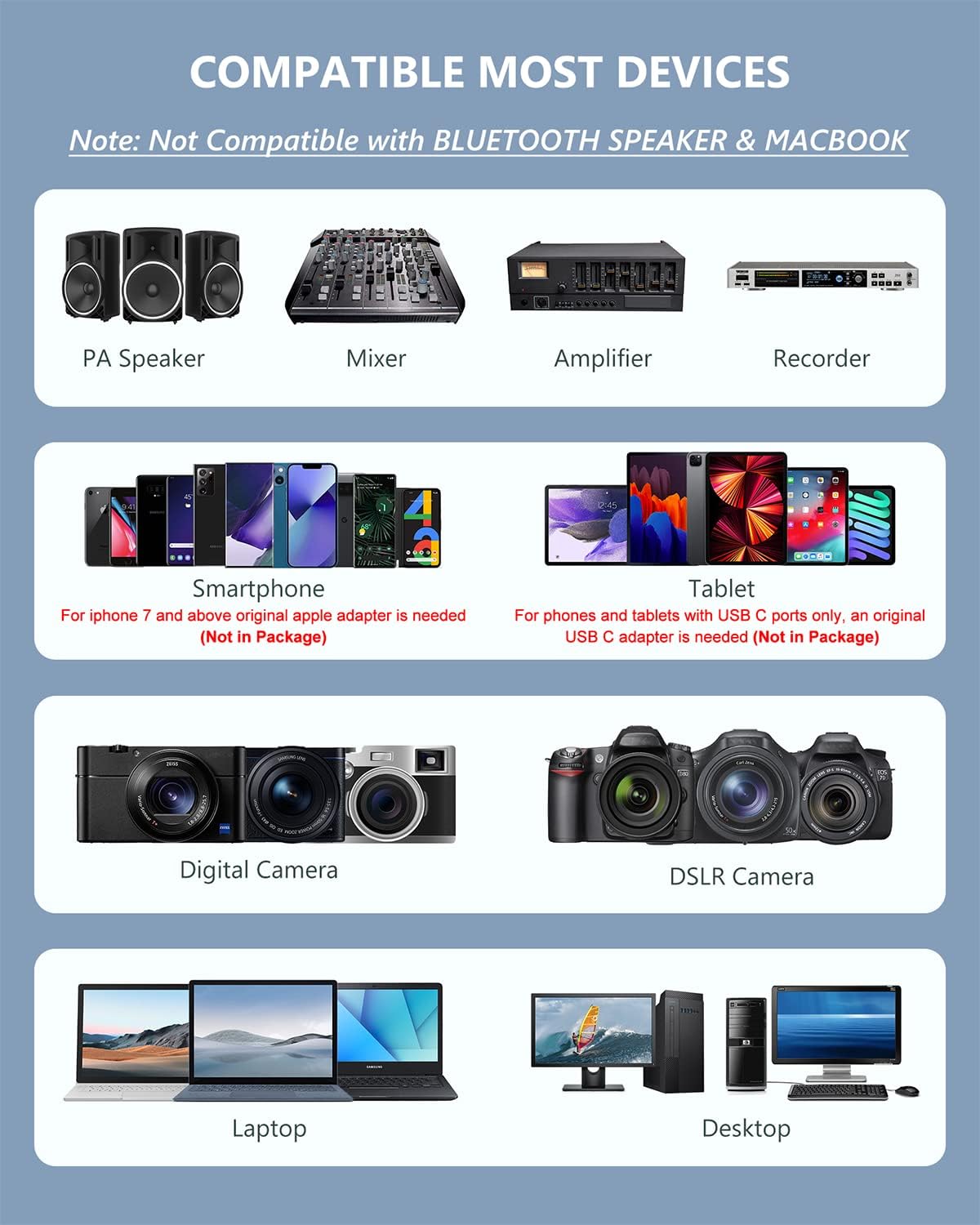
Image: All components of the ttstar YM-2 Dual Wireless Microphone System, including transmitters, receiver, various microphones, adapters, and charging cable.
3. Product Overview
3.1. Transmitters (Bodypack)
The system includes two bodypack wireless transmitters. Each transmitter features an LCD screen displaying battery life, frequency, and volume levels. They are equipped with controls for adjusting volume and frequency channels. A clip on the back allows for easy attachment to clothing or a belt.
3.2. Receiver (Portable)
The portable wireless receiver has a 1/4" plug for direct connection to mixers, PA speakers, and amplifiers. It can also be connected to mobile devices, cameras, laptops, and desktops using the included adapters. The receiver is rechargeable via USB.
3.3. Microphones
The system provides three types of microphones to suit different needs:
- Headset Microphones: Designed for hands-free operation, ideal for presentations or active use.
- Lavalier Lapel Microphones: Small, discreet microphones that clip onto clothing, suitable for interviews or video recording.
- Short-Line Microphone: A versatile microphone for various close-range audio capture needs.
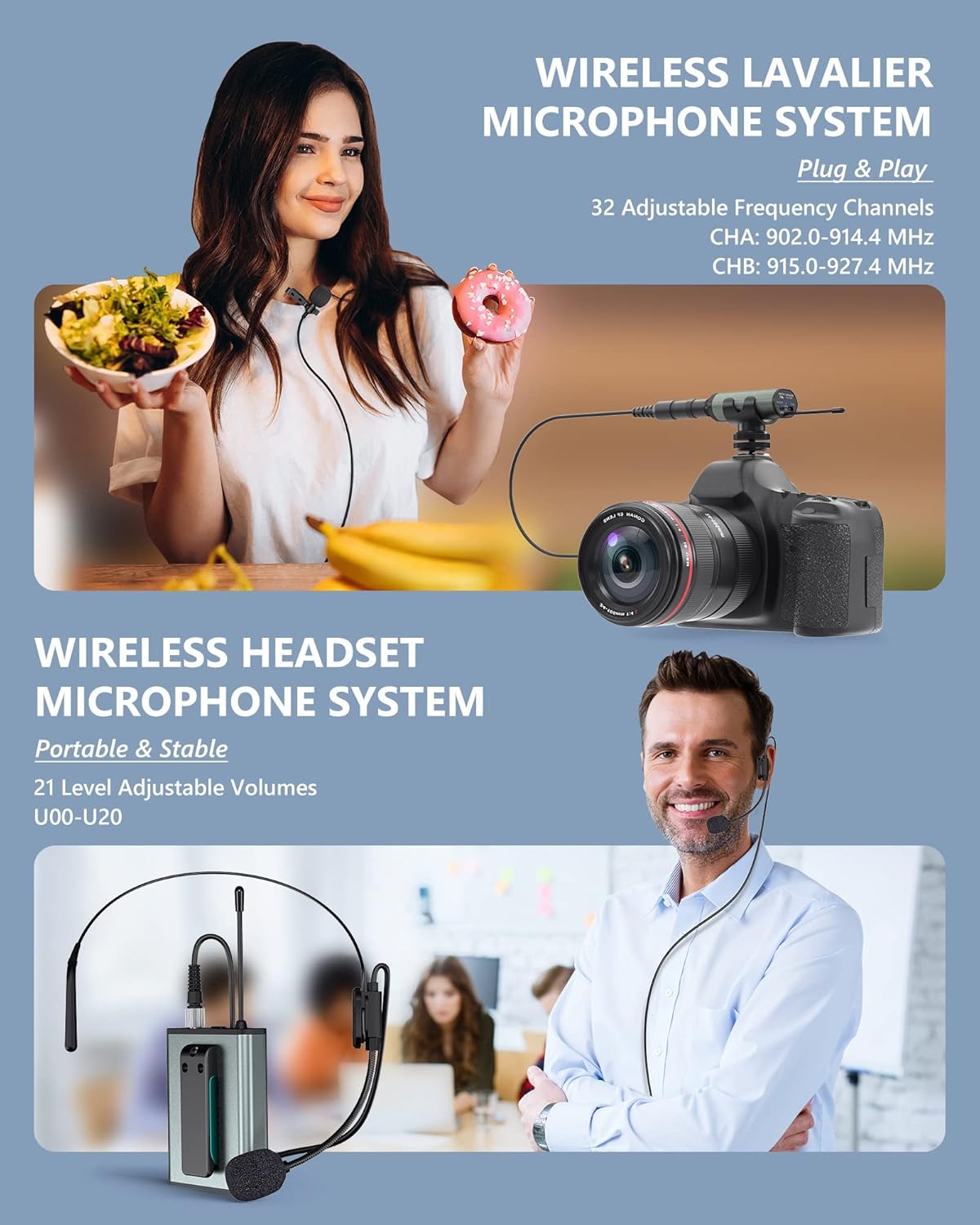
Image: Close-up view of the ttstar YM-2 wireless transmitter and receiver, highlighting their compact design and display screens.

Image: A ttstar YM-2 headset microphone, showing its over-ear design and adjustable boom.
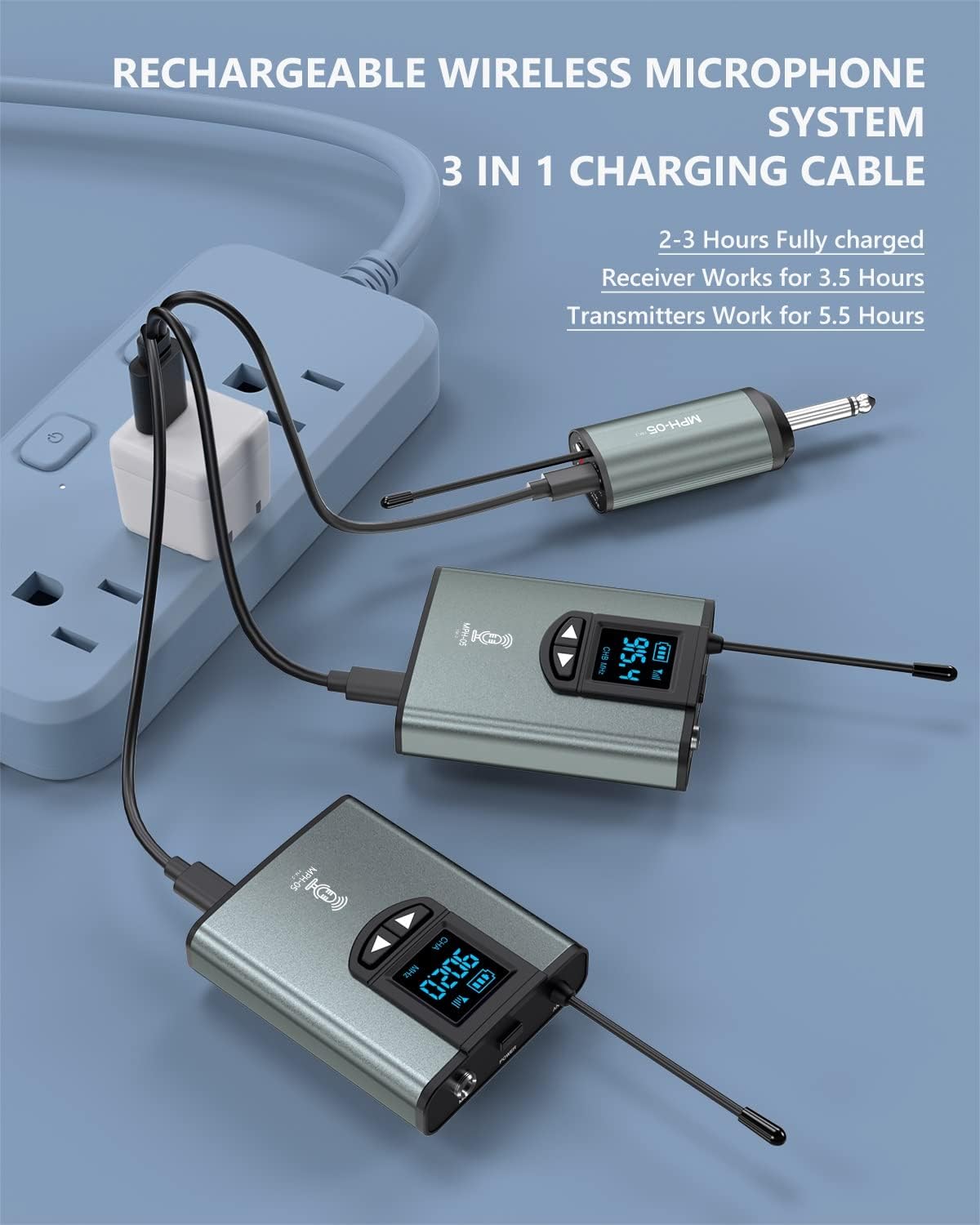
Image: A ttstar YM-2 lavalier microphone with a clip, designed for discreet placement on clothing.
4. Setup
- Insert Batteries: Open the battery compartment on each bodypack transmitter and insert 2 AA batteries (included).
- Connect Microphone: Plug your desired microphone (headset, lavalier, or short-line) into the input jack of the transmitter.
- Power On: Turn on both the transmitters and the portable receiver. The system will automatically pair.
- Connect Receiver: Plug the 1/4" jack of the receiver directly into your PA speaker, mixer, or amplifier. For cameras, laptops, desktops, or smartphones, use the appropriate 6.35mm to 3.5mm TRS/TRRS adapter.
- Adjust Volume: Use the volume controls on the transmitter to set your desired audio level.
Setup Video: Adjusting Volume & Frequency
Video: This video demonstrates how to adjust the volume and frequency settings on the wireless transmitter for optimal performance.
5. Operating Instructions
5.1. Adjustable Frequency Channels
Each transmitter offers 32 selectable frequency channels. In case of interference, press the buttons on the bodypack transmitter to cycle through and select an interference-free frequency. The two transmitters operate on different channels to prevent signal interference when used simultaneously.
5.2. Volume Control
Adjust the voice volume on each transmitter with 21 available levels to match your specific audio requirements.
5.3. Usage Scenarios
The system is versatile for various applications:
- Live Performances: Ideal for preaching, weddings, presentations, and public speeches.
- Video & Audio Recording: Perfect for interviews, vlogging, and content creation with cameras or smartphones.
- Teaching & Training: Provides clear amplification for instructors.

Image: A woman using the ttstar YM-2 wireless microphone system with a camera for video recording, demonstrating its application.
Operating Video: Recording Outdoors
Video: This video showcases the ttstar YM-2 wireless microphone system being used for outdoor recording, highlighting its portability and range.
6. Maintenance
6.1. Charging
Use the included 3-in-1 USB charging cable to recharge the transmitters and receiver. A full charge typically takes 2-3 hours. The receiver provides approximately 3.5 hours of operation, while the transmitters offer about 5.5 hours.

Image: The ttstar YM-2 wireless microphone system components connected to the 3-in-1 USB charging cable, illustrating the charging process.
7. Troubleshooting
- No Sound/Interference: Ensure all components are powered on and fully charged. If experiencing interference, change the frequency channel on the transmitters.
- Compatibility Issues: The system is not compatible with Macbooks and Bluetooth speakers. For smartphones/tablets without a 1/8" (3.5mm) jack, an additional adapter cable (not included) may be required.
- Poor Audio Quality: Check microphone placement and adjust volume levels on the transmitter. Ensure the receiver is within the optimal transmission range (up to 300ft in open areas, 164ft with obstacles).
8. Specifications
| Feature | Detail |
|---|---|
| Model Number | YM-2 |
| Item Weight | 487 Grams (1.07 pounds) |
| Microphone Form Factor | Microphone System |
| Power Source | Battery Powered (2 Lithium Ion batteries included) |
| Number of Channels | 32 |
| Signal-to-Noise Ratio | 80 dB |
| Connectivity Technology | UHF |
| Connector Type | 3.5 mm Jack, 6.35 mm Jack |
| Special Feature | Volume Control |
| Polar Pattern | Omnidirectional |
| Audio Sensitivity | 30 Decibels |
9. Compatibility
The ttstar YM-2 Wireless Microphone System offers wide compatibility with various devices:
- Audio Equipment: Works with mixers, PA speakers, and amplifiers via the 1/4" plug.
- Mobile Devices: Connects to smartphones and tablets with a 1/8" (3.5mm) jack using the provided adapters. For devices without a 1/8" jack (e.g., iPhone 7 and above, USB-C only phones/tablets), an additional adapter (not included) is required.
- Cameras: Compatible with DSLR cameras and digital cameras.
- Computers: Can be connected to laptops and desktop computers.
Note: This microphone system is NOT compatible with Macbooks and Bluetooth speakers.

Image: A visual chart detailing the compatibility of the ttstar YM-2 wireless microphone system with various devices, including PA speakers, mixers, amplifiers, recorders, smartphones, tablets, digital cameras, DSLR cameras, laptops, and desktops.
10. Warranty and Support
For warranty information, technical support, or any inquiries regarding your ttstar YM-2 Dual Wireless Microphone System, please refer to the contact information provided with your purchase or visit the official ttstar website. Please retain your proof of purchase for warranty claims.
