
1. Introduction
Welcome to the world of VTech Zoef Zoef Animals! Loes the Cute Cat is an interactive toy designed to engage children aged 1 to 5 years with fun sound effects, cheerful phrases, and sung songs. This manual provides essential information for safe and optimal use of your new toy.
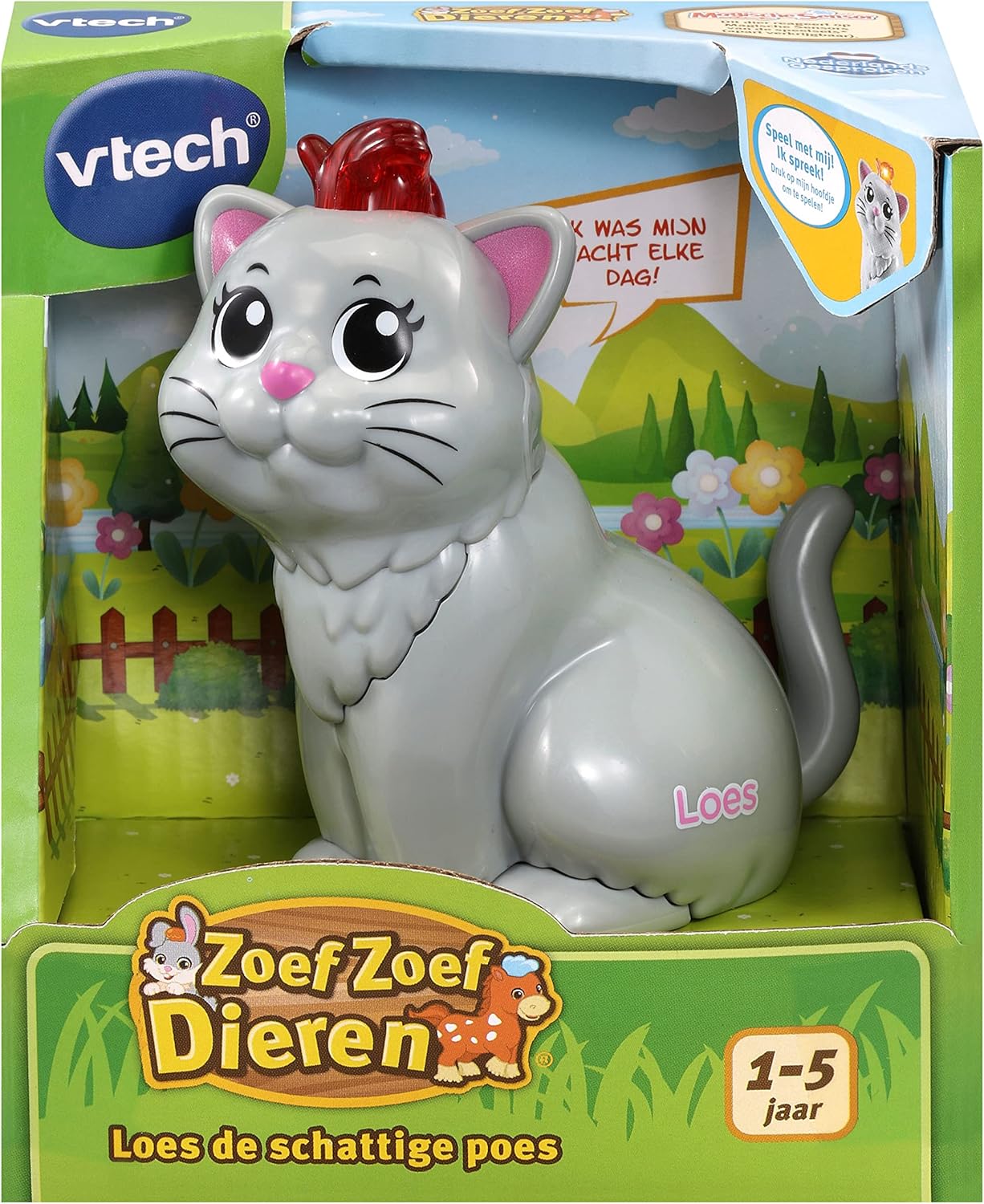
Image: Loes the Cute Cat, an interactive toy from VTech Zoef Zoef Animals, shown in its retail packaging.
Loes the Cute Cat is part of the VTech Zoef Zoef Animals collection, which includes other characters like Zayn the Zebra and Louis the Lion. Each animal features unique sounds and phrases, and interacts with Zoef Zoef Animals playsets (sold separately) via a Magic Sensor.

Image: A collection of VTech Zoef Zoef Animals, showcasing Loes the Cat alongside other characters and a compatible playset.
2. Setup
2.1 Battery Installation
Loes the Cute Cat requires 2 AAA batteries (included). Follow these steps to install or replace batteries:
- Locate the battery compartment on the underside of the toy.
- Using a screwdriver, loosen the screw on the battery compartment cover and remove the cover.
- Insert 2 new AAA batteries, ensuring correct polarity (+/-) as indicated inside the compartment.
- Replace the battery compartment cover and tighten the screw securely.
Important: Always use fresh batteries of the same type. Do not mix old and new batteries, or different types of batteries. Non-rechargeable batteries are not to be recharged. Rechargeable batteries are only to be charged under adult supervision. Exhausted batteries are to be removed from the toy. Dispose of batteries safely and responsibly.
3. Operating Instructions
Loes the Cute Cat is designed for easy and intuitive play. Here's how to interact with your toy:
3.1 Basic Interaction
- Press the Head: Press the blinking head of Loes the Cat to hear sound effects, cheerful phrases, and sung songs.
- Automatic Shut-off: To conserve battery life, the toy will automatically switch off after a period of inactivity.
- Volume Control: The volume is adjustable. Refer to the toy's underside or side for a volume switch (usually a slider or two-position switch).
3.2 Interaction with Zoef Zoef Animals Playsets
Loes the Cute Cat features a Magic Sensor on its underside, allowing it to interact with compatible VTech Zoef Zoef Animals playsets (sold separately).
- Magic Sensor Activation: Place Loes on a Magic Sensor spot on a Zoef Zoef Animals playset. The sensor on the underside of the toy will be pressed, triggering unique phrases, sounds, and songs specific to that playset location.
- Discover what Loes likes to do, what she is good at, and much more as she interacts with the playset.

Image: A child interacting with a VTech Zoef Zoef Animals playset, demonstrating how the animals can be used with the environment.
4. Maintenance
4.1 Cleaning
To keep your Loes the Cute Cat toy clean, wipe it with a slightly damp cloth. Do not immerse the toy in water. Do not use harsh cleaners or solvents.
4.2 Storage
When not in use for extended periods, store the toy in a cool, dry place away from direct sunlight. Remove batteries if the toy will not be used for several months to prevent leakage.
5. Troubleshooting
5.1 No Sound or Intermittent Sound
- Check if the batteries are correctly installed with the correct polarity.
- Replace the batteries with new ones.
- Ensure the volume switch is not set to the lowest setting or off.
5.2 Toy Not Responding
- Verify that the batteries are fresh and correctly installed.
- If the toy has an On/Off switch, ensure it is in the "On" position.
- If interacting with a playset, ensure Loes is correctly placed on the Magic Sensor.
6. Specifications
| Feature | Detail |
|---|---|
| Model Number | 80-553123 |
| Product Dimensions | 5.7 x 9.6 x 9.6 cm |
| Weight | 135 g |
| Recommended Age | 12 months - 5 years |
| Batteries Required | 2 x AAA (included) |
| Material | Plastic |
| Language | Dutch spoken songs and phrases |
7. Safety Information
Please read and retain this safety information for future reference.
- For external use only.
- Avoid contact with eyes.
- Keep away from naked flame or direct heat sources.
- Adult supervision is recommended during play, especially for younger children.
- Do not attempt to disassemble or modify the toy.