
1. Introduction
Thank you for choosing the PINGKO Multi-Function Portable Sport Pedometer. This device is designed to help you track your daily physical activity, including steps taken, distance traveled, and calories burned. It is a simple, portable, and easy-to-use fitness tracker that requires no smartphone or app connections.
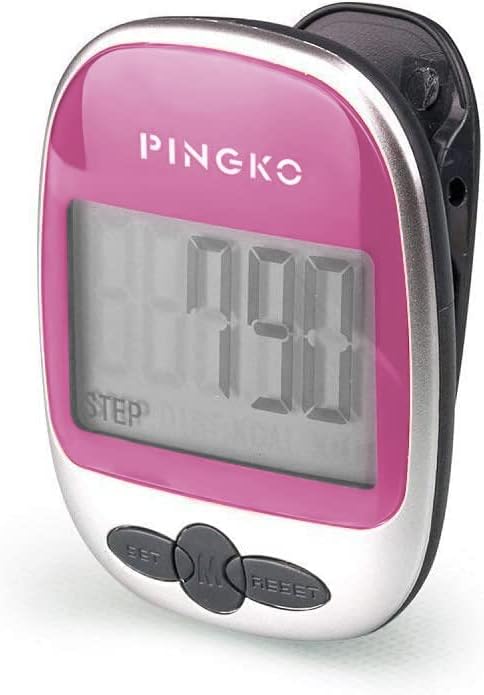
Image 1.1: The PINGKO Multi-Function Portable Sport Pedometer in pink, featuring a clear LCD display and three control buttons.
2. Key Features
- Accurate Activity Tracking: Tracks steps up to 99,999, distance up to 999.99 KM/Miles, and calories burned.
- Large LCD Display: Provides clear and easy-to-read information, including current time.
- Portable Design: Compact and lightweight, designed for comfortable wear in a pocket, bag, or clipped to clothing.
- Simple Operation: No computer, app, or smartphone required for setup or use. Features simple button functions.
- Long Battery Life: Operates on an AG13 button battery, offering extended use without frequent replacement.
- 5-Step Error Prevention: Designed to minimize inaccurate step counting.
3. Setup
3.1 Battery Installation
- Locate the battery compartment on the back of the pedometer.
- Carefully open the compartment cover.
- Insert one AG13 button battery, ensuring the correct polarity (+/-).
- Close the battery compartment cover securely.
3.2 Initial Power-On and Settings
Upon battery installation, the pedometer will automatically power on. The device makes a sound when it starts working; this is normal. No initial programming is required to begin tracking steps. The pedometer is designed for immediate use.
4. Operating Instructions
4.1 Wearing the Pedometer for Accurate Tracking
For the most accurate readings, it is highly recommended to clip the pedometer onto your waistband. Ensure the bottom of the pedometer is straight and facing the ground. If the unit is worn upside down or with the bottom facing upwards, step counting accuracy may be compromised.
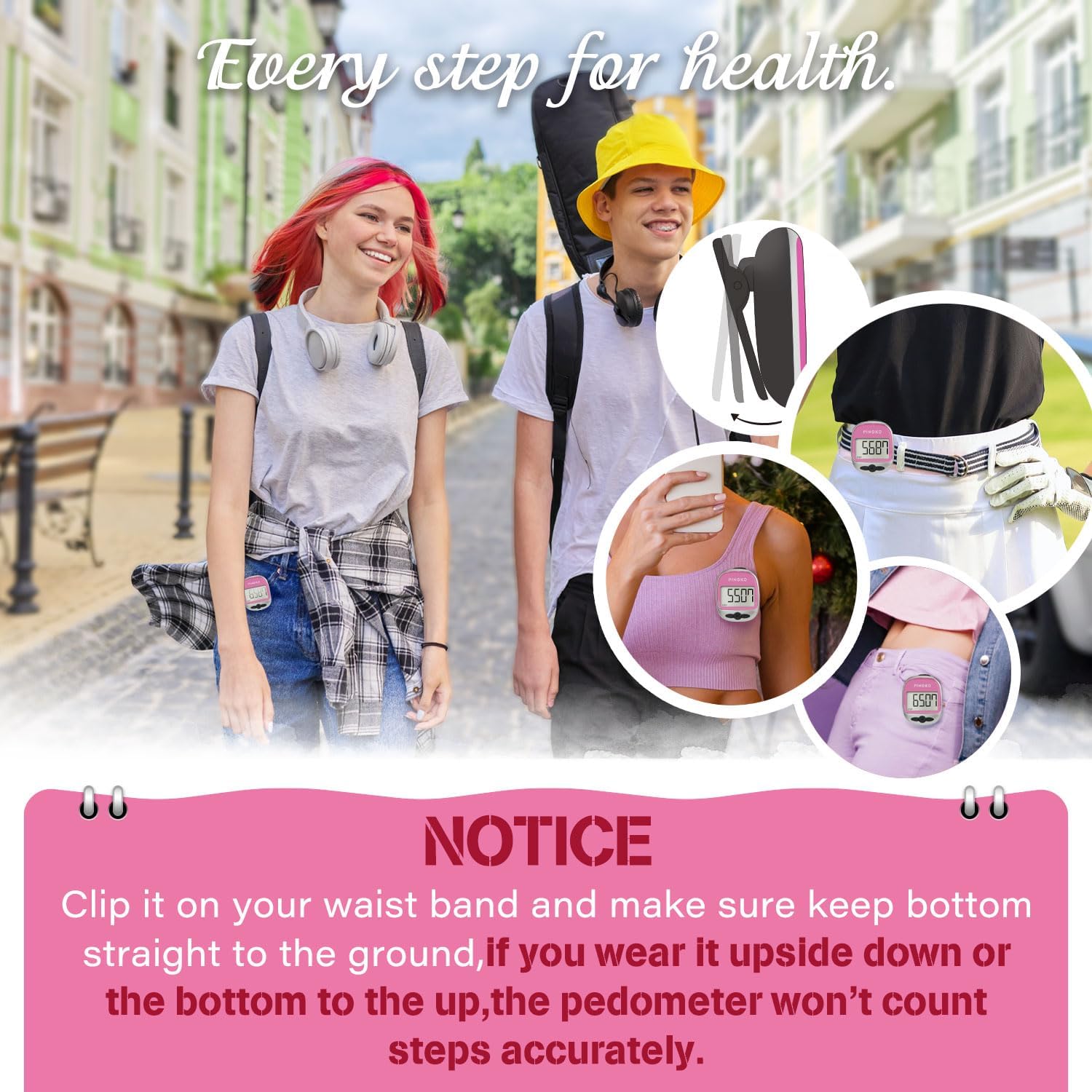
Image 4.1: Proper placement of the pedometer on a waistband for optimal accuracy, along with other possible wearing positions.
4.2 Automatic On/Off Function
The pedometer will automatically turn off when stationary to conserve battery life. It will automatically turn on once movement is detected, resuming tracking without manual intervention.
4.3 Viewing Data
The large LCD display shows your tracked data. Use the buttons (typically labeled SET, MODE, RESET) to cycle through different display modes such as steps, distance, calories, and current time.
4.4 Resetting Data
To reset the tracked data (steps, distance, calories), long-press the specific reset button on the device. Refer to the button labels on your pedometer for the exact reset button.
5. Maintenance
5.1 Cleaning
Wipe the pedometer with a soft, dry cloth. Do not use abrasive cleaners or immerse the device in water.
5.2 Battery Replacement
When the display becomes dim or the device stops responding, it is time to replace the battery. Follow the battery installation steps in Section 3.1. Use only AG13 button batteries.
6. Troubleshooting
- Inaccurate Step Count: Ensure the pedometer is clipped securely to your waistband with the bottom facing the ground. Avoid wearing it in loose pockets or positions where it might swing freely or be upside down.
- Pedometer Makes a Sound: This is a normal operational sound when the device starts working. It does not indicate a malfunction.
- Display is Blank/Dim: Replace the AG13 button battery.
- Device Not Responding: Try replacing the battery. If the issue persists, ensure the battery is inserted correctly.
7. Specifications

Image 7.1: Visual representation of the pedometer's dimensions and available color variations.
| Feature | Specification |
|---|---|
| Product Dimensions | 5 x 3 x 6.1 cm (1.97 x 1.18 x 2.4 inches) |
| Item Weight | 1.9 g (1.12 oz / 32g) |
| Model Number | Pingko |
| Colour | Pink (variant shown) |
| Material | Plastic |
| Display Size | 0.96 Inches |
| Compatible Devices | No Bluetooth or smartphone connections required |
| Included Components | AG13 Button Battery |
| Battery Type | Alkaline |
| Sensor Type | Pedometer |
8. Warranty and Support
For information regarding product warranty, please refer to the documentation included with your purchase or contact the retailer where the product was acquired. For further support or inquiries, please visit the official PINGKO brand store or contact their customer service.
PINGKO Brand Store: https://www.amazon.ca/stores/PINGKO/page/0179EB98-512E-4921-A04C-3830C18BFE1A