
1. Introduction
The Megacom CatchMon X DM-1277 is an automatic accessory designed to enhance your Pokémon Go experience. This device allows for automatic catching of Pokémon and spinning of PokéStops, supporting up to four separate accounts simultaneously. Its compact design and stable Bluetooth connection provide convenience for trainers on the go.

Image: The Megacom CatchMon X DM-1277 device, a black circular auto catcher with four colored buttons (red, blue, green, yellow) arranged in a cross pattern.
2. Key Features
- Multi-Account Support: Connect and manage up to four Pokémon Go accounts simultaneously.
- Automatic Catching & Spinning: Automatically catches Pokémon and spins PokéStops, streamlining gameplay.
- Enhanced Bluetooth Connectivity: Features a stable wireless connection up to 65 feet, ensuring consistent performance with Android and iOS devices.
- Compact and Portable Design: With dimensions of 2.36" x 2.36" x 0.5" and a weight of 0.9 oz, the device is easy to carry.
- LED Indicator: Provides visual notifications for device status and in-game events.
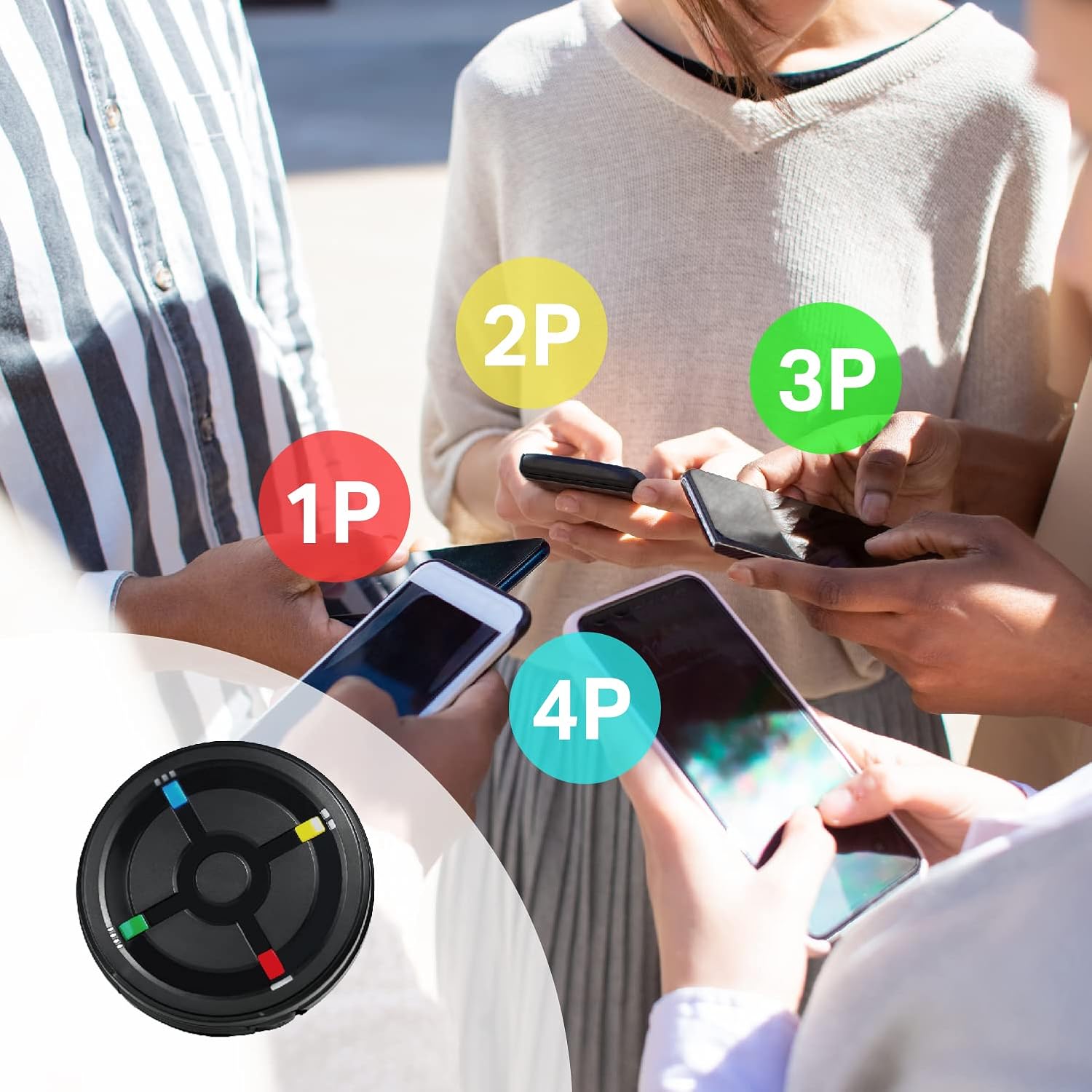
Image: The CatchMon X supports up to four accounts, allowing multiple players to connect simultaneously.
3. Setup Guide
- Insert Batteries: Open the battery compartment and insert two AAA batteries, ensuring correct polarity.
- Power On: Locate the ON/OFF switch on the side of the device and slide it to the "ON" position.
- Pairing with Pokémon Go:
- Open the Pokémon Go application on your smartphone.
- Tap the Main Menu button (Poké Ball icon).
- Tap "Settings" (gear icon).
- Select "Connected Devices" and then "Pokémon Go Plus".
- On the CatchMon X, press the button corresponding to the account you wish to connect (e.g., the red button for Player 1). The LED will flash.
- In the Pokémon Go app, tap the available device under "Available Devices" to initiate pairing.
- Once successfully paired, the device will appear under "Connected Devices" in the app, and the corresponding LED on the CatchMon X will show a steady green light.
- Connecting Multiple Accounts: Repeat the pairing process for each additional account (up to four), using a different colored button on the CatchMon X for each player.

Image: The ON/OFF switch located on the side of the CatchMon X device.
4. Operating Instructions
4.1 Automatic Catching and Spinning
Once connected, the CatchMon X will automatically attempt to catch Pokémon and spin PokéStops within range. The LED indicator will provide feedback on these actions.
4.2 LED Indicators
- Green Light: Indicates normal operating status and successful connection.
- Flashing Red Light: Indicates sleep mode or a connection issue.
- Other Colors: May indicate specific in-game events or connection status for different players.
4.3 Sleep Mode
To conserve battery life, the CatchMon X features a sleep mode. Each connected account can be set to sleep mode independently.
- To Enter Sleep Mode: Press the corresponding player button three times quickly. The LED will flash red three times and then turn off.
- To Exit Sleep Mode: Press the same player button three times quickly. The LED will flash green, indicating a return to normal operating mode.

Image: Instructions for activating and deactivating sleep mode using the device's buttons and LED indicators.
4.4 Reconnection
If the device disconnects (e.g., after 1 hour of inactivity in Pokémon Go), simply tap the Pokémon Go Plus icon within the Pokémon Go app to reconnect. You do not need to press the button on the CatchMon X device itself for reconnection.
Demonstration Video: CatchMon X Features
Video: This video demonstrates the key features of the CatchMon X, including multi-account support, automatic catching, and the sleep mode functionality. It highlights the device's portability and ease of reconnection.
5. Maintenance
- Battery Replacement: When the device's performance degrades or the LED indicators become dim, replace the two AAA batteries. Always use fresh, high-quality batteries to prevent leakage and ensure optimal performance.
- Cleaning: Wipe the device with a soft, dry cloth. Do not use liquid cleaners or abrasive materials.
- Storage: Store the device in a cool, dry place away from direct sunlight and extreme temperatures. If storing for extended periods, remove the batteries.
6. Troubleshooting
- Device Not Connecting:
- Ensure the device is powered ON and has fresh batteries.
- Verify Bluetooth is enabled on your smartphone.
- In the Pokémon Go app, go to Settings > Connected Devices > Pokémon Go Plus and ensure the device is listed. If not, try pairing again.
- If issues persist, try restarting both your smartphone and the CatchMon X device.
- Automatic Catching/Spinning Not Working:
- Check your in-game settings in Pokémon Go to ensure "Pokémon Go Plus" options for catching Pokémon and spinning PokéStops are enabled.
- Ensure you have enough Poké Balls in your inventory for catching.
- Confirm the device is actively connected (green LED).
- Short Battery Life:
- Use high-quality AAA alkaline batteries.
- Utilize the sleep mode feature when not actively playing to conserve power.
- Ensure the device is turned OFF when not in use for extended periods.
7. Specifications
| Model Number: | DM-1277 |
| Dimensions: | 2.36 x 2.36 x 0.51 inches |
| Weight: | 0.91 ounces |
| Power Source: | 2 x AAA Batteries (required) |
| Connectivity: | Bluetooth (up to 65 ft range) |
| Compatibility: | Pokémon Go Plus (Android & iOS) |
| Manufacturer: | SPERRY Corporation |
8. Warranty and Support
For warranty information, technical support, or customer service inquiries, please refer to the official Megacom website or contact your retailer. Keep your proof of purchase for any warranty claims.
Manufacturer: SPERRY Corporation
For further assistance, visit the Megacom Official Store.