Introduction
This manual provides instructions for the VINABTY replacement remote control, designed for seamless compatibility with various Evpad TV Box models. Please read this manual thoroughly before use to ensure proper operation and longevity of your remote control.
Setup
Battery Installation
The remote control requires two AAA batteries (not included).
- Locate the battery compartment on the back of the remote control.
- Slide the battery compartment cover downwards to open it.
- Insert two AAA batteries, ensuring the positive (+) and negative (-) terminals align correctly with the markings inside the compartment.
- Slide the battery compartment cover back into place until it clicks securely.
Note: Ensure batteries are inserted with correct polarity. Incorrect insertion may prevent the remote from functioning.
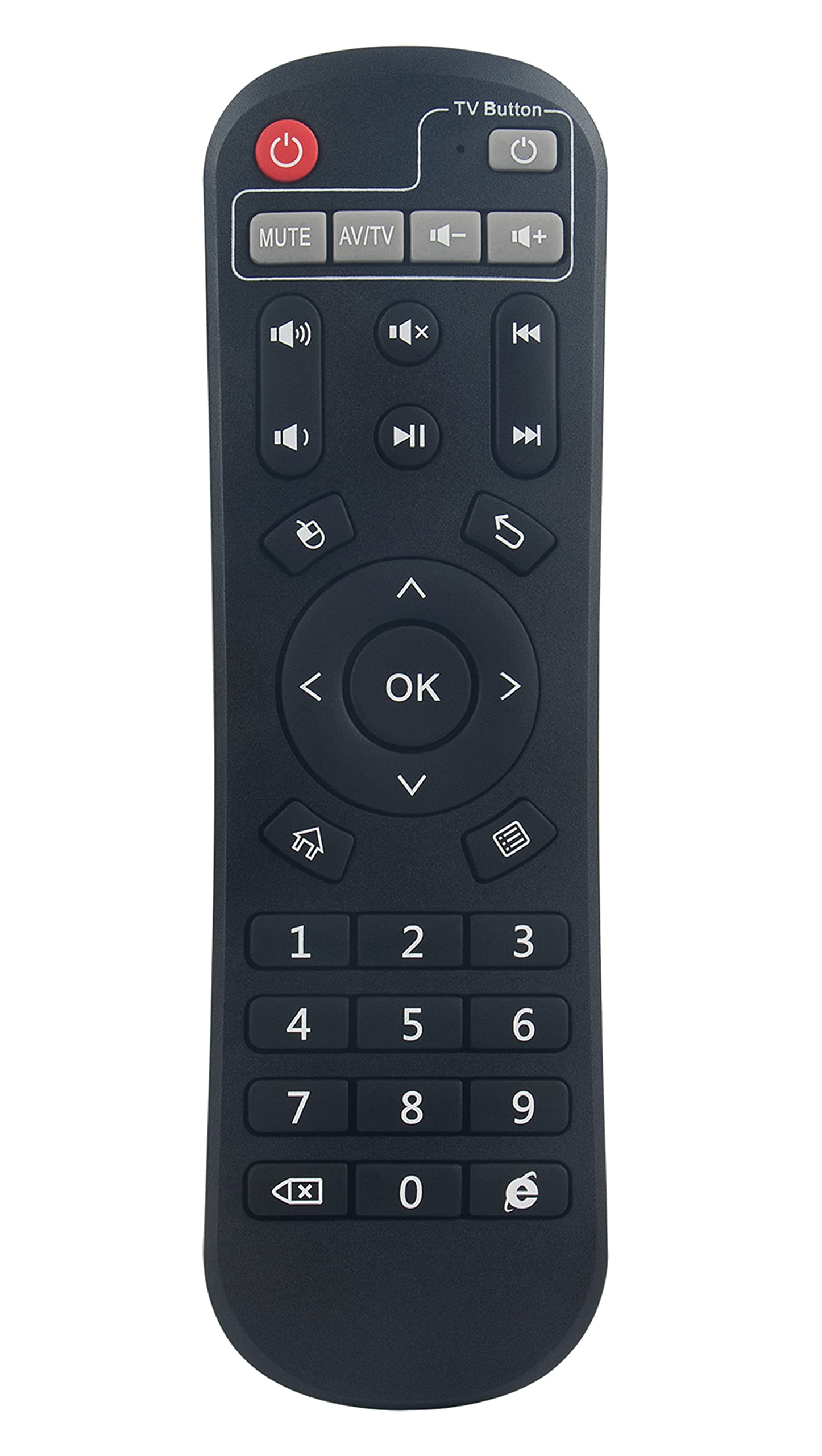
Image: A user operating the VINABTY replacement remote control with an Evpad TV Box connected to a television.
Operating Instructions
This remote control is pre-programmed for immediate use with compatible Evpad TV Box models. No additional setup or pairing is required.
Basic Functions
- Power Button: Turns the Evpad TV Box on or off.
- Navigation Buttons (Up, Down, Left, Right): Used to navigate menus and select options.
- OK/Enter Button: Confirms selections.
- Back/Return Button: Returns to the previous screen or menu.
- Home Button: Returns to the main home screen of the Evpad TV Box.
- Volume Up/Down: Adjusts the volume.
- Mute Button: Mutes or unmutes the audio.
- Channel Up/Down: Changes channels (if applicable to your Evpad setup).
- Number Buttons (0-9): For direct channel input or other numerical entries.
Compatibility
This remote control is compatible with the following Evpad TV Box models:
- Evpad TV Box 2
- Evpad TV Box 2S
- Evpad TV Box 2T
- Evpad TV Box Pro
- Evpad TV Box Pro Plus
- Evpad TV Box Pro+ Plus
- Evpad TV Box 3
- Evpad TV Box 3s
Maintenance
- Cleaning: Wipe the remote control with a soft, dry cloth. Do not use liquid cleaners or abrasive materials.
- Battery Replacement: Replace batteries when the remote control's response becomes sluggish or stops working. Always replace both batteries at the same time with new ones.
- Storage: If the remote control will not be used for an extended period, remove the batteries to prevent leakage and damage.
- Avoid Exposure: Keep the remote control away from direct sunlight, heat sources, and moisture.
Troubleshooting
Remote Control Not Responding
- Check Batteries: Ensure batteries are inserted correctly with the correct polarity (+/-). Replace old batteries with new AAA batteries.
- Line of Sight: Ensure there is a clear line of sight between the remote control and the Evpad TV Box. Obstructions can block the infrared signal.
- Distance: Operate the remote control within the effective range of the Evpad TV Box.
- Interference: Strong light sources or other infrared devices might interfere with the signal. Try operating the remote in a different environment.
Specific Buttons Not Working
- Clean Buttons: Ensure no debris is lodged under the buttons.
- Battery Check: Low batteries can sometimes cause intermittent button functionality. Replace batteries.
Specifications
| Feature | Detail |
|---|---|
| Brand | VINABTY |
| Compatible Devices | Evpad TV Box 2, 2S, 2T, Pro, Pro Plus, Pro+ Plus, 3, 3s |
| Connectivity Technology | Infrared (IR) |
| Power Source | 2 x AAA Batteries (not included) |
| Product Dimensions | 6.7 x 2 x 0.7 inches (17.0 x 5.1 x 1.8 cm) |
| Item Weight | 1.44 ounces (40.8 grams) |
| Special Feature | Ergonomic design |
| Max Number of Supported Devices | 1 |
| Model Number (Internal) | 1e61c098-7b6c-4015-ba66-a97cf34b2095 |
Warranty Information
This product is a replacement remote control. Please refer to the original purchase documentation or contact your retailer for specific warranty details. VINABTY typically offers a standard return/replacement policy for manufacturing defects.
Support
For further assistance or inquiries regarding your VINABTY replacement remote control, please contact your point of purchase or refer to the VINABTY official website for customer support options.
Online Resources: Search for "VINABTY" and "Evpad remote control support" for additional information and FAQs.


