
NEXTOOL NE20030-2
NexTool Rechargeable LED Flashlight User Manual
Model: NE20030-2

Image: NexTool Rechargeable LED Flashlight, showcasing its sleek black and silver design.
Introduction
Thank you for choosing the NexTool Rechargeable LED Flashlight. This versatile and powerful device is designed for various applications, offering high brightness, multiple lighting modes, and convenient features like a magnetic base and power bank functionality. Please read this manual carefully to ensure proper use and maintenance of your flashlight.
Safety Information
- Do not look directly into the LED light when it is on, as it can cause temporary vision impairment.
- Keep out of reach of children.
- The flashlight head may become hot during prolonged use at high brightness settings. Avoid direct contact with the hot surface.
- Do not disassemble the flashlight or attempt to modify its internal components. This will void the warranty and may cause damage.
- Use only the provided USB cable for charging.
- Ensure the charging port cover is securely closed to maintain splash-proof integrity.
Product Overview
The NexTool Flashlight combines a powerful main LED with a versatile COB side light, offering multiple functionalities in one compact device.

Image: Overview of the flashlight's key features including 1000 lumens, zoomable function, 8 light modes, 240m range, strong magnet, 1m fall test, IPX4 waterproof rating, and USB rechargeable capability.

Image: Illustration showing the COB sidelight rotating 360 degrees for multi-angle lighting, with examples of wide area illumination.

Image: A person using the flashlight with its strong magnetic base attached to a car hood, providing hands-free illumination for maintenance.
Setup
Charging the Flashlight
The NexTool flashlight features a built-in rechargeable battery and can also function as a power bank to charge other devices.
- Locate the charging port at the tail end of the flashlight. It is protected by a rubber cover.
- Gently lift the rubber cover to reveal the USB-C input port and the USB-A output port.
- To charge the flashlight, connect the provided USB-C cable to the USB-C port and plug the other end into a compatible USB power source (e.g., wall adapter, computer USB port).
- The indicator light will show charging status.
- Once fully charged, securely close the rubber cover to maintain the flashlight's water resistance.
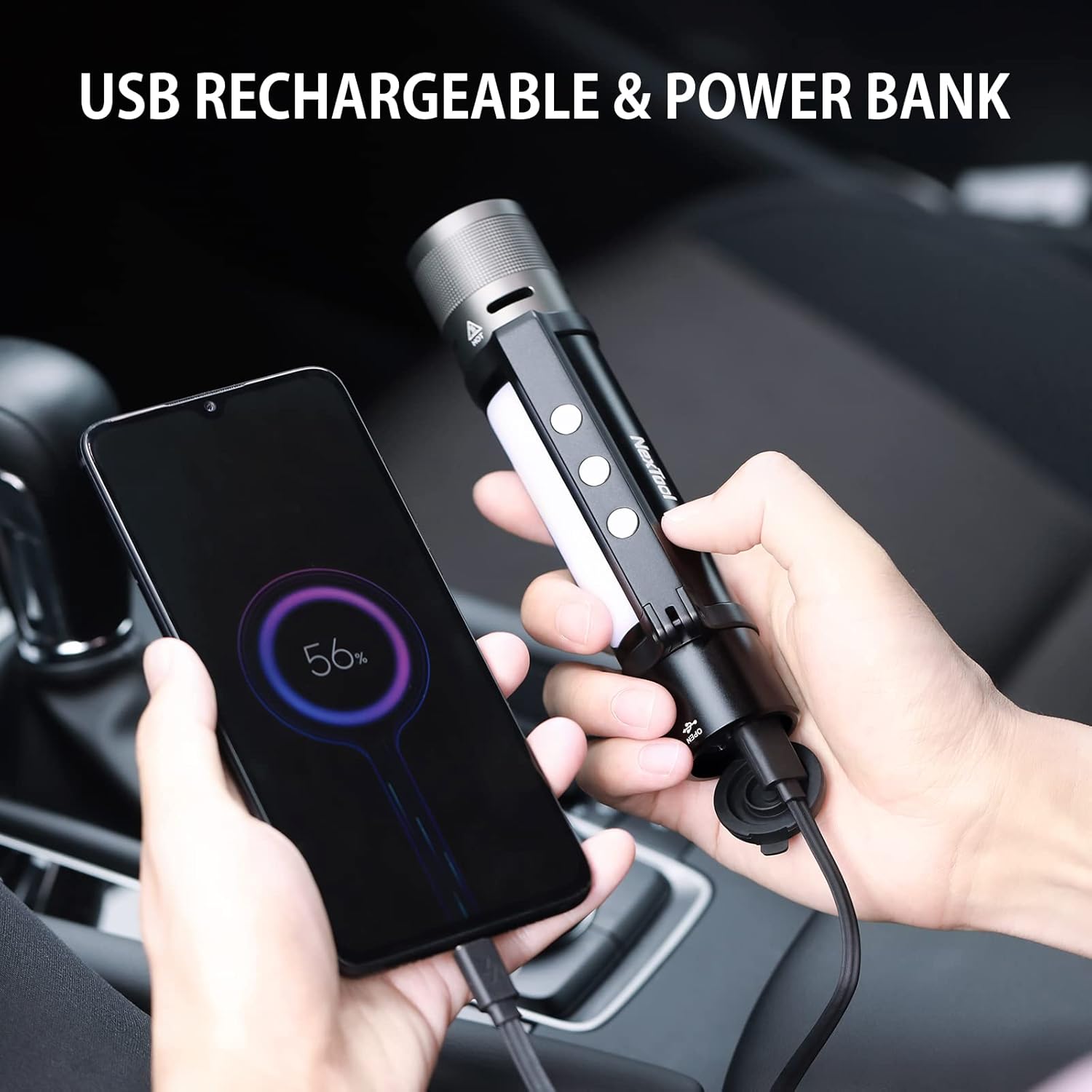
Image: A hand holding the flashlight, which is connected via a USB cable to a smartphone, demonstrating its power bank capability.
Water Resistance
The flashlight has an IPX4 waterproof rating, meaning it is protected against splashing water from any direction. It is suitable for use in rainy or snowy conditions but should not be submerged in water. Always ensure the charging port cover is fully sealed when not in use to prevent water ingress.

Image: The flashlight lying on wet rocks, illustrating its water-resistant design.
Operating Instructions
The flashlight features a single power button at the tail end and a set of instructions printed on the body for quick reference.

Image: Close-up of the tail-cap power button, highlighting its design.
Main Flashlight Operation
- **Turn On/Off**: Press and hold the power button for approximately 0.5 seconds. The flashlight will turn on to the last used mode.
- **Switch to Flashlight Mode**: If the COB light is active, double-click the power button to switch to the main flashlight mode.
- **Adjust Brightness**: While in flashlight mode, quickly click the power button to cycle through brightness levels: High, Medium, Low.
- **Zoom Function**: The flashlight features a telescopic head. Push the head forward to narrow the beam (spotlight) for long-distance illumination, or pull it back to widen the beam (floodlight) for broader area coverage.

Image: Demonstrates the zoom-in and zoom-out functionality of the flashlight head, showing how it adjusts from a wide floodlight to a focused spotlight.

Image: A person holding the flashlight, illuminating a wide outdoor area at night, emphasizing its 1000 high lumens output.
COB Work Light Operation
- **Switch to COB Light Mode**: If the main flashlight is active, double-click the power button to switch to the COB work light mode.
- **Adjust COB Modes**: While in COB light mode, quickly click the power button to cycle through modes: High, Low, Red, White & Red Strobe.
- **Magnetic Base**: The COB light section features a strong magnetic bracket that can rotate 360 degrees. This allows you to attach the flashlight to metal surfaces for hands-free lighting, directing the light precisely where needed.

Image: Visual representation of the different light modes: High, Medium, Low for the main flashlight, and Low, High, Red, and White & Red Strobe for the COB sidelight, along with the single-hand switch button.
Emergency Thunder Alarm / Strobe
- **Activate Alarm**: From any mode, press and hold the power button for 2.5 seconds to activate the thunder alarm and flashing strobe light. This feature is designed for emergency situations to attract attention or deter threats.
- **Deactivate Alarm**: Press the power button once to turn off the alarm and return to the previous lighting mode.

Image: Depicts the flashlight emitting strong light flashes and a high decibel deep voice, acting as a deterrent and a call for help.
Maintenance
- **Cleaning**: Wipe the flashlight with a soft, damp cloth. Do not use abrasive cleaners or solvents.
- **Battery Care**: To prolong battery life, charge the flashlight regularly, even if not in frequent use. Avoid fully discharging the battery for extended periods.
- **Storage**: Store the flashlight in a cool, dry place away from direct sunlight and extreme temperatures. Ensure the charging port cover is sealed.
Troubleshooting
| Problem | Possible Cause | Solution |
|---|---|---|
| Flashlight does not turn on. | Low battery; Incorrect operation. | Charge the flashlight; Ensure a 0.5-second press to turn on. |
| Light output is dim. | Low battery; Incorrect brightness mode. | Charge the flashlight; Cycle through brightness modes. |
| Cannot switch modes. | Incorrect button press sequence. | Double-click for main/COB switch; Single click for brightness/COB modes. |
| Charging port not working. | Cable issue; Port obstruction. | Try a different USB cable; Check for debris in the port. |
Specifications
| Feature | Detail |
|---|---|
| Brand | NEXTOOL |
| Model Number | NE20030-2 |
| Light Source Type | LED |
| Brightness | 1000 Lumens (White Light) |
| Irradiation Distance | 240 Meters |
| Power Source | Battery Powered (1 Lithium Ion battery included) |
| Material | Aluminum |
| Water Resistance Level | IPX4 (Splash-proof) |
| Product Dimensions | 1.34"D x 1.34"W x 6.32"H |
| Item Weight | 10.8 ounces |
| Runtime | 2 hours (at max brightness) |
| Special Features | Magnetic, High Lumens, Adjustable Light Modes, Adjustable Focus, Rechargeable, Power Bank Function, Thunder Alarm |
Warranty and Support
For warranty information, technical support, or any inquiries regarding your NexTool Rechargeable LED Flashlight, please refer to the official NexTool website or contact their customer service directly. Keep your purchase receipt as proof of purchase for warranty claims.
Visit the official NexTool Store: NexTool Store on Amazon
Ask a question about this manual
Ask about setup, troubleshooting, compatibility, parts, safety, or missing instructions. Manuals+ will review the question and use this page’s manual context to help answer it.